# AgentField — Complete Documentation Corpus
# Contract-Version: 2026-03-24-v1
# Docs-Revision: b581ec4ced1c
# Generated-At: 2026-03-24T17:32:27.000Z
# Primary JSON manifest: https://agentfield.ai/docs-ai.json
This file is the machine-readable documentation corpus for AgentField. Code blocks are included only for pages that were explicitly vetted against the current source of truth; all other pages omit fenced examples to reduce drift. Prefer the JSON manifest when you need one-shot discovery, and prefer per-page markdown endpoints when you need a single focused page.
## Agents
URL: https://agentfield.ai/docs/build/building-blocks/agents
Markdown: https://agentfield.ai/llm/docs/build/building-blocks/agents
Last-Modified: 2026-03-24T17:04:50.000Z
Category: building-blocks
Difficulty: beginner
Keywords: agent, container, serve, run, lifecycle, constructor, config
Summary: The core container that hosts reasoners, skills, and connects to the AgentField control plane
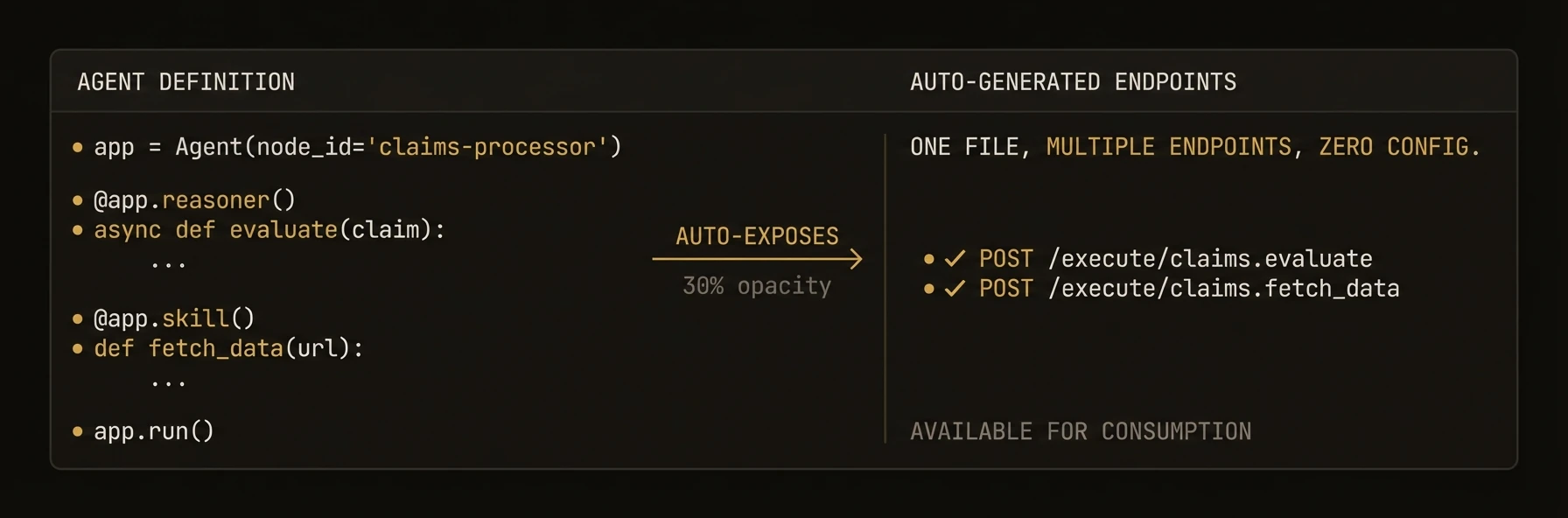 The top-level container that turns your code into a discoverable, governed, production microservice.
Without `Agent`, you would wire an HTTP server, registration, routing, identity, tracing, memory access, and cross-agent calls separately. With `Agent`, that infrastructure boundary is the object you instantiate.
### Python
```python
from agentfield import Agent, AIConfig
from pydantic import BaseModel
app = Agent(
node_id="support-triage", # unique ID in the network
ai_config=AIConfig(model="anthropic/claude-sonnet-4-20250514"),
)
class TicketClassification(BaseModel):
priority: str # "critical" | "high" | "normal" | "low"
department: str # route to the right team
summary: str # one-line summary for the queue
@app.reasoner() # AI-powered — gets an LLM client automatically
async def classify_ticket(subject: str, body: str, customer_id: str) -> TicketClassification:
result = await app.ai(
system="You triage customer support tickets.",
user=f"Subject: {subject}\n\n{body}",
schema=TicketClassification, # validated, typed output
)
await app.memory.set(f"ticket:{customer_id}:last_priority", result.priority)
return result
@app.skill() # deterministic — no AI, just business logic
def escalation_policy(priority: str) -> dict:
sla = {"critical": 15, "high": 60, "normal": 240, "low": 1440}
return {"sla_minutes": sla.get(priority, 240)}
app.run() # starts HTTP server + registers with control plane
# POST /reasoners/classify_ticket → AI classification
# POST /skills/escalation_policy → SLA lookup
```
### TypeScript
```typescript
import { Agent } from '@agentfield/sdk';
import { z } from 'zod';
const agent = new Agent({
nodeId: 'support-triage', // unique ID in the network
aiConfig: { provider: 'anthropic', model: 'claude-sonnet-4-20250514' },
});
const TicketClassification = z.object({
priority: z.enum(['critical', 'high', 'normal', 'low']),
department: z.string(), // route to the right team
summary: z.string(), // one-line summary for the queue
});
agent.reasoner('classifyTicket', async (ctx) => { // AI-powered
const result = await ctx.ai(
`Subject: ${ctx.input.subject}\n\n${ctx.input.body}`,
{
system: 'You triage customer support tickets.',
schema: TicketClassification, // validated, typed output
},
);
await ctx.memory.set(`ticket:${ctx.input.customerId}:lastPriority`, result.priority);
return result;
});
agent.skill('escalationPolicy', (ctx) => { // deterministic — no AI
const sla: Record = { critical: 15, high: 60, normal: 240, low: 1440 };
return { slaMinutes: sla[ctx.input.priority] ?? 240 };
});
agent.serve(); // starts HTTP server + registers with control plane
```
### Go
```go
package main
import (
"context"
"log"
"github.com/Agent-Field/agentfield/sdk/go/agent"
"github.com/Agent-Field/agentfield/sdk/go/ai"
)
func main() {
a, _ := agent.New(agent.Config{
NodeID: "support-triage", // unique ID in the network
Version: "1.0.0",
AgentFieldURL: "http://localhost:8080",
AIConfig: &ai.Config{Model: "anthropic/claude-sonnet-4-20250514"},
})
// AI-powered — gets an LLM client automatically
a.RegisterReasoner("classify_ticket", func(ctx context.Context, input map[string]any) (any, error) {
subject, _ := input["subject"].(string)
body, _ := input["body"].(string)
return map[string]any{"priority": "high", "department": "billing", "summary": subject}, nil
})
// Deterministic — no AI, just business logic
a.RegisterSkill("escalation_policy", func(ctx context.Context, input map[string]any) (any, error) {
sla := map[string]int{"critical": 15, "high": 60, "normal": 240, "low": 1440}
priority, _ := input["priority"].(string)
return map[string]any{"sla_minutes": sla[priority]}, nil
})
log.Fatal(a.Run(context.Background())) // starts HTTP server + registers with control plane
}
```
---
**What just happened**
- One `Agent` instance exposed both AI and deterministic operations
- The reasoner got model access, validation, and workflow context automatically
- The deterministic function became a separate callable endpoint without extra server code
- In all three SDKs, deterministic endpoints can be registered separately from AI-powered reasoners
- The memory write used the same execution context as the reasoner
Example generated surface:
```text
Python/TypeScript:
POST /reasoners/classify_ticket
POST /skills/escalation_policy
target: support-triage.classify_ticket
Go equivalent:
POST /reasoners/classify_ticket
POST /skills/escalation_policy
```
### What You Get
- **HTTP server** with auto-generated REST endpoints for every reasoner and skill
- **Control plane registration** with heartbeat, lease renewal, and graceful shutdown
- **Cryptographic identity** via automatic DID registration and verifiable credentials
- **Cross-agent communication** through the AgentField execution gateway
- **Built-in AI client** for structured LLM output with any provider
- **Memory system** for distributed state across workflows and sessions
- **CLI mode** for local testing and interactive debugging
### Constructor Parameters
### Python
`Agent` extends FastAPI. All FastAPI constructor parameters are also accepted.
| Parameter | Type | Default | Description |
|-----------|------|---------|-------------|
| `node_id` | `str` | **required** | Unique identifier for this agent node |
| `agentfield_server` | `str \| None` | `"http://localhost:8080"` | Control plane URL. Also reads `AGENTFIELD_SERVER` env var |
| `version` | `str` | `"1.0.0"` | Agent version string |
| `description` | `str \| None` | `None` | Human-readable description |
| `tags` | `list[str] \| None` | `None` | Metadata labels for policy and discovery |
| `ai_config` | `AIConfig \| None` | `None` | LLM provider configuration |
| `harness_config` | `HarnessConfig \| None` | `None` | Configuration for coding agent harness |
| `memory_config` | `MemoryConfig \| None` | `None` | Memory scope and TTL defaults |
| `dev_mode` | `bool` | `False` | Enable verbose logging |
| `callback_url` | `str \| None` | auto-detected | URL the control plane uses to reach this agent |
| `auto_register` | `bool` | `True` | Register with control plane on startup |
| `vc_enabled` | `bool \| None` | `True` | Enable verifiable credential generation |
| `api_key` | `str \| None` | `None` | API key for control plane auth |
| `enable_mcp` | `bool` | `False` | Enable MCP server integration |
| `enable_did` | `bool` | `True` | Enable DID-based identity |
| `local_verification` | `bool` | `False` | Enable decentralized request verification |
### TypeScript
| Parameter | Type | Default | Description |
|-----------|------|---------|-------------|
| `nodeId` | `string` | **required** | Unique identifier for this agent node |
| `agentFieldUrl` | `string` | `"http://localhost:8080"` | Control plane URL |
| `port` | `number` | `8001` | HTTP server port |
| `host` | `string` | `"0.0.0.0"` | HTTP server bind address |
| `version` | `string` | `undefined` | Agent version string |
| `teamId` | `string` | `undefined` | Team grouping identifier |
| `aiConfig` | `AIConfig` | `undefined` | LLM provider configuration |
| `harnessConfig` | `HarnessConfig` | `undefined` | Coding agent harness configuration |
| `memoryConfig` | `MemoryConfig` | `undefined` | Memory scope and TTL defaults |
| `didEnabled` | `boolean` | `true` | Enable DID-based identity |
| `devMode` | `boolean` | `undefined` | Enable verbose logging |
| `deploymentType` | `"long_running" \| "serverless"` | `"long_running"` | Execution mode |
| `mcp` | `MCPConfig` | `undefined` | MCP server configuration |
| `localVerification` | `boolean` | `undefined` | Enable decentralized request verification |
| `tags` | `string[]` | `undefined` | Metadata labels for policy and discovery |
### Go
| Parameter | Type | Default | Description |
|-----------|------|---------|-------------|
| `NodeID` | `string` | **required** | Unique identifier for this agent node |
| `Version` | `string` | **required** | Agent version string |
| `TeamID` | `string` | `"default"` | Team grouping identifier |
| `AgentFieldURL` | `string` | `""` | Control plane URL |
| `ListenAddress` | `string` | `":8001"` | HTTP server bind address |
| `PublicURL` | `string` | auto-generated | URL the control plane uses to reach this agent |
| `Token` | `string` | `""` | Bearer token for control plane auth |
| `DeploymentType` | `string` | `"long_running"` | Execution mode |
| `LeaseRefreshInterval` | `time.Duration` | `2m` | Heartbeat frequency |
| `AIConfig` | `*ai.Config` | `nil` | LLM provider configuration |
| `HarnessConfig` | `*HarnessConfig` | `nil` | Coding agent harness configuration |
| `MemoryBackend` | `MemoryBackend` | in-memory | Custom memory storage backend |
| `EnableDID` | `bool` | `false` | Enable automatic DID registration |
| `VCEnabled` | `bool` | `false` | Enable verifiable credential generation |
| `Tags` | `[]string` | `nil` | Metadata labels for policy and discovery |
| `LocalVerification` | `bool` | `false` | Enable decentralized request verification |
| `RequireOriginAuth` | `bool` | `false` | Validate incoming requests against token |
### SDK Reference
| Operation | Python | TypeScript | Go |
|-----------|--------|------------|-----|
| Create agent | `Agent(node_id=...)` | `new Agent({ nodeId })` | `agent.New(agent.Config{NodeID: ..., AgentFieldURL: ...})` |
| Register reasoner | `@app.reasoner()` | `agent.reasoner(name, handler)` | `a.RegisterReasoner(name, handler)` |
| Register skill | `@app.skill()` | `agent.skill(name, handler)` | N/A (use `RegisterReasoner`) |
| Include router | `app.include_router(r)` | `agent.includeRouter(r)` | N/A |
| Start server | `app.serve(port=8001)` | `agent.serve()` | `a.Serve(ctx)` |
| Auto-detect mode | `app.run()` | N/A | `a.Run(ctx)` |
| Call another agent | `await app.call("agent.fn", **input)` | `await agent.call("agent.fn", input)` | `a.Call(ctx, "agent.fn", input)` |
| AI structured output | `await app.ai(user=..., schema=Model)` | `await ctx.ai(prompt, { schema })` | `a.AI(ctx, prompt, opts)` |
| Run harness | `await app.harness(prompt)` | `await agent.harness(prompt)` | `a.Harness(ctx, prompt, schema, dest, opts)` |
| Access memory | `app.memory.set(key, val)` | `ctx.memory` | `a.Memory()` |
| Discover agents | `app.discover()` | `await agent.discover()` | `a.Discover(ctx)` |
| Shutdown | automatic on SIGTERM | `await agent.shutdown()` | automatic on SIGTERM |
### Patterns
### Environment-based configuration
### Python
```python
import os
from agentfield import Agent, AIConfig
app = Agent(
node_id=os.getenv("AGENT_ID", "my-agent"),
agentfield_server=os.getenv("AGENTFIELD_SERVER"),
ai_config=AIConfig(
model=os.getenv("LLM_MODEL", "openai/gpt-4o"),
),
dev_mode=os.getenv("DEV_MODE", "false").lower() == "true",
)
```
### TypeScript
```typescript
import { Agent } from '@agentfield/sdk';
const agent = new Agent({
nodeId: process.env.AGENT_ID ?? 'my-agent',
agentFieldUrl: process.env.AGENTFIELD_URL ?? 'http://localhost:8080',
aiConfig: {
provider: 'openai',
model: process.env.LLM_MODEL ?? 'gpt-4o',
},
devMode: process.env.DEV_MODE === 'true',
});
```
### Go
```go
cfg := agent.Config{
NodeID: envOrDefault("AGENT_ID", "my-agent"),
Version: "1.0.0",
AgentFieldURL: os.Getenv("AGENTFIELD_URL"),
AIConfig: &ai.Config{Model: envOrDefault("LLM_MODEL", "gpt-4o")},
}
a, err := agent.New(cfg)
```
### Serverless deployment
### Python
```python
from agentfield import Agent
app = Agent(
node_id="serverless-agent",
callback_url="https://my-function.vercel.app",
)
@app.reasoner()
async def process(data: dict) -> dict:
return {"processed": True, **data}
# Export the FastAPI app for serverless platforms
# Vercel, Railway, etc. use this directly
```
### TypeScript
```typescript
import { Agent } from '@agentfield/sdk';
const agent = new Agent({
nodeId: 'serverless-agent',
deploymentType: 'serverless',
});
agent.reasoner('process', async (ctx) => {
return { processed: true, ...ctx.input };
});
// Export handler for Lambda, Cloud Functions, etc.
export const handler = agent.handler();
```
### Cross-agent communication
### Python
```python
@app.reasoner()
async def orchestrate(task: str) -> dict:
# Call another agent's reasoner through the control plane
analysis = await app.call("analyzer-agent.analyze", text=task)
summary = await app.call("summarizer-agent.summarize", data=analysis)
return {"task": task, "result": summary}
```
### TypeScript
```typescript
agent.reasoner('orchestrate', async (ctx) => {
const analysis = await ctx.call('analyzer-agent.analyze', { text: ctx.input.task });
const summary = await ctx.call('summarizer-agent.summarize', { data: analysis });
return { task: ctx.input.task, result: summary };
});
```
### Go
```go
a.RegisterReasoner("orchestrate", func(ctx context.Context, input map[string]any) (any, error) {
task, _ := input["task"].(string)
analysis, err := a.Call(ctx, "analyzer-agent.analyze", map[string]any{"text": task})
if err != nil {
return nil, err
}
summary, err := a.Call(ctx, "summarizer-agent.summarize", map[string]any{"data": analysis})
if err != nil {
return nil, err
}
return map[string]any{"task": task, "result": summary}, nil
})
```
### Constructor Parameters
### Python
`Agent` extends FastAPI. All FastAPI constructor parameters are also accepted.
| Parameter | Type | Default | Description |
|-----------|------|---------|-------------|
| `node_id` | `str` | **required** | Unique identifier for this agent node |
| `agentfield_server` | `str \| None` | `"http://localhost:8080"` | Control plane URL. Also reads `AGENTFIELD_SERVER` env var |
| `version` | `str` | `"1.0.0"` | Agent version string |
| `description` | `str \| None` | `None` | Human-readable description |
| `tags` | `list[str] \| None` | `None` | Metadata labels for policy and discovery |
| `ai_config` | `AIConfig \| None` | `None` | LLM provider configuration |
| `harness_config` | `HarnessConfig \| None` | `None` | Configuration for coding agent harness |
| `memory_config` | `MemoryConfig \| None` | `None` | Memory scope and TTL defaults |
| `dev_mode` | `bool` | `False` | Enable verbose logging |
| `callback_url` | `str \| None` | auto-detected | URL the control plane uses to reach this agent |
| `auto_register` | `bool` | `True` | Register with control plane on startup |
| `vc_enabled` | `bool \| None` | `True` | Enable verifiable credential generation |
| `api_key` | `str \| None` | `None` | API key for control plane auth |
| `enable_mcp` | `bool` | `False` | Enable MCP server integration |
| `enable_did` | `bool` | `True` | Enable DID-based identity |
| `local_verification` | `bool` | `False` | Enable decentralized request verification |
### TypeScript
| Parameter | Type | Default | Description |
|-----------|------|---------|-------------|
| `nodeId` | `string` | **required** | Unique identifier for this agent node |
| `agentFieldUrl` | `string` | `"http://localhost:8080"` | Control plane URL |
| `port` | `number` | `8001` | HTTP server port |
| `host` | `string` | `"0.0.0.0"` | HTTP server bind address |
| `version` | `string` | `undefined` | Agent version string |
| `teamId` | `string` | `undefined` | Team grouping identifier |
| `aiConfig` | `AIConfig` | `undefined` | LLM provider configuration |
| `harnessConfig` | `HarnessConfig` | `undefined` | Coding agent harness configuration |
| `memoryConfig` | `MemoryConfig` | `undefined` | Memory scope and TTL defaults |
| `didEnabled` | `boolean` | `true` | Enable DID-based identity |
| `devMode` | `boolean` | `undefined` | Enable verbose logging |
| `deploymentType` | `"long_running" \| "serverless"` | `"long_running"` | Execution mode |
| `mcp` | `MCPConfig` | `undefined` | MCP server configuration |
| `localVerification` | `boolean` | `undefined` | Enable decentralized request verification |
| `tags` | `string[]` | `undefined` | Metadata labels for policy and discovery |
### Go
| Parameter | Type | Default | Description |
|-----------|------|---------|-------------|
| `NodeID` | `string` | **required** | Unique identifier for this agent node |
| `Version` | `string` | **required** | Agent version string |
| `TeamID` | `string` | `"default"` | Team grouping identifier |
| `AgentFieldURL` | `string` | `""` | Control plane URL |
| `ListenAddress` | `string` | `":8001"` | HTTP server bind address |
| `PublicURL` | `string` | auto-generated | URL the control plane uses to reach this agent |
| `Token` | `string` | `""` | Bearer token for control plane auth |
| `DeploymentType` | `string` | `"long_running"` | Execution mode |
| `LeaseRefreshInterval` | `time.Duration` | `2m` | Heartbeat frequency |
| `AIConfig` | `*ai.Config` | `nil` | LLM provider configuration |
| `HarnessConfig` | `*HarnessConfig` | `nil` | Coding agent harness configuration |
| `MemoryBackend` | `MemoryBackend` | in-memory | Custom memory storage backend |
| `EnableDID` | `bool` | `false` | Enable automatic DID registration |
| `VCEnabled` | `bool` | `false` | Enable verifiable credential generation |
| `Tags` | `[]string` | `nil` | Metadata labels for policy and discovery |
| `LocalVerification` | `bool` | `false` | Enable decentralized request verification |
| `RequireOriginAuth` | `bool` | `false` | Validate incoming requests against token |
### SDK Reference
| Operation | Python | TypeScript | Go |
|-----------|--------|------------|-----|
| Create agent | `Agent(node_id=...)` | `new Agent({ nodeId })` | `agent.New(agent.Config{NodeID: ...})` |
| Register reasoner | `@app.reasoner()` | `agent.reasoner(name, handler)` | `a.RegisterReasoner(name, handler)` |
| Register skill | `@app.skill()` | `agent.skill(name, handler)` | N/A (use `RegisterReasoner`) |
| Include router | `app.include_router(r)` | `agent.includeRouter(r)` | N/A |
| Start server | `app.serve(port=8001)` | `agent.serve()` | `a.Serve(ctx)` |
| Auto-detect mode | `app.run()` | N/A | `a.Run(ctx)` |
| Call another agent | `await app.call("agent.fn", **input)` | `await agent.call("agent.fn", input)` | `a.Call(ctx, "agent.fn", input)` |
| AI structured output | `await app.ai(user=..., schema=Model)` | `await ctx.ai(prompt, { schema })` | `a.AI(ctx, prompt, opts)` |
| Run harness | `await app.harness(prompt)` | `await agent.harness(prompt)` | `a.Harness(ctx, prompt, schema, dest, opts)` |
| Access memory | `app.memory.set(key, val)` | `ctx.memory` | `a.Memory()` |
| Discover agents | `app.discover()` | `await agent.discover()` | `a.Discover(ctx)` |
| Shutdown | automatic on SIGTERM | `await agent.shutdown()` | automatic on SIGTERM |
---
## Reasoners
URL: https://agentfield.ai/docs/build/building-blocks/reasoners
Markdown: https://agentfield.ai/llm/docs/build/building-blocks/reasoners
Last-Modified: 2026-03-24T16:54:10.000Z
Category: building-blocks
Difficulty: beginner
Keywords: reasoner, ai, llm, decorator, handler, workflow, execution context
Summary: AI-powered functions with automatic workflow tracking, schema generation, and execution context
The top-level container that turns your code into a discoverable, governed, production microservice.
Without `Agent`, you would wire an HTTP server, registration, routing, identity, tracing, memory access, and cross-agent calls separately. With `Agent`, that infrastructure boundary is the object you instantiate.
### Python
```python
from agentfield import Agent, AIConfig
from pydantic import BaseModel
app = Agent(
node_id="support-triage", # unique ID in the network
ai_config=AIConfig(model="anthropic/claude-sonnet-4-20250514"),
)
class TicketClassification(BaseModel):
priority: str # "critical" | "high" | "normal" | "low"
department: str # route to the right team
summary: str # one-line summary for the queue
@app.reasoner() # AI-powered — gets an LLM client automatically
async def classify_ticket(subject: str, body: str, customer_id: str) -> TicketClassification:
result = await app.ai(
system="You triage customer support tickets.",
user=f"Subject: {subject}\n\n{body}",
schema=TicketClassification, # validated, typed output
)
await app.memory.set(f"ticket:{customer_id}:last_priority", result.priority)
return result
@app.skill() # deterministic — no AI, just business logic
def escalation_policy(priority: str) -> dict:
sla = {"critical": 15, "high": 60, "normal": 240, "low": 1440}
return {"sla_minutes": sla.get(priority, 240)}
app.run() # starts HTTP server + registers with control plane
# POST /reasoners/classify_ticket → AI classification
# POST /skills/escalation_policy → SLA lookup
```
### TypeScript
```typescript
import { Agent } from '@agentfield/sdk';
import { z } from 'zod';
const agent = new Agent({
nodeId: 'support-triage', // unique ID in the network
aiConfig: { provider: 'anthropic', model: 'claude-sonnet-4-20250514' },
});
const TicketClassification = z.object({
priority: z.enum(['critical', 'high', 'normal', 'low']),
department: z.string(), // route to the right team
summary: z.string(), // one-line summary for the queue
});
agent.reasoner('classifyTicket', async (ctx) => { // AI-powered
const result = await ctx.ai(
`Subject: ${ctx.input.subject}\n\n${ctx.input.body}`,
{
system: 'You triage customer support tickets.',
schema: TicketClassification, // validated, typed output
},
);
await ctx.memory.set(`ticket:${ctx.input.customerId}:lastPriority`, result.priority);
return result;
});
agent.skill('escalationPolicy', (ctx) => { // deterministic — no AI
const sla: Record = { critical: 15, high: 60, normal: 240, low: 1440 };
return { slaMinutes: sla[ctx.input.priority] ?? 240 };
});
agent.serve(); // starts HTTP server + registers with control plane
```
### Go
```go
package main
import (
"context"
"log"
"github.com/Agent-Field/agentfield/sdk/go/agent"
"github.com/Agent-Field/agentfield/sdk/go/ai"
)
func main() {
a, _ := agent.New(agent.Config{
NodeID: "support-triage", // unique ID in the network
Version: "1.0.0",
AgentFieldURL: "http://localhost:8080",
AIConfig: &ai.Config{Model: "anthropic/claude-sonnet-4-20250514"},
})
// AI-powered — gets an LLM client automatically
a.RegisterReasoner("classify_ticket", func(ctx context.Context, input map[string]any) (any, error) {
subject, _ := input["subject"].(string)
body, _ := input["body"].(string)
return map[string]any{"priority": "high", "department": "billing", "summary": subject}, nil
})
// Deterministic — no AI, just business logic
a.RegisterSkill("escalation_policy", func(ctx context.Context, input map[string]any) (any, error) {
sla := map[string]int{"critical": 15, "high": 60, "normal": 240, "low": 1440}
priority, _ := input["priority"].(string)
return map[string]any{"sla_minutes": sla[priority]}, nil
})
log.Fatal(a.Run(context.Background())) // starts HTTP server + registers with control plane
}
```
---
**What just happened**
- One `Agent` instance exposed both AI and deterministic operations
- The reasoner got model access, validation, and workflow context automatically
- The deterministic function became a separate callable endpoint without extra server code
- In all three SDKs, deterministic endpoints can be registered separately from AI-powered reasoners
- The memory write used the same execution context as the reasoner
Example generated surface:
```text
Python/TypeScript:
POST /reasoners/classify_ticket
POST /skills/escalation_policy
target: support-triage.classify_ticket
Go equivalent:
POST /reasoners/classify_ticket
POST /skills/escalation_policy
```
### What You Get
- **HTTP server** with auto-generated REST endpoints for every reasoner and skill
- **Control plane registration** with heartbeat, lease renewal, and graceful shutdown
- **Cryptographic identity** via automatic DID registration and verifiable credentials
- **Cross-agent communication** through the AgentField execution gateway
- **Built-in AI client** for structured LLM output with any provider
- **Memory system** for distributed state across workflows and sessions
- **CLI mode** for local testing and interactive debugging
### Constructor Parameters
### Python
`Agent` extends FastAPI. All FastAPI constructor parameters are also accepted.
| Parameter | Type | Default | Description |
|-----------|------|---------|-------------|
| `node_id` | `str` | **required** | Unique identifier for this agent node |
| `agentfield_server` | `str \| None` | `"http://localhost:8080"` | Control plane URL. Also reads `AGENTFIELD_SERVER` env var |
| `version` | `str` | `"1.0.0"` | Agent version string |
| `description` | `str \| None` | `None` | Human-readable description |
| `tags` | `list[str] \| None` | `None` | Metadata labels for policy and discovery |
| `ai_config` | `AIConfig \| None` | `None` | LLM provider configuration |
| `harness_config` | `HarnessConfig \| None` | `None` | Configuration for coding agent harness |
| `memory_config` | `MemoryConfig \| None` | `None` | Memory scope and TTL defaults |
| `dev_mode` | `bool` | `False` | Enable verbose logging |
| `callback_url` | `str \| None` | auto-detected | URL the control plane uses to reach this agent |
| `auto_register` | `bool` | `True` | Register with control plane on startup |
| `vc_enabled` | `bool \| None` | `True` | Enable verifiable credential generation |
| `api_key` | `str \| None` | `None` | API key for control plane auth |
| `enable_mcp` | `bool` | `False` | Enable MCP server integration |
| `enable_did` | `bool` | `True` | Enable DID-based identity |
| `local_verification` | `bool` | `False` | Enable decentralized request verification |
### TypeScript
| Parameter | Type | Default | Description |
|-----------|------|---------|-------------|
| `nodeId` | `string` | **required** | Unique identifier for this agent node |
| `agentFieldUrl` | `string` | `"http://localhost:8080"` | Control plane URL |
| `port` | `number` | `8001` | HTTP server port |
| `host` | `string` | `"0.0.0.0"` | HTTP server bind address |
| `version` | `string` | `undefined` | Agent version string |
| `teamId` | `string` | `undefined` | Team grouping identifier |
| `aiConfig` | `AIConfig` | `undefined` | LLM provider configuration |
| `harnessConfig` | `HarnessConfig` | `undefined` | Coding agent harness configuration |
| `memoryConfig` | `MemoryConfig` | `undefined` | Memory scope and TTL defaults |
| `didEnabled` | `boolean` | `true` | Enable DID-based identity |
| `devMode` | `boolean` | `undefined` | Enable verbose logging |
| `deploymentType` | `"long_running" \| "serverless"` | `"long_running"` | Execution mode |
| `mcp` | `MCPConfig` | `undefined` | MCP server configuration |
| `localVerification` | `boolean` | `undefined` | Enable decentralized request verification |
| `tags` | `string[]` | `undefined` | Metadata labels for policy and discovery |
### Go
| Parameter | Type | Default | Description |
|-----------|------|---------|-------------|
| `NodeID` | `string` | **required** | Unique identifier for this agent node |
| `Version` | `string` | **required** | Agent version string |
| `TeamID` | `string` | `"default"` | Team grouping identifier |
| `AgentFieldURL` | `string` | `""` | Control plane URL |
| `ListenAddress` | `string` | `":8001"` | HTTP server bind address |
| `PublicURL` | `string` | auto-generated | URL the control plane uses to reach this agent |
| `Token` | `string` | `""` | Bearer token for control plane auth |
| `DeploymentType` | `string` | `"long_running"` | Execution mode |
| `LeaseRefreshInterval` | `time.Duration` | `2m` | Heartbeat frequency |
| `AIConfig` | `*ai.Config` | `nil` | LLM provider configuration |
| `HarnessConfig` | `*HarnessConfig` | `nil` | Coding agent harness configuration |
| `MemoryBackend` | `MemoryBackend` | in-memory | Custom memory storage backend |
| `EnableDID` | `bool` | `false` | Enable automatic DID registration |
| `VCEnabled` | `bool` | `false` | Enable verifiable credential generation |
| `Tags` | `[]string` | `nil` | Metadata labels for policy and discovery |
| `LocalVerification` | `bool` | `false` | Enable decentralized request verification |
| `RequireOriginAuth` | `bool` | `false` | Validate incoming requests against token |
### SDK Reference
| Operation | Python | TypeScript | Go |
|-----------|--------|------------|-----|
| Create agent | `Agent(node_id=...)` | `new Agent({ nodeId })` | `agent.New(agent.Config{NodeID: ..., AgentFieldURL: ...})` |
| Register reasoner | `@app.reasoner()` | `agent.reasoner(name, handler)` | `a.RegisterReasoner(name, handler)` |
| Register skill | `@app.skill()` | `agent.skill(name, handler)` | N/A (use `RegisterReasoner`) |
| Include router | `app.include_router(r)` | `agent.includeRouter(r)` | N/A |
| Start server | `app.serve(port=8001)` | `agent.serve()` | `a.Serve(ctx)` |
| Auto-detect mode | `app.run()` | N/A | `a.Run(ctx)` |
| Call another agent | `await app.call("agent.fn", **input)` | `await agent.call("agent.fn", input)` | `a.Call(ctx, "agent.fn", input)` |
| AI structured output | `await app.ai(user=..., schema=Model)` | `await ctx.ai(prompt, { schema })` | `a.AI(ctx, prompt, opts)` |
| Run harness | `await app.harness(prompt)` | `await agent.harness(prompt)` | `a.Harness(ctx, prompt, schema, dest, opts)` |
| Access memory | `app.memory.set(key, val)` | `ctx.memory` | `a.Memory()` |
| Discover agents | `app.discover()` | `await agent.discover()` | `a.Discover(ctx)` |
| Shutdown | automatic on SIGTERM | `await agent.shutdown()` | automatic on SIGTERM |
### Patterns
### Environment-based configuration
### Python
```python
import os
from agentfield import Agent, AIConfig
app = Agent(
node_id=os.getenv("AGENT_ID", "my-agent"),
agentfield_server=os.getenv("AGENTFIELD_SERVER"),
ai_config=AIConfig(
model=os.getenv("LLM_MODEL", "openai/gpt-4o"),
),
dev_mode=os.getenv("DEV_MODE", "false").lower() == "true",
)
```
### TypeScript
```typescript
import { Agent } from '@agentfield/sdk';
const agent = new Agent({
nodeId: process.env.AGENT_ID ?? 'my-agent',
agentFieldUrl: process.env.AGENTFIELD_URL ?? 'http://localhost:8080',
aiConfig: {
provider: 'openai',
model: process.env.LLM_MODEL ?? 'gpt-4o',
},
devMode: process.env.DEV_MODE === 'true',
});
```
### Go
```go
cfg := agent.Config{
NodeID: envOrDefault("AGENT_ID", "my-agent"),
Version: "1.0.0",
AgentFieldURL: os.Getenv("AGENTFIELD_URL"),
AIConfig: &ai.Config{Model: envOrDefault("LLM_MODEL", "gpt-4o")},
}
a, err := agent.New(cfg)
```
### Serverless deployment
### Python
```python
from agentfield import Agent
app = Agent(
node_id="serverless-agent",
callback_url="https://my-function.vercel.app",
)
@app.reasoner()
async def process(data: dict) -> dict:
return {"processed": True, **data}
# Export the FastAPI app for serverless platforms
# Vercel, Railway, etc. use this directly
```
### TypeScript
```typescript
import { Agent } from '@agentfield/sdk';
const agent = new Agent({
nodeId: 'serverless-agent',
deploymentType: 'serverless',
});
agent.reasoner('process', async (ctx) => {
return { processed: true, ...ctx.input };
});
// Export handler for Lambda, Cloud Functions, etc.
export const handler = agent.handler();
```
### Cross-agent communication
### Python
```python
@app.reasoner()
async def orchestrate(task: str) -> dict:
# Call another agent's reasoner through the control plane
analysis = await app.call("analyzer-agent.analyze", text=task)
summary = await app.call("summarizer-agent.summarize", data=analysis)
return {"task": task, "result": summary}
```
### TypeScript
```typescript
agent.reasoner('orchestrate', async (ctx) => {
const analysis = await ctx.call('analyzer-agent.analyze', { text: ctx.input.task });
const summary = await ctx.call('summarizer-agent.summarize', { data: analysis });
return { task: ctx.input.task, result: summary };
});
```
### Go
```go
a.RegisterReasoner("orchestrate", func(ctx context.Context, input map[string]any) (any, error) {
task, _ := input["task"].(string)
analysis, err := a.Call(ctx, "analyzer-agent.analyze", map[string]any{"text": task})
if err != nil {
return nil, err
}
summary, err := a.Call(ctx, "summarizer-agent.summarize", map[string]any{"data": analysis})
if err != nil {
return nil, err
}
return map[string]any{"task": task, "result": summary}, nil
})
```
### Constructor Parameters
### Python
`Agent` extends FastAPI. All FastAPI constructor parameters are also accepted.
| Parameter | Type | Default | Description |
|-----------|------|---------|-------------|
| `node_id` | `str` | **required** | Unique identifier for this agent node |
| `agentfield_server` | `str \| None` | `"http://localhost:8080"` | Control plane URL. Also reads `AGENTFIELD_SERVER` env var |
| `version` | `str` | `"1.0.0"` | Agent version string |
| `description` | `str \| None` | `None` | Human-readable description |
| `tags` | `list[str] \| None` | `None` | Metadata labels for policy and discovery |
| `ai_config` | `AIConfig \| None` | `None` | LLM provider configuration |
| `harness_config` | `HarnessConfig \| None` | `None` | Configuration for coding agent harness |
| `memory_config` | `MemoryConfig \| None` | `None` | Memory scope and TTL defaults |
| `dev_mode` | `bool` | `False` | Enable verbose logging |
| `callback_url` | `str \| None` | auto-detected | URL the control plane uses to reach this agent |
| `auto_register` | `bool` | `True` | Register with control plane on startup |
| `vc_enabled` | `bool \| None` | `True` | Enable verifiable credential generation |
| `api_key` | `str \| None` | `None` | API key for control plane auth |
| `enable_mcp` | `bool` | `False` | Enable MCP server integration |
| `enable_did` | `bool` | `True` | Enable DID-based identity |
| `local_verification` | `bool` | `False` | Enable decentralized request verification |
### TypeScript
| Parameter | Type | Default | Description |
|-----------|------|---------|-------------|
| `nodeId` | `string` | **required** | Unique identifier for this agent node |
| `agentFieldUrl` | `string` | `"http://localhost:8080"` | Control plane URL |
| `port` | `number` | `8001` | HTTP server port |
| `host` | `string` | `"0.0.0.0"` | HTTP server bind address |
| `version` | `string` | `undefined` | Agent version string |
| `teamId` | `string` | `undefined` | Team grouping identifier |
| `aiConfig` | `AIConfig` | `undefined` | LLM provider configuration |
| `harnessConfig` | `HarnessConfig` | `undefined` | Coding agent harness configuration |
| `memoryConfig` | `MemoryConfig` | `undefined` | Memory scope and TTL defaults |
| `didEnabled` | `boolean` | `true` | Enable DID-based identity |
| `devMode` | `boolean` | `undefined` | Enable verbose logging |
| `deploymentType` | `"long_running" \| "serverless"` | `"long_running"` | Execution mode |
| `mcp` | `MCPConfig` | `undefined` | MCP server configuration |
| `localVerification` | `boolean` | `undefined` | Enable decentralized request verification |
| `tags` | `string[]` | `undefined` | Metadata labels for policy and discovery |
### Go
| Parameter | Type | Default | Description |
|-----------|------|---------|-------------|
| `NodeID` | `string` | **required** | Unique identifier for this agent node |
| `Version` | `string` | **required** | Agent version string |
| `TeamID` | `string` | `"default"` | Team grouping identifier |
| `AgentFieldURL` | `string` | `""` | Control plane URL |
| `ListenAddress` | `string` | `":8001"` | HTTP server bind address |
| `PublicURL` | `string` | auto-generated | URL the control plane uses to reach this agent |
| `Token` | `string` | `""` | Bearer token for control plane auth |
| `DeploymentType` | `string` | `"long_running"` | Execution mode |
| `LeaseRefreshInterval` | `time.Duration` | `2m` | Heartbeat frequency |
| `AIConfig` | `*ai.Config` | `nil` | LLM provider configuration |
| `HarnessConfig` | `*HarnessConfig` | `nil` | Coding agent harness configuration |
| `MemoryBackend` | `MemoryBackend` | in-memory | Custom memory storage backend |
| `EnableDID` | `bool` | `false` | Enable automatic DID registration |
| `VCEnabled` | `bool` | `false` | Enable verifiable credential generation |
| `Tags` | `[]string` | `nil` | Metadata labels for policy and discovery |
| `LocalVerification` | `bool` | `false` | Enable decentralized request verification |
| `RequireOriginAuth` | `bool` | `false` | Validate incoming requests against token |
### SDK Reference
| Operation | Python | TypeScript | Go |
|-----------|--------|------------|-----|
| Create agent | `Agent(node_id=...)` | `new Agent({ nodeId })` | `agent.New(agent.Config{NodeID: ...})` |
| Register reasoner | `@app.reasoner()` | `agent.reasoner(name, handler)` | `a.RegisterReasoner(name, handler)` |
| Register skill | `@app.skill()` | `agent.skill(name, handler)` | N/A (use `RegisterReasoner`) |
| Include router | `app.include_router(r)` | `agent.includeRouter(r)` | N/A |
| Start server | `app.serve(port=8001)` | `agent.serve()` | `a.Serve(ctx)` |
| Auto-detect mode | `app.run()` | N/A | `a.Run(ctx)` |
| Call another agent | `await app.call("agent.fn", **input)` | `await agent.call("agent.fn", input)` | `a.Call(ctx, "agent.fn", input)` |
| AI structured output | `await app.ai(user=..., schema=Model)` | `await ctx.ai(prompt, { schema })` | `a.AI(ctx, prompt, opts)` |
| Run harness | `await app.harness(prompt)` | `await agent.harness(prompt)` | `a.Harness(ctx, prompt, schema, dest, opts)` |
| Access memory | `app.memory.set(key, val)` | `ctx.memory` | `a.Memory()` |
| Discover agents | `app.discover()` | `await agent.discover()` | `a.Discover(ctx)` |
| Shutdown | automatic on SIGTERM | `await agent.shutdown()` | automatic on SIGTERM |
---
## Reasoners
URL: https://agentfield.ai/docs/build/building-blocks/reasoners
Markdown: https://agentfield.ai/llm/docs/build/building-blocks/reasoners
Last-Modified: 2026-03-24T16:54:10.000Z
Category: building-blocks
Difficulty: beginner
Keywords: reasoner, ai, llm, decorator, handler, workflow, execution context
Summary: AI-powered functions with automatic workflow tracking, schema generation, and execution context
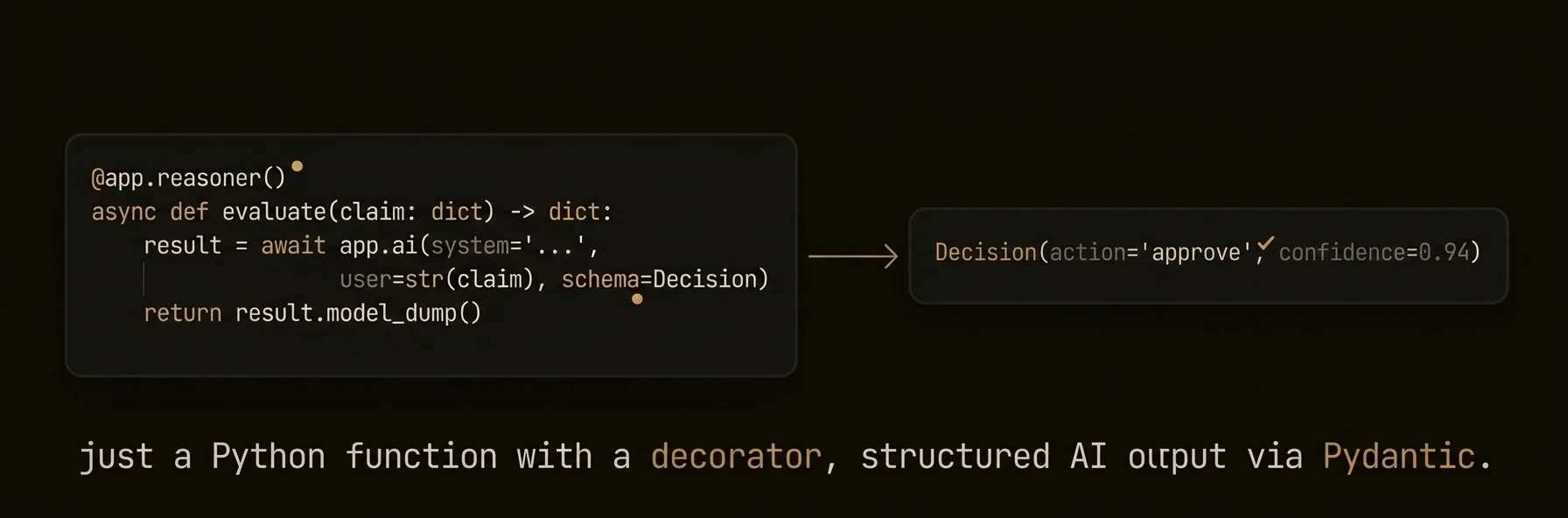 AI-powered functions that turn LLM calls into typed, tracked, auditable API endpoints.
The real production problem is not “how do I call a model?” It is “which parts of this workflow need AI judgment, and which parts need deterministic control?” Reasoners are where that boundary lives.
They are not just LLM wrappers. A reasoner combines AI analysis with your routing, validation, escalation, and side effects, then runs that workflow with full execution context and auditability.
### Python
### TypeScript
### Go
---
**What just happened**
- AI produced a typed triage decision instead of free-form text
- Your code handled the escalation side effect deterministically
- The reasoner emitted an execution note for observability
- AgentField attached execution IDs, workflow context, and an HTTP target automatically
Example target and result shape:
### What You Get
- **Automatic REST endpoints** generated from function signatures and type hints
- **Workflow tracking** with execution IDs, parent-child relationships, and DAG building
- **Schema generation** from type annotations (Python) or explicit schemas (TypeScript, Go)
- **Execution context** with run ID, session, memory access, and cross-agent call propagation
- **Verifiable credentials** for every execution when DID is enabled
- **Pydantic model conversion** (Python) for automatic input validation
### Patterns
### Execution context injection (Python)
When your reasoner function declares an `execution_context` parameter, the SDK automatically injects it:
### Python
### TypeScript
### Go
### Pydantic input validation (Python)
Reasoners automatically convert incoming JSON to Pydantic models when type hints are used:
### Python
### CLI-accessible reasoners (Go)
The Go SDK supports running reasoners directly from the command line:
### Go
### Registration Options
### Python `@app.reasoner()` decorator
| Parameter | Type | Default | Description |
|-----------|------|---------|-------------|
| `path` | `str \| None` | `"/reasoners/{fn_name}"` | Custom API endpoint path |
| `name` | `str \| None` | function name | Explicit registration ID |
| `tags` | `list[str] \| None` | `None` | Organizational tags for discovery and policy |
| `vc_enabled` | `bool \| None` | `None` | Override agent-level VC generation |
| `require_realtime_validation` | `bool` | `False` | Force control-plane verification |
The standalone `@reasoner` decorator (from `agentfield.decorators`) adds `track_workflow` and `description` parameters and is used for module-level reasoners outside the agent decorator pattern.
### TypeScript `agent.reasoner()` options
| Parameter | Type | Default | Description |
|-----------|------|---------|-------------|
| `tags` | `string[]` | `undefined` | Organizational tags |
| `description` | `string` | `undefined` | Human-readable description |
| `inputSchema` | `any` | `undefined` | JSON Schema for input validation |
| `outputSchema` | `any` | `undefined` | JSON Schema for output documentation |
| `trackWorkflow` | `boolean` | `undefined` | Enable workflow tracking |
| `requireRealtimeValidation` | `boolean` | `undefined` | Force control-plane verification |
### Go `RegisterReasoner()` options
| Option | Description |
|--------|-------------|
| `WithDescription(desc)` | Human-readable description for help and discovery |
| `WithReasonerTags(tags...)` | Tags for organization and tag-based authorization |
| `WithInputSchema(json.RawMessage)` | Override auto-generated input schema |
| `WithOutputSchema(json.RawMessage)` | Override default output schema |
| `WithVCEnabled(bool)` | Override agent-level VC generation |
| `WithCLI()` | Make this reasoner accessible from the CLI |
| `WithDefaultCLI()` | Set as the default CLI handler |
| `WithCLIFormatter(func)` | Custom output formatter for CLI mode |
| `WithRequireRealtimeValidation()` | Force control-plane verification |
### SDK Reference
| Operation | Python | TypeScript | Go |
|-----------|--------|------------|-----|
| Register | `@app.reasoner()` | `agent.reasoner(name, handler, opts?)` | `a.RegisterReasoner(name, handler, opts...)` |
| Handler signature | `async def fn(arg: Type) -> Type` | `(ctx: ReasonerContext) => Promise` | `func(ctx, input map[string]any) (any, error)` |
| Access input | Function parameters | `ctx.input` | `input` map |
| Access AI | `await app.ai(...)` | `await ctx.ai(...)` | `a.AI(ctx, ...)` |
| Cross-agent call | `await app.call(target, input)` | `await ctx.call(target, input)` | `a.Call(ctx, target, input)` |
| Access memory | `app.memory.set(key, val)` | `ctx.memory.set(key, val)` | `a.Memory().Set(ctx, key, val)` |
| Get execution context | `execution_context` parameter | `ctx.executionId`, `ctx.runId` | `agent.ExecutionContextFrom(ctx)` |
---
## Routers
URL: https://agentfield.ai/docs/build/building-blocks/routers
Markdown: https://agentfield.ai/llm/docs/build/building-blocks/routers
Last-Modified: 2026-03-24T16:54:10.000Z
Category: building-blocks
Difficulty: beginner
Keywords: router, namespace, module, organization, prefix, include_router
Summary: Organize reasoners and skills into namespaced modules with AgentRouter
AI-powered functions that turn LLM calls into typed, tracked, auditable API endpoints.
The real production problem is not “how do I call a model?” It is “which parts of this workflow need AI judgment, and which parts need deterministic control?” Reasoners are where that boundary lives.
They are not just LLM wrappers. A reasoner combines AI analysis with your routing, validation, escalation, and side effects, then runs that workflow with full execution context and auditability.
### Python
### TypeScript
### Go
---
**What just happened**
- AI produced a typed triage decision instead of free-form text
- Your code handled the escalation side effect deterministically
- The reasoner emitted an execution note for observability
- AgentField attached execution IDs, workflow context, and an HTTP target automatically
Example target and result shape:
### What You Get
- **Automatic REST endpoints** generated from function signatures and type hints
- **Workflow tracking** with execution IDs, parent-child relationships, and DAG building
- **Schema generation** from type annotations (Python) or explicit schemas (TypeScript, Go)
- **Execution context** with run ID, session, memory access, and cross-agent call propagation
- **Verifiable credentials** for every execution when DID is enabled
- **Pydantic model conversion** (Python) for automatic input validation
### Patterns
### Execution context injection (Python)
When your reasoner function declares an `execution_context` parameter, the SDK automatically injects it:
### Python
### TypeScript
### Go
### Pydantic input validation (Python)
Reasoners automatically convert incoming JSON to Pydantic models when type hints are used:
### Python
### CLI-accessible reasoners (Go)
The Go SDK supports running reasoners directly from the command line:
### Go
### Registration Options
### Python `@app.reasoner()` decorator
| Parameter | Type | Default | Description |
|-----------|------|---------|-------------|
| `path` | `str \| None` | `"/reasoners/{fn_name}"` | Custom API endpoint path |
| `name` | `str \| None` | function name | Explicit registration ID |
| `tags` | `list[str] \| None` | `None` | Organizational tags for discovery and policy |
| `vc_enabled` | `bool \| None` | `None` | Override agent-level VC generation |
| `require_realtime_validation` | `bool` | `False` | Force control-plane verification |
The standalone `@reasoner` decorator (from `agentfield.decorators`) adds `track_workflow` and `description` parameters and is used for module-level reasoners outside the agent decorator pattern.
### TypeScript `agent.reasoner()` options
| Parameter | Type | Default | Description |
|-----------|------|---------|-------------|
| `tags` | `string[]` | `undefined` | Organizational tags |
| `description` | `string` | `undefined` | Human-readable description |
| `inputSchema` | `any` | `undefined` | JSON Schema for input validation |
| `outputSchema` | `any` | `undefined` | JSON Schema for output documentation |
| `trackWorkflow` | `boolean` | `undefined` | Enable workflow tracking |
| `requireRealtimeValidation` | `boolean` | `undefined` | Force control-plane verification |
### Go `RegisterReasoner()` options
| Option | Description |
|--------|-------------|
| `WithDescription(desc)` | Human-readable description for help and discovery |
| `WithReasonerTags(tags...)` | Tags for organization and tag-based authorization |
| `WithInputSchema(json.RawMessage)` | Override auto-generated input schema |
| `WithOutputSchema(json.RawMessage)` | Override default output schema |
| `WithVCEnabled(bool)` | Override agent-level VC generation |
| `WithCLI()` | Make this reasoner accessible from the CLI |
| `WithDefaultCLI()` | Set as the default CLI handler |
| `WithCLIFormatter(func)` | Custom output formatter for CLI mode |
| `WithRequireRealtimeValidation()` | Force control-plane verification |
### SDK Reference
| Operation | Python | TypeScript | Go |
|-----------|--------|------------|-----|
| Register | `@app.reasoner()` | `agent.reasoner(name, handler, opts?)` | `a.RegisterReasoner(name, handler, opts...)` |
| Handler signature | `async def fn(arg: Type) -> Type` | `(ctx: ReasonerContext) => Promise` | `func(ctx, input map[string]any) (any, error)` |
| Access input | Function parameters | `ctx.input` | `input` map |
| Access AI | `await app.ai(...)` | `await ctx.ai(...)` | `a.AI(ctx, ...)` |
| Cross-agent call | `await app.call(target, input)` | `await ctx.call(target, input)` | `a.Call(ctx, target, input)` |
| Access memory | `app.memory.set(key, val)` | `ctx.memory.set(key, val)` | `a.Memory().Set(ctx, key, val)` |
| Get execution context | `execution_context` parameter | `ctx.executionId`, `ctx.runId` | `agent.ExecutionContextFrom(ctx)` |
---
## Routers
URL: https://agentfield.ai/docs/build/building-blocks/routers
Markdown: https://agentfield.ai/llm/docs/build/building-blocks/routers
Last-Modified: 2026-03-24T16:54:10.000Z
Category: building-blocks
Difficulty: beginner
Keywords: router, namespace, module, organization, prefix, include_router
Summary: Organize reasoners and skills into namespaced modules with AgentRouter
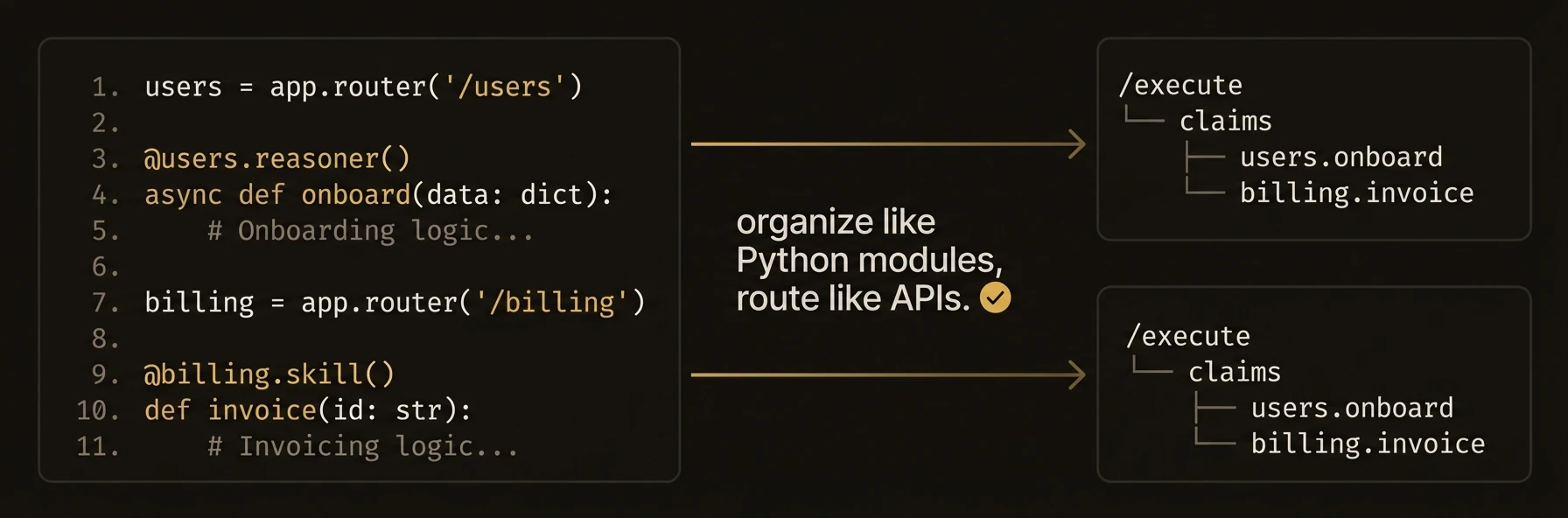 Organize reasoners and skills into reusable, namespaced modules -- like FastAPI's `APIRouter` for agents.
Routers matter once an agent grows beyond a handful of functions. They do not just organize code. They shape the public callable surface of your agent by turning prefixes into namespaced function IDs.
### Python
### TypeScript
---
**What just happened**
- Two logical domains became one agent with a cleaner public API
- Router prefixes became part of the callable function identity
- The same router pattern can be reused across multiple agents or packages
Concrete target examples:
### Patterns
### Multi-module agent
### Python
### TypeScript
### Shared utility router
### Python
### Go alternative: naming conventions
Since Go does not have AgentRouter, use consistent naming and tags:
### Go
### SDK Availability
| SDK | AgentRouter | Alternative |
|-----|-------------|-------------|
| Python | Yes | -- |
| TypeScript | Yes | -- |
| Go | **Not available** | Use naming conventions and tags |
The Go SDK does not have an AgentRouter abstraction. Organize Go agent code using consistent naming conventions (e.g., `math_add`, `math_multiply`) and tags.
### Constructor
### Python `AgentRouter`
| Parameter | Type | Default | Description |
|-----------|------|---------|-------------|
| `prefix` | `str` | `""` | Path prefix prepended to all registered function paths |
| `tags` | `list[str] \| None` | `None` | Tags inherited by all reasoners and skills in this router |
### TypeScript `AgentRouter`
| Parameter | Type | Default | Description |
|-----------|------|---------|-------------|
| `prefix` | `string` | `undefined` | Name prefix prepended to all registered functions |
| `tags` | `string[]` | `undefined` | Tags for the router (note: tag inheritance to child reasoners/skills only works in Python, not TypeScript) |
### SDK Reference
| Operation | Python | TypeScript |
|-----------|--------|------------|
| Create router | `AgentRouter(prefix="x")` | `new AgentRouter({ prefix: "x" })` |
| Register reasoner | `@router.reasoner()` | `router.reasoner(name, handler, opts?)` |
| Register skill | `@router.skill()` | `router.skill(name, handler, opts?)` |
| Attach to agent | `app.include_router(router)` | `agent.includeRouter(router)` |
| Access agent methods | `router.ai()`, `router.call()` | via `ctx` parameter |
| Access underlying agent | `router.app` | N/A |
---
## Skills
URL: https://agentfield.ai/docs/build/building-blocks/skills
Markdown: https://agentfield.ai/llm/docs/build/building-blocks/skills
Last-Modified: 2026-03-24T16:54:10.000Z
Category: building-blocks
Difficulty: beginner
Keywords: skill, deterministic, function, business logic, integration, data processing
Summary: Deterministic functions for business logic, integrations, and data processing
Organize reasoners and skills into reusable, namespaced modules -- like FastAPI's `APIRouter` for agents.
Routers matter once an agent grows beyond a handful of functions. They do not just organize code. They shape the public callable surface of your agent by turning prefixes into namespaced function IDs.
### Python
### TypeScript
---
**What just happened**
- Two logical domains became one agent with a cleaner public API
- Router prefixes became part of the callable function identity
- The same router pattern can be reused across multiple agents or packages
Concrete target examples:
### Patterns
### Multi-module agent
### Python
### TypeScript
### Shared utility router
### Python
### Go alternative: naming conventions
Since Go does not have AgentRouter, use consistent naming and tags:
### Go
### SDK Availability
| SDK | AgentRouter | Alternative |
|-----|-------------|-------------|
| Python | Yes | -- |
| TypeScript | Yes | -- |
| Go | **Not available** | Use naming conventions and tags |
The Go SDK does not have an AgentRouter abstraction. Organize Go agent code using consistent naming conventions (e.g., `math_add`, `math_multiply`) and tags.
### Constructor
### Python `AgentRouter`
| Parameter | Type | Default | Description |
|-----------|------|---------|-------------|
| `prefix` | `str` | `""` | Path prefix prepended to all registered function paths |
| `tags` | `list[str] \| None` | `None` | Tags inherited by all reasoners and skills in this router |
### TypeScript `AgentRouter`
| Parameter | Type | Default | Description |
|-----------|------|---------|-------------|
| `prefix` | `string` | `undefined` | Name prefix prepended to all registered functions |
| `tags` | `string[]` | `undefined` | Tags for the router (note: tag inheritance to child reasoners/skills only works in Python, not TypeScript) |
### SDK Reference
| Operation | Python | TypeScript |
|-----------|--------|------------|
| Create router | `AgentRouter(prefix="x")` | `new AgentRouter({ prefix: "x" })` |
| Register reasoner | `@router.reasoner()` | `router.reasoner(name, handler, opts?)` |
| Register skill | `@router.skill()` | `router.skill(name, handler, opts?)` |
| Attach to agent | `app.include_router(router)` | `agent.includeRouter(router)` |
| Access agent methods | `router.ai()`, `router.call()` | via `ctx` parameter |
| Access underlying agent | `router.app` | N/A |
---
## Skills
URL: https://agentfield.ai/docs/build/building-blocks/skills
Markdown: https://agentfield.ai/llm/docs/build/building-blocks/skills
Last-Modified: 2026-03-24T16:54:10.000Z
Category: building-blocks
Difficulty: beginner
Keywords: skill, deterministic, function, business logic, integration, data processing
Summary: Deterministic functions for business logic, integrations, and data processing
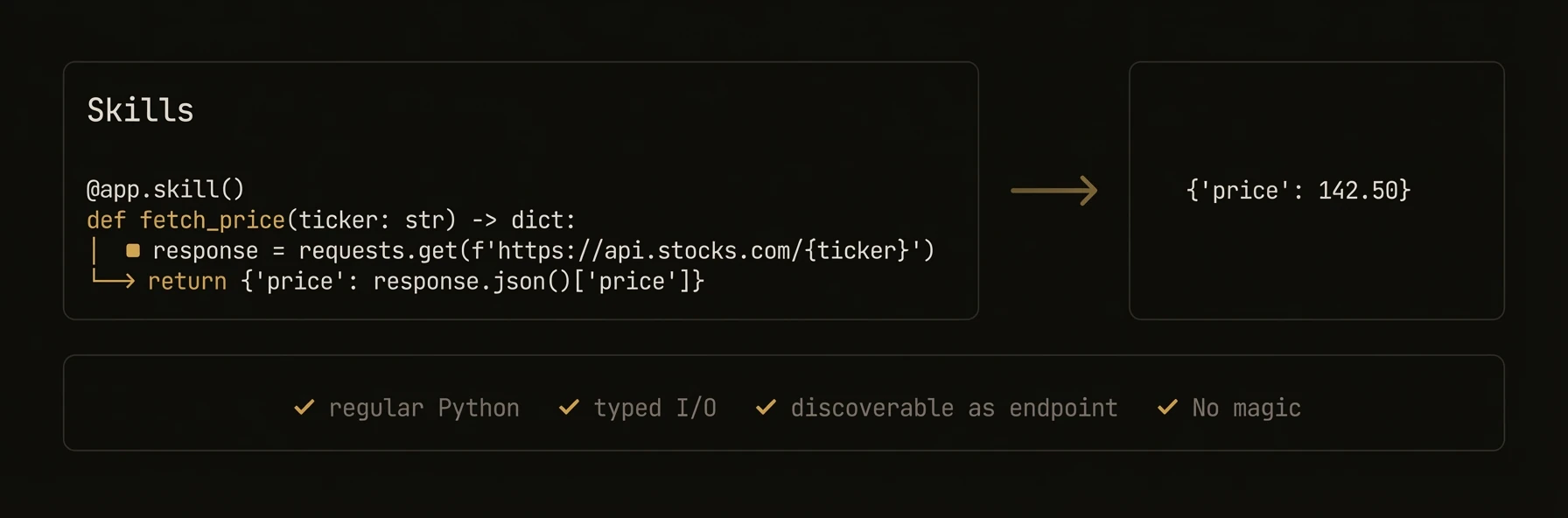 Deterministic functions for business logic that need the same infrastructure as reasoners -- without the AI.
This separation matters in production. When something breaks, you want to know whether the failure came from AI judgment or deterministic code. Skills are where you put systems-of-record access, calculations, API calls, and repeatable side effects.
### Python
```python
from agentfield import Agent
from pydantic import BaseModel
app = Agent(node_id="inventory-service", version="1.0.0")
class StockQuery(BaseModel):
sku: str
warehouse: str = "us-east"
@app.skill(tags=["database", "inventory"])
async def check_stock(query: StockQuery) -> dict:
"""Fetch deterministic inventory state."""
row = await db.execute(
"SELECT sku, qty, reserved FROM stock WHERE sku = $1 AND warehouse = $2",
query.sku, query.warehouse,
)
if not row:
return {"sku": query.sku, "available": 0, "status": "not_found"}
available = row["qty"] - row["reserved"]
return {"sku": query.sku, "available": available, "status": "in_stock" if available > 0 else "out_of_stock"}
@app.skill(tags=["integrations", "shipping", "policy"])
async def fulfillable_quote(sku: str, dest: str, weight_kg: float) -> dict:
stock = await check_stock(StockQuery(sku=sku))
if stock["available"] <= 0:
return {"sku": sku, "fulfillable": False, "reason": "out_of_stock"}
rates = await fedex_client.rate_quote(origin="us-east", dest=dest, weight=weight_kg)
return {"sku": sku, "fulfillable": True, "rates": rates, "currency": "USD"}
app.run()
# → POST /skills/check_stock — auto-generated REST endpoint with input validation
# → POST /skills/fulfillable_quote — discoverable by any agent in the fleet
```
### TypeScript
```typescript
import { Agent } from '@agentfield/sdk';
const agent = new Agent({ nodeId: 'inventory-service', version: '1.0.0' });
agent.skill('check_stock', async (ctx) => {
const { sku, warehouse = 'us-east' } = ctx.input;
const row = await db.query('SELECT sku, qty, reserved FROM stock WHERE sku = $1 AND warehouse = $2', [sku, warehouse]);
if (!row) return { sku, available: 0, status: 'not_found' };
const available = row.qty - row.reserved;
return { sku, available, status: available > 0 ? 'in_stock' : 'out_of_stock' };
}, {
tags: ['database', 'inventory'],
description: 'Query real-time inventory by SKU and warehouse',
});
agent.skill('fulfillableQuote', async (ctx) => {
const stock = await agent.call('inventory-service.check_stock', {
sku: ctx.input.sku,
warehouse: 'us-east',
});
if (stock.available <= 0) {
return { sku: ctx.input.sku, fulfillable: false, reason: 'out_of_stock' };
}
const rates = await fedexClient.rateQuote({
origin: 'us-east',
dest: ctx.input.dest,
weight: ctx.input.weightKg,
});
return { sku: ctx.input.sku, fulfillable: true, rates, currency: 'USD' };
}, {
tags: ['integrations', 'shipping', 'policy'],
description: 'Check fulfillment viability and return shipping options',
});
agent.serve();
// → POST /skills/check_stock — auto-generated REST endpoint with input validation
// → POST /skills/fulfillableQuote — discoverable by any agent in the fleet
```
### Go
```go
// The Go SDK does not have a separate skill registration method.
// Use RegisterReasoner for all functions, whether AI-powered or deterministic.
// This registers /reasoners/check_stock, not /skills/check_stock.
a.RegisterReasoner("check_stock", func(ctx context.Context, input map[string]any) (any, error) {
sku, _ := input["sku"].(string)
warehouse, _ := input["warehouse"].(string)
if warehouse == "" {
warehouse = "us-east"
}
row, err := db.QueryRow(ctx, "SELECT qty, reserved FROM stock WHERE sku = $1 AND warehouse = $2", sku, warehouse)
if err != nil {
return map[string]any{"sku": sku, "available": 0, "status": "not_found"}, nil
}
available := row.Qty - row.Reserved
status := "out_of_stock"
if available > 0 {
status = "in_stock"
}
return map[string]any{"sku": sku, "available": available, "status": status}, nil
},
agent.WithDescription("Query real-time inventory by SKU and warehouse"),
agent.WithReasonerTags("database", "inventory"),
)
```
---
**What just happened**
- Skills handled deterministic state and policy logic without any model call
- The second skill composed the first skill into a production-shaped workflow
- Both skills inherited the same endpoint generation, discoverability, and execution tracking as reasoners
- In Go, the same deterministic pattern is registered with `RegisterReasoner` and exposed under `/reasoners/{name}` instead of `/skills/{name}`
Example proof:
```text
Python/TypeScript:
POST /skills/check_stock
POST /skills/fulfillable_quote
discoverable target: inventory-service.fulfillable_quote
Go:
POST /reasoners/check_stock
```
### Skills vs Reasoners
| Aspect | Reasoner | Skill |
|--------|----------|-------|
| **Purpose** | AI-powered inference and generation | Deterministic business logic |
| **LLM calls** | Typically uses `app.ai()` or `app.harness()` | Typically no LLM calls |
| **Output** | May vary across runs | Same input always produces same output |
| **Use cases** | Classification, generation, analysis | API calls, database ops, calculations, formatting |
| **Endpoint prefix** | `/reasoners/{name}` | `/skills/{name}` |
Both share the same execution infrastructure: workflow tracking, execution context, verifiable credentials, and cross-agent communication.
### Patterns
### Database integration skill
Skills are ideal for wrapping database queries with validation and consistent return shapes:
### Python
```python
from pydantic import BaseModel
from typing import Optional
class UserQuery(BaseModel):
user_id: str
fields: list[str] = ["name", "email"]
@app.skill(tags=["database", "users"])
async def get_user(query: UserQuery) -> dict:
# Skills can be async for I/O operations
user = await db.users.find_one({"_id": query.user_id})
if not user:
return {"error": "User not found", "user_id": query.user_id}
return {k: user.get(k) for k in query.fields if k in user}
```
### TypeScript
```typescript
agent.skill('get_user', async (ctx) => {
const { user_id, fields = ['name', 'email'] } = ctx.input;
const user = await db.users.findOne({ _id: user_id });
if (!user) {
return { error: 'User not found', user_id };
}
return Object.fromEntries(fields.filter((f) => f in user).map((f) => [f, user[f]]));
}, {
tags: ['database', 'users'],
description: 'Fetch user fields from the database',
});
```
### MCP tool auto-registration (Python)
The Python SDK can automatically discover MCP servers and register their tools as skills:
### Python
```python
app = Agent(
node_id="mcp-bridge",
enable_mcp=True,
)
# MCP tools are automatically discovered and registered as skills
# with the naming pattern: {server_alias}_{tool_name}
# Each tool gets a /skills/{skill_name} endpoint
```
### Combining skills and reasoners
A common pattern is using skills for data retrieval and reasoners for AI analysis:
### Python
```python
@app.skill(tags=["data"])
async def fetch_metrics(service: str, window: str = "24h") -> dict:
metrics = await monitoring_api.query(service, window)
return {"service": service, "metrics": metrics}
@app.reasoner(tags=["analysis"])
async def diagnose(service: str) -> dict:
# Skill handles data retrieval (deterministic)
metrics = await fetch_metrics(service, window="1h")
# Reasoner handles AI analysis (non-deterministic)
diagnosis = await app.ai(
system="You are an SRE diagnosing service issues.",
user=f"Analyze metrics for {service}: {metrics}",
)
return {"service": service, "diagnosis": diagnosis}
```
### TypeScript
```typescript
agent.skill('fetch_metrics', async (ctx) => {
const { service, window = '24h' } = ctx.input;
const metrics = await monitoringApi.query(service, window);
return { service, metrics };
}, { tags: ['data'] });
agent.reasoner('diagnose', async (ctx) => {
const { service } = ctx.input;
const metrics = await ctx.call('mcp-bridge.fetch_metrics', { service, window: '1h' });
const diagnosis = await ctx.ai(
`Analyze metrics for ${service}: ${JSON.stringify(metrics)}`,
{ system: 'You are an SRE diagnosing service issues.' },
);
return { service, diagnosis };
}, { tags: ['analysis'] });
```
### Registration Options
### Python `@app.skill()` decorator
| Parameter | Type | Default | Description |
|-----------|------|---------|-------------|
| `tags` | `list[str] \| None` | `None` | Organizational tags for discovery and policy |
| `path` | `str \| None` | `"/skills/{fn_name}"` | Custom API endpoint path |
| `name` | `str \| None` | function name | Explicit registration ID |
| `vc_enabled` | `bool \| None` | `None` | Override agent-level VC generation |
| `require_realtime_validation` | `bool` | `False` | Force control-plane verification |
### TypeScript `agent.skill()` options
| Parameter | Type | Default | Description |
|-----------|------|---------|-------------|
| `tags` | `string[]` | `undefined` | Organizational tags |
| `description` | `string` | `undefined` | Human-readable description |
| `inputSchema` | `any` | `undefined` | JSON Schema for input validation |
| `outputSchema` | `any` | `undefined` | JSON Schema for output documentation |
| `requireRealtimeValidation` | `boolean` | `undefined` | Force control-plane verification |
### Go
The Go SDK does not distinguish between skills and reasoners at the registration level. All functions are registered with `RegisterReasoner`. Use tags to distinguish intent:
```go
a.RegisterReasoner("my_skill", handler,
agent.WithReasonerTags("skill", "deterministic"),
agent.WithDescription("A deterministic operation"),
)
```
### SDK Reference
| Operation | Python | TypeScript | Go |
|-----------|--------|------------|-----|
| Register | `@app.skill()` | `agent.skill(name, handler, opts?)` | `a.RegisterReasoner(name, handler)` |
| Handler signature | `def fn(arg: Type) -> Type` | `(ctx: SkillContext) => T \| Promise` | `func(ctx, input) (any, error)` |
| Sync support | Yes (sync or async) | Yes (sync or async) | Sync only |
| Access input | Function parameters | `ctx.input` | `input` map |
| Access memory | `app.memory.set(key, val)` | `ctx.memory.set(key, val)` | `a.Memory().Set(ctx, key, val)` |
| Endpoint prefix | `/skills/` | `/skills/` | `/reasoners/` |
---
## Cross-Agent Calls
URL: https://agentfield.ai/docs/build/coordination/cross-agent-calls
Markdown: https://agentfield.ai/llm/docs/build/coordination/cross-agent-calls
Last-Modified: 2026-03-24T17:04:50.000Z
Category: coordination
Difficulty: intermediate
Keywords: call, cross-agent, rpc, execution, workflow, context-propagation
Summary: Call reasoners and skills on other agents through the control plane execution gateway.
Deterministic functions for business logic that need the same infrastructure as reasoners -- without the AI.
This separation matters in production. When something breaks, you want to know whether the failure came from AI judgment or deterministic code. Skills are where you put systems-of-record access, calculations, API calls, and repeatable side effects.
### Python
```python
from agentfield import Agent
from pydantic import BaseModel
app = Agent(node_id="inventory-service", version="1.0.0")
class StockQuery(BaseModel):
sku: str
warehouse: str = "us-east"
@app.skill(tags=["database", "inventory"])
async def check_stock(query: StockQuery) -> dict:
"""Fetch deterministic inventory state."""
row = await db.execute(
"SELECT sku, qty, reserved FROM stock WHERE sku = $1 AND warehouse = $2",
query.sku, query.warehouse,
)
if not row:
return {"sku": query.sku, "available": 0, "status": "not_found"}
available = row["qty"] - row["reserved"]
return {"sku": query.sku, "available": available, "status": "in_stock" if available > 0 else "out_of_stock"}
@app.skill(tags=["integrations", "shipping", "policy"])
async def fulfillable_quote(sku: str, dest: str, weight_kg: float) -> dict:
stock = await check_stock(StockQuery(sku=sku))
if stock["available"] <= 0:
return {"sku": sku, "fulfillable": False, "reason": "out_of_stock"}
rates = await fedex_client.rate_quote(origin="us-east", dest=dest, weight=weight_kg)
return {"sku": sku, "fulfillable": True, "rates": rates, "currency": "USD"}
app.run()
# → POST /skills/check_stock — auto-generated REST endpoint with input validation
# → POST /skills/fulfillable_quote — discoverable by any agent in the fleet
```
### TypeScript
```typescript
import { Agent } from '@agentfield/sdk';
const agent = new Agent({ nodeId: 'inventory-service', version: '1.0.0' });
agent.skill('check_stock', async (ctx) => {
const { sku, warehouse = 'us-east' } = ctx.input;
const row = await db.query('SELECT sku, qty, reserved FROM stock WHERE sku = $1 AND warehouse = $2', [sku, warehouse]);
if (!row) return { sku, available: 0, status: 'not_found' };
const available = row.qty - row.reserved;
return { sku, available, status: available > 0 ? 'in_stock' : 'out_of_stock' };
}, {
tags: ['database', 'inventory'],
description: 'Query real-time inventory by SKU and warehouse',
});
agent.skill('fulfillableQuote', async (ctx) => {
const stock = await agent.call('inventory-service.check_stock', {
sku: ctx.input.sku,
warehouse: 'us-east',
});
if (stock.available <= 0) {
return { sku: ctx.input.sku, fulfillable: false, reason: 'out_of_stock' };
}
const rates = await fedexClient.rateQuote({
origin: 'us-east',
dest: ctx.input.dest,
weight: ctx.input.weightKg,
});
return { sku: ctx.input.sku, fulfillable: true, rates, currency: 'USD' };
}, {
tags: ['integrations', 'shipping', 'policy'],
description: 'Check fulfillment viability and return shipping options',
});
agent.serve();
// → POST /skills/check_stock — auto-generated REST endpoint with input validation
// → POST /skills/fulfillableQuote — discoverable by any agent in the fleet
```
### Go
```go
// The Go SDK does not have a separate skill registration method.
// Use RegisterReasoner for all functions, whether AI-powered or deterministic.
// This registers /reasoners/check_stock, not /skills/check_stock.
a.RegisterReasoner("check_stock", func(ctx context.Context, input map[string]any) (any, error) {
sku, _ := input["sku"].(string)
warehouse, _ := input["warehouse"].(string)
if warehouse == "" {
warehouse = "us-east"
}
row, err := db.QueryRow(ctx, "SELECT qty, reserved FROM stock WHERE sku = $1 AND warehouse = $2", sku, warehouse)
if err != nil {
return map[string]any{"sku": sku, "available": 0, "status": "not_found"}, nil
}
available := row.Qty - row.Reserved
status := "out_of_stock"
if available > 0 {
status = "in_stock"
}
return map[string]any{"sku": sku, "available": available, "status": status}, nil
},
agent.WithDescription("Query real-time inventory by SKU and warehouse"),
agent.WithReasonerTags("database", "inventory"),
)
```
---
**What just happened**
- Skills handled deterministic state and policy logic without any model call
- The second skill composed the first skill into a production-shaped workflow
- Both skills inherited the same endpoint generation, discoverability, and execution tracking as reasoners
- In Go, the same deterministic pattern is registered with `RegisterReasoner` and exposed under `/reasoners/{name}` instead of `/skills/{name}`
Example proof:
```text
Python/TypeScript:
POST /skills/check_stock
POST /skills/fulfillable_quote
discoverable target: inventory-service.fulfillable_quote
Go:
POST /reasoners/check_stock
```
### Skills vs Reasoners
| Aspect | Reasoner | Skill |
|--------|----------|-------|
| **Purpose** | AI-powered inference and generation | Deterministic business logic |
| **LLM calls** | Typically uses `app.ai()` or `app.harness()` | Typically no LLM calls |
| **Output** | May vary across runs | Same input always produces same output |
| **Use cases** | Classification, generation, analysis | API calls, database ops, calculations, formatting |
| **Endpoint prefix** | `/reasoners/{name}` | `/skills/{name}` |
Both share the same execution infrastructure: workflow tracking, execution context, verifiable credentials, and cross-agent communication.
### Patterns
### Database integration skill
Skills are ideal for wrapping database queries with validation and consistent return shapes:
### Python
```python
from pydantic import BaseModel
from typing import Optional
class UserQuery(BaseModel):
user_id: str
fields: list[str] = ["name", "email"]
@app.skill(tags=["database", "users"])
async def get_user(query: UserQuery) -> dict:
# Skills can be async for I/O operations
user = await db.users.find_one({"_id": query.user_id})
if not user:
return {"error": "User not found", "user_id": query.user_id}
return {k: user.get(k) for k in query.fields if k in user}
```
### TypeScript
```typescript
agent.skill('get_user', async (ctx) => {
const { user_id, fields = ['name', 'email'] } = ctx.input;
const user = await db.users.findOne({ _id: user_id });
if (!user) {
return { error: 'User not found', user_id };
}
return Object.fromEntries(fields.filter((f) => f in user).map((f) => [f, user[f]]));
}, {
tags: ['database', 'users'],
description: 'Fetch user fields from the database',
});
```
### MCP tool auto-registration (Python)
The Python SDK can automatically discover MCP servers and register their tools as skills:
### Python
```python
app = Agent(
node_id="mcp-bridge",
enable_mcp=True,
)
# MCP tools are automatically discovered and registered as skills
# with the naming pattern: {server_alias}_{tool_name}
# Each tool gets a /skills/{skill_name} endpoint
```
### Combining skills and reasoners
A common pattern is using skills for data retrieval and reasoners for AI analysis:
### Python
```python
@app.skill(tags=["data"])
async def fetch_metrics(service: str, window: str = "24h") -> dict:
metrics = await monitoring_api.query(service, window)
return {"service": service, "metrics": metrics}
@app.reasoner(tags=["analysis"])
async def diagnose(service: str) -> dict:
# Skill handles data retrieval (deterministic)
metrics = await fetch_metrics(service, window="1h")
# Reasoner handles AI analysis (non-deterministic)
diagnosis = await app.ai(
system="You are an SRE diagnosing service issues.",
user=f"Analyze metrics for {service}: {metrics}",
)
return {"service": service, "diagnosis": diagnosis}
```
### TypeScript
```typescript
agent.skill('fetch_metrics', async (ctx) => {
const { service, window = '24h' } = ctx.input;
const metrics = await monitoringApi.query(service, window);
return { service, metrics };
}, { tags: ['data'] });
agent.reasoner('diagnose', async (ctx) => {
const { service } = ctx.input;
const metrics = await ctx.call('mcp-bridge.fetch_metrics', { service, window: '1h' });
const diagnosis = await ctx.ai(
`Analyze metrics for ${service}: ${JSON.stringify(metrics)}`,
{ system: 'You are an SRE diagnosing service issues.' },
);
return { service, diagnosis };
}, { tags: ['analysis'] });
```
### Registration Options
### Python `@app.skill()` decorator
| Parameter | Type | Default | Description |
|-----------|------|---------|-------------|
| `tags` | `list[str] \| None` | `None` | Organizational tags for discovery and policy |
| `path` | `str \| None` | `"/skills/{fn_name}"` | Custom API endpoint path |
| `name` | `str \| None` | function name | Explicit registration ID |
| `vc_enabled` | `bool \| None` | `None` | Override agent-level VC generation |
| `require_realtime_validation` | `bool` | `False` | Force control-plane verification |
### TypeScript `agent.skill()` options
| Parameter | Type | Default | Description |
|-----------|------|---------|-------------|
| `tags` | `string[]` | `undefined` | Organizational tags |
| `description` | `string` | `undefined` | Human-readable description |
| `inputSchema` | `any` | `undefined` | JSON Schema for input validation |
| `outputSchema` | `any` | `undefined` | JSON Schema for output documentation |
| `requireRealtimeValidation` | `boolean` | `undefined` | Force control-plane verification |
### Go
The Go SDK does not distinguish between skills and reasoners at the registration level. All functions are registered with `RegisterReasoner`. Use tags to distinguish intent:
```go
a.RegisterReasoner("my_skill", handler,
agent.WithReasonerTags("skill", "deterministic"),
agent.WithDescription("A deterministic operation"),
)
```
### SDK Reference
| Operation | Python | TypeScript | Go |
|-----------|--------|------------|-----|
| Register | `@app.skill()` | `agent.skill(name, handler, opts?)` | `a.RegisterReasoner(name, handler)` |
| Handler signature | `def fn(arg: Type) -> Type` | `(ctx: SkillContext) => T \| Promise` | `func(ctx, input) (any, error)` |
| Sync support | Yes (sync or async) | Yes (sync or async) | Sync only |
| Access input | Function parameters | `ctx.input` | `input` map |
| Access memory | `app.memory.set(key, val)` | `ctx.memory.set(key, val)` | `a.Memory().Set(ctx, key, val)` |
| Endpoint prefix | `/skills/` | `/skills/` | `/reasoners/` |
---
## Cross-Agent Calls
URL: https://agentfield.ai/docs/build/coordination/cross-agent-calls
Markdown: https://agentfield.ai/llm/docs/build/coordination/cross-agent-calls
Last-Modified: 2026-03-24T17:04:50.000Z
Category: coordination
Difficulty: intermediate
Keywords: call, cross-agent, rpc, execution, workflow, context-propagation
Summary: Call reasoners and skills on other agents through the control plane execution gateway.
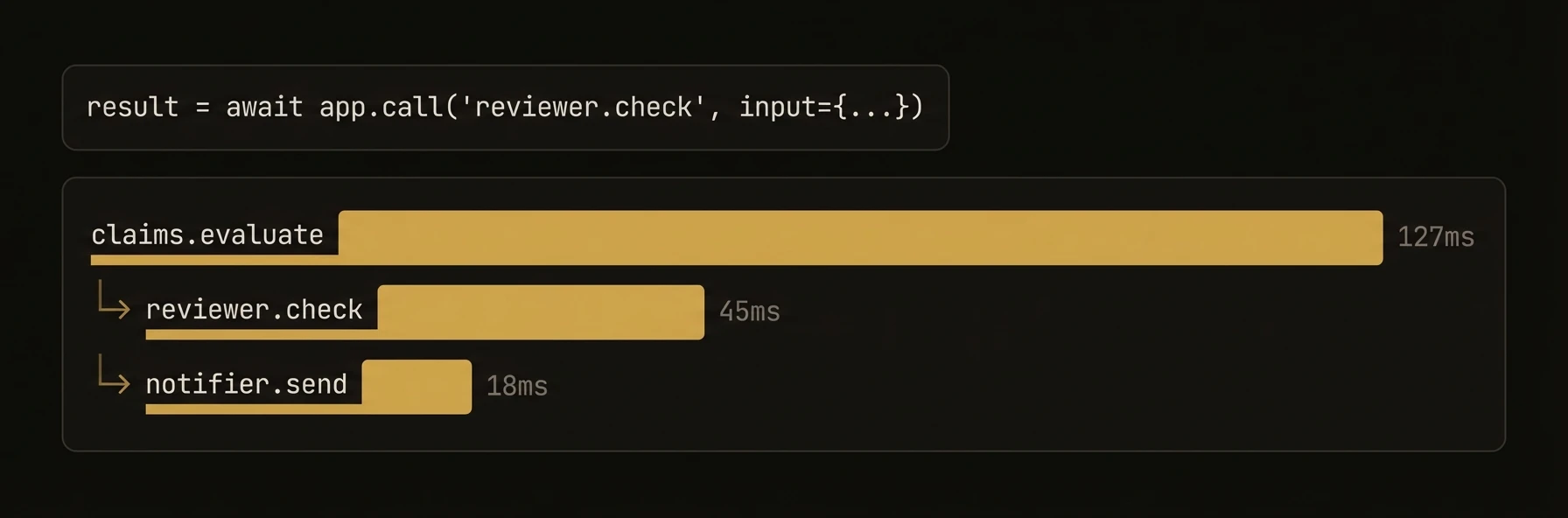 > Call any reasoner or skill on any agent -- one line, full context propagation, automatic DAG tracking.
Building one agent is easy. Building five agents owned by different teams is where the infrastructure work starts: service discovery, routing, correlation IDs, workflow tracing, and failure debugging.
`app.call()` is the abstraction that collapses that distributed-systems work. The caller only needs `node_id.function_name`. AgentField handles the routing, workflow propagation, and trace construction behind it.
### Python
### TypeScript
### Go
**What just happened**
- The caller referenced services by logical target, not URL
- Workflow context flowed through every child call automatically
- Every child execution became a node in the same DAG
- The note on escalation was attached to the current execution timeline
Example workflow proof:
### What you get
- **Location-transparent calls** -- address agents by `"node_id.function_name"`, not URLs.
- **Automatic context propagation** -- workflow ID, session ID, actor ID, and parent execution ID flow through every call via HTTP headers.
- **Workflow DAG building** -- every cross-agent call creates a parent-child edge in the execution graph, visible in the dashboard.
- **Local call optimization** -- when the target is on the same agent, the call bypasses the network entirely.
- **Consistent return type** -- always returns a dict/object, like calling a REST API.
### Full SDK examples
### Python
### TypeScript
### Go
### Context propagation
Every cross-agent call automatically forwards execution context through HTTP headers. This is how AgentField builds workflow DAGs and maintains traceability across agent boundaries.
| Header | Purpose |
|---|---|
| `X-Run-ID` | Groups all executions in a single top-level invocation |
| `X-Workflow-ID` | Identifies the workflow this execution belongs to |
| `X-Parent-Execution-ID` | Links child execution to its parent |
| `X-Session-ID` | Carries the session context across agents |
| `X-Actor-ID` | Carries the actor/user identity across agents |
| `X-Caller-DID` | Decentralized identifier of the calling agent |
You never set these headers manually. The SDK reads them from the current execution context and forwards them on every `call()`. The receiving agent parses them and makes them available via `ExecutionContext`.
### Accessing Execution Context
### Python
### TypeScript
### Go
### Patterns
### Sequential Pipeline
Chain agents where each step feeds the next.
### Error Handling
Cross-agent calls raise exceptions on failure. Handle them explicitly.
### Python
### TypeScript
### Go
### Workflow DAG Visualization
Every cross-agent call is tracked as an edge in the execution DAG. Query the control plane API to retrieve the full graph:
The response contains every execution node and parent-child relationships, enabling visualization of the complete call tree across agents.
### SDK reference
### Python -- `await app.call(target, *args, **kwargs)`
| Parameter | Type | Description |
|---|---|---|
| `target` | `str` | Target in `"node_id.function_name"` format |
| `*args` | positional | Auto-mapped to target function parameter names in order |
| `**kwargs` | keyword | Keyword arguments passed directly to the target function |
**Returns:** `dict` -- always returns a JSON-compatible dictionary.
Positional arguments are mapped to parameter names automatically when calling a local function (same node). For remote calls, positional args are sent as `arg_0`, `arg_1`, etc. Keyword arguments are recommended for cross-agent calls.
### TypeScript -- `await agent.call(target, input)`
| Parameter | Type | Description |
|---|---|---|
| `target` | `string` | Target in `"nodeId.functionName"` format |
| `input` | `any` | Plain object passed as the request body |
**Returns:** `any` -- the deserialized JSON response from the target.
When the target is on the same agent (`nodeId` matches), the call executes locally without going through the network, but still emits workflow events for DAG tracking.
### Go -- `agent.Call(ctx, target, input)`
| Parameter | Type | Description |
|---|---|---|
| `ctx` | `context.Context` | Context carrying execution metadata |
| `target` | `string` | Target in `"nodeId.functionName"` format |
| `input` | `map[string]any` | Input data for the target function |
**Returns:** `(map[string]any, error)` -- the result map and any error.
Context headers (`X-Run-ID`, `X-Workflow-ID`, `X-Session-ID`, `X-Actor-ID`) are extracted from the context and forwarded automatically.
---
## Service Discovery
URL: https://agentfield.ai/docs/build/coordination/discovery
Markdown: https://agentfield.ai/llm/docs/build/coordination/discovery
Last-Modified: 2026-03-24T17:04:50.000Z
Category: coordination
Difficulty: intermediate
Keywords: discovery, service-discovery, registry, capabilities, health-check
Summary: Find agents, reasoners, and skills at runtime through the control plane discovery API.
> Call any reasoner or skill on any agent -- one line, full context propagation, automatic DAG tracking.
Building one agent is easy. Building five agents owned by different teams is where the infrastructure work starts: service discovery, routing, correlation IDs, workflow tracing, and failure debugging.
`app.call()` is the abstraction that collapses that distributed-systems work. The caller only needs `node_id.function_name`. AgentField handles the routing, workflow propagation, and trace construction behind it.
### Python
### TypeScript
### Go
**What just happened**
- The caller referenced services by logical target, not URL
- Workflow context flowed through every child call automatically
- Every child execution became a node in the same DAG
- The note on escalation was attached to the current execution timeline
Example workflow proof:
### What you get
- **Location-transparent calls** -- address agents by `"node_id.function_name"`, not URLs.
- **Automatic context propagation** -- workflow ID, session ID, actor ID, and parent execution ID flow through every call via HTTP headers.
- **Workflow DAG building** -- every cross-agent call creates a parent-child edge in the execution graph, visible in the dashboard.
- **Local call optimization** -- when the target is on the same agent, the call bypasses the network entirely.
- **Consistent return type** -- always returns a dict/object, like calling a REST API.
### Full SDK examples
### Python
### TypeScript
### Go
### Context propagation
Every cross-agent call automatically forwards execution context through HTTP headers. This is how AgentField builds workflow DAGs and maintains traceability across agent boundaries.
| Header | Purpose |
|---|---|
| `X-Run-ID` | Groups all executions in a single top-level invocation |
| `X-Workflow-ID` | Identifies the workflow this execution belongs to |
| `X-Parent-Execution-ID` | Links child execution to its parent |
| `X-Session-ID` | Carries the session context across agents |
| `X-Actor-ID` | Carries the actor/user identity across agents |
| `X-Caller-DID` | Decentralized identifier of the calling agent |
You never set these headers manually. The SDK reads them from the current execution context and forwards them on every `call()`. The receiving agent parses them and makes them available via `ExecutionContext`.
### Accessing Execution Context
### Python
### TypeScript
### Go
### Patterns
### Sequential Pipeline
Chain agents where each step feeds the next.
### Error Handling
Cross-agent calls raise exceptions on failure. Handle them explicitly.
### Python
### TypeScript
### Go
### Workflow DAG Visualization
Every cross-agent call is tracked as an edge in the execution DAG. Query the control plane API to retrieve the full graph:
The response contains every execution node and parent-child relationships, enabling visualization of the complete call tree across agents.
### SDK reference
### Python -- `await app.call(target, *args, **kwargs)`
| Parameter | Type | Description |
|---|---|---|
| `target` | `str` | Target in `"node_id.function_name"` format |
| `*args` | positional | Auto-mapped to target function parameter names in order |
| `**kwargs` | keyword | Keyword arguments passed directly to the target function |
**Returns:** `dict` -- always returns a JSON-compatible dictionary.
Positional arguments are mapped to parameter names automatically when calling a local function (same node). For remote calls, positional args are sent as `arg_0`, `arg_1`, etc. Keyword arguments are recommended for cross-agent calls.
### TypeScript -- `await agent.call(target, input)`
| Parameter | Type | Description |
|---|---|---|
| `target` | `string` | Target in `"nodeId.functionName"` format |
| `input` | `any` | Plain object passed as the request body |
**Returns:** `any` -- the deserialized JSON response from the target.
When the target is on the same agent (`nodeId` matches), the call executes locally without going through the network, but still emits workflow events for DAG tracking.
### Go -- `agent.Call(ctx, target, input)`
| Parameter | Type | Description |
|---|---|---|
| `ctx` | `context.Context` | Context carrying execution metadata |
| `target` | `string` | Target in `"nodeId.functionName"` format |
| `input` | `map[string]any` | Input data for the target function |
**Returns:** `(map[string]any, error)` -- the result map and any error.
Context headers (`X-Run-ID`, `X-Workflow-ID`, `X-Session-ID`, `X-Actor-ID`) are extracted from the context and forwarded automatically.
---
## Service Discovery
URL: https://agentfield.ai/docs/build/coordination/discovery
Markdown: https://agentfield.ai/llm/docs/build/coordination/discovery
Last-Modified: 2026-03-24T17:04:50.000Z
Category: coordination
Difficulty: intermediate
Keywords: discovery, service-discovery, registry, capabilities, health-check
Summary: Find agents, reasoners, and skills at runtime through the control plane discovery API.
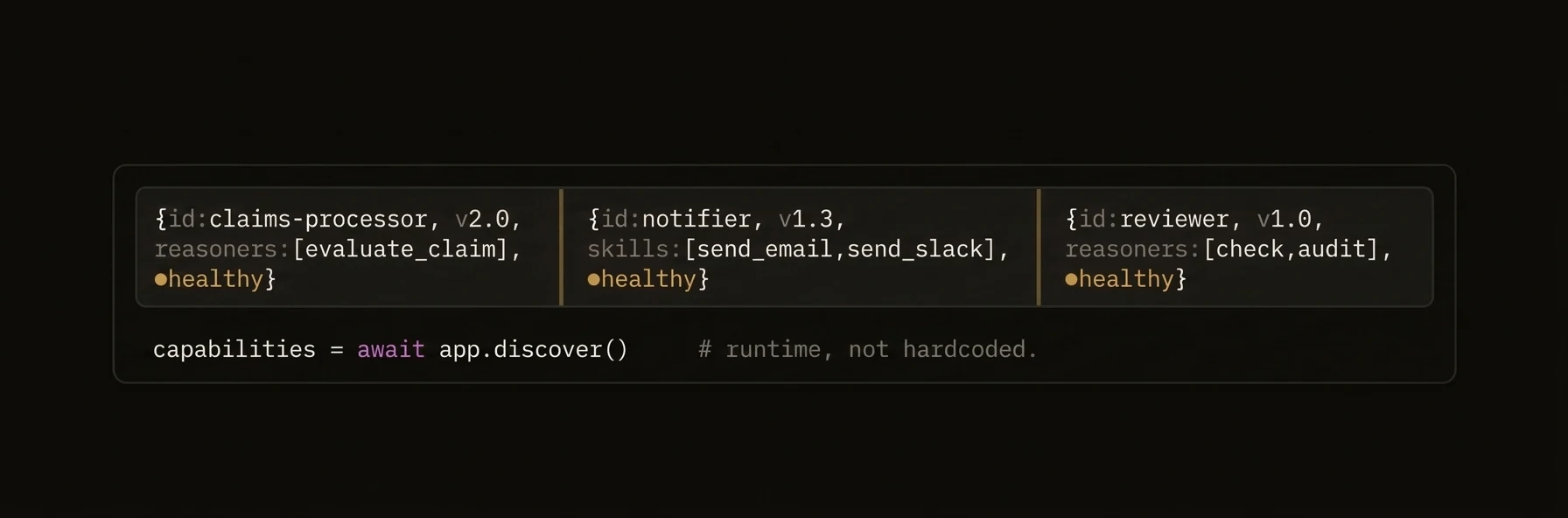 > Find every agent, reasoner, and skill in your fleet -- at runtime, not at deploy time.
Hard-coded service addresses break the moment you scale past a handful of agents. AgentField's discovery API lets any agent query the control plane for live capabilities, filtered by tags, health status, or name patterns. Build orchestrators that discover what is available, introspect input schemas, and dynamically decide which agents to call -- all without a single hardcoded address.
### Python
### TypeScript
### Go
**What just happened**
- The agent queried the live control plane registry instead of relying on hardcoded targets
- Discovery results included enough metadata to drive dynamic routing decisions
- New active agents could appear in routing immediately after registration
Example discovery summary:
### What you get
- **Runtime registry** -- every agent auto-registers its reasoners and skills on startup.
- **Tag-based filtering** -- find agents by domain (`"insurance"`, `"nlp"`) instead of memorizing node IDs.
- **Health-aware routing** -- filter to only active agents so you never call a dead endpoint.
- **Schema introspection** -- request input/output schemas to build dynamic tool calling at runtime.
- **Three output formats** -- `json` for programmatic use, `compact` for LLM context windows, `xml` for legacy integrations.
### Full SDK examples
### Python
### TypeScript
### Go
### Auto-registration
Agents register themselves with the control plane automatically. When an agent starts, it sends a heartbeat containing its node ID, version, and the full list of reasoners and skills it exposes. The control plane updates the registry, and other agents can immediately discover the new capabilities.
The agent exposes a `/discover` endpoint that the control plane polls. No manual registration step is required.
### Patterns
### Dynamic Tool Calling
Use discovery to build tool definitions for LLM calls at runtime. When agents come and go, the tool list updates automatically.
### Python
### TypeScript
### Go
### Health-Gated Failover
Before calling a specific agent, verify it is active. If not, discover an alternative with the same tags.
### SDK reference
### Python -- `app.discover()`
| Parameter | Type | Default | Description |
|---|---|---|---|
| `agent` | `str \| None` | `None` | Filter by single agent ID |
| `node_id` | `str \| None` | `None` | Alias for `agent` |
| `agent_ids` | `list[str] \| None` | `None` | Filter by multiple agent IDs |
| `node_ids` | `list[str] \| None` | `None` | Alias for `agent_ids` |
| `reasoner` | `str \| None` | `None` | Filter by reasoner name pattern |
| `skill` | `str \| None` | `None` | Filter by skill name pattern |
| `tags` | `list[str] \| None` | `None` | Filter by tags |
| `include_input_schema` | `bool` | `False` | Include input schemas in response |
| `include_output_schema` | `bool` | `False` | Include output schemas in response |
| `include_descriptions` | `bool` | `True` | Include descriptions in response |
| `include_examples` | `bool` | `False` | Include usage examples |
| `format` | `str` | `"json"` | Response format: `"json"`, `"compact"`, `"xml"` |
| `health_status` | `str \| None` | `None` | Filter by health: `"active"`, `"inactive"`, `"degraded"`, `"unknown"` |
| `limit` | `int \| None` | `None` | Pagination limit |
| `offset` | `int \| None` | `None` | Pagination offset |
**Returns:** `DiscoveryResult` with `.json`, `.compact`, `.xml`, `.raw`, and `.format` fields.
### TypeScript -- `agent.discover(options?)`
| Property | Type | Default | Description |
|---|---|---|---|
| `agent` | `string` | -- | Filter by single agent ID |
| `nodeId` | `string` | -- | Alias for `agent` |
| `agentIds` | `string[]` | -- | Filter by multiple agent IDs |
| `nodeIds` | `string[]` | -- | Alias for `agentIds` |
| `reasoner` | `string` | -- | Filter by reasoner name pattern |
| `skill` | `string` | -- | Filter by skill name pattern |
| `tags` | `string[]` | -- | Filter by tags |
| `includeInputSchema` | `boolean` | -- | Include input schemas |
| `includeOutputSchema` | `boolean` | -- | Include output schemas |
| `includeDescriptions` | `boolean` | -- | Include descriptions |
| `includeExamples` | `boolean` | -- | Include usage examples |
| `format` | `DiscoveryFormat` | `"json"` | `"json"`, `"compact"`, `"xml"` |
| `healthStatus` | `string` | -- | Filter by health status |
| `limit` | `number` | -- | Pagination limit |
| `offset` | `number` | -- | Pagination offset |
**Returns:** `Promise` with `json?`, `compact?`, `xml?`, `raw`, and `format` fields.
### Go -- `agent.Discover(ctx, ...DiscoveryOption)`
| Option Function | Description |
|---|---|
| `WithAgent(id)` | Filter by single agent ID |
| `WithNodeID(id)` | Alias for `WithAgent` |
| `WithAgentIDs(ids)` | Filter by multiple agent IDs |
| `WithNodeIDs(ids)` | Alias for `WithAgentIDs` |
| `WithReasonerPattern(pattern)` | Wildcard pattern for reasoner IDs |
| `WithSkillPattern(pattern)` | Wildcard pattern for skill IDs |
| `WithTags(tags)` | Filter by tags (supports wildcards) |
| `WithDiscoveryInputSchema(bool)` | Include input schemas |
| `WithDiscoveryOutputSchema(bool)` | Include output schemas |
| `WithDiscoveryDescriptions(bool)` | Include descriptions |
| `WithDiscoveryExamples(bool)` | Include usage examples |
| `WithFormat(format)` | `"json"`, `"compact"`, `"xml"` |
| `WithHealthStatus(status)` | Filter by health status |
| `WithLimit(n)` | Pagination limit |
| `WithOffset(n)` | Pagination offset |
**Returns:** `(*types.DiscoveryResult, error)` with `JSON`, `Compact`, `XML`, `Raw`, and `Format` fields.
---
## Memory Events
URL: https://agentfield.ai/docs/build/coordination/memory-events
Markdown: https://agentfield.ai/llm/docs/build/coordination/memory-events
Last-Modified: 2026-03-24T16:54:10.000Z
Category: coordination
Difficulty: intermediate
Keywords: memory, events, reactive, on_change, watchMemory, pub-sub, notifications, real-time
Summary: Reactive programming with memory change subscriptions — trigger agent logic when shared state changes.
> Find every agent, reasoner, and skill in your fleet -- at runtime, not at deploy time.
Hard-coded service addresses break the moment you scale past a handful of agents. AgentField's discovery API lets any agent query the control plane for live capabilities, filtered by tags, health status, or name patterns. Build orchestrators that discover what is available, introspect input schemas, and dynamically decide which agents to call -- all without a single hardcoded address.
### Python
### TypeScript
### Go
**What just happened**
- The agent queried the live control plane registry instead of relying on hardcoded targets
- Discovery results included enough metadata to drive dynamic routing decisions
- New active agents could appear in routing immediately after registration
Example discovery summary:
### What you get
- **Runtime registry** -- every agent auto-registers its reasoners and skills on startup.
- **Tag-based filtering** -- find agents by domain (`"insurance"`, `"nlp"`) instead of memorizing node IDs.
- **Health-aware routing** -- filter to only active agents so you never call a dead endpoint.
- **Schema introspection** -- request input/output schemas to build dynamic tool calling at runtime.
- **Three output formats** -- `json` for programmatic use, `compact` for LLM context windows, `xml` for legacy integrations.
### Full SDK examples
### Python
### TypeScript
### Go
### Auto-registration
Agents register themselves with the control plane automatically. When an agent starts, it sends a heartbeat containing its node ID, version, and the full list of reasoners and skills it exposes. The control plane updates the registry, and other agents can immediately discover the new capabilities.
The agent exposes a `/discover` endpoint that the control plane polls. No manual registration step is required.
### Patterns
### Dynamic Tool Calling
Use discovery to build tool definitions for LLM calls at runtime. When agents come and go, the tool list updates automatically.
### Python
### TypeScript
### Go
### Health-Gated Failover
Before calling a specific agent, verify it is active. If not, discover an alternative with the same tags.
### SDK reference
### Python -- `app.discover()`
| Parameter | Type | Default | Description |
|---|---|---|---|
| `agent` | `str \| None` | `None` | Filter by single agent ID |
| `node_id` | `str \| None` | `None` | Alias for `agent` |
| `agent_ids` | `list[str] \| None` | `None` | Filter by multiple agent IDs |
| `node_ids` | `list[str] \| None` | `None` | Alias for `agent_ids` |
| `reasoner` | `str \| None` | `None` | Filter by reasoner name pattern |
| `skill` | `str \| None` | `None` | Filter by skill name pattern |
| `tags` | `list[str] \| None` | `None` | Filter by tags |
| `include_input_schema` | `bool` | `False` | Include input schemas in response |
| `include_output_schema` | `bool` | `False` | Include output schemas in response |
| `include_descriptions` | `bool` | `True` | Include descriptions in response |
| `include_examples` | `bool` | `False` | Include usage examples |
| `format` | `str` | `"json"` | Response format: `"json"`, `"compact"`, `"xml"` |
| `health_status` | `str \| None` | `None` | Filter by health: `"active"`, `"inactive"`, `"degraded"`, `"unknown"` |
| `limit` | `int \| None` | `None` | Pagination limit |
| `offset` | `int \| None` | `None` | Pagination offset |
**Returns:** `DiscoveryResult` with `.json`, `.compact`, `.xml`, `.raw`, and `.format` fields.
### TypeScript -- `agent.discover(options?)`
| Property | Type | Default | Description |
|---|---|---|---|
| `agent` | `string` | -- | Filter by single agent ID |
| `nodeId` | `string` | -- | Alias for `agent` |
| `agentIds` | `string[]` | -- | Filter by multiple agent IDs |
| `nodeIds` | `string[]` | -- | Alias for `agentIds` |
| `reasoner` | `string` | -- | Filter by reasoner name pattern |
| `skill` | `string` | -- | Filter by skill name pattern |
| `tags` | `string[]` | -- | Filter by tags |
| `includeInputSchema` | `boolean` | -- | Include input schemas |
| `includeOutputSchema` | `boolean` | -- | Include output schemas |
| `includeDescriptions` | `boolean` | -- | Include descriptions |
| `includeExamples` | `boolean` | -- | Include usage examples |
| `format` | `DiscoveryFormat` | `"json"` | `"json"`, `"compact"`, `"xml"` |
| `healthStatus` | `string` | -- | Filter by health status |
| `limit` | `number` | -- | Pagination limit |
| `offset` | `number` | -- | Pagination offset |
**Returns:** `Promise` with `json?`, `compact?`, `xml?`, `raw`, and `format` fields.
### Go -- `agent.Discover(ctx, ...DiscoveryOption)`
| Option Function | Description |
|---|---|
| `WithAgent(id)` | Filter by single agent ID |
| `WithNodeID(id)` | Alias for `WithAgent` |
| `WithAgentIDs(ids)` | Filter by multiple agent IDs |
| `WithNodeIDs(ids)` | Alias for `WithAgentIDs` |
| `WithReasonerPattern(pattern)` | Wildcard pattern for reasoner IDs |
| `WithSkillPattern(pattern)` | Wildcard pattern for skill IDs |
| `WithTags(tags)` | Filter by tags (supports wildcards) |
| `WithDiscoveryInputSchema(bool)` | Include input schemas |
| `WithDiscoveryOutputSchema(bool)` | Include output schemas |
| `WithDiscoveryDescriptions(bool)` | Include descriptions |
| `WithDiscoveryExamples(bool)` | Include usage examples |
| `WithFormat(format)` | `"json"`, `"compact"`, `"xml"` |
| `WithHealthStatus(status)` | Filter by health status |
| `WithLimit(n)` | Pagination limit |
| `WithOffset(n)` | Pagination offset |
**Returns:** `(*types.DiscoveryResult, error)` with `JSON`, `Compact`, `XML`, `Raw`, and `Format` fields.
---
## Memory Events
URL: https://agentfield.ai/docs/build/coordination/memory-events
Markdown: https://agentfield.ai/llm/docs/build/coordination/memory-events
Last-Modified: 2026-03-24T16:54:10.000Z
Category: coordination
Difficulty: intermediate
Keywords: memory, events, reactive, on_change, watchMemory, pub-sub, notifications, real-time
Summary: Reactive programming with memory change subscriptions — trigger agent logic when shared state changes.
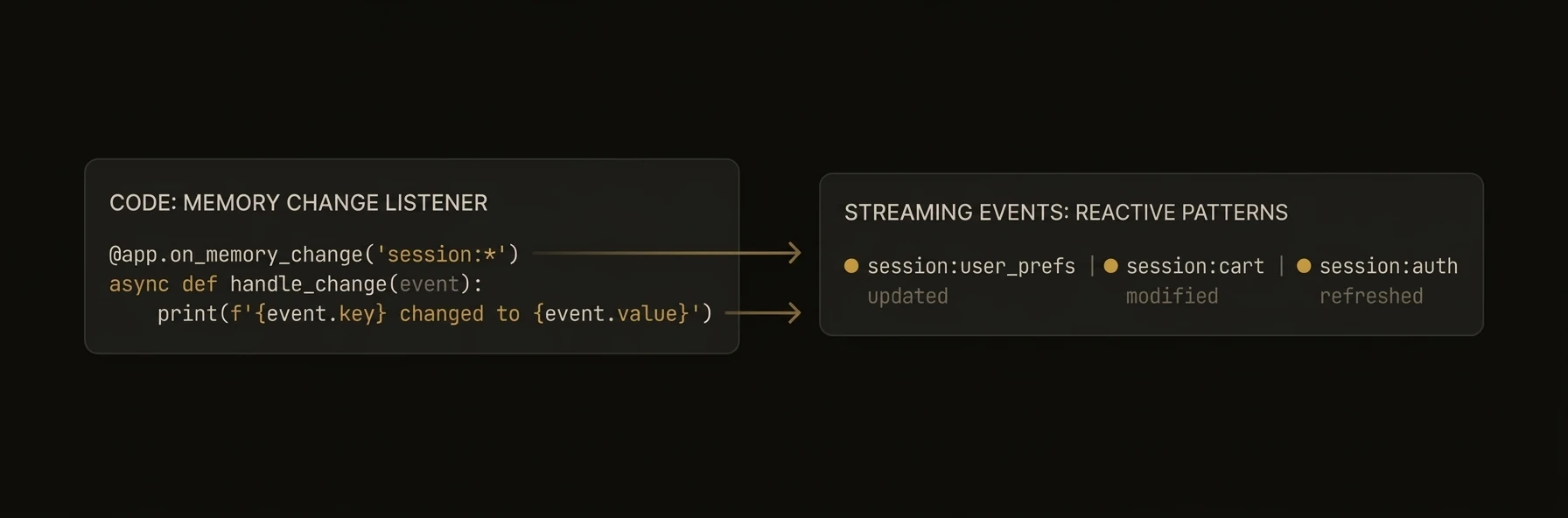 > Trigger agent logic the instant shared state changes -- no polling, no delays.
Agents often need to react when another agent writes data: reorder inventory when stock drops, alert a human when risk spikes, kick off downstream processing when upstream results land. AgentField's memory event system lets you subscribe to key patterns and run handlers when matching keys change -- across any scope, from any agent.
### Python
### TypeScript
**What just happened**
- A memory write became an event source for downstream automation
- Handlers reacted immediately without polling loops
- The same reactive pattern worked across agents because events flow through shared memory
Example event payload:
### What you get
- **Pattern-based subscriptions** -- watch specific keys, wildcard ranges, or entire namespaces with glob patterns.
- **Scoped listeners** -- subscribe at global, session, actor, or workflow scope for precise targeting.
- **MemoryChangeEvent** -- rich event object with key, new value, old value, scope, timestamp, and source agent.
- **Cross-agent reactivity** -- one agent writes, another agent's handler fires immediately.
- **No polling** -- push-based delivery via the control plane's internal event bus.
- **Multiple patterns** -- TypeScript supports arrays of patterns in a single subscription.
### MemoryChangeEvent structure
Every handler receives a `MemoryChangeEvent` with the following fields:
| Field | Python | TypeScript | Description |
|---|---|---|---|
| Key | `event.key` | `event.key` | The memory key that changed (e.g., `"warehouse.stock.sku-42"`) |
| New value | `event.data` | `event.data` | The new value written to the key |
| Previous value | `event.previous_data` / `event.old_value` | -- | The previous value (Python only) |
| Scope | `event.scope` | `event.scope` | Memory scope: `"global"`, `"session"`, `"actor"`, `"workflow"` |
| Scope ID | `event.scope_id` | `event.scopeId` | The scope identifier |
| Timestamp | `event.timestamp` | `event.timestamp` | Timestamp of the change |
| Source agent | -- | `event.agentId` | The agent that wrote the change (TypeScript only) |
| Action | `event.action` | -- | `"set"` or `"delete"` (Python only) |
### Python
### TypeScript
### Pattern syntax
Memory event patterns use a glob-like syntax to match keys.
| Pattern | Matches | Does Not Match |
|---|---|---|
| `"orders.pending"` | `orders.pending` (exact) | `orders.shipped`, `orders.pending.item1` |
| `"orders.*"` | `orders.pending`, `orders.shipped`, `orders.pending.item1` | `inventory.stock` |
| `"orders.**"` | `orders.pending`, `orders.shipped`, `orders.pending.item1` | `inventory.stock` |
| `"*.stock"` | `warehouse.stock`, `store.stock` | `warehouse.stock.sku42`, `inventory.item` |
| `"**"` | Everything | -- |
### Rules
- `*` is converted to `.*` regex internally, so it crosses dot boundaries. It is functionally identical to `**`.
- `**` matches zero or more path segments (crosses dots).
- Exact strings match literally.
- Patterns are case-sensitive.
### Multiple Patterns (TypeScript)
In Python, register multiple decorators:
### Scoped subscriptions
Subscribe to events within a specific memory scope for precise targeting.
### Python
### TypeScript
### Patterns
### Event-Driven Pipeline
Chain agents reactively -- each writes results that trigger the next stage.
### Cross-Agent Notifications
Decouple producers from consumers -- agents write to known keys, any agent can subscribe.
### Saga Coordination
Coordinate distributed transactions across agents using memory events as signals.
### SDK reference
### Event Subscription Methods
| Feature | Python | TypeScript | Go |
|---|---|---|---|
| Watch changes | `@app.on_change(pattern)` | `agent.watchMemory(pattern, handler)` | Not supported |
| Scoped watch | `@app.memory..on_change(pattern)` | `agent.watchMemory(pattern, handler, { scope })` | Not supported |
| Multiple patterns | Multiple decorators | `agent.watchMemory([p1, p2], handler)` | Not supported |
| Unsubscribe | `subscription.unsubscribe()` (only from `subscribe()`, not `@on_change`) | -- | Not supported |
### MemoryChangeEvent Fields
| Field | Python | TypeScript |
|---|---|---|
| Key | `event.key` | `event.key` |
| New value | `event.data` | `event.data` |
| Previous value | `event.previous_data` / `event.old_value` | -- |
| Scope | `event.scope` | `event.scope` |
| Scope ID | `event.scope_id` | `event.scopeId` |
| Timestamp | `event.timestamp` | `event.timestamp` |
| Source agent | -- | `event.agentId` |
| Action | `event.action` | -- |
### Go Alternative
Go does not support in-process memory events. Use the REST SSE endpoint instead:
These stream memory change events over Server-Sent Events or WebSocket for any client, including Go agents.
---
## Orchestration Patterns
URL: https://agentfield.ai/docs/build/coordination/orchestration
Markdown: https://agentfield.ai/llm/docs/build/coordination/orchestration
Last-Modified: 2026-03-24T17:04:50.000Z
Category: coordination
Difficulty: advanced
Keywords: orchestration, parallel, fan-out, fan-in, pipeline, dag, workflow, multi-agent
Summary: Multi-agent patterns for parallel, sequential, and fan-out/fan-in execution using cross-agent calls and shared memory.
> Trigger agent logic the instant shared state changes -- no polling, no delays.
Agents often need to react when another agent writes data: reorder inventory when stock drops, alert a human when risk spikes, kick off downstream processing when upstream results land. AgentField's memory event system lets you subscribe to key patterns and run handlers when matching keys change -- across any scope, from any agent.
### Python
### TypeScript
**What just happened**
- A memory write became an event source for downstream automation
- Handlers reacted immediately without polling loops
- The same reactive pattern worked across agents because events flow through shared memory
Example event payload:
### What you get
- **Pattern-based subscriptions** -- watch specific keys, wildcard ranges, or entire namespaces with glob patterns.
- **Scoped listeners** -- subscribe at global, session, actor, or workflow scope for precise targeting.
- **MemoryChangeEvent** -- rich event object with key, new value, old value, scope, timestamp, and source agent.
- **Cross-agent reactivity** -- one agent writes, another agent's handler fires immediately.
- **No polling** -- push-based delivery via the control plane's internal event bus.
- **Multiple patterns** -- TypeScript supports arrays of patterns in a single subscription.
### MemoryChangeEvent structure
Every handler receives a `MemoryChangeEvent` with the following fields:
| Field | Python | TypeScript | Description |
|---|---|---|---|
| Key | `event.key` | `event.key` | The memory key that changed (e.g., `"warehouse.stock.sku-42"`) |
| New value | `event.data` | `event.data` | The new value written to the key |
| Previous value | `event.previous_data` / `event.old_value` | -- | The previous value (Python only) |
| Scope | `event.scope` | `event.scope` | Memory scope: `"global"`, `"session"`, `"actor"`, `"workflow"` |
| Scope ID | `event.scope_id` | `event.scopeId` | The scope identifier |
| Timestamp | `event.timestamp` | `event.timestamp` | Timestamp of the change |
| Source agent | -- | `event.agentId` | The agent that wrote the change (TypeScript only) |
| Action | `event.action` | -- | `"set"` or `"delete"` (Python only) |
### Python
### TypeScript
### Pattern syntax
Memory event patterns use a glob-like syntax to match keys.
| Pattern | Matches | Does Not Match |
|---|---|---|
| `"orders.pending"` | `orders.pending` (exact) | `orders.shipped`, `orders.pending.item1` |
| `"orders.*"` | `orders.pending`, `orders.shipped`, `orders.pending.item1` | `inventory.stock` |
| `"orders.**"` | `orders.pending`, `orders.shipped`, `orders.pending.item1` | `inventory.stock` |
| `"*.stock"` | `warehouse.stock`, `store.stock` | `warehouse.stock.sku42`, `inventory.item` |
| `"**"` | Everything | -- |
### Rules
- `*` is converted to `.*` regex internally, so it crosses dot boundaries. It is functionally identical to `**`.
- `**` matches zero or more path segments (crosses dots).
- Exact strings match literally.
- Patterns are case-sensitive.
### Multiple Patterns (TypeScript)
In Python, register multiple decorators:
### Scoped subscriptions
Subscribe to events within a specific memory scope for precise targeting.
### Python
### TypeScript
### Patterns
### Event-Driven Pipeline
Chain agents reactively -- each writes results that trigger the next stage.
### Cross-Agent Notifications
Decouple producers from consumers -- agents write to known keys, any agent can subscribe.
### Saga Coordination
Coordinate distributed transactions across agents using memory events as signals.
### SDK reference
### Event Subscription Methods
| Feature | Python | TypeScript | Go |
|---|---|---|---|
| Watch changes | `@app.on_change(pattern)` | `agent.watchMemory(pattern, handler)` | Not supported |
| Scoped watch | `@app.memory..on_change(pattern)` | `agent.watchMemory(pattern, handler, { scope })` | Not supported |
| Multiple patterns | Multiple decorators | `agent.watchMemory([p1, p2], handler)` | Not supported |
| Unsubscribe | `subscription.unsubscribe()` (only from `subscribe()`, not `@on_change`) | -- | Not supported |
### MemoryChangeEvent Fields
| Field | Python | TypeScript |
|---|---|---|
| Key | `event.key` | `event.key` |
| New value | `event.data` | `event.data` |
| Previous value | `event.previous_data` / `event.old_value` | -- |
| Scope | `event.scope` | `event.scope` |
| Scope ID | `event.scope_id` | `event.scopeId` |
| Timestamp | `event.timestamp` | `event.timestamp` |
| Source agent | -- | `event.agentId` |
| Action | `event.action` | -- |
### Go Alternative
Go does not support in-process memory events. Use the REST SSE endpoint instead:
These stream memory change events over Server-Sent Events or WebSocket for any client, including Go agents.
---
## Orchestration Patterns
URL: https://agentfield.ai/docs/build/coordination/orchestration
Markdown: https://agentfield.ai/llm/docs/build/coordination/orchestration
Last-Modified: 2026-03-24T17:04:50.000Z
Category: coordination
Difficulty: advanced
Keywords: orchestration, parallel, fan-out, fan-in, pipeline, dag, workflow, multi-agent
Summary: Multi-agent patterns for parallel, sequential, and fan-out/fan-in execution using cross-agent calls and shared memory.
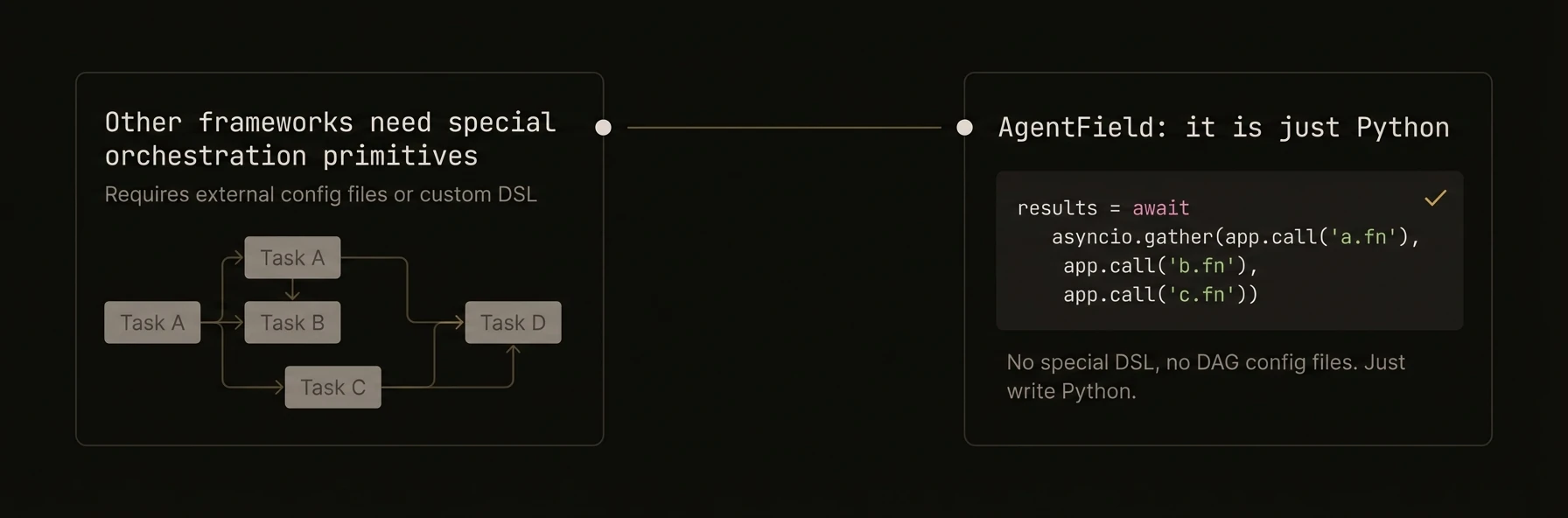 > Compose agents into parallel, sequential, and fan-out/fan-in workflows using the primitives you already have.
AgentField does not require a separate orchestration DSL or workflow engine. You orchestrate with normal language primitives, then the control plane turns those calls into a traced workflow.
That means you keep native `asyncio`, `Promise.all`, or goroutines, but still get a workflow DAG, propagated context, and execution visibility across the whole fan-out/fan-in flow.
### Python
### TypeScript
### Go
**What just happened**
- The orchestration logic stayed inside normal application code
- Parallel child calls became tracked DAG nodes automatically
- The control plane recorded the fan-out and fan-in structure without a separate workflow definition
Example DAG shape:
### What you get
- **Parallel execution** -- call multiple agents simultaneously with `asyncio.gather()`, `Promise.all()`, or goroutines.
- **Sequential pipelines** -- chain agents where each step's output feeds the next step's input.
- **Fan-out/fan-in** -- distribute work items across agents, then merge results.
- **Workflow DAG** -- every cross-agent call creates a tracked edge, visualizable through the control plane API.
- **Automatic context propagation** -- workflow ID, session ID, and actor ID flow through every pattern.
### Parallel execution
Call multiple agents at the same time and wait for all results. Each call runs as an independent execution but shares the same workflow context.
### Python
### TypeScript
### Go
### Sequential pipeline
Chain agents where each step transforms or enriches the data from the previous step. The workflow DAG captures the full chain.
### Python
### TypeScript
### Go
### Fan-out / fan-in
Distribute a batch of work items across agents in parallel, then merge the results. This pattern is common for processing lists, running multiple analyses on different data partitions, or parallelizing expensive LLM calls.
### Python
### TypeScript
### Go
### Workflow DAG visualization
Every `app.call()` creates a parent-child edge in the execution DAG. The control plane tracks these relationships automatically through the context headers propagated on each call.
### Querying the DAG
The response contains:
- Every execution node (agent, reasoner/skill name, status, duration)
- Parent-child edges showing the call graph
- Timing data for latency analysis
### What the DAG Captures
| Pattern | DAG Shape |
|---|---|
| Sequential pipeline | Linear chain: A -> B -> C -> D |
| Parallel execution | Fan: A -> [B, C, D] |
| Fan-out/fan-in | Diamond: A -> [B1, B2, B3] -> C |
| Nested orchestration | Tree with multiple levels |
The DAG updates in real time as executions complete, so you can monitor long-running workflows in the dashboard.
### Advanced patterns
### Parallel with Shared State
Use [shared memory](/docs/build/coordination/shared-memory) to coordinate between parallel agents without passing all state through call arguments.
### Python
### TypeScript
### Go
### Conditional Branching
Route to different agents based on a classification step.
### Retry with Fallback
When a primary agent fails, discover and use an alternative.
---
## Shared Memory
URL: https://agentfield.ai/docs/build/coordination/shared-memory
Markdown: https://agentfield.ai/llm/docs/build/coordination/shared-memory
Last-Modified: 2026-03-24T16:54:10.000Z
Category: coordination
Difficulty: intermediate
Keywords: memory, state, kv, vector, scope, shared-memory, events
Summary: Distributed key-value and vector memory with four isolation scopes for cross-agent state sharing.
> Compose agents into parallel, sequential, and fan-out/fan-in workflows using the primitives you already have.
AgentField does not require a separate orchestration DSL or workflow engine. You orchestrate with normal language primitives, then the control plane turns those calls into a traced workflow.
That means you keep native `asyncio`, `Promise.all`, or goroutines, but still get a workflow DAG, propagated context, and execution visibility across the whole fan-out/fan-in flow.
### Python
### TypeScript
### Go
**What just happened**
- The orchestration logic stayed inside normal application code
- Parallel child calls became tracked DAG nodes automatically
- The control plane recorded the fan-out and fan-in structure without a separate workflow definition
Example DAG shape:
### What you get
- **Parallel execution** -- call multiple agents simultaneously with `asyncio.gather()`, `Promise.all()`, or goroutines.
- **Sequential pipelines** -- chain agents where each step's output feeds the next step's input.
- **Fan-out/fan-in** -- distribute work items across agents, then merge results.
- **Workflow DAG** -- every cross-agent call creates a tracked edge, visualizable through the control plane API.
- **Automatic context propagation** -- workflow ID, session ID, and actor ID flow through every pattern.
### Parallel execution
Call multiple agents at the same time and wait for all results. Each call runs as an independent execution but shares the same workflow context.
### Python
### TypeScript
### Go
### Sequential pipeline
Chain agents where each step transforms or enriches the data from the previous step. The workflow DAG captures the full chain.
### Python
### TypeScript
### Go
### Fan-out / fan-in
Distribute a batch of work items across agents in parallel, then merge the results. This pattern is common for processing lists, running multiple analyses on different data partitions, or parallelizing expensive LLM calls.
### Python
### TypeScript
### Go
### Workflow DAG visualization
Every `app.call()` creates a parent-child edge in the execution DAG. The control plane tracks these relationships automatically through the context headers propagated on each call.
### Querying the DAG
The response contains:
- Every execution node (agent, reasoner/skill name, status, duration)
- Parent-child edges showing the call graph
- Timing data for latency analysis
### What the DAG Captures
| Pattern | DAG Shape |
|---|---|
| Sequential pipeline | Linear chain: A -> B -> C -> D |
| Parallel execution | Fan: A -> [B, C, D] |
| Fan-out/fan-in | Diamond: A -> [B1, B2, B3] -> C |
| Nested orchestration | Tree with multiple levels |
The DAG updates in real time as executions complete, so you can monitor long-running workflows in the dashboard.
### Advanced patterns
### Parallel with Shared State
Use [shared memory](/docs/build/coordination/shared-memory) to coordinate between parallel agents without passing all state through call arguments.
### Python
### TypeScript
### Go
### Conditional Branching
Route to different agents based on a classification step.
### Retry with Fallback
When a primary agent fails, discover and use an alternative.
---
## Shared Memory
URL: https://agentfield.ai/docs/build/coordination/shared-memory
Markdown: https://agentfield.ai/llm/docs/build/coordination/shared-memory
Last-Modified: 2026-03-24T16:54:10.000Z
Category: coordination
Difficulty: intermediate
Keywords: memory, state, kv, vector, scope, shared-memory, events
Summary: Distributed key-value and vector memory with four isolation scopes for cross-agent state sharing.
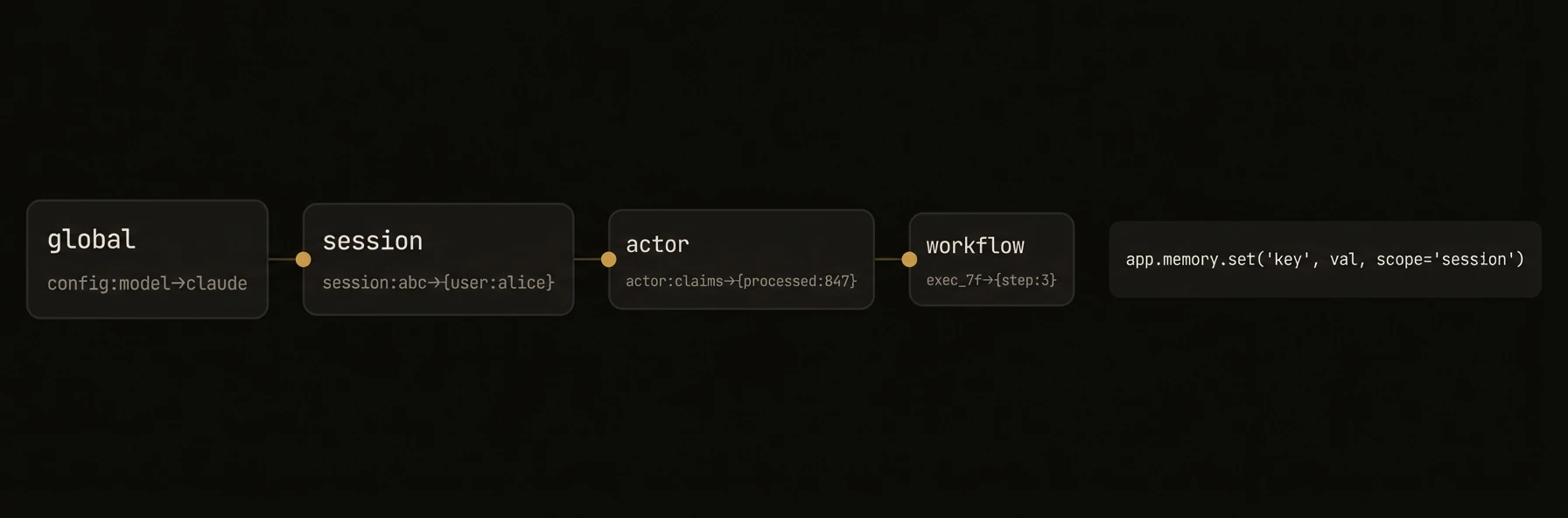 > Distributed state that agents share, scoped to exactly the right audience.
Shared memory is not just a storage API. It is the distributed state fabric that lets agents coordinate without standing up Redis, manual namespacing, or pub/sub wiring first.
One agent can write workflow state, another can read it, and a third can react to changes. The scopes make that state visible to exactly the right audience.
### Python
```python
# Agent A writes workflow context
await app.memory.set("ticket:T-123.sentiment", {"mood": "angry", "urgency": "high"})
# Agent B reads it later in the same workflow
sentiment = await app.memory.get("ticket:T-123.sentiment")
# Agent C reacts to changes automatically
@app.memory.on_change("ticket:*:sentiment")
async def on_ticket_sentiment(event):
await app.call("notifications.alert", key=event.key, change=event.data)
# Vector memory is available too for RAG and retrieval
await app.memory.set_vector("doc:chunk-1", embedding, metadata={"source": "contracts.pdf"})
hits = await app.memory.similarity_search(query_embedding, top_k=5)
```
### TypeScript
```typescript
// Agent A writes workflow context
await ctx.memory.set('ticket:T-123.sentiment', { mood: 'angry', urgency: 'high' });
// Agent B reads it later in the same workflow
const sentiment = await ctx.memory.get('ticket:T-123.sentiment');
// Agent C reacts to changes automatically
agent.watchMemory('ticket:*:sentiment', async (event) => {
await agent.call('notifications.alert', { key: event.key, change: event.data });
});
// Vector memory is available too for RAG and retrieval
await ctx.memory.setVector('doc:chunk-1', embedding, { source: 'contracts.pdf' });
const hits = await ctx.memory.searchVector(queryEmbedding, { topK: 5 });
```
**What just happened**
- One write became shared workflow context for multiple agents
- A watcher turned memory changes into reactive behavior without extra queue setup
- Vector memory remained available on the same interface for retrieval patterns
Example change event:
```json
{
"key": "ticket:T-123.sentiment",
"scope": "workflow",
"scope_id": "wf-123",
"action": "set",
"data": { "mood": "angry", "urgency": "high" },
"previous_data": null
}
```
### What you get
- **Four isolation scopes** -- global, session, actor, and workflow, from widest to narrowest.
- **Key-value storage** -- `set`, `get`, `delete`, `list_keys`, `exists` across all scopes.
- **Vector storage** -- store embeddings and run similarity search for RAG patterns.
- **Hierarchical lookup** -- Python and TypeScript memory clients search `workflow -> session -> actor -> global` when you call `get()` without an explicit scope.
- **Reactive events** -- subscribe to memory changes with pattern matching (Python and TypeScript).
- **Scoped accessors** -- `memory.session(id)`, `memory.actor(id)`, `memory.workflow(id)`, `memory.global_scope` for explicit scope targeting.
- **Go default scope** -- `memory.Get()` reads session scope (or the current run when no session is present). Use `GlobalScope()`, `SessionScope()`, `UserScope()`, and `WorkflowScope()` for explicit access.
### Memory scopes
| Scope | Lifetime | Use For | Python/TS Name | Go Name |
|---|---|---|---|---|
| **Global** | Until explicitly deleted | Shared config, knowledge bases, cross-agent state | `global` | `global` |
| **Session** | Until session ends | Conversation context, per-session preferences | `session` | `session` |
| **Actor** | Persists across sessions | User-specific learned data, per-actor configuration | `actor` | `user` |
| **Workflow** | Until workflow run completes | Intermediate results, per-run computation state | `workflow` | `workflow` |
Hierarchical lookup order (most specific first):
```
workflow -> session -> actor -> global
```
Python and TypeScript clients check each scope in order and return the first match when you call `memory.get("key")` without specifying a scope. Values in narrower scopes override broader scopes. Go `Memory.Get()` reads session scope by default; use explicit scoped accessors for other scopes.
### Key-value operations
### Python
```python
from agentfield import Agent
app = Agent(node_id="my-agent")
@app.reasoner()
async def chat(message: str) -> dict:
# Automatic scope (uses current execution context)
await app.memory.set("last_message", message)
last = await app.memory.get("last_message")
# Check existence
has_history = await app.memory.exists("conversation.history")
# Delete a key
await app.memory.delete("temp_data")
# Explicit scope access
await app.memory.global_scope.set("config", {"temperature": 0.2})
config = await app.memory.global_scope.get("config", default={})
keys = await app.memory.global_scope.list_keys()
# Scoped to a session
session_mem = app.memory.session("session-123")
await session_mem.set("context", {"topic": "billing"})
context = await session_mem.get("context")
session_keys = await session_mem.list_keys()
# Scoped to an actor (persists across sessions)
actor_mem = app.memory.actor("user-456")
await actor_mem.set("preferences", {"tone": "concise"})
# Scoped to current workflow run
wf_mem = app.memory.workflow("wf-789")
await wf_mem.set("step1_output", {"ok": True})
return {"processed": True}
```
### TypeScript
```typescript
import { Agent } from "@agentfield/sdk";
const agent = new Agent({ nodeId: "my-agent" });
agent.reasoner("chat", async (ctx) => {
const memory = ctx.memory;
// Automatic scope (uses current execution context)
await memory.set("last_message", ctx.input.message);
const last = await memory.get("last_message");
// Check existence
const hasHistory = await memory.exists("conversation.history");
// Delete a key
await memory.delete("temp_data");
// List keys in current scope
const keys = await memory.listKeys();
// Explicit scope access
const globalMem = memory.globalScope;
await globalMem.set("config", { temperature: 0.2 });
const config = await globalMem.get("config");
// Scoped to a session
const sessionMem = memory.session("session-123");
await sessionMem.set("context", { topic: "billing" });
// Scoped to an actor (persists across sessions)
const actorMem = memory.actor("user-456");
await actorMem.set("preferences", { tone: "concise" });
// Scoped to current workflow run
const wfMem = memory.workflow("wf-789");
await wfMem.set("step1_output", { ok: true });
return { processed: true };
});
```
### Go
```go
package main
import (
"context"
"github.com/Agent-Field/agentfield/sdk/go/agent"
)
func main() {
a, _ := agent.New(agent.Config{NodeID: "my-agent", Version: "1.0.0"})
mem := agent.NewMemory(nil) // uses in-memory backend by default
a.RegisterReasoner("chat", func(ctx context.Context, input map[string]any) (any, error) {
// Default scope (session)
mem.Set(ctx, "last_message", input["message"])
last, _ := mem.Get(ctx, "last_message")
_ = last
// Delete a key
mem.Delete(ctx, "temp_data")
// List keys in session scope
keys, _ := mem.List(ctx)
_ = keys
// Global scope
global := mem.GlobalScope()
global.Set(ctx, "config", map[string]any{"temperature": 0.2})
config, _ := global.GetWithDefault(ctx, "config", map[string]any{})
_ = config
// Session scope
session := mem.SessionScope()
session.Set(ctx, "context", map[string]any{"topic": "billing"})
// User scope (equivalent to "actor" in Python/TS)
user := mem.UserScope()
user.Set(ctx, "preferences", map[string]any{"tone": "concise"})
// Workflow scope
workflow := mem.WorkflowScope()
workflow.Set(ctx, "step1_output", map[string]any{"ok": true})
return map[string]any{"processed": true}, nil
})
a.Serve(context.Background())
}
```
### Vector operations
Store embeddings and run similarity search for RAG, semantic routing, and knowledge retrieval patterns.
### Python
```python
@app.reasoner()
async def index_and_search(text: str) -> dict:
# Store a vector with metadata
embedding = [0.1, 0.2, 0.3, 0.4] # from your embedding model
await app.memory.set_vector(
"doc-001",
embedding,
metadata={"source": "manual", "topic": "billing"},
)
# Similarity search
query_embedding = [0.1, 0.2, 0.35, 0.4]
results = await app.memory.similarity_search(
query_embedding,
top_k=5,
filters={"topic": "billing"},
)
# Delete a vector
await app.memory.delete_vector("doc-001")
# Scoped vector operations
global_mem = app.memory.global_scope
await global_mem.set_vector("shared-embedding", embedding, metadata={"public": True})
global_results = await global_mem.similarity_search(query_embedding, top_k=3)
return {"results": results}
```
### TypeScript
```typescript
agent.reasoner("indexAndSearch", async (ctx) => {
const memory = ctx.memory;
// Store a vector with metadata
const embedding = [0.1, 0.2, 0.3, 0.4];
await memory.setVector("doc-001", embedding, {
source: "manual",
topic: "billing",
});
// Similarity search
const queryEmbedding = [0.1, 0.2, 0.35, 0.4];
const results = await memory.searchVector(queryEmbedding, {
topK: 5,
scope: "global",
});
// Delete a vector
await memory.deleteVector("doc-001");
// Embed text directly (requires AI client configured)
const textEmbedding = await memory.embedText("billing question");
await memory.embedAndSet("doc-002", "billing answer", { topic: "billing" });
return { results };
});
```
### Go
```go
a.RegisterReasoner("indexAndSearch", func(ctx context.Context, input map[string]any) (any, error) {
// Store a vector with metadata
embedding := []float64{0.1, 0.2, 0.3, 0.4}
mem.SetVector(ctx, "doc-001", embedding, map[string]any{
"source": "manual",
"topic": "billing",
})
// Similarity search
queryEmbedding := []float64{0.1, 0.2, 0.35, 0.4}
results, _ := mem.SearchVector(ctx, queryEmbedding, agent.SearchOptions{
Limit: 5,
Filters: map[string]any{"topic": "billing"},
})
// Delete a vector
mem.DeleteVector(ctx, "doc-001")
// Scoped vector operations
global := mem.GlobalScope()
global.SetVector(ctx, "shared-embedding", embedding, map[string]any{"public": true})
return map[string]any{"results": results}, nil
})
```
### Memory events
Subscribe to memory changes with pattern matching. When a key matching your pattern is written in any scope, your handler fires. This enables reactive patterns where one agent's write triggers another agent's logic.
**Availability:** Python and TypeScript only. Go does not support memory events.
### Python
```python
# Decorator-based subscription
@app.memory.on_change("user.*")
async def on_user_change(event):
print(f"Key changed: {event.key}")
print(f"New data: {event.data}")
print(f"Scope: {event.scope}")
# Scoped event subscription
@app.memory.global_scope.on_change("config.*")
async def on_config_change(event):
print(f"Global config changed: {event.key}")
# Session-scoped events
session = app.memory.session("session-123")
@session.on_change("conversation.*")
async def on_conversation_change(event):
print(f"Conversation updated: {event.key}")
```
### TypeScript
```typescript
// Watch for memory changes
agent.watchMemory("user.*", async (event) => {
console.log(`Key changed: ${event.key}`);
console.log(`New data:`, event.data);
console.log(`Scope: ${event.scope}`);
});
// Watch with scope filtering
agent.watchMemory("config.*", async (event) => {
console.log(`Config changed: ${event.key}`);
}, { scope: "global" });
// Watch multiple patterns
agent.watchMemory(
["order.*", "payment.*"],
async (event) => {
console.log(`Transaction event: ${event.key}`);
}
);
```
Pattern matching uses wildcards: `"user.*"` matches `"user.preferences"`, `"user.history"`, etc.
### Patterns
### Conversation History
Use session-scoped memory to maintain conversation state across turns.
```python
@app.reasoner()
async def chat(message: str) -> dict:
history = await app.memory.get("conversation.history", default=[])
history.append({"role": "user", "content": message})
response = await app.ai(
system="You are a helpful assistant.",
user=message,
context={"history": history},
)
history.append({"role": "assistant", "content": response})
await app.memory.set("conversation.history", history)
return {"response": response}
```
### Cross-Agent State Sharing
Use global memory as a shared blackboard between agents.
```python
# Agent A: Write results to global memory
@app.reasoner()
async def analyzer(data: dict) -> dict:
result = await app.ai(system="Analyze this data.", user=str(data))
await app.memory.global_scope.set(f"analysis.{data['id']}", result)
return result
# Agent B: Read results from global memory
@app.reasoner()
async def reporter(analysis_id: str) -> dict:
analysis = await app.memory.global_scope.get(f"analysis.{analysis_id}")
if not analysis:
return {"error": "Analysis not found"}
report = await app.ai(system="Generate a report.", user=str(analysis))
return {"report": report}
```
### Reactive Processing with Events
Trigger processing when data arrives without polling.
```python
@app.memory.global_scope.on_change("analysis.*")
async def on_analysis_complete(event):
analysis_id = event.key.split(".")[-1]
report = await app.call(
"reporter.generate",
analysis_id=analysis_id,
data=event.data,
)
await app.memory.global_scope.set(f"report.{analysis_id}", report)
```
### SDK reference
### Key-Value Methods
| Operation | Python | TypeScript | Go |
|---|---|---|---|
| Set | `await memory.set(key, data)` | `await memory.set(key, data)` | `memory.Set(ctx, key, value)` |
| Get | `await memory.get(key, default=None)` | `await memory.get(key)` | `memory.Get(ctx, key)` |
| Get with default | `await memory.get(key, default={})` | -- | `memory.GetWithDefault(ctx, key, default)` |
| Delete | `await memory.delete(key)` | `await memory.delete(key)` | `memory.Delete(ctx, key)` |
| Exists | `await memory.exists(key)` | `await memory.exists(key)` | -- |
| List keys | `await memory.list_keys(scope)` | `await memory.listKeys()` | `memory.List(ctx)` |
### Vector Methods
| Operation | Python | TypeScript | Go |
|---|---|---|---|
| Set vector | `await memory.set_vector(key, embedding, metadata=)` | `await memory.setVector(key, embedding, metadata?)` | `memory.SetVector(ctx, key, embedding, metadata)` |
| Search | `await memory.similarity_search(query, top_k=, filters=)` | `await memory.searchVector(query, { topK, scope })` | `memory.SearchVector(ctx, embedding, opts)` |
| Delete vector | `await memory.delete_vector(key)` | `await memory.deleteVector(key)` | `memory.DeleteVector(ctx, key)` |
| Get vector | -- | -- | `memory.GetVector(ctx, key)` |
| Embed text | -- | `await memory.embedText(text)` | -- |
| Embed and set | -- | `await memory.embedAndSet(key, text, metadata?)` | -- |
### Scope Accessors
| Scope | Python | TypeScript | Go |
|---|---|---|---|
| Global | `memory.global_scope` | `memory.globalScope` | `memory.GlobalScope()` |
| Session | `memory.session(id)` | `memory.session(id)` | `memory.SessionScope()` |
| Actor / User | `memory.actor(id)` | `memory.actor(id)` | `memory.UserScope()` |
| Workflow | `memory.workflow(id)` | `memory.workflow(id)` | `memory.WorkflowScope()` |
| Explicit | -- | -- | `memory.Scoped(scope, id)` |
### Event Methods
| Feature | Python | TypeScript | Go |
|---|---|---|---|
| Watch changes | `@memory.on_change(pattern)` | `agent.watchMemory(pattern, handler)` | Not supported |
| Scoped watch | `@memory.session(id).on_change(pattern)` | `agent.watchMemory(pattern, handler, { scope })` | Not supported |
### Go -- `GetTyped()` for Type-Safe Retrieval
The Go SDK provides `GetTyped()` to deserialize memory values directly into Go structs, avoiding manual type assertions.
```go
type UserPrefs struct {
Tone string `json:"tone"`
Language string `json:"language"`
Theme string `json:"theme"`
}
// GetTyped deserializes the stored value into the target struct
// Available on ScopedMemory (e.g., mem.SessionScope(), mem.GlobalScope())
var prefs UserPrefs
err := mem.SessionScope().GetTyped(ctx, "preferences", &prefs)
if err != nil {
// key not found or deserialization error
}
fmt.Println(prefs.Tone) // "concise"
// Works with any scope
var config AppConfig
err = mem.GlobalScope().GetTyped(ctx, "app_config", &config)
```
**Signature:**
```go
func (s *ScopedMemory) GetTyped(ctx context.Context, key string, dest any) error
```
### Go -- `MemoryBackend` Pluggable Interface
The Go SDK uses a pluggable backend interface for memory storage. Swap backends by passing them in `agent.Config`.
```go
// MemoryBackend is the interface all storage backends implement
type MemoryBackend interface {
Set(scope MemoryScope, scopeID, key string, value any) error
Get(scope MemoryScope, scopeID, key string) (any, bool, error)
Delete(scope MemoryScope, scopeID, key string) error
List(scope MemoryScope, scopeID string) ([]string, error)
GetVector(scope MemoryScope, scopeID, key string) (embedding []float64, metadata map[string]any, found bool, err error)
SetVector(scope MemoryScope, scopeID, key string, embedding []float64, metadata map[string]any) error
SearchVector(scope MemoryScope, scopeID string, embedding []float64, opts SearchOptions) ([]VectorSearchResult, error)
DeleteVector(scope MemoryScope, scopeID, key string) error
}
```
**Built-in backends:**
| Backend | Constructor | Use For |
|---|---|---|
| `InMemoryBackend` | `agent.NewInMemoryBackend()` | Unit tests, local dev, ephemeral state |
| `ControlPlaneMemoryBackend` | `agent.NewControlPlaneMemoryBackend(url, token, nodeID)` | Production -- delegates to the control plane's distributed memory API |
```go
// Testing: in-memory (default)
a, _ := agent.New(agent.Config{
NodeID: "test-agent",
Version: "1.0.0",
MemoryBackend: agent.NewInMemoryBackend(),
})
// Production: control plane backend
a, _ := agent.New(agent.Config{
NodeID: "prod-agent",
Version: "1.0.0",
MemoryBackend: agent.NewControlPlaneMemoryBackend(
"http://localhost:8080",
"bearer-token",
"prod-agent",
),
})
```
### MemoryConfig (Python)
Configure memory behavior in the Python SDK via `MemoryConfig`.
```python
from agentfield import Agent, MemoryConfig
app = Agent(
node_id="my-agent",
memory_config=MemoryConfig(
auto_inject=["conversation.history"], # keys to auto-inject into context
memory_retention="session", # retention policy
cache_results=True, # cache memory results locally
),
)
```
| Field | Type | Description |
|---|---|---|
| `auto_inject` | `list[str]` | Memory keys to automatically inject into execution context |
| `memory_retention` | `str` | Retention policy for memory data |
| `cache_results` | `bool` | Whether to cache memory results locally |
---
## Workflow Tracing
URL: https://agentfield.ai/docs/build/coordination/workflow-tracing
Markdown: https://agentfield.ai/llm/docs/build/coordination/workflow-tracing
Last-Modified: 2026-03-24T15:35:27.000Z
Category: coordination
Difficulty: advanced
Keywords: tracing, DAG, workflow, headers, correlation, observability, SSE, streaming, OpenTelemetry
Summary: Distributed tracing headers, DAG visualization, and real-time SSE streaming for multi-agent workflows.
> Distributed state that agents share, scoped to exactly the right audience.
Shared memory is not just a storage API. It is the distributed state fabric that lets agents coordinate without standing up Redis, manual namespacing, or pub/sub wiring first.
One agent can write workflow state, another can read it, and a third can react to changes. The scopes make that state visible to exactly the right audience.
### Python
```python
# Agent A writes workflow context
await app.memory.set("ticket:T-123.sentiment", {"mood": "angry", "urgency": "high"})
# Agent B reads it later in the same workflow
sentiment = await app.memory.get("ticket:T-123.sentiment")
# Agent C reacts to changes automatically
@app.memory.on_change("ticket:*:sentiment")
async def on_ticket_sentiment(event):
await app.call("notifications.alert", key=event.key, change=event.data)
# Vector memory is available too for RAG and retrieval
await app.memory.set_vector("doc:chunk-1", embedding, metadata={"source": "contracts.pdf"})
hits = await app.memory.similarity_search(query_embedding, top_k=5)
```
### TypeScript
```typescript
// Agent A writes workflow context
await ctx.memory.set('ticket:T-123.sentiment', { mood: 'angry', urgency: 'high' });
// Agent B reads it later in the same workflow
const sentiment = await ctx.memory.get('ticket:T-123.sentiment');
// Agent C reacts to changes automatically
agent.watchMemory('ticket:*:sentiment', async (event) => {
await agent.call('notifications.alert', { key: event.key, change: event.data });
});
// Vector memory is available too for RAG and retrieval
await ctx.memory.setVector('doc:chunk-1', embedding, { source: 'contracts.pdf' });
const hits = await ctx.memory.searchVector(queryEmbedding, { topK: 5 });
```
**What just happened**
- One write became shared workflow context for multiple agents
- A watcher turned memory changes into reactive behavior without extra queue setup
- Vector memory remained available on the same interface for retrieval patterns
Example change event:
```json
{
"key": "ticket:T-123.sentiment",
"scope": "workflow",
"scope_id": "wf-123",
"action": "set",
"data": { "mood": "angry", "urgency": "high" },
"previous_data": null
}
```
### What you get
- **Four isolation scopes** -- global, session, actor, and workflow, from widest to narrowest.
- **Key-value storage** -- `set`, `get`, `delete`, `list_keys`, `exists` across all scopes.
- **Vector storage** -- store embeddings and run similarity search for RAG patterns.
- **Hierarchical lookup** -- Python and TypeScript memory clients search `workflow -> session -> actor -> global` when you call `get()` without an explicit scope.
- **Reactive events** -- subscribe to memory changes with pattern matching (Python and TypeScript).
- **Scoped accessors** -- `memory.session(id)`, `memory.actor(id)`, `memory.workflow(id)`, `memory.global_scope` for explicit scope targeting.
- **Go default scope** -- `memory.Get()` reads session scope (or the current run when no session is present). Use `GlobalScope()`, `SessionScope()`, `UserScope()`, and `WorkflowScope()` for explicit access.
### Memory scopes
| Scope | Lifetime | Use For | Python/TS Name | Go Name |
|---|---|---|---|---|
| **Global** | Until explicitly deleted | Shared config, knowledge bases, cross-agent state | `global` | `global` |
| **Session** | Until session ends | Conversation context, per-session preferences | `session` | `session` |
| **Actor** | Persists across sessions | User-specific learned data, per-actor configuration | `actor` | `user` |
| **Workflow** | Until workflow run completes | Intermediate results, per-run computation state | `workflow` | `workflow` |
Hierarchical lookup order (most specific first):
```
workflow -> session -> actor -> global
```
Python and TypeScript clients check each scope in order and return the first match when you call `memory.get("key")` without specifying a scope. Values in narrower scopes override broader scopes. Go `Memory.Get()` reads session scope by default; use explicit scoped accessors for other scopes.
### Key-value operations
### Python
```python
from agentfield import Agent
app = Agent(node_id="my-agent")
@app.reasoner()
async def chat(message: str) -> dict:
# Automatic scope (uses current execution context)
await app.memory.set("last_message", message)
last = await app.memory.get("last_message")
# Check existence
has_history = await app.memory.exists("conversation.history")
# Delete a key
await app.memory.delete("temp_data")
# Explicit scope access
await app.memory.global_scope.set("config", {"temperature": 0.2})
config = await app.memory.global_scope.get("config", default={})
keys = await app.memory.global_scope.list_keys()
# Scoped to a session
session_mem = app.memory.session("session-123")
await session_mem.set("context", {"topic": "billing"})
context = await session_mem.get("context")
session_keys = await session_mem.list_keys()
# Scoped to an actor (persists across sessions)
actor_mem = app.memory.actor("user-456")
await actor_mem.set("preferences", {"tone": "concise"})
# Scoped to current workflow run
wf_mem = app.memory.workflow("wf-789")
await wf_mem.set("step1_output", {"ok": True})
return {"processed": True}
```
### TypeScript
```typescript
import { Agent } from "@agentfield/sdk";
const agent = new Agent({ nodeId: "my-agent" });
agent.reasoner("chat", async (ctx) => {
const memory = ctx.memory;
// Automatic scope (uses current execution context)
await memory.set("last_message", ctx.input.message);
const last = await memory.get("last_message");
// Check existence
const hasHistory = await memory.exists("conversation.history");
// Delete a key
await memory.delete("temp_data");
// List keys in current scope
const keys = await memory.listKeys();
// Explicit scope access
const globalMem = memory.globalScope;
await globalMem.set("config", { temperature: 0.2 });
const config = await globalMem.get("config");
// Scoped to a session
const sessionMem = memory.session("session-123");
await sessionMem.set("context", { topic: "billing" });
// Scoped to an actor (persists across sessions)
const actorMem = memory.actor("user-456");
await actorMem.set("preferences", { tone: "concise" });
// Scoped to current workflow run
const wfMem = memory.workflow("wf-789");
await wfMem.set("step1_output", { ok: true });
return { processed: true };
});
```
### Go
```go
package main
import (
"context"
"github.com/Agent-Field/agentfield/sdk/go/agent"
)
func main() {
a, _ := agent.New(agent.Config{NodeID: "my-agent", Version: "1.0.0"})
mem := agent.NewMemory(nil) // uses in-memory backend by default
a.RegisterReasoner("chat", func(ctx context.Context, input map[string]any) (any, error) {
// Default scope (session)
mem.Set(ctx, "last_message", input["message"])
last, _ := mem.Get(ctx, "last_message")
_ = last
// Delete a key
mem.Delete(ctx, "temp_data")
// List keys in session scope
keys, _ := mem.List(ctx)
_ = keys
// Global scope
global := mem.GlobalScope()
global.Set(ctx, "config", map[string]any{"temperature": 0.2})
config, _ := global.GetWithDefault(ctx, "config", map[string]any{})
_ = config
// Session scope
session := mem.SessionScope()
session.Set(ctx, "context", map[string]any{"topic": "billing"})
// User scope (equivalent to "actor" in Python/TS)
user := mem.UserScope()
user.Set(ctx, "preferences", map[string]any{"tone": "concise"})
// Workflow scope
workflow := mem.WorkflowScope()
workflow.Set(ctx, "step1_output", map[string]any{"ok": true})
return map[string]any{"processed": true}, nil
})
a.Serve(context.Background())
}
```
### Vector operations
Store embeddings and run similarity search for RAG, semantic routing, and knowledge retrieval patterns.
### Python
```python
@app.reasoner()
async def index_and_search(text: str) -> dict:
# Store a vector with metadata
embedding = [0.1, 0.2, 0.3, 0.4] # from your embedding model
await app.memory.set_vector(
"doc-001",
embedding,
metadata={"source": "manual", "topic": "billing"},
)
# Similarity search
query_embedding = [0.1, 0.2, 0.35, 0.4]
results = await app.memory.similarity_search(
query_embedding,
top_k=5,
filters={"topic": "billing"},
)
# Delete a vector
await app.memory.delete_vector("doc-001")
# Scoped vector operations
global_mem = app.memory.global_scope
await global_mem.set_vector("shared-embedding", embedding, metadata={"public": True})
global_results = await global_mem.similarity_search(query_embedding, top_k=3)
return {"results": results}
```
### TypeScript
```typescript
agent.reasoner("indexAndSearch", async (ctx) => {
const memory = ctx.memory;
// Store a vector with metadata
const embedding = [0.1, 0.2, 0.3, 0.4];
await memory.setVector("doc-001", embedding, {
source: "manual",
topic: "billing",
});
// Similarity search
const queryEmbedding = [0.1, 0.2, 0.35, 0.4];
const results = await memory.searchVector(queryEmbedding, {
topK: 5,
scope: "global",
});
// Delete a vector
await memory.deleteVector("doc-001");
// Embed text directly (requires AI client configured)
const textEmbedding = await memory.embedText("billing question");
await memory.embedAndSet("doc-002", "billing answer", { topic: "billing" });
return { results };
});
```
### Go
```go
a.RegisterReasoner("indexAndSearch", func(ctx context.Context, input map[string]any) (any, error) {
// Store a vector with metadata
embedding := []float64{0.1, 0.2, 0.3, 0.4}
mem.SetVector(ctx, "doc-001", embedding, map[string]any{
"source": "manual",
"topic": "billing",
})
// Similarity search
queryEmbedding := []float64{0.1, 0.2, 0.35, 0.4}
results, _ := mem.SearchVector(ctx, queryEmbedding, agent.SearchOptions{
Limit: 5,
Filters: map[string]any{"topic": "billing"},
})
// Delete a vector
mem.DeleteVector(ctx, "doc-001")
// Scoped vector operations
global := mem.GlobalScope()
global.SetVector(ctx, "shared-embedding", embedding, map[string]any{"public": true})
return map[string]any{"results": results}, nil
})
```
### Memory events
Subscribe to memory changes with pattern matching. When a key matching your pattern is written in any scope, your handler fires. This enables reactive patterns where one agent's write triggers another agent's logic.
**Availability:** Python and TypeScript only. Go does not support memory events.
### Python
```python
# Decorator-based subscription
@app.memory.on_change("user.*")
async def on_user_change(event):
print(f"Key changed: {event.key}")
print(f"New data: {event.data}")
print(f"Scope: {event.scope}")
# Scoped event subscription
@app.memory.global_scope.on_change("config.*")
async def on_config_change(event):
print(f"Global config changed: {event.key}")
# Session-scoped events
session = app.memory.session("session-123")
@session.on_change("conversation.*")
async def on_conversation_change(event):
print(f"Conversation updated: {event.key}")
```
### TypeScript
```typescript
// Watch for memory changes
agent.watchMemory("user.*", async (event) => {
console.log(`Key changed: ${event.key}`);
console.log(`New data:`, event.data);
console.log(`Scope: ${event.scope}`);
});
// Watch with scope filtering
agent.watchMemory("config.*", async (event) => {
console.log(`Config changed: ${event.key}`);
}, { scope: "global" });
// Watch multiple patterns
agent.watchMemory(
["order.*", "payment.*"],
async (event) => {
console.log(`Transaction event: ${event.key}`);
}
);
```
Pattern matching uses wildcards: `"user.*"` matches `"user.preferences"`, `"user.history"`, etc.
### Patterns
### Conversation History
Use session-scoped memory to maintain conversation state across turns.
```python
@app.reasoner()
async def chat(message: str) -> dict:
history = await app.memory.get("conversation.history", default=[])
history.append({"role": "user", "content": message})
response = await app.ai(
system="You are a helpful assistant.",
user=message,
context={"history": history},
)
history.append({"role": "assistant", "content": response})
await app.memory.set("conversation.history", history)
return {"response": response}
```
### Cross-Agent State Sharing
Use global memory as a shared blackboard between agents.
```python
# Agent A: Write results to global memory
@app.reasoner()
async def analyzer(data: dict) -> dict:
result = await app.ai(system="Analyze this data.", user=str(data))
await app.memory.global_scope.set(f"analysis.{data['id']}", result)
return result
# Agent B: Read results from global memory
@app.reasoner()
async def reporter(analysis_id: str) -> dict:
analysis = await app.memory.global_scope.get(f"analysis.{analysis_id}")
if not analysis:
return {"error": "Analysis not found"}
report = await app.ai(system="Generate a report.", user=str(analysis))
return {"report": report}
```
### Reactive Processing with Events
Trigger processing when data arrives without polling.
```python
@app.memory.global_scope.on_change("analysis.*")
async def on_analysis_complete(event):
analysis_id = event.key.split(".")[-1]
report = await app.call(
"reporter.generate",
analysis_id=analysis_id,
data=event.data,
)
await app.memory.global_scope.set(f"report.{analysis_id}", report)
```
### SDK reference
### Key-Value Methods
| Operation | Python | TypeScript | Go |
|---|---|---|---|
| Set | `await memory.set(key, data)` | `await memory.set(key, data)` | `memory.Set(ctx, key, value)` |
| Get | `await memory.get(key, default=None)` | `await memory.get(key)` | `memory.Get(ctx, key)` |
| Get with default | `await memory.get(key, default={})` | -- | `memory.GetWithDefault(ctx, key, default)` |
| Delete | `await memory.delete(key)` | `await memory.delete(key)` | `memory.Delete(ctx, key)` |
| Exists | `await memory.exists(key)` | `await memory.exists(key)` | -- |
| List keys | `await memory.list_keys(scope)` | `await memory.listKeys()` | `memory.List(ctx)` |
### Vector Methods
| Operation | Python | TypeScript | Go |
|---|---|---|---|
| Set vector | `await memory.set_vector(key, embedding, metadata=)` | `await memory.setVector(key, embedding, metadata?)` | `memory.SetVector(ctx, key, embedding, metadata)` |
| Search | `await memory.similarity_search(query, top_k=, filters=)` | `await memory.searchVector(query, { topK, scope })` | `memory.SearchVector(ctx, embedding, opts)` |
| Delete vector | `await memory.delete_vector(key)` | `await memory.deleteVector(key)` | `memory.DeleteVector(ctx, key)` |
| Get vector | -- | -- | `memory.GetVector(ctx, key)` |
| Embed text | -- | `await memory.embedText(text)` | -- |
| Embed and set | -- | `await memory.embedAndSet(key, text, metadata?)` | -- |
### Scope Accessors
| Scope | Python | TypeScript | Go |
|---|---|---|---|
| Global | `memory.global_scope` | `memory.globalScope` | `memory.GlobalScope()` |
| Session | `memory.session(id)` | `memory.session(id)` | `memory.SessionScope()` |
| Actor / User | `memory.actor(id)` | `memory.actor(id)` | `memory.UserScope()` |
| Workflow | `memory.workflow(id)` | `memory.workflow(id)` | `memory.WorkflowScope()` |
| Explicit | -- | -- | `memory.Scoped(scope, id)` |
### Event Methods
| Feature | Python | TypeScript | Go |
|---|---|---|---|
| Watch changes | `@memory.on_change(pattern)` | `agent.watchMemory(pattern, handler)` | Not supported |
| Scoped watch | `@memory.session(id).on_change(pattern)` | `agent.watchMemory(pattern, handler, { scope })` | Not supported |
### Go -- `GetTyped()` for Type-Safe Retrieval
The Go SDK provides `GetTyped()` to deserialize memory values directly into Go structs, avoiding manual type assertions.
```go
type UserPrefs struct {
Tone string `json:"tone"`
Language string `json:"language"`
Theme string `json:"theme"`
}
// GetTyped deserializes the stored value into the target struct
// Available on ScopedMemory (e.g., mem.SessionScope(), mem.GlobalScope())
var prefs UserPrefs
err := mem.SessionScope().GetTyped(ctx, "preferences", &prefs)
if err != nil {
// key not found or deserialization error
}
fmt.Println(prefs.Tone) // "concise"
// Works with any scope
var config AppConfig
err = mem.GlobalScope().GetTyped(ctx, "app_config", &config)
```
**Signature:**
```go
func (s *ScopedMemory) GetTyped(ctx context.Context, key string, dest any) error
```
### Go -- `MemoryBackend` Pluggable Interface
The Go SDK uses a pluggable backend interface for memory storage. Swap backends by passing them in `agent.Config`.
```go
// MemoryBackend is the interface all storage backends implement
type MemoryBackend interface {
Set(scope MemoryScope, scopeID, key string, value any) error
Get(scope MemoryScope, scopeID, key string) (any, bool, error)
Delete(scope MemoryScope, scopeID, key string) error
List(scope MemoryScope, scopeID string) ([]string, error)
GetVector(scope MemoryScope, scopeID, key string) (embedding []float64, metadata map[string]any, found bool, err error)
SetVector(scope MemoryScope, scopeID, key string, embedding []float64, metadata map[string]any) error
SearchVector(scope MemoryScope, scopeID string, embedding []float64, opts SearchOptions) ([]VectorSearchResult, error)
DeleteVector(scope MemoryScope, scopeID, key string) error
}
```
**Built-in backends:**
| Backend | Constructor | Use For |
|---|---|---|
| `InMemoryBackend` | `agent.NewInMemoryBackend()` | Unit tests, local dev, ephemeral state |
| `ControlPlaneMemoryBackend` | `agent.NewControlPlaneMemoryBackend(url, token, nodeID)` | Production -- delegates to the control plane's distributed memory API |
```go
// Testing: in-memory (default)
a, _ := agent.New(agent.Config{
NodeID: "test-agent",
Version: "1.0.0",
MemoryBackend: agent.NewInMemoryBackend(),
})
// Production: control plane backend
a, _ := agent.New(agent.Config{
NodeID: "prod-agent",
Version: "1.0.0",
MemoryBackend: agent.NewControlPlaneMemoryBackend(
"http://localhost:8080",
"bearer-token",
"prod-agent",
),
})
```
### MemoryConfig (Python)
Configure memory behavior in the Python SDK via `MemoryConfig`.
```python
from agentfield import Agent, MemoryConfig
app = Agent(
node_id="my-agent",
memory_config=MemoryConfig(
auto_inject=["conversation.history"], # keys to auto-inject into context
memory_retention="session", # retention policy
cache_results=True, # cache memory results locally
),
)
```
| Field | Type | Description |
|---|---|---|
| `auto_inject` | `list[str]` | Memory keys to automatically inject into execution context |
| `memory_retention` | `str` | Retention policy for memory data |
| `cache_results` | `bool` | Whether to cache memory results locally |
---
## Workflow Tracing
URL: https://agentfield.ai/docs/build/coordination/workflow-tracing
Markdown: https://agentfield.ai/llm/docs/build/coordination/workflow-tracing
Last-Modified: 2026-03-24T15:35:27.000Z
Category: coordination
Difficulty: advanced
Keywords: tracing, DAG, workflow, headers, correlation, observability, SSE, streaming, OpenTelemetry
Summary: Distributed tracing headers, DAG visualization, and real-time SSE streaming for multi-agent workflows.
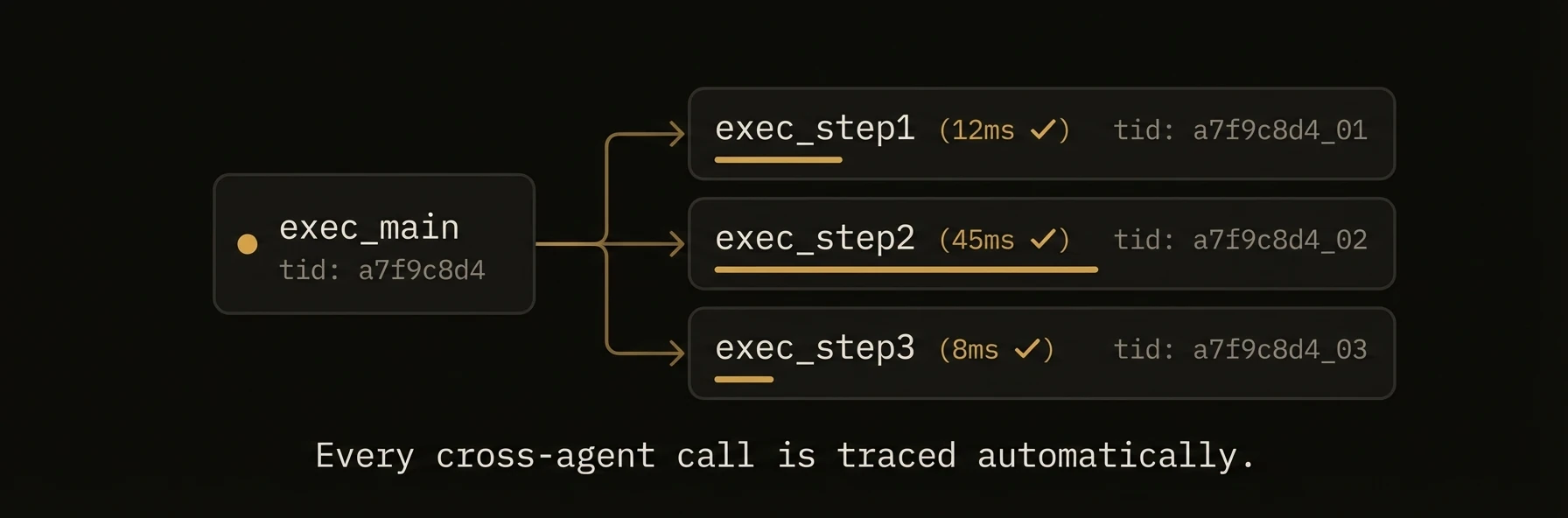 > See every agent call, every dependency, every millisecond -- across your entire multi-agent workflow.
When Agent A calls Agent B which calls Agent C, you need to understand the full execution graph: what ran, in what order, how long each step took, and where failures occurred. AgentField propagates tracing headers on every cross-agent call, builds a DAG of the execution graph, and streams events in real-time via SSE.
### Python
### curl
**What just happened**
- Every cross-agent call carried tracing context automatically
- The control plane reconstructed the workflow as a queryable DAG
- Real-time events exposed execution start, completion, and depth without extra instrumentation
Example trace context:
### What you get
- **Automatic header propagation** -- tracing headers flow through every cross-agent call without any code changes.
- **Execution DAG** -- query the full dependency graph of any workflow via REST API.
- **Real-time SSE** -- stream execution events as they happen for dashboards and monitoring.
- **Correlation IDs** -- trace a user request across dozens of agent calls with a single ID.
- **OpenTelemetry compatible** -- headers map to W3C trace context for export to Jaeger, Zipkin, or Datadog.
- **Depth tracking** -- know exactly how deep in the call chain each execution sits.
### Tracing headers
These headers are propagated automatically on every cross-agent call via the control plane.
| Header | Type | Description |
|---|---|---|
| `X-Run-ID` | `string` | Unique ID for the entire top-level invocation |
| `X-Workflow-ID` | `string` | Identifies the workflow this execution belongs to |
| `X-Execution-ID` | `string` | Unique ID for this specific execution |
| `X-Parent-Execution-ID` | `string` | Execution ID of the caller (empty for root) |
| `X-Session-ID` | `string` | Carries the session context across agents |
| `X-Actor-ID` | `string` | Carries the actor/user identity across agents |
| `X-Caller-DID` | `string` | Decentralized identifier of the calling agent |
| `X-Agent-Node-ID` | `string` | `node_id` of the current agent |
| `X-Agent-Node-DID` | `string` | Decentralized identifier (DID) of the current agent node |
### Accessing Headers in Agent Code
### Python
### TypeScript
### Go
### DAG visualization API
Query the execution graph for any workflow to understand call patterns, bottlenecks, and failures.
### Get Workflow DAG
**Response:**
The response uses a nested tree structure -- parent-child relationships are expressed via `children` arrays and `parent_execution_id` fields rather than a separate `edges` array.
### Get Execution Details
Returns full execution details including input, output, trace context, and timing.
### SSE event streaming
Stream execution events in real-time for dashboards, monitoring, and debugging.
### Execution Events
The handler currently streams **all** execution events from the event bus without server-side filtering. Query parameters such as `workflow_id` or `agent_id` are not yet implemented -- filter on the client side for now.
### Event Format
Events are sent as plain `data:` frames without an `event:` field name. Each frame contains a JSON object with a `type` field indicating the event kind. Periodic `heartbeat` events are sent every 30 seconds to keep the connection alive.
### Consuming SSE in Code
### Python
### TypeScript
### Correlation ID patterns
Correlation IDs let you trace a single user request across every agent call in the system.
### User-Supplied Correlation ID
Correlation IDs are propagated through the execution context headers (`X-Run-ID` serves as the correlation identifier). The run ID is auto-generated at the root call and forwarded through every child call automatically.
When calling from an external system (e.g., API gateway), include the header on the initial HTTP request:
### Querying by Correlation ID
### OpenTelemetry Export
AgentField headers map to W3C Trace Context for export to standard tracing backends:
| AgentField Header | W3C Equivalent | OpenTelemetry Field |
|---|---|---|
| `X-Workflow-ID` | -- | `service.workflow_id` (attribute) |
| `X-Execution-ID` | `traceparent` span | `span_id` |
| `X-Run-ID` | `traceparent` trace | `trace_id` |
OpenTelemetry tracing export is configured through environment variables or configuration files, not via API. Refer to the [OpenTelemetry SDK configuration](https://opentelemetry.io/docs/specs/otel/configuration/sdk-environment-variables/) for available options such as `OTEL_EXPORTER_OTLP_ENDPOINT` and `OTEL_SERVICE_NAME`.
### Patterns
### Performance Bottleneck Detection
Use the DAG API to find slow agents in a workflow.
### Failure Root Cause Analysis
Walk the DAG to find the original failure in a cascade.
---
## Deferred Execution
URL: https://agentfield.ai/docs/build/execution/async
Markdown: https://agentfield.ai/llm/docs/build/execution/async
Last-Modified: 2026-03-24T17:32:27.000Z
Category: execution
Difficulty: intermediate
Keywords: async, deferred, execution, polling, batch, queue, fire-and-forget, durable
Summary: Queue long-running executions, get an immediate tracking ID, and finish with polling or webhooks
> See every agent call, every dependency, every millisecond -- across your entire multi-agent workflow.
When Agent A calls Agent B which calls Agent C, you need to understand the full execution graph: what ran, in what order, how long each step took, and where failures occurred. AgentField propagates tracing headers on every cross-agent call, builds a DAG of the execution graph, and streams events in real-time via SSE.
### Python
### curl
**What just happened**
- Every cross-agent call carried tracing context automatically
- The control plane reconstructed the workflow as a queryable DAG
- Real-time events exposed execution start, completion, and depth without extra instrumentation
Example trace context:
### What you get
- **Automatic header propagation** -- tracing headers flow through every cross-agent call without any code changes.
- **Execution DAG** -- query the full dependency graph of any workflow via REST API.
- **Real-time SSE** -- stream execution events as they happen for dashboards and monitoring.
- **Correlation IDs** -- trace a user request across dozens of agent calls with a single ID.
- **OpenTelemetry compatible** -- headers map to W3C trace context for export to Jaeger, Zipkin, or Datadog.
- **Depth tracking** -- know exactly how deep in the call chain each execution sits.
### Tracing headers
These headers are propagated automatically on every cross-agent call via the control plane.
| Header | Type | Description |
|---|---|---|
| `X-Run-ID` | `string` | Unique ID for the entire top-level invocation |
| `X-Workflow-ID` | `string` | Identifies the workflow this execution belongs to |
| `X-Execution-ID` | `string` | Unique ID for this specific execution |
| `X-Parent-Execution-ID` | `string` | Execution ID of the caller (empty for root) |
| `X-Session-ID` | `string` | Carries the session context across agents |
| `X-Actor-ID` | `string` | Carries the actor/user identity across agents |
| `X-Caller-DID` | `string` | Decentralized identifier of the calling agent |
| `X-Agent-Node-ID` | `string` | `node_id` of the current agent |
| `X-Agent-Node-DID` | `string` | Decentralized identifier (DID) of the current agent node |
### Accessing Headers in Agent Code
### Python
### TypeScript
### Go
### DAG visualization API
Query the execution graph for any workflow to understand call patterns, bottlenecks, and failures.
### Get Workflow DAG
**Response:**
The response uses a nested tree structure -- parent-child relationships are expressed via `children` arrays and `parent_execution_id` fields rather than a separate `edges` array.
### Get Execution Details
Returns full execution details including input, output, trace context, and timing.
### SSE event streaming
Stream execution events in real-time for dashboards, monitoring, and debugging.
### Execution Events
The handler currently streams **all** execution events from the event bus without server-side filtering. Query parameters such as `workflow_id` or `agent_id` are not yet implemented -- filter on the client side for now.
### Event Format
Events are sent as plain `data:` frames without an `event:` field name. Each frame contains a JSON object with a `type` field indicating the event kind. Periodic `heartbeat` events are sent every 30 seconds to keep the connection alive.
### Consuming SSE in Code
### Python
### TypeScript
### Correlation ID patterns
Correlation IDs let you trace a single user request across every agent call in the system.
### User-Supplied Correlation ID
Correlation IDs are propagated through the execution context headers (`X-Run-ID` serves as the correlation identifier). The run ID is auto-generated at the root call and forwarded through every child call automatically.
When calling from an external system (e.g., API gateway), include the header on the initial HTTP request:
### Querying by Correlation ID
### OpenTelemetry Export
AgentField headers map to W3C Trace Context for export to standard tracing backends:
| AgentField Header | W3C Equivalent | OpenTelemetry Field |
|---|---|---|
| `X-Workflow-ID` | -- | `service.workflow_id` (attribute) |
| `X-Execution-ID` | `traceparent` span | `span_id` |
| `X-Run-ID` | `traceparent` trace | `trace_id` |
OpenTelemetry tracing export is configured through environment variables or configuration files, not via API. Refer to the [OpenTelemetry SDK configuration](https://opentelemetry.io/docs/specs/otel/configuration/sdk-environment-variables/) for available options such as `OTEL_EXPORTER_OTLP_ENDPOINT` and `OTEL_SERVICE_NAME`.
### Patterns
### Performance Bottleneck Detection
Use the DAG API to find slow agents in a workflow.
### Failure Root Cause Analysis
Walk the DAG to find the original failure in a cascade.
---
## Deferred Execution
URL: https://agentfield.ai/docs/build/execution/async
Markdown: https://agentfield.ai/llm/docs/build/execution/async
Last-Modified: 2026-03-24T17:32:27.000Z
Category: execution
Difficulty: intermediate
Keywords: async, deferred, execution, polling, batch, queue, fire-and-forget, durable
Summary: Queue long-running executions, get an immediate tracking ID, and finish with polling or webhooks
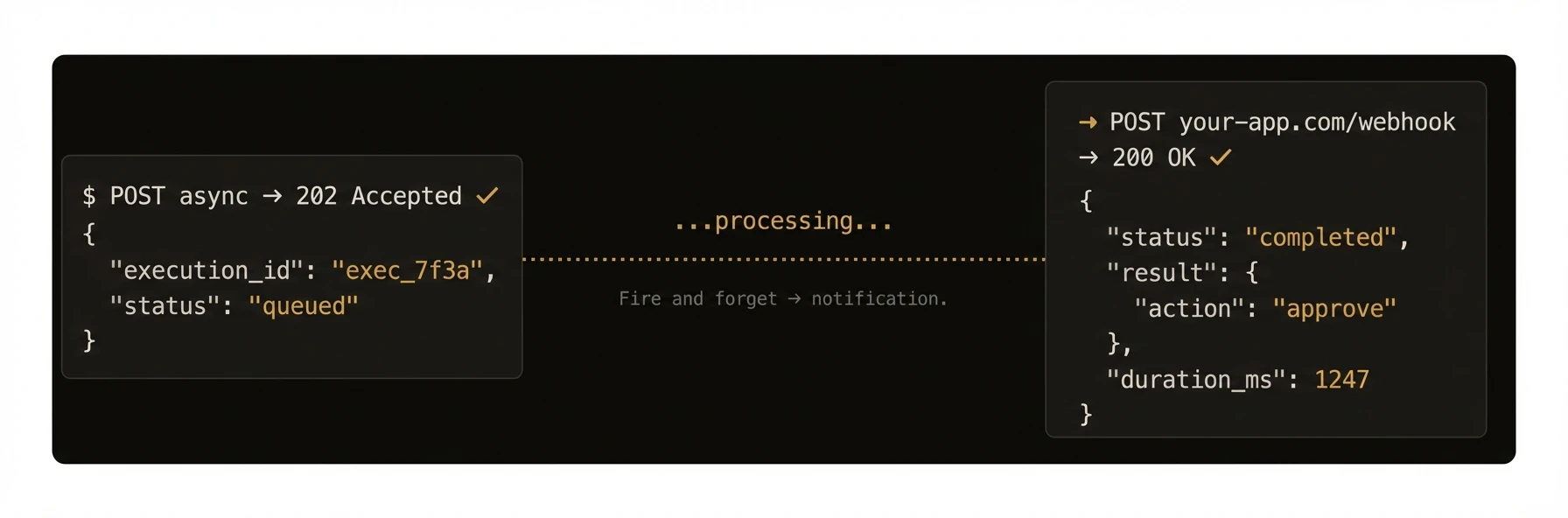 > Fire an execution without waiting for the result. Come back later -- or let a webhook tell you when it finishes.
Request/response is the wrong abstraction for many AI workloads. Model latency varies, multi-agent chains compound it, and long-running work should not tie up an HTTP request.
This page covers deferred execution: `POST /api/v1/execute/async/{target}` queues work and returns immediately. Synchronous execution still exists at `POST /api/v1/execute/{target}` when you want the result inline.
AgentField's deferred execution model pushes work to a durable queue, returns a tracking ID immediately, and lets you finish with polling, batch status, or a webhook.
### Python
### curl
**What just happened**
- Three long-running sub-tasks were queued immediately instead of blocking the request
- The caller got stable tracking IDs for later inspection
- Completion could be handled by polling, batch waiting, or webhook delivery
Example lifecycle:
### What you get
- **Fire-and-forget dispatch** -- `POST /api/v1/execute/async/{target}` returns `202 Accepted` immediately with a tracking ID
- **Durable PostgreSQL queue** -- executions survive control plane restarts; nothing is lost
- **Polling and batch status** -- check one execution or hundreds at once
- **Fair scheduling** -- a configurable worker pool prevents any single agent from starving others
- **No timeout ceiling** -- async executions run until they complete, fail, or are cancelled
- **Webhook delivery** -- optional completion webhook fires when the execution reaches a terminal state
### Full SDK examples
### Python
### Go
### Execution lifecycle
Every execution moves through a defined set of states:
| Status | Description |
|--------|-------------|
| `pending` | Created but not yet enqueued |
| `queued` | Sitting in the durable PostgreSQL queue |
| `running` | Dispatched to the target agent and executing |
| `waiting` | Paused for human approval (see [Human-in-the-Loop](/docs/build/execution/human-in-the-loop)) |
| `paused` | Temporarily paused via API; can be resumed |
| `succeeded` | Completed successfully with a result |
| `failed` | Completed with an error |
| `timeout` | Exceeded the configured timeout |
| `cancelled` | Explicitly cancelled via API |
### Worker pool architecture
The control plane runs a configurable worker pool for async executions. When `POST /execute/async/{target}` arrives:
1. An execution record is persisted to PostgreSQL (durable -- survives restarts)
2. The execution is enqueued to the in-memory worker pool
3. A worker picks up the job and forwards the request to the target agent node
4. The agent processes the request and posts a status update back to the control plane
5. If a webhook was registered, the webhook dispatcher fires the completion notification
The pool size, queue depth, and agent call timeout are all configurable:
### Patterns
### Fan-Out / Fan-In
Fire multiple executions in parallel, then collect results:
### Python
### Webhook Instead of Polling
Register a webhook at submission time to avoid polling entirely:
The control plane will `POST` to that URL with HMAC-SHA256 signature verification when the execution reaches a terminal state. See [Webhooks](/docs/build/execution/webhooks) for details.
### AsyncConfig
Configure async execution behavior in `agentfield.yaml` under `execution_queue`.
### Configuration Fields
| Field | Type | Default | Description |
|---|---|---|---|
| `agent_call_timeout` | `duration` | `1800s` | Timeout for the control plane's call to the target agent |
| `webhook_timeout` | `duration` | `10s` | Timeout for webhook delivery requests |
| `webhook_max_attempts` | `int` | `3` | Maximum number of webhook delivery attempts |
| `webhook_retry_backoff` | `duration` | `1s` | Initial backoff between webhook retry attempts |
| `webhook_max_retry_backoff` | `duration` | `5s` | Maximum backoff between webhook retry attempts |
### Queue Management Methods
Beyond polling and batch status, the SDK provides methods for managing the async queue.
### Python
### curl
### API reference
### Submit Async Execution
The `{target}` is the agent's function identifier in `node_id.reasoner_id` or `node_id.skill_id` format.
**Request body:**
**Response (202 Accepted):**
### Poll Execution Status
**Response:**
### Batch Status
Fetch up to hundreds of execution statuses in a single round trip.
**Request body:**
**Response:** A map keyed by execution ID, each value matching the single-status shape above.
### Cancel Execution
Transitions a running or queued execution to `cancelled`.
---
## Human-in-the-Loop
URL: https://agentfield.ai/docs/build/execution/human-in-the-loop
Markdown: https://agentfield.ai/llm/docs/build/execution/human-in-the-loop
Last-Modified: 2026-03-24T17:04:50.000Z
Category: execution
Difficulty: intermediate
Keywords: approval, pause, human-in-the-loop, HITL, webhook, review, waiting
Summary: Pause agent execution for human approval with crash-safe state and webhook callbacks
> Fire an execution without waiting for the result. Come back later -- or let a webhook tell you when it finishes.
Request/response is the wrong abstraction for many AI workloads. Model latency varies, multi-agent chains compound it, and long-running work should not tie up an HTTP request.
This page covers deferred execution: `POST /api/v1/execute/async/{target}` queues work and returns immediately. Synchronous execution still exists at `POST /api/v1/execute/{target}` when you want the result inline.
AgentField's deferred execution model pushes work to a durable queue, returns a tracking ID immediately, and lets you finish with polling, batch status, or a webhook.
### Python
### curl
**What just happened**
- Three long-running sub-tasks were queued immediately instead of blocking the request
- The caller got stable tracking IDs for later inspection
- Completion could be handled by polling, batch waiting, or webhook delivery
Example lifecycle:
### What you get
- **Fire-and-forget dispatch** -- `POST /api/v1/execute/async/{target}` returns `202 Accepted` immediately with a tracking ID
- **Durable PostgreSQL queue** -- executions survive control plane restarts; nothing is lost
- **Polling and batch status** -- check one execution or hundreds at once
- **Fair scheduling** -- a configurable worker pool prevents any single agent from starving others
- **No timeout ceiling** -- async executions run until they complete, fail, or are cancelled
- **Webhook delivery** -- optional completion webhook fires when the execution reaches a terminal state
### Full SDK examples
### Python
### Go
### Execution lifecycle
Every execution moves through a defined set of states:
| Status | Description |
|--------|-------------|
| `pending` | Created but not yet enqueued |
| `queued` | Sitting in the durable PostgreSQL queue |
| `running` | Dispatched to the target agent and executing |
| `waiting` | Paused for human approval (see [Human-in-the-Loop](/docs/build/execution/human-in-the-loop)) |
| `paused` | Temporarily paused via API; can be resumed |
| `succeeded` | Completed successfully with a result |
| `failed` | Completed with an error |
| `timeout` | Exceeded the configured timeout |
| `cancelled` | Explicitly cancelled via API |
### Worker pool architecture
The control plane runs a configurable worker pool for async executions. When `POST /execute/async/{target}` arrives:
1. An execution record is persisted to PostgreSQL (durable -- survives restarts)
2. The execution is enqueued to the in-memory worker pool
3. A worker picks up the job and forwards the request to the target agent node
4. The agent processes the request and posts a status update back to the control plane
5. If a webhook was registered, the webhook dispatcher fires the completion notification
The pool size, queue depth, and agent call timeout are all configurable:
### Patterns
### Fan-Out / Fan-In
Fire multiple executions in parallel, then collect results:
### Python
### Webhook Instead of Polling
Register a webhook at submission time to avoid polling entirely:
The control plane will `POST` to that URL with HMAC-SHA256 signature verification when the execution reaches a terminal state. See [Webhooks](/docs/build/execution/webhooks) for details.
### AsyncConfig
Configure async execution behavior in `agentfield.yaml` under `execution_queue`.
### Configuration Fields
| Field | Type | Default | Description |
|---|---|---|---|
| `agent_call_timeout` | `duration` | `1800s` | Timeout for the control plane's call to the target agent |
| `webhook_timeout` | `duration` | `10s` | Timeout for webhook delivery requests |
| `webhook_max_attempts` | `int` | `3` | Maximum number of webhook delivery attempts |
| `webhook_retry_backoff` | `duration` | `1s` | Initial backoff between webhook retry attempts |
| `webhook_max_retry_backoff` | `duration` | `5s` | Maximum backoff between webhook retry attempts |
### Queue Management Methods
Beyond polling and batch status, the SDK provides methods for managing the async queue.
### Python
### curl
### API reference
### Submit Async Execution
The `{target}` is the agent's function identifier in `node_id.reasoner_id` or `node_id.skill_id` format.
**Request body:**
**Response (202 Accepted):**
### Poll Execution Status
**Response:**
### Batch Status
Fetch up to hundreds of execution statuses in a single round trip.
**Request body:**
**Response:** A map keyed by execution ID, each value matching the single-status shape above.
### Cancel Execution
Transitions a running or queued execution to `cancelled`.
---
## Human-in-the-Loop
URL: https://agentfield.ai/docs/build/execution/human-in-the-loop
Markdown: https://agentfield.ai/llm/docs/build/execution/human-in-the-loop
Last-Modified: 2026-03-24T17:04:50.000Z
Category: execution
Difficulty: intermediate
Keywords: approval, pause, human-in-the-loop, HITL, webhook, review, waiting
Summary: Pause agent execution for human approval with crash-safe state and webhook callbacks
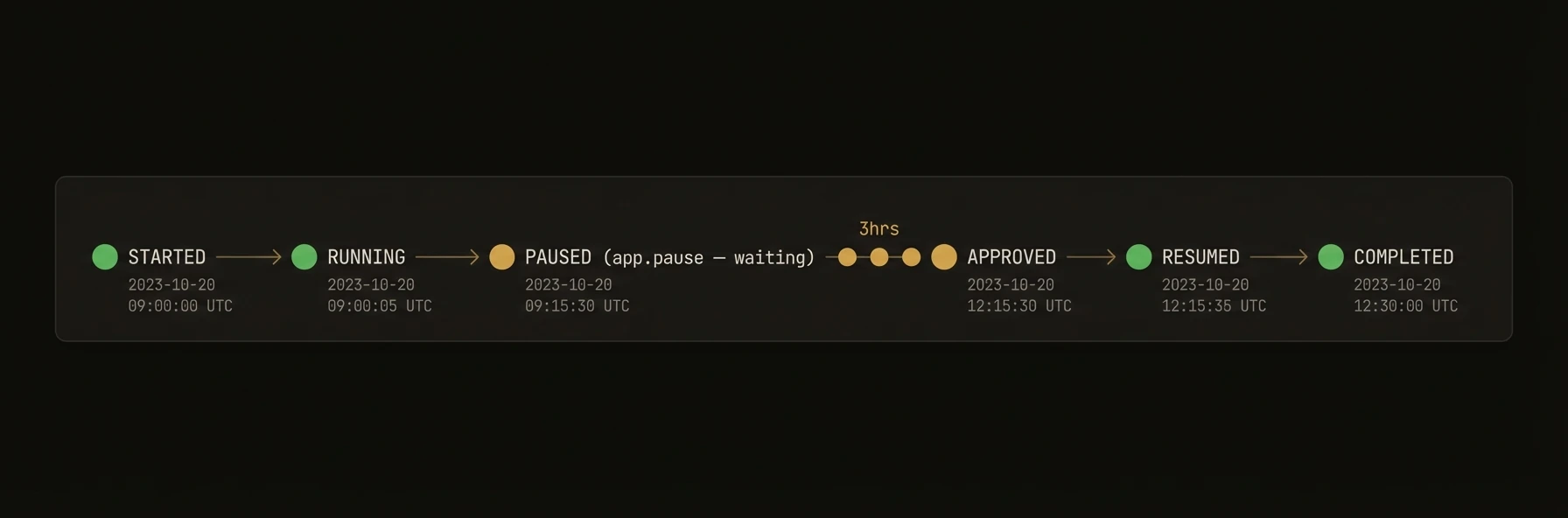 > Pause an agent mid-execution, send a review to a human, and resume automatically when they respond.
Some decisions should not be fully automated. `app.pause()` blocks the agent until a human approves, rejects, or requests changes -- with crash-safe state persisted in PostgreSQL. The control plane resumes execution automatically when the webhook callback arrives.
### Python
**What just happened**
- The agent ran normally until it reached a human gate
- Execution state was persisted before waiting, so restarts do not lose progress
- The human response became structured workflow input, not an external side channel
- The control plane resumed the same execution instead of starting a new one
Example paused/resumed lifecycle:
### What you get
- **One-line pause** -- `app.pause(approval_request_id)` blocks the agent until the human responds
- **Crash-safe state** -- the execution transitions to `waiting` in PostgreSQL before the agent blocks; restarts pick up where they left off
- **Webhook-driven resume** -- the control plane accepts approval responses via HMAC-signed webhook and immediately resumes the agent
- **Multi-pause workflows** -- agents can request approval multiple times within a single execution
- **Configurable expiry** -- default 72 hours; set per request
- **Rich decisions** -- `approved`, `rejected`, `request_changes`, or `expired`, each with optional feedback
### Full SDK examples
### Python
### TypeScript
### Go
### How it works
1. The agent creates an approval request on an external service and calls `app.pause()` with the resulting ID
2. The SDK registers a callback future, then tells the control plane to transition the execution to `waiting`
3. The control plane persists the approval metadata (request ID, URL, expiry, callback URL) to PostgreSQL
4. When the human responds, the external service sends a webhook to `POST /api/v1/webhooks/approval-response`
5. The control plane verifies the HMAC signature, updates the execution state, and notifies the agent via its callback URL
6. The agent's `pause()` call resolves with the `ApprovalResult`
### Decision outcomes and patterns
### Decision Outcomes
| Decision | Execution State After | Description |
|----------|----------------------|-------------|
| `approved` | `running` | Agent resumes normally |
| `rejected` | `cancelled` | Execution is terminated |
| `request_changes` | `running` | Agent resumes with feedback for iteration |
| `expired` | `cancelled` | Timeout elapsed without a response |
### Multi-Pause Workflow
An agent can request approval multiple times within a single execution. After each approval is resolved, the agent can submit a new approval request:
### Timeout Handling
When `expires_in_hours` elapses without a response, the approval is resolved as `expired` and the execution is cancelled. Handle this gracefully:
### SDK reference
### Python -- `app.pause()`
| Parameter | Type | Default | Description |
|-----------|------|---------|-------------|
| `approval_request_id` | `str` | **required** | ID from the external approval service |
| `approval_request_url` | `str` | `""` | URL where the human can review the request |
| `expires_in_hours` | `int` | `72` | Hours until the approval expires |
| `timeout` | `float \| None` | `None` | Max seconds to wait; defaults to `expires_in_hours` |
| `execution_id` | `str \| None` | current context | Override which execution to pause |
**Returns:** `ApprovalResult` with fields `decision`, `feedback`, `execution_id`, `approval_request_id`.
### TypeScript -- `ApprovalClient`
| Method | Description |
|--------|-------------|
| `requestApproval(executionId, payload)` | Transitions execution to `waiting`, returns `{approvalRequestId, approvalRequestUrl}` |
| `getApprovalStatus(executionId)` | Returns current status: `pending`, `approved`, `rejected`, `expired` |
| `waitForApproval(executionId, opts?)` | Polls with exponential backoff until resolved |
**`RequestApprovalPayload`:**
| Field | Type | Default | Description |
|-------|------|---------|-------------|
| `title` | `string` | `"Approval Request"` | Display title |
| `description` | `string` | `""` | Description for the reviewer |
| `templateType` | `string` | `"plan-review-v1"` | UI template to render |
| `payload` | `Record` | `{}` | Custom data for the template |
| `projectId` | `string` | **required** | Project identifier |
| `expiresInHours` | `number` | `72` | Hours until expiry |
### Go -- `client.RequestApproval()` / `client.WaitForApproval()`
| Method | Signature |
|--------|-----------|
| `RequestApproval` | `(ctx, nodeID, executionID string, req RequestApprovalRequest) (*RequestApprovalResponse, error)` |
| `GetApprovalStatus` | `(ctx, nodeID, executionID string) (*ApprovalStatusResponse, error)` |
| `WaitForApproval` | `(ctx, nodeID, executionID string, opts *WaitForApprovalOptions) (*ApprovalStatusResponse, error)` |
**`WaitForApprovalOptions`:**
| Field | Type | Default | Description |
|-------|------|---------|-------------|
| `PollInterval` | `time.Duration` | `5s` | Initial polling interval |
| `MaxInterval` | `time.Duration` | `60s` | Maximum polling interval |
| `BackoffFactor` | `float64` | `2.0` | Exponential backoff multiplier |
### Crash Recovery -- `wait_for_resume()`
If an agent crashes or restarts while waiting for approval, `wait_for_resume()` reconnects to a known pending approval request and resumes waiting. The control plane persists all approval state in PostgreSQL, so no data is lost.
**Python:**
**Example -- crash recovery:**
If the agent restarts while waiting, you can reconnect to the pending approval:
### API reference
### Request Approval
The agent-scoped variant enforces that the execution belongs to the specified agent.
**Request body:**
**Response (200):**
### Get Approval Status
**Response:**
### Approval Webhook Callback
This endpoint receives approval decisions from external services. HMAC-SHA256 signature verification is supported via `X-Webhook-Signature`, `X-Hax-Signature`, or `X-Hub-Signature-256` headers.
**Accepted decisions:** `approved`, `rejected`, `request_changes`, `expired`
Normalized aliases: `approve`/`continue`/`confirm` map to `approved`; `reject`/`deny`/`abort`/`cancel` map to `rejected`.
---
## Versioning & Lifecycle
URL: https://agentfield.ai/docs/build/execution/versioning
Markdown: https://agentfield.ai/llm/docs/build/execution/versioning
Last-Modified: 2026-03-24T16:54:10.000Z
Category: execution
Difficulty: intermediate
Keywords: version, lifecycle, heartbeat, presence, lease, status, health, monitoring
Summary: Agent version tracking, lifecycle states, heartbeat monitoring, and lease-based presence
> Pause an agent mid-execution, send a review to a human, and resume automatically when they respond.
Some decisions should not be fully automated. `app.pause()` blocks the agent until a human approves, rejects, or requests changes -- with crash-safe state persisted in PostgreSQL. The control plane resumes execution automatically when the webhook callback arrives.
### Python
**What just happened**
- The agent ran normally until it reached a human gate
- Execution state was persisted before waiting, so restarts do not lose progress
- The human response became structured workflow input, not an external side channel
- The control plane resumed the same execution instead of starting a new one
Example paused/resumed lifecycle:
### What you get
- **One-line pause** -- `app.pause(approval_request_id)` blocks the agent until the human responds
- **Crash-safe state** -- the execution transitions to `waiting` in PostgreSQL before the agent blocks; restarts pick up where they left off
- **Webhook-driven resume** -- the control plane accepts approval responses via HMAC-signed webhook and immediately resumes the agent
- **Multi-pause workflows** -- agents can request approval multiple times within a single execution
- **Configurable expiry** -- default 72 hours; set per request
- **Rich decisions** -- `approved`, `rejected`, `request_changes`, or `expired`, each with optional feedback
### Full SDK examples
### Python
### TypeScript
### Go
### How it works
1. The agent creates an approval request on an external service and calls `app.pause()` with the resulting ID
2. The SDK registers a callback future, then tells the control plane to transition the execution to `waiting`
3. The control plane persists the approval metadata (request ID, URL, expiry, callback URL) to PostgreSQL
4. When the human responds, the external service sends a webhook to `POST /api/v1/webhooks/approval-response`
5. The control plane verifies the HMAC signature, updates the execution state, and notifies the agent via its callback URL
6. The agent's `pause()` call resolves with the `ApprovalResult`
### Decision outcomes and patterns
### Decision Outcomes
| Decision | Execution State After | Description |
|----------|----------------------|-------------|
| `approved` | `running` | Agent resumes normally |
| `rejected` | `cancelled` | Execution is terminated |
| `request_changes` | `running` | Agent resumes with feedback for iteration |
| `expired` | `cancelled` | Timeout elapsed without a response |
### Multi-Pause Workflow
An agent can request approval multiple times within a single execution. After each approval is resolved, the agent can submit a new approval request:
### Timeout Handling
When `expires_in_hours` elapses without a response, the approval is resolved as `expired` and the execution is cancelled. Handle this gracefully:
### SDK reference
### Python -- `app.pause()`
| Parameter | Type | Default | Description |
|-----------|------|---------|-------------|
| `approval_request_id` | `str` | **required** | ID from the external approval service |
| `approval_request_url` | `str` | `""` | URL where the human can review the request |
| `expires_in_hours` | `int` | `72` | Hours until the approval expires |
| `timeout` | `float \| None` | `None` | Max seconds to wait; defaults to `expires_in_hours` |
| `execution_id` | `str \| None` | current context | Override which execution to pause |
**Returns:** `ApprovalResult` with fields `decision`, `feedback`, `execution_id`, `approval_request_id`.
### TypeScript -- `ApprovalClient`
| Method | Description |
|--------|-------------|
| `requestApproval(executionId, payload)` | Transitions execution to `waiting`, returns `{approvalRequestId, approvalRequestUrl}` |
| `getApprovalStatus(executionId)` | Returns current status: `pending`, `approved`, `rejected`, `expired` |
| `waitForApproval(executionId, opts?)` | Polls with exponential backoff until resolved |
**`RequestApprovalPayload`:**
| Field | Type | Default | Description |
|-------|------|---------|-------------|
| `title` | `string` | `"Approval Request"` | Display title |
| `description` | `string` | `""` | Description for the reviewer |
| `templateType` | `string` | `"plan-review-v1"` | UI template to render |
| `payload` | `Record` | `{}` | Custom data for the template |
| `projectId` | `string` | **required** | Project identifier |
| `expiresInHours` | `number` | `72` | Hours until expiry |
### Go -- `client.RequestApproval()` / `client.WaitForApproval()`
| Method | Signature |
|--------|-----------|
| `RequestApproval` | `(ctx, nodeID, executionID string, req RequestApprovalRequest) (*RequestApprovalResponse, error)` |
| `GetApprovalStatus` | `(ctx, nodeID, executionID string) (*ApprovalStatusResponse, error)` |
| `WaitForApproval` | `(ctx, nodeID, executionID string, opts *WaitForApprovalOptions) (*ApprovalStatusResponse, error)` |
**`WaitForApprovalOptions`:**
| Field | Type | Default | Description |
|-------|------|---------|-------------|
| `PollInterval` | `time.Duration` | `5s` | Initial polling interval |
| `MaxInterval` | `time.Duration` | `60s` | Maximum polling interval |
| `BackoffFactor` | `float64` | `2.0` | Exponential backoff multiplier |
### Crash Recovery -- `wait_for_resume()`
If an agent crashes or restarts while waiting for approval, `wait_for_resume()` reconnects to a known pending approval request and resumes waiting. The control plane persists all approval state in PostgreSQL, so no data is lost.
**Python:**
**Example -- crash recovery:**
If the agent restarts while waiting, you can reconnect to the pending approval:
### API reference
### Request Approval
The agent-scoped variant enforces that the execution belongs to the specified agent.
**Request body:**
**Response (200):**
### Get Approval Status
**Response:**
### Approval Webhook Callback
This endpoint receives approval decisions from external services. HMAC-SHA256 signature verification is supported via `X-Webhook-Signature`, `X-Hax-Signature`, or `X-Hub-Signature-256` headers.
**Accepted decisions:** `approved`, `rejected`, `request_changes`, `expired`
Normalized aliases: `approve`/`continue`/`confirm` map to `approved`; `reject`/`deny`/`abort`/`cancel` map to `rejected`.
---
## Versioning & Lifecycle
URL: https://agentfield.ai/docs/build/execution/versioning
Markdown: https://agentfield.ai/llm/docs/build/execution/versioning
Last-Modified: 2026-03-24T16:54:10.000Z
Category: execution
Difficulty: intermediate
Keywords: version, lifecycle, heartbeat, presence, lease, status, health, monitoring
Summary: Agent version tracking, lifecycle states, heartbeat monitoring, and lease-based presence
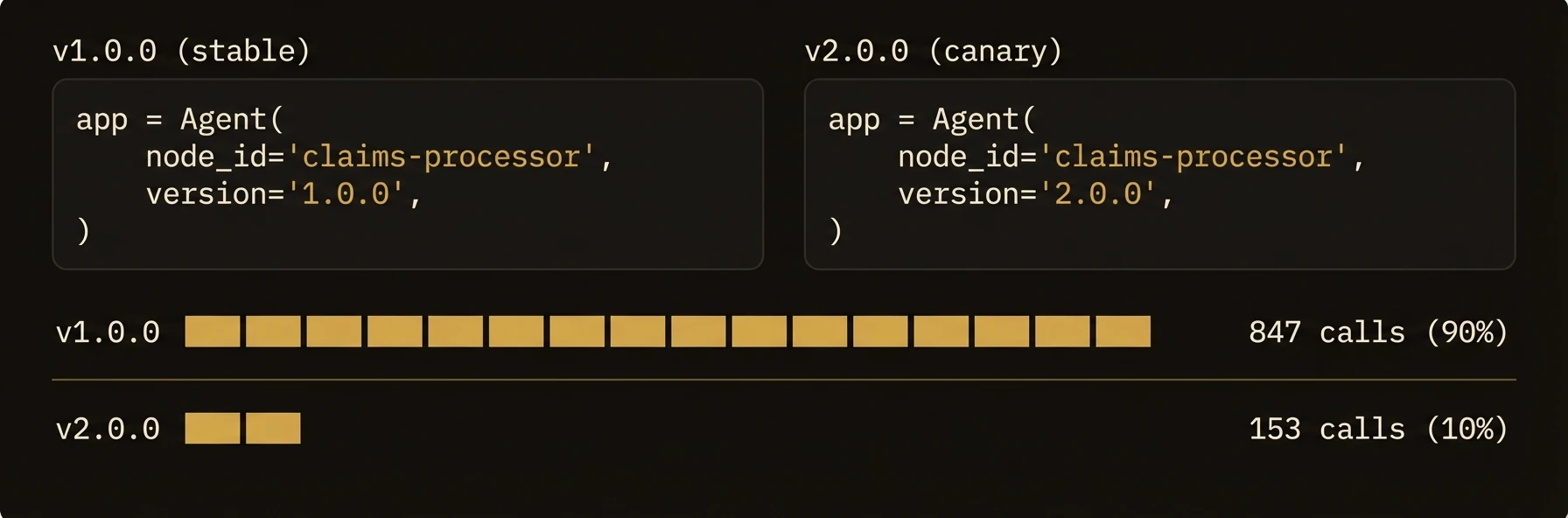 > A full lifecycle state machine, lease-based presence detection, and fleet-wide health monitoring -- built into every agent.
Every agent moves through a defined lifecycle (`starting` -> `ready` -> `degraded` -> `offline`) and proves it is alive via lease-based heartbeats. The control plane automatically detects unresponsive agents, transitions them through degraded states, and evicts them after configurable TTLs. Run two versions side by side, monitor your entire fleet in one API call, and drain gracefully on shutdown -- no external health checker needed.
### Python
### TypeScript
### curl
**What just happened**
- Version and lifecycle state were reported to the control plane automatically
- Presence was tracked through leases and heartbeats instead of custom health plumbing
- Fleet status could be queried centrally without logging into each node
Example fleet snapshot:
### What you get
- **Version tracking** -- every agent registers its version string with the control plane
- **Lifecycle state machine** -- agents move through `starting`, `ready`, `degraded`, and `offline`
- **Heartbeat monitoring** -- periodic health checks with configurable thresholds for staleness detection
- **Lease-based presence** -- agents hold time-limited leases; missed renewals trigger automatic status transitions
- **Bulk status queries** -- check the health of your entire fleet in one call
### Setting the version
### Python
### TypeScript
### Go
The version string is freeform -- use semantic versioning, git SHAs, or any scheme that fits your deployment workflow. The control plane stores it alongside the agent registration and includes it in status queries.
### Lifecycle states
Every agent node progresses through a defined set of lifecycle states:
| State | Description |
|-------|-------------|
| `starting` | Agent process is initializing (connecting, loading models, etc.) |
| `ready` | Healthy and accepting executions |
| `degraded` | Running but experiencing issues (failed health checks, high latency) |
| `offline` | Not responding; heartbeat expired |
### State Transitions
The control plane manages state transitions through two complementary systems:
**StatusManager** -- the single source of truth for agent status. It reconciles between reported status, heartbeat data, and health checks:
| Setting | Default | Description |
|---------|---------|-------------|
| Reconcile interval | 30 seconds | How often the manager checks for stale or inconsistent states |
| Status cache TTL | 5 minutes | How long cached status is considered fresh |
| Max transition time | 2 minutes | Maximum time an agent can stay in a transitional state |
| Heartbeat stale threshold | Configurable | How old a heartbeat must be before marking inactive |
**PresenceManager** -- tracks node leases and handles expiry:
| Setting | Default | Description |
|---------|---------|-------------|
| Heartbeat TTL | 15 seconds | How long a heartbeat is considered valid |
| Sweep interval | 5 seconds | How often to check for expired leases |
| Hard evict TTL | 5 minutes | After this period without a heartbeat, the agent is forcibly unregistered |
### Heartbeat protocol
Agents send periodic heartbeats to prove they are alive:
The heartbeat includes the agent's current version, which allows the control plane to detect version changes without re-registration.
The presence manager updates the agent's lease on each heartbeat. If no heartbeat arrives within the TTL:
1. The agent is marked `offline`
2. After the hard evict TTL, the agent is unregistered from health monitoring
3. Active executions on the agent are tracked but new executions are not routed to it
### Lease Renewal
Agents can also renew their lease with additional status metadata:
This endpoint combines a heartbeat with a status update, allowing agents to report their current state, version, and any custom health data in a single call.
### Health monitor and configuration
The control plane runs a background health monitor that periodically checks agent health:
| Setting | Description |
|---------|-------------|
| Check interval | How often to probe each agent |
| Check timeout | Maximum time to wait for a health check response |
| Consecutive failures | Number of failed checks before marking `degraded` |
| Recovery debounce | How long an agent must be healthy before transitioning back to `ready` |
These are configured in `agentfield.yaml`:
### Traffic Splitting & Canary Deployments
> **Not yet implemented.** Traffic splitting and canary deployments based on agent versions are on the roadmap but not currently available. Today, all traffic is routed to the registered agent node matching the target identifier. If you need gradual rollouts, manage them at the infrastructure layer (DNS, load balancer, or container orchestrator).
### Patterns
### Blue-Green with Version Tags
While traffic splitting is not built in, you can achieve blue-green deployments using version-specific node IDs:
Callers can target a specific deployment by node ID, and your orchestration layer can switch the canonical alias once the green deployment is validated.
### Graceful Shutdown
The SDK handles graceful shutdown automatically when `SIGTERM` or `SIGINT` is received:
1. The agent stops accepting new executions
2. Active executions drain to completion (with a configurable timeout)
3. The agent sends a shutdown notification to the control plane
4. The presence lease is released
### API reference
### Node Registration
Registers an agent node with the control plane. The version, tags, capabilities, and callback URL are all included in the registration payload.
### Node Status
Returns the agent's current lifecycle state, version, last heartbeat time, and health check results.
### Refresh Node Status
Forces an immediate status reconciliation for a single node, bypassing the cache.
### Bulk Status
Fetch status for multiple nodes in one call. Useful for dashboards and fleet monitoring.
### Refresh All
Triggers a full fleet status reconciliation.
### Lifecycle Actions
These endpoints trigger lifecycle transitions. `shutdown` performs a graceful shutdown sequence: the agent drains active executions, deregisters from monitoring, and releases its lease.
### Lifecycle Status Update (Agent-Reported)
Agents use this endpoint to report their own lifecycle state changes (e.g., transitioning from `starting` to `ready` after initialization completes).
---
## Webhooks & Streaming
URL: https://agentfield.ai/docs/build/execution/webhooks
Markdown: https://agentfield.ai/llm/docs/build/execution/webhooks
Last-Modified: 2026-03-24T17:32:27.000Z
Category: execution
Difficulty: intermediate
Keywords: webhook, SSE, streaming, events, HMAC, observability, dead-letter-queue
Summary: Execution completion webhooks with HMAC-SHA256, SSE streaming, and observability forwarding
> A full lifecycle state machine, lease-based presence detection, and fleet-wide health monitoring -- built into every agent.
Every agent moves through a defined lifecycle (`starting` -> `ready` -> `degraded` -> `offline`) and proves it is alive via lease-based heartbeats. The control plane automatically detects unresponsive agents, transitions them through degraded states, and evicts them after configurable TTLs. Run two versions side by side, monitor your entire fleet in one API call, and drain gracefully on shutdown -- no external health checker needed.
### Python
### TypeScript
### curl
**What just happened**
- Version and lifecycle state were reported to the control plane automatically
- Presence was tracked through leases and heartbeats instead of custom health plumbing
- Fleet status could be queried centrally without logging into each node
Example fleet snapshot:
### What you get
- **Version tracking** -- every agent registers its version string with the control plane
- **Lifecycle state machine** -- agents move through `starting`, `ready`, `degraded`, and `offline`
- **Heartbeat monitoring** -- periodic health checks with configurable thresholds for staleness detection
- **Lease-based presence** -- agents hold time-limited leases; missed renewals trigger automatic status transitions
- **Bulk status queries** -- check the health of your entire fleet in one call
### Setting the version
### Python
### TypeScript
### Go
The version string is freeform -- use semantic versioning, git SHAs, or any scheme that fits your deployment workflow. The control plane stores it alongside the agent registration and includes it in status queries.
### Lifecycle states
Every agent node progresses through a defined set of lifecycle states:
| State | Description |
|-------|-------------|
| `starting` | Agent process is initializing (connecting, loading models, etc.) |
| `ready` | Healthy and accepting executions |
| `degraded` | Running but experiencing issues (failed health checks, high latency) |
| `offline` | Not responding; heartbeat expired |
### State Transitions
The control plane manages state transitions through two complementary systems:
**StatusManager** -- the single source of truth for agent status. It reconciles between reported status, heartbeat data, and health checks:
| Setting | Default | Description |
|---------|---------|-------------|
| Reconcile interval | 30 seconds | How often the manager checks for stale or inconsistent states |
| Status cache TTL | 5 minutes | How long cached status is considered fresh |
| Max transition time | 2 minutes | Maximum time an agent can stay in a transitional state |
| Heartbeat stale threshold | Configurable | How old a heartbeat must be before marking inactive |
**PresenceManager** -- tracks node leases and handles expiry:
| Setting | Default | Description |
|---------|---------|-------------|
| Heartbeat TTL | 15 seconds | How long a heartbeat is considered valid |
| Sweep interval | 5 seconds | How often to check for expired leases |
| Hard evict TTL | 5 minutes | After this period without a heartbeat, the agent is forcibly unregistered |
### Heartbeat protocol
Agents send periodic heartbeats to prove they are alive:
The heartbeat includes the agent's current version, which allows the control plane to detect version changes without re-registration.
The presence manager updates the agent's lease on each heartbeat. If no heartbeat arrives within the TTL:
1. The agent is marked `offline`
2. After the hard evict TTL, the agent is unregistered from health monitoring
3. Active executions on the agent are tracked but new executions are not routed to it
### Lease Renewal
Agents can also renew their lease with additional status metadata:
This endpoint combines a heartbeat with a status update, allowing agents to report their current state, version, and any custom health data in a single call.
### Health monitor and configuration
The control plane runs a background health monitor that periodically checks agent health:
| Setting | Description |
|---------|-------------|
| Check interval | How often to probe each agent |
| Check timeout | Maximum time to wait for a health check response |
| Consecutive failures | Number of failed checks before marking `degraded` |
| Recovery debounce | How long an agent must be healthy before transitioning back to `ready` |
These are configured in `agentfield.yaml`:
### Traffic Splitting & Canary Deployments
> **Not yet implemented.** Traffic splitting and canary deployments based on agent versions are on the roadmap but not currently available. Today, all traffic is routed to the registered agent node matching the target identifier. If you need gradual rollouts, manage them at the infrastructure layer (DNS, load balancer, or container orchestrator).
### Patterns
### Blue-Green with Version Tags
While traffic splitting is not built in, you can achieve blue-green deployments using version-specific node IDs:
Callers can target a specific deployment by node ID, and your orchestration layer can switch the canonical alias once the green deployment is validated.
### Graceful Shutdown
The SDK handles graceful shutdown automatically when `SIGTERM` or `SIGINT` is received:
1. The agent stops accepting new executions
2. Active executions drain to completion (with a configurable timeout)
3. The agent sends a shutdown notification to the control plane
4. The presence lease is released
### API reference
### Node Registration
Registers an agent node with the control plane. The version, tags, capabilities, and callback URL are all included in the registration payload.
### Node Status
Returns the agent's current lifecycle state, version, last heartbeat time, and health check results.
### Refresh Node Status
Forces an immediate status reconciliation for a single node, bypassing the cache.
### Bulk Status
Fetch status for multiple nodes in one call. Useful for dashboards and fleet monitoring.
### Refresh All
Triggers a full fleet status reconciliation.
### Lifecycle Actions
These endpoints trigger lifecycle transitions. `shutdown` performs a graceful shutdown sequence: the agent drains active executions, deregisters from monitoring, and releases its lease.
### Lifecycle Status Update (Agent-Reported)
Agents use this endpoint to report their own lifecycle state changes (e.g., transitioning from `starting` to `ready` after initialization completes).
---
## Webhooks & Streaming
URL: https://agentfield.ai/docs/build/execution/webhooks
Markdown: https://agentfield.ai/llm/docs/build/execution/webhooks
Last-Modified: 2026-03-24T17:32:27.000Z
Category: execution
Difficulty: intermediate
Keywords: webhook, SSE, streaming, events, HMAC, observability, dead-letter-queue
Summary: Execution completion webhooks with HMAC-SHA256, SSE streaming, and observability forwarding
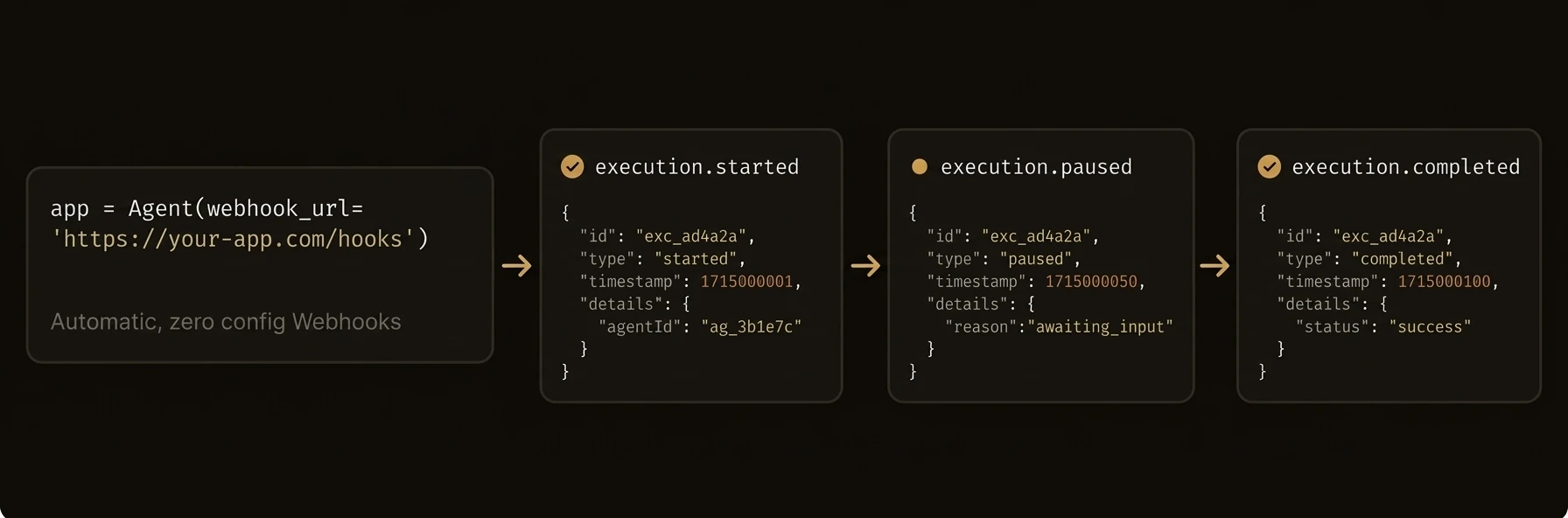 > Get notified when executions complete, stream live events via SSE, and forward everything to your observability stack.
AgentField pushes execution results to your endpoints via HMAC-signed webhooks, streams real-time events over SSE/WebSocket, and can forward all platform events to external observability systems. No polling required.
### Python
### curl
**What just happened**
- The execution was submitted once, then completion moved to push delivery instead of polling
- Signatures and retries were handled by the control plane, not by ad hoc app code
- The same platform could stream live events and forward them to an external collector
Example completion webhook:
### What you get
- **Execution completion webhooks** -- register a URL at submission time; the control plane delivers the result with HMAC-SHA256 verification
- **Automatic retries** -- exponential backoff with dead letter queue for persistently failing deliveries
- **SSE event streams** -- real-time execution, node, and memory events over Server-Sent Events
- **Observability forwarding** -- stream all platform events to an external webhook (Datadog, Splunk, your own collector)
- **WebSocket support** -- memory events available over both SSE and WebSocket
### Execution webhooks
### Registering a Webhook
Include a `webhook` object when submitting an execution:
| Field | Type | Required | Description |
|-------|------|----------|-------------|
| `url` | `string` | Yes | HTTPS endpoint to receive the callback |
| `secret` | `string` | No | HMAC-SHA256 secret for signature verification |
| `headers` | `map[string]string` | No | Custom headers to include (max 20 headers, 512 chars each) |
### Webhook Delivery
When the execution reaches a terminal state (`succeeded`, `failed`, `cancelled`, `timeout`), the control plane delivers a POST request to the registered URL:
### Retry Policy
Failed webhook deliveries are retried with exponential backoff:
| Setting | Default | Description |
|---------|---------|-------------|
| Max attempts | 3 | Total delivery attempts before moving to dead letter queue |
| Initial backoff | 1 second | Wait time before first retry |
| Max backoff | 5 seconds | Maximum wait between retries |
| Timeout | 10 seconds | HTTP request timeout per attempt |
| Worker count | 4 | Parallel webhook delivery workers |
| Queue size | 256 | In-memory delivery queue |
| Response body limit | 16 KB | Max response body captured for debugging |
After all attempts are exhausted, the webhook is moved to the dead letter queue for manual inspection and retry.
### Retry from UI
Manually trigger a webhook re-delivery from the AgentField dashboard.
### Signature verification
When a `secret` is provided, the control plane signs the payload with HMAC-SHA256 and includes the signature in the `X-AgentField-Signature` header.
Verify it server-side:
### Python
### TypeScript
### Go
### SSE event streams
The control plane exposes real-time event streams over Server-Sent Events for dashboards and monitoring tools.
### Execution Events
Streams execution lifecycle events as they happen:
### Node Events
Streams agent node lifecycle events:
### Memory Events
Available over both SSE and WebSocket:
Streams memory set/delete operations for real-time state observation.
### Event History
Query past memory events for replay and debugging.
### Observability webhook
Forward all platform events (executions, node changes, memory operations) to an external observability system.
### Configure
### How It Works
The observability forwarder subscribes to all internal event buses and batches events for delivery:
| Setting | Default | Description |
|---------|---------|-------------|
| Batch size | 10 | Max events per HTTP request |
| Batch timeout | 1 second | Max wait before sending a partial batch |
| HTTP timeout | 10 seconds | Request timeout |
| Max attempts | 3 | Retry attempts per batch |
| Initial backoff | 1 second | First retry delay |
| Max backoff | 30 seconds | Maximum retry delay |
| Worker count | 2 | Parallel delivery workers |
| Queue size | 1000 | Internal event queue |
| Snapshot interval | 60 seconds | Periodic system state snapshots (0 to disable) |
Events that fail all retries are moved to a dead letter queue.
### Dead Letter Queue
### Management Endpoints
The status endpoint returns delivery metrics: total forwarded, dropped count, last forward time, and last error.
### Patterns
### Webhook + Polling Hybrid
Use webhooks as the primary notification channel with polling as a fallback for missed deliveries:
### Observability Integration
Forward events to your existing monitoring stack:
---
## Audit & Observability
URL: https://agentfield.ai/docs/build/governance/audit
Markdown: https://agentfield.ai/llm/docs/build/governance/audit
Last-Modified: 2026-03-24T17:04:50.000Z
Category: governance
Difficulty: intermediate
Keywords: audit, observability, notes, correlation-id, DAG, prometheus, metrics, logging
Summary: Execution notes, correlation IDs, DAG visualization, Prometheus metrics, and structured logging
> Get notified when executions complete, stream live events via SSE, and forward everything to your observability stack.
AgentField pushes execution results to your endpoints via HMAC-signed webhooks, streams real-time events over SSE/WebSocket, and can forward all platform events to external observability systems. No polling required.
### Python
### curl
**What just happened**
- The execution was submitted once, then completion moved to push delivery instead of polling
- Signatures and retries were handled by the control plane, not by ad hoc app code
- The same platform could stream live events and forward them to an external collector
Example completion webhook:
### What you get
- **Execution completion webhooks** -- register a URL at submission time; the control plane delivers the result with HMAC-SHA256 verification
- **Automatic retries** -- exponential backoff with dead letter queue for persistently failing deliveries
- **SSE event streams** -- real-time execution, node, and memory events over Server-Sent Events
- **Observability forwarding** -- stream all platform events to an external webhook (Datadog, Splunk, your own collector)
- **WebSocket support** -- memory events available over both SSE and WebSocket
### Execution webhooks
### Registering a Webhook
Include a `webhook` object when submitting an execution:
| Field | Type | Required | Description |
|-------|------|----------|-------------|
| `url` | `string` | Yes | HTTPS endpoint to receive the callback |
| `secret` | `string` | No | HMAC-SHA256 secret for signature verification |
| `headers` | `map[string]string` | No | Custom headers to include (max 20 headers, 512 chars each) |
### Webhook Delivery
When the execution reaches a terminal state (`succeeded`, `failed`, `cancelled`, `timeout`), the control plane delivers a POST request to the registered URL:
### Retry Policy
Failed webhook deliveries are retried with exponential backoff:
| Setting | Default | Description |
|---------|---------|-------------|
| Max attempts | 3 | Total delivery attempts before moving to dead letter queue |
| Initial backoff | 1 second | Wait time before first retry |
| Max backoff | 5 seconds | Maximum wait between retries |
| Timeout | 10 seconds | HTTP request timeout per attempt |
| Worker count | 4 | Parallel webhook delivery workers |
| Queue size | 256 | In-memory delivery queue |
| Response body limit | 16 KB | Max response body captured for debugging |
After all attempts are exhausted, the webhook is moved to the dead letter queue for manual inspection and retry.
### Retry from UI
Manually trigger a webhook re-delivery from the AgentField dashboard.
### Signature verification
When a `secret` is provided, the control plane signs the payload with HMAC-SHA256 and includes the signature in the `X-AgentField-Signature` header.
Verify it server-side:
### Python
### TypeScript
### Go
### SSE event streams
The control plane exposes real-time event streams over Server-Sent Events for dashboards and monitoring tools.
### Execution Events
Streams execution lifecycle events as they happen:
### Node Events
Streams agent node lifecycle events:
### Memory Events
Available over both SSE and WebSocket:
Streams memory set/delete operations for real-time state observation.
### Event History
Query past memory events for replay and debugging.
### Observability webhook
Forward all platform events (executions, node changes, memory operations) to an external observability system.
### Configure
### How It Works
The observability forwarder subscribes to all internal event buses and batches events for delivery:
| Setting | Default | Description |
|---------|---------|-------------|
| Batch size | 10 | Max events per HTTP request |
| Batch timeout | 1 second | Max wait before sending a partial batch |
| HTTP timeout | 10 seconds | Request timeout |
| Max attempts | 3 | Retry attempts per batch |
| Initial backoff | 1 second | First retry delay |
| Max backoff | 30 seconds | Maximum retry delay |
| Worker count | 2 | Parallel delivery workers |
| Queue size | 1000 | Internal event queue |
| Snapshot interval | 60 seconds | Periodic system state snapshots (0 to disable) |
Events that fail all retries are moved to a dead letter queue.
### Dead Letter Queue
### Management Endpoints
The status endpoint returns delivery metrics: total forwarded, dropped count, last forward time, and last error.
### Patterns
### Webhook + Polling Hybrid
Use webhooks as the primary notification channel with polling as a fallback for missed deliveries:
### Observability Integration
Forward events to your existing monitoring stack:
---
## Audit & Observability
URL: https://agentfield.ai/docs/build/governance/audit
Markdown: https://agentfield.ai/llm/docs/build/governance/audit
Last-Modified: 2026-03-24T17:04:50.000Z
Category: governance
Difficulty: intermediate
Keywords: audit, observability, notes, correlation-id, DAG, prometheus, metrics, logging
Summary: Execution notes, correlation IDs, DAG visualization, Prometheus metrics, and structured logging
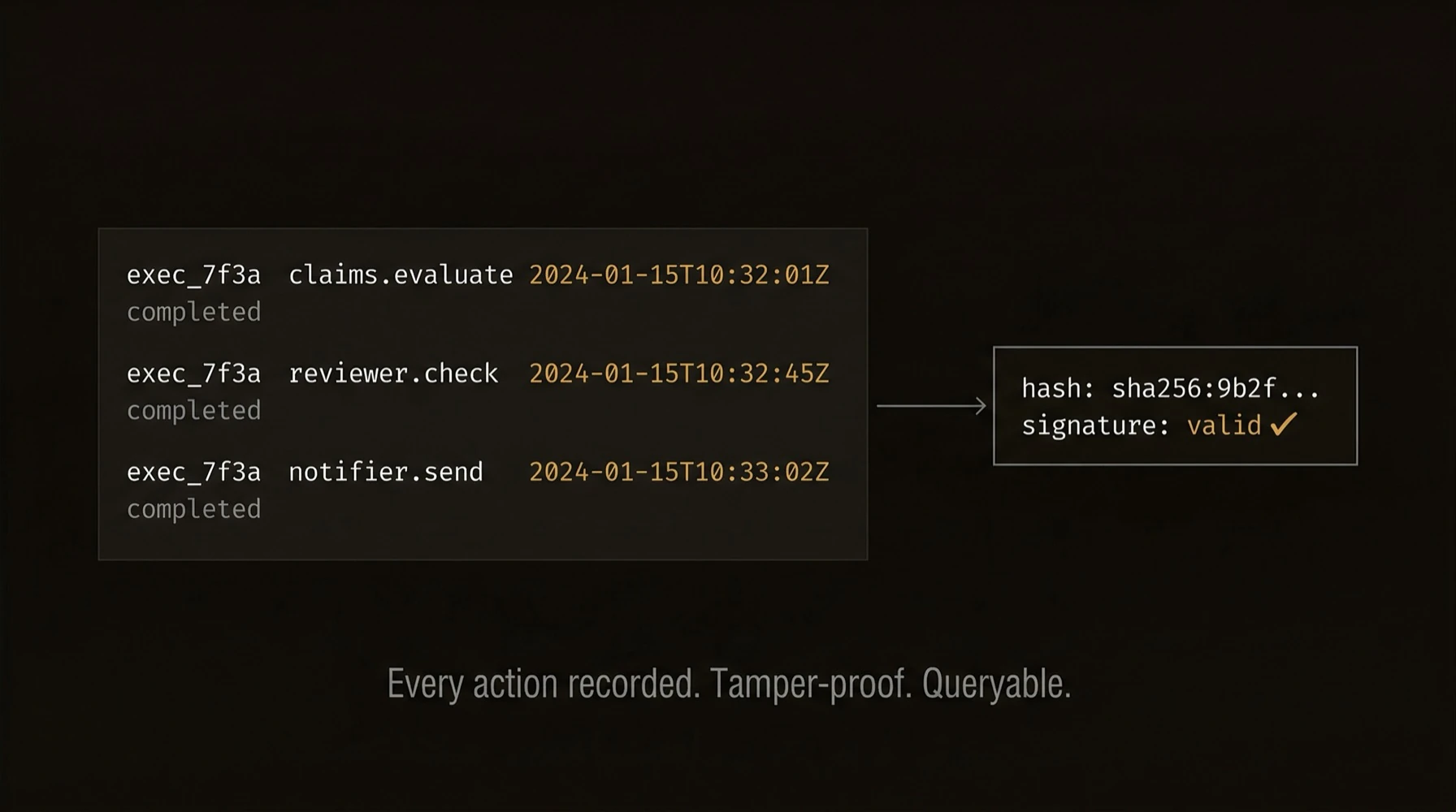 > Five audit layers -- from developer notes to tamper-proof cryptographic trails -- built into every agent, every execution, every workflow.
Logs alone are not enough for agent systems. You need to know what ran, why it ran, how it branched, what it touched, and how to prove the record was not tampered with.
AgentField ships enterprise-grade observability without bolting anything on: **(1)** structured execution notes with tags and risk scoring, **(2)** correlation IDs that trace a request across every agent it touches, **(3)** DAG visualization of the full multi-agent call graph, **(4)** Prometheus metrics for queue depth, step latency, retries, and backpressure, and **(5)** DID-signed verifiable credentials for tamper-evident audit trails.
Minimal code can produce a much richer audit surface than ordinary application logging:
## What just happened
The example produced more than logs: notes for human context, correlation IDs for traceability, a DAG for workflow structure, metrics for operations, and signed artifacts for proof. That is the audit story to keep visible: one execution yields multiple layers of evidence, not just one text stream.
### Python
### TypeScript
### Go
### curl
### What you get
- **Execution notes** -- agents annotate their work with tagged messages for debugging and compliance
- **Correlation IDs** -- every execution carries `execution_id`, `workflow_id`, `session_id`, and `actor_id` for end-to-end tracing
- **DAG visualization** -- reconstruct the full call graph of multi-agent workflows
- **Prometheus metrics** -- queue depth, step duration, retry counts, and backpressure at `/metrics`
- **Structured logging** -- JSON-formatted logs with correlation context for log aggregation
- **Cryptographic audit trails** -- combine with [Identity](/docs/build/governance/identity) and [Credentials](/docs/build/governance/credentials) for tamper-evident records
### Execution notes
Agents can attach notes to the current execution for debugging, compliance, and observability:
### Python
### TypeScript
### Go
### Notes API
**Add a note:**
The execution ID is resolved from the `X-Execution-ID` header, the request context, or the `execution_id` query parameter.
**Retrieve notes:**
Filter by tags to retrieve specific categories of notes. Tag filtering uses OR logic -- a note matches if it has any of the specified tags.
**Response:**
Notes are also broadcast via SSE for real-time monitoring -- see the workflow notes stream at `GET /api/ui/v1/workflows/{workflowId}/notes/events`.
### Correlation IDs
Every execution in AgentField carries a set of correlation IDs that enable end-to-end tracing across agents:
| ID | Scope | Description |
|----|-------|-------------|
| `execution_id` | Single call | Unique identifier for one agent function invocation |
| `workflow_id` | Workflow | Groups all executions in a multi-agent workflow; set on the root call and propagated |
| `run_id` | Run | Root workflow scope identifier, generated if not provided; used for SSE event scoping and workflow grouping |
| `session_id` | Session | User-defined session identifier for grouping related workflows |
| `actor_id` | Actor | Identifies the user or system that initiated the workflow |
These IDs are propagated automatically through cross-agent calls. When Agent A calls Agent B, Agent B's execution inherits the `workflow_id`, `session_id`, and `actor_id` from Agent A's context.
### Setting Correlation Context
### DAG visualization
Multi-agent workflows form a directed acyclic graph (DAG) of executions. The control plane reconstructs this graph for visualization and analysis.
**Response:**
The `timeline` array provides a flat, chronologically-ordered view of all executions for timeline visualizations.
### Prometheus metrics
The control plane exposes Prometheus metrics at `/metrics`:
| Metric | Type | Description |
|--------|------|-------------|
| `agentfield_gateway_queue_depth` | Gauge | Number of workflow steps currently queued or in-flight |
| `agentfield_step_duration_seconds` | Histogram | Duration of workflow step executions by terminal status |
| `agentfield_step_retries_total` | Counter | Total retry attempts by agent node |
| `agentfield_waiters_inflight` | Gauge | Number of synchronous waiter channels currently registered |
| `agentfield_gateway_backpressure_total` | Counter | Backpressure events by reason |
### Scrape Configuration
### Structured logging
The control plane uses zerolog for structured JSON logging. Every log entry includes correlation context:
This format integrates directly with log aggregation systems like ELK, Loki, or CloudWatch.
### Combining audit layers
AgentField's audit system is most powerful when all layers are used together:
| Layer | Purpose | Reference |
|-------|---------|-----------|
| Notes | Human-readable annotations | This page |
| Correlation IDs | End-to-end tracing | This page |
| DAG | Workflow structure | This page |
| Metrics | System health | This page |
| DIDs | Agent identity | [Identity](/docs/build/governance/identity) |
| VCs | Cryptographic proofs | [Credentials](/docs/build/governance/credentials) |
| Webhooks | Event forwarding | [Webhooks](/docs/build/execution/webhooks) |
### Patterns
### Compliance Audit Trail
For regulated workflows, combine notes with VCs:
### Real-Time Monitoring Dashboard
Stream execution events and notes for a live dashboard:
---
## Verifiable Credentials
URL: https://agentfield.ai/docs/build/governance/credentials
Markdown: https://agentfield.ai/llm/docs/build/governance/credentials
Last-Modified: 2026-03-24T16:54:10.000Z
Category: governance
Difficulty: advanced
Keywords: verifiable-credentials, VC, audit, non-repudiation, signature, Ed25519, proof
Summary: Execution VCs with 3-tier hierarchy, offline verification, and VC chain export
> Five audit layers -- from developer notes to tamper-proof cryptographic trails -- built into every agent, every execution, every workflow.
Logs alone are not enough for agent systems. You need to know what ran, why it ran, how it branched, what it touched, and how to prove the record was not tampered with.
AgentField ships enterprise-grade observability without bolting anything on: **(1)** structured execution notes with tags and risk scoring, **(2)** correlation IDs that trace a request across every agent it touches, **(3)** DAG visualization of the full multi-agent call graph, **(4)** Prometheus metrics for queue depth, step latency, retries, and backpressure, and **(5)** DID-signed verifiable credentials for tamper-evident audit trails.
Minimal code can produce a much richer audit surface than ordinary application logging:
## What just happened
The example produced more than logs: notes for human context, correlation IDs for traceability, a DAG for workflow structure, metrics for operations, and signed artifacts for proof. That is the audit story to keep visible: one execution yields multiple layers of evidence, not just one text stream.
### Python
### TypeScript
### Go
### curl
### What you get
- **Execution notes** -- agents annotate their work with tagged messages for debugging and compliance
- **Correlation IDs** -- every execution carries `execution_id`, `workflow_id`, `session_id`, and `actor_id` for end-to-end tracing
- **DAG visualization** -- reconstruct the full call graph of multi-agent workflows
- **Prometheus metrics** -- queue depth, step duration, retry counts, and backpressure at `/metrics`
- **Structured logging** -- JSON-formatted logs with correlation context for log aggregation
- **Cryptographic audit trails** -- combine with [Identity](/docs/build/governance/identity) and [Credentials](/docs/build/governance/credentials) for tamper-evident records
### Execution notes
Agents can attach notes to the current execution for debugging, compliance, and observability:
### Python
### TypeScript
### Go
### Notes API
**Add a note:**
The execution ID is resolved from the `X-Execution-ID` header, the request context, or the `execution_id` query parameter.
**Retrieve notes:**
Filter by tags to retrieve specific categories of notes. Tag filtering uses OR logic -- a note matches if it has any of the specified tags.
**Response:**
Notes are also broadcast via SSE for real-time monitoring -- see the workflow notes stream at `GET /api/ui/v1/workflows/{workflowId}/notes/events`.
### Correlation IDs
Every execution in AgentField carries a set of correlation IDs that enable end-to-end tracing across agents:
| ID | Scope | Description |
|----|-------|-------------|
| `execution_id` | Single call | Unique identifier for one agent function invocation |
| `workflow_id` | Workflow | Groups all executions in a multi-agent workflow; set on the root call and propagated |
| `run_id` | Run | Root workflow scope identifier, generated if not provided; used for SSE event scoping and workflow grouping |
| `session_id` | Session | User-defined session identifier for grouping related workflows |
| `actor_id` | Actor | Identifies the user or system that initiated the workflow |
These IDs are propagated automatically through cross-agent calls. When Agent A calls Agent B, Agent B's execution inherits the `workflow_id`, `session_id`, and `actor_id` from Agent A's context.
### Setting Correlation Context
### DAG visualization
Multi-agent workflows form a directed acyclic graph (DAG) of executions. The control plane reconstructs this graph for visualization and analysis.
**Response:**
The `timeline` array provides a flat, chronologically-ordered view of all executions for timeline visualizations.
### Prometheus metrics
The control plane exposes Prometheus metrics at `/metrics`:
| Metric | Type | Description |
|--------|------|-------------|
| `agentfield_gateway_queue_depth` | Gauge | Number of workflow steps currently queued or in-flight |
| `agentfield_step_duration_seconds` | Histogram | Duration of workflow step executions by terminal status |
| `agentfield_step_retries_total` | Counter | Total retry attempts by agent node |
| `agentfield_waiters_inflight` | Gauge | Number of synchronous waiter channels currently registered |
| `agentfield_gateway_backpressure_total` | Counter | Backpressure events by reason |
### Scrape Configuration
### Structured logging
The control plane uses zerolog for structured JSON logging. Every log entry includes correlation context:
This format integrates directly with log aggregation systems like ELK, Loki, or CloudWatch.
### Combining audit layers
AgentField's audit system is most powerful when all layers are used together:
| Layer | Purpose | Reference |
|-------|---------|-----------|
| Notes | Human-readable annotations | This page |
| Correlation IDs | End-to-end tracing | This page |
| DAG | Workflow structure | This page |
| Metrics | System health | This page |
| DIDs | Agent identity | [Identity](/docs/build/governance/identity) |
| VCs | Cryptographic proofs | [Credentials](/docs/build/governance/credentials) |
| Webhooks | Event forwarding | [Webhooks](/docs/build/execution/webhooks) |
### Patterns
### Compliance Audit Trail
For regulated workflows, combine notes with VCs:
### Real-Time Monitoring Dashboard
Stream execution events and notes for a live dashboard:
---
## Verifiable Credentials
URL: https://agentfield.ai/docs/build/governance/credentials
Markdown: https://agentfield.ai/llm/docs/build/governance/credentials
Last-Modified: 2026-03-24T16:54:10.000Z
Category: governance
Difficulty: advanced
Keywords: verifiable-credentials, VC, audit, non-repudiation, signature, Ed25519, proof
Summary: Execution VCs with 3-tier hierarchy, offline verification, and VC chain export
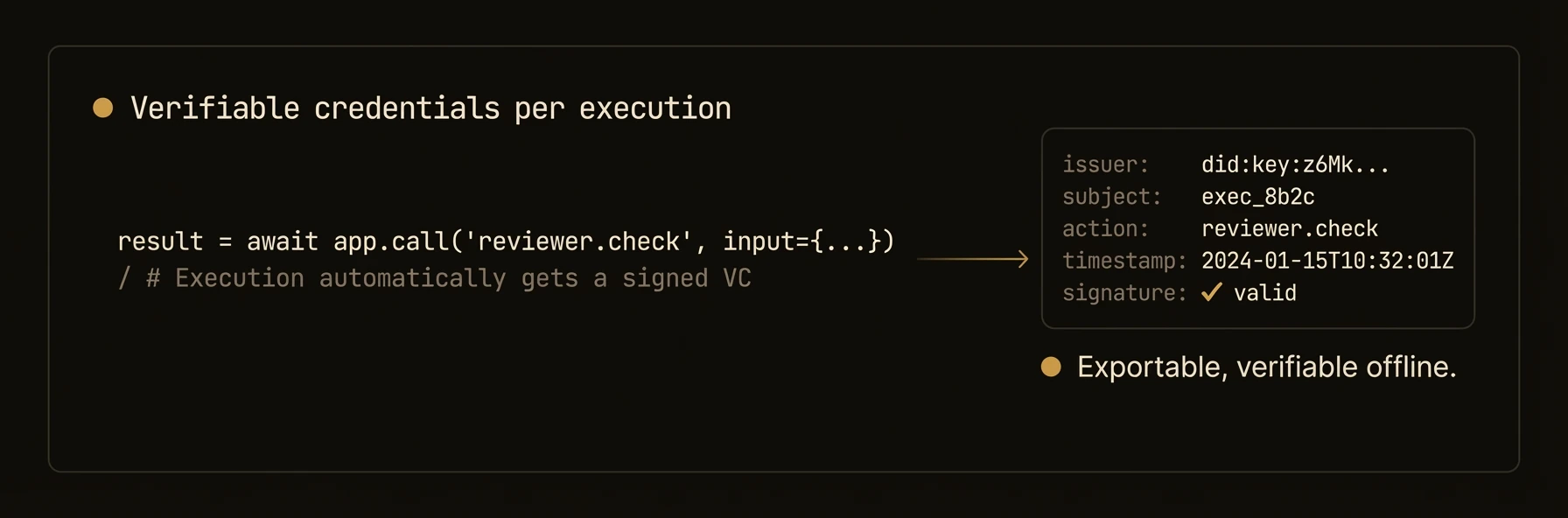 > Cryptographic proof of what each agent did, when, and with what inputs -- tamper-evident and offline-verifiable.
Every execution can produce a signed verifiable credential (VC) containing SHA-256 hashes of inputs and outputs, tied to the agent's [DID](/docs/build/governance/identity). VCs form chains across workflows, enabling offline verification and tamper-evident audit trails for regulated environments.
### Python
### TypeScript
### Go
### curl
## What just happened
The example walked from a single execution credential to a full workflow VC chain and then to verification endpoints. That is the production story this page should tell immediately: each run can produce a signed audit artifact you can inspect, store, and verify later without trusting application logs alone.
### What you get
- **Execution VCs** -- every execution produces a signed verifiable credential with hashed inputs and outputs
- **3-tier VC hierarchy** -- platform, node, and function-level credentials for granular trust
- **Workflow VC chains** -- aggregate all execution VCs in a workflow into a verifiable chain
- **Offline verification** -- verify any credential without network access using `af vc verify`
- **Non-repudiation** -- Ed25519 signatures tied to [DIDs](/docs/build/governance/identity) prove which agent performed each operation
- **Tamper detection** -- SHA-256 hashes of inputs and outputs detect any modification after the fact
### How VCs work
When an execution completes, the control plane generates a verifiable credential:
### 3-Tier Hierarchy
| Level | VC Type | Signed By | Purpose |
|-------|---------|-----------|---------|
| Platform | Platform credential | Root DID | Certifies the control plane instance |
| Node | Agent tag credential | Root DID | Certifies the agent's identity and authorized tags |
| Function | Execution credential | Agent DID | Proves a specific execution with input/output hashes |
### Input and Output Hashing
VCs include SHA-256 hashes of the execution's input and output:
This allows anyone to verify that a particular input produced a particular output without needing the actual data -- useful for privacy-sensitive workflows.
### Configuration
Enable execution VCs in `agentfield.yaml`:
| Setting | Default | Description |
|---------|---------|-------------|
| `require_vc_execution` | `true` | Generate VCs for every execution |
| `persist_execution_vc` | `true` | Store VCs in the database (vs. generate on demand) |
### Offline verification
Verify a VC without network access using the CLI:
The verifier checks:
1. **Signature validity** -- Ed25519 signature matches the VC content
2. **Issuer DID resolution** -- the signing key belongs to the claimed issuer
3. **Credential integrity** -- the VC document has not been modified
4. **Expiry** -- the credential is still within its validity period
5. **Revocation status** -- the credential has not been revoked (online check only)
### Agent tag VCs
When agents register with [tags](/docs/build/governance/policy), the control plane can issue a tag VC that cryptographically certifies the agent's authorized tags:
Tag VCs are used by the [access policy system](/docs/build/governance/policy) to verify that an agent's tags are legitimate before evaluating policy rules.
### Patterns
### Audit Trail for Regulated Workflows
Build a complete, verifiable audit trail:
### Verifying a VC Chain Programmatically
### Python
See [Identity](/docs/build/governance/identity) for how DIDs are generated and managed, and [Audit](/docs/build/governance/audit) for the broader observability picture.
### API reference
### Execution VC
Returns the verifiable credential for a specific execution.
### Execution VC Status
Returns whether a VC exists and its verification status.
### Verify Execution VC
Performs comprehensive verification of the execution VC: signature validity, issuer DID resolution, credential expiry, and revocation status.
### Workflow VC Chain
Returns the complete chain of VCs for a workflow -- every execution VC in topological order, plus the workflow-level VC.
**Response:**
### Verify Workflow VCs
Verifies all VCs in a workflow chain. Returns per-VC verification results.
### Batch Workflow VC Status
Fetch VC status summaries for multiple workflows at once.
### Download VC
Download a single VC as a JSON file for offline storage or verification.
### Verify Arbitrary VC
Submit any VC document for verification against the platform's DID registry.
### Export All VCs
Export all verifiable credentials for backup or external audit.
---
## Decentralized Identity
URL: https://agentfield.ai/docs/build/governance/identity
Markdown: https://agentfield.ai/llm/docs/build/governance/identity
Last-Modified: 2026-03-24T16:54:10.000Z
Category: governance
Difficulty: advanced
Keywords: DID, identity, Ed25519, cryptography, keystore, did:key, did:web, W3C
Summary: W3C DIDs with Ed25519 cryptography, automatic registration, and AES-256-GCM keystore
> Cryptographic proof of what each agent did, when, and with what inputs -- tamper-evident and offline-verifiable.
Every execution can produce a signed verifiable credential (VC) containing SHA-256 hashes of inputs and outputs, tied to the agent's [DID](/docs/build/governance/identity). VCs form chains across workflows, enabling offline verification and tamper-evident audit trails for regulated environments.
### Python
### TypeScript
### Go
### curl
## What just happened
The example walked from a single execution credential to a full workflow VC chain and then to verification endpoints. That is the production story this page should tell immediately: each run can produce a signed audit artifact you can inspect, store, and verify later without trusting application logs alone.
### What you get
- **Execution VCs** -- every execution produces a signed verifiable credential with hashed inputs and outputs
- **3-tier VC hierarchy** -- platform, node, and function-level credentials for granular trust
- **Workflow VC chains** -- aggregate all execution VCs in a workflow into a verifiable chain
- **Offline verification** -- verify any credential without network access using `af vc verify`
- **Non-repudiation** -- Ed25519 signatures tied to [DIDs](/docs/build/governance/identity) prove which agent performed each operation
- **Tamper detection** -- SHA-256 hashes of inputs and outputs detect any modification after the fact
### How VCs work
When an execution completes, the control plane generates a verifiable credential:
### 3-Tier Hierarchy
| Level | VC Type | Signed By | Purpose |
|-------|---------|-----------|---------|
| Platform | Platform credential | Root DID | Certifies the control plane instance |
| Node | Agent tag credential | Root DID | Certifies the agent's identity and authorized tags |
| Function | Execution credential | Agent DID | Proves a specific execution with input/output hashes |
### Input and Output Hashing
VCs include SHA-256 hashes of the execution's input and output:
This allows anyone to verify that a particular input produced a particular output without needing the actual data -- useful for privacy-sensitive workflows.
### Configuration
Enable execution VCs in `agentfield.yaml`:
| Setting | Default | Description |
|---------|---------|-------------|
| `require_vc_execution` | `true` | Generate VCs for every execution |
| `persist_execution_vc` | `true` | Store VCs in the database (vs. generate on demand) |
### Offline verification
Verify a VC without network access using the CLI:
The verifier checks:
1. **Signature validity** -- Ed25519 signature matches the VC content
2. **Issuer DID resolution** -- the signing key belongs to the claimed issuer
3. **Credential integrity** -- the VC document has not been modified
4. **Expiry** -- the credential is still within its validity period
5. **Revocation status** -- the credential has not been revoked (online check only)
### Agent tag VCs
When agents register with [tags](/docs/build/governance/policy), the control plane can issue a tag VC that cryptographically certifies the agent's authorized tags:
Tag VCs are used by the [access policy system](/docs/build/governance/policy) to verify that an agent's tags are legitimate before evaluating policy rules.
### Patterns
### Audit Trail for Regulated Workflows
Build a complete, verifiable audit trail:
### Verifying a VC Chain Programmatically
### Python
See [Identity](/docs/build/governance/identity) for how DIDs are generated and managed, and [Audit](/docs/build/governance/audit) for the broader observability picture.
### API reference
### Execution VC
Returns the verifiable credential for a specific execution.
### Execution VC Status
Returns whether a VC exists and its verification status.
### Verify Execution VC
Performs comprehensive verification of the execution VC: signature validity, issuer DID resolution, credential expiry, and revocation status.
### Workflow VC Chain
Returns the complete chain of VCs for a workflow -- every execution VC in topological order, plus the workflow-level VC.
**Response:**
### Verify Workflow VCs
Verifies all VCs in a workflow chain. Returns per-VC verification results.
### Batch Workflow VC Status
Fetch VC status summaries for multiple workflows at once.
### Download VC
Download a single VC as a JSON file for offline storage or verification.
### Verify Arbitrary VC
Submit any VC document for verification against the platform's DID registry.
### Export All VCs
Export all verifiable credentials for backup or external audit.
---
## Decentralized Identity
URL: https://agentfield.ai/docs/build/governance/identity
Markdown: https://agentfield.ai/llm/docs/build/governance/identity
Last-Modified: 2026-03-24T16:54:10.000Z
Category: governance
Difficulty: advanced
Keywords: DID, identity, Ed25519, cryptography, keystore, did:key, did:web, W3C
Summary: W3C DIDs with Ed25519 cryptography, automatic registration, and AES-256-GCM keystore
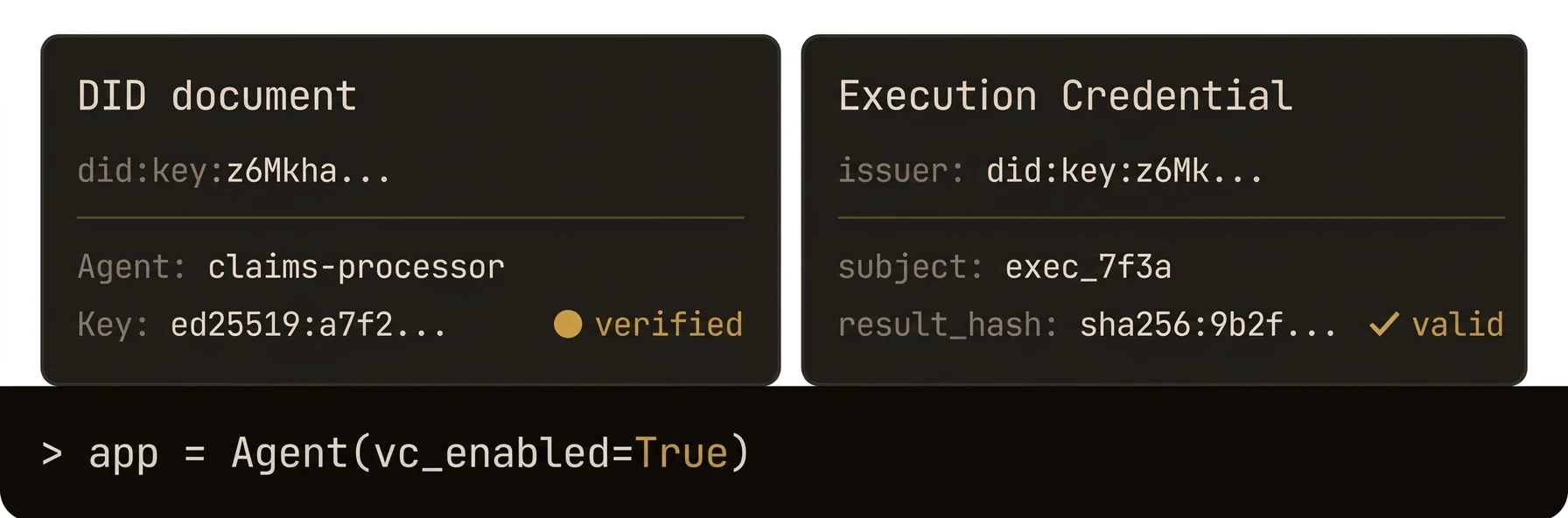 > Every agent gets a cryptographic identity rooted in W3C DIDs -- no central certificate authority required.
AgentField assigns each agent and its functions a `did:key` identifier backed by Ed25519 key pairs. DIDs are generated deterministically on registration, organized in a 3-tier hierarchy (platform, agent, function), and stored in an AES-256-GCM encrypted keystore. Every execution can be cryptographically tied to the agent that performed it.
### Python
### TypeScript
### Go
### curl
## What just happened
The page example registered an agent, exposed its DID package, and showed that both the agent and its functions can be resolved through the control plane. The important takeaway is not just that identities exist, but that identity becomes inspectable infrastructure instead of hidden SDK state.
### What you get
- **W3C DID identifiers** -- agents and their functions each receive a `did:key` identifier backed by Ed25519 key pairs
- **Web-resolvable DIDs** -- `did:web` documents served at standard paths for cross-network resolution
- **Automatic registration** -- DIDs are generated deterministically when agents register with the control plane
- **3-tier hierarchy** -- platform root, agent node, and individual function DIDs
- **Encrypted keystore** -- private keys stored with AES-256-GCM encryption
- **Non-repudiation** -- every execution can be cryptographically tied to the agent that performed it
### Enabling DIDs
### Python
### TypeScript
### Go
### How it works
### DID Hierarchy
AgentField creates a 3-tier DID hierarchy using deterministic key derivation:
| Level | Derivation Path | Purpose |
|-------|----------------|---------|
| Platform root | `m/44'/0'` | Signs agent registration VCs; root of trust |
| Agent node | `m/44'/1'/{node_index}` | Signs execution VCs; identifies the agent |
| Function | `m/44'/1'/{node_index}/{function_index}` | Identifies specific reasoners and skills |
### Key Generation
Keys are derived deterministically from a master seed using HKDF (HMAC-based Key Derivation Function) with SHA-256:
1. The control plane generates a 256-bit master seed on first initialization
2. The root DID is derived from the master seed using path `m/44'/0'`
3. Agent DIDs are derived using HKDF with the agent's node ID as context
4. Function DIDs are derived from the agent DID with the function name as context
This means the same master seed always produces the same DID hierarchy -- deterministic and reproducible.
### DID Formats
AgentField supports two DID methods:
**`did:key`** -- self-certifying identifier encoding the Ed25519 public key directly:
Resolvable by anyone who can decode the identifier -- no network call required.
**`did:web`** -- web-resolvable identifier tied to the control plane's domain:
Resolved by fetching the DID document from the agent's well-known path.
### did:web Resolution
The control plane serves DID documents at standard paths:
These documents follow the W3C DID Document specification and include the agent's public key, verification methods, and service endpoints.
### Keystore
Private keys are encrypted at rest using AES-256-GCM:
| Property | Value |
|----------|-------|
| Algorithm | AES-256-GCM |
| Key size | 256 bits |
| Nonce | Generated fresh per encryption operation |
| Storage | Local filesystem at `./data/keys/` (relative to working directory) |
| Directory permissions | `0700` (owner only) |
The keystore currently supports local filesystem storage. The service interface is designed for future HSM and cloud KMS integration.
### Configuration
Enable or disable DIDs in `agentfield.yaml`:
### DID Authentication
Use DIDs for authenticating outbound HTTP requests between agents. The SDK signs requests with the agent's Ed25519 private key and the receiving agent verifies the signature using the sender's public DID.
### Python -- `DIDAuthenticator`
**`DIDAuthenticator` methods:**
| Method | Description |
|---|---|
| `sign_headers(body)` | Generate signed DID auth headers for a request body |
| `set_credentials(did, private_key_jwk)` | Set or update DID credentials |
| `is_configured` | Property: whether DID and private key are loaded |
| `did` | Property: the agent's DID identifier |
### TypeScript
### Go -- `client.SignHTTPRequest()`
### Enabling DID Auth on All Outbound Calls
Set `RequireOriginAuth` in Go agent config to validate that incoming execution requests include proper authorization. When `EnableDID` is set, outbound calls via `Call()` are automatically signed with DID auth headers.
### Python
### Go
### Patterns
### Verifying Agent Identity
Use the DID to verify that an execution was performed by a specific agent:
### Cross-Network Identity
Use `did:web` when agents need to verify each other across networks:
See [Credentials](/docs/build/governance/credentials) for how DIDs are used to sign execution verifiable credentials.
### API reference
### Platform DID
Returns the control plane's root DID and public key.
### Issuer Public Key
Returns the Ed25519 public key used to sign verifiable credentials, in JWK format.
### Registered DIDs
Lists all registered DIDs across the platform -- agents, reasoners, and skills.
### Agent DID Resolution
Through the UI API:
Returns the DID identity package for a specific agent node, including the agent DID and all function DIDs.
### DID Resolution Bundle
Returns a complete resolution bundle for offline verification: the DID document, the public key, and any associated verifiable credentials.
---
## Permissions & Access Control
URL: https://agentfield.ai/docs/build/governance/permissions
Markdown: https://agentfield.ai/llm/docs/build/governance/permissions
Last-Modified: 2026-03-24T15:35:27.000Z
Category: governance
Difficulty: advanced
Keywords: permissions, ACL, access-control, tags, policies, connectors, authorization, security
Summary: Tag-based ACL policies and permission enforcement for cross-agent authorization.
> Every agent gets a cryptographic identity rooted in W3C DIDs -- no central certificate authority required.
AgentField assigns each agent and its functions a `did:key` identifier backed by Ed25519 key pairs. DIDs are generated deterministically on registration, organized in a 3-tier hierarchy (platform, agent, function), and stored in an AES-256-GCM encrypted keystore. Every execution can be cryptographically tied to the agent that performed it.
### Python
### TypeScript
### Go
### curl
## What just happened
The page example registered an agent, exposed its DID package, and showed that both the agent and its functions can be resolved through the control plane. The important takeaway is not just that identities exist, but that identity becomes inspectable infrastructure instead of hidden SDK state.
### What you get
- **W3C DID identifiers** -- agents and their functions each receive a `did:key` identifier backed by Ed25519 key pairs
- **Web-resolvable DIDs** -- `did:web` documents served at standard paths for cross-network resolution
- **Automatic registration** -- DIDs are generated deterministically when agents register with the control plane
- **3-tier hierarchy** -- platform root, agent node, and individual function DIDs
- **Encrypted keystore** -- private keys stored with AES-256-GCM encryption
- **Non-repudiation** -- every execution can be cryptographically tied to the agent that performed it
### Enabling DIDs
### Python
### TypeScript
### Go
### How it works
### DID Hierarchy
AgentField creates a 3-tier DID hierarchy using deterministic key derivation:
| Level | Derivation Path | Purpose |
|-------|----------------|---------|
| Platform root | `m/44'/0'` | Signs agent registration VCs; root of trust |
| Agent node | `m/44'/1'/{node_index}` | Signs execution VCs; identifies the agent |
| Function | `m/44'/1'/{node_index}/{function_index}` | Identifies specific reasoners and skills |
### Key Generation
Keys are derived deterministically from a master seed using HKDF (HMAC-based Key Derivation Function) with SHA-256:
1. The control plane generates a 256-bit master seed on first initialization
2. The root DID is derived from the master seed using path `m/44'/0'`
3. Agent DIDs are derived using HKDF with the agent's node ID as context
4. Function DIDs are derived from the agent DID with the function name as context
This means the same master seed always produces the same DID hierarchy -- deterministic and reproducible.
### DID Formats
AgentField supports two DID methods:
**`did:key`** -- self-certifying identifier encoding the Ed25519 public key directly:
Resolvable by anyone who can decode the identifier -- no network call required.
**`did:web`** -- web-resolvable identifier tied to the control plane's domain:
Resolved by fetching the DID document from the agent's well-known path.
### did:web Resolution
The control plane serves DID documents at standard paths:
These documents follow the W3C DID Document specification and include the agent's public key, verification methods, and service endpoints.
### Keystore
Private keys are encrypted at rest using AES-256-GCM:
| Property | Value |
|----------|-------|
| Algorithm | AES-256-GCM |
| Key size | 256 bits |
| Nonce | Generated fresh per encryption operation |
| Storage | Local filesystem at `./data/keys/` (relative to working directory) |
| Directory permissions | `0700` (owner only) |
The keystore currently supports local filesystem storage. The service interface is designed for future HSM and cloud KMS integration.
### Configuration
Enable or disable DIDs in `agentfield.yaml`:
### DID Authentication
Use DIDs for authenticating outbound HTTP requests between agents. The SDK signs requests with the agent's Ed25519 private key and the receiving agent verifies the signature using the sender's public DID.
### Python -- `DIDAuthenticator`
**`DIDAuthenticator` methods:**
| Method | Description |
|---|---|
| `sign_headers(body)` | Generate signed DID auth headers for a request body |
| `set_credentials(did, private_key_jwk)` | Set or update DID credentials |
| `is_configured` | Property: whether DID and private key are loaded |
| `did` | Property: the agent's DID identifier |
### TypeScript
### Go -- `client.SignHTTPRequest()`
### Enabling DID Auth on All Outbound Calls
Set `RequireOriginAuth` in Go agent config to validate that incoming execution requests include proper authorization. When `EnableDID` is set, outbound calls via `Call()` are automatically signed with DID auth headers.
### Python
### Go
### Patterns
### Verifying Agent Identity
Use the DID to verify that an execution was performed by a specific agent:
### Cross-Network Identity
Use `did:web` when agents need to verify each other across networks:
See [Credentials](/docs/build/governance/credentials) for how DIDs are used to sign execution verifiable credentials.
### API reference
### Platform DID
Returns the control plane's root DID and public key.
### Issuer Public Key
Returns the Ed25519 public key used to sign verifiable credentials, in JWK format.
### Registered DIDs
Lists all registered DIDs across the platform -- agents, reasoners, and skills.
### Agent DID Resolution
Through the UI API:
Returns the DID identity package for a specific agent node, including the agent DID and all function DIDs.
### DID Resolution Bundle
Returns a complete resolution bundle for offline verification: the DID document, the public key, and any associated verifiable credentials.
---
## Permissions & Access Control
URL: https://agentfield.ai/docs/build/governance/permissions
Markdown: https://agentfield.ai/llm/docs/build/governance/permissions
Last-Modified: 2026-03-24T15:35:27.000Z
Category: governance
Difficulty: advanced
Keywords: permissions, ACL, access-control, tags, policies, connectors, authorization, security
Summary: Tag-based ACL policies and permission enforcement for cross-agent authorization.
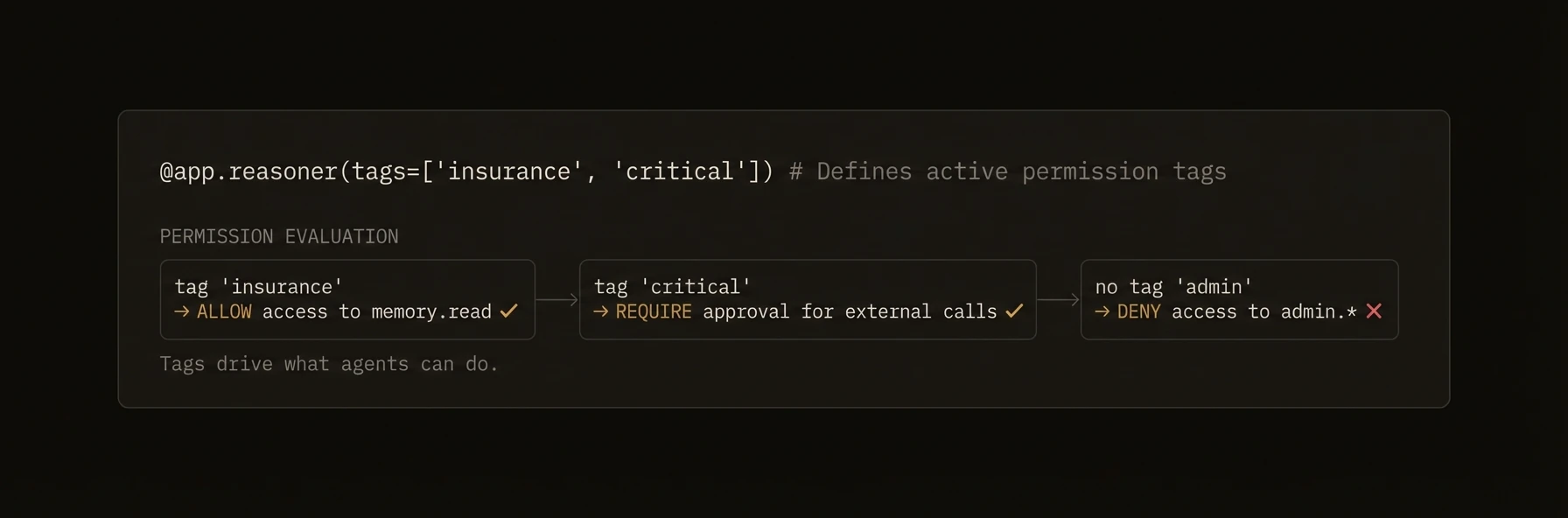 > Control which agents can call which, who can read shared memory, and what external connectors are allowed to do.
In production multi-agent systems, not every agent should be able to call every other agent. The finance agent should not invoke the admin agent. External connectors should only access specific skills. AgentField provides tag-based access control policies that govern cross-agent calls, memory access, and connector permissions -- evaluated at the control plane before any execution begins.
### Python
### TypeScript
### Go
### curl
## What just happened
The examples showed the core enforcement model: tag-based policies evaluated at the control plane (or locally with `local_verification`) before a protected action runs. Authorization decisions live outside the agent process -- agents declare their tags, and the policy engine determines access.
### What you get
- **Tag-based ACL** -- assign tags to agents, write policies that reference tags. No hardcoded agent IDs in policies.
- **Local verification** -- agents can evaluate policies locally using cached data from the control plane.
- **Function-level granularity** -- `allow_functions` and `deny_functions` control which specific reasoners and skills are accessible.
- **Control plane evaluation** -- policies are evaluated at the control plane middleware, not in agent code. Agents cannot bypass checks.
### Tag-based policies
Policies match agents by tags and control what actions they can perform. Tags use a `key:value` format.
### Defining Policies
### Policy Fields
| Field | Type | Required | Description |
|---|---|---|---|
| `name` | `string` | Yes | Unique policy name |
| `description` | `string` | No | Human-readable description |
| `caller_tags` | `string[]` | Yes | Tags the calling agent must have (any must match) |
| `target_tags` | `string[]` | Yes | Tags the target agent must have (any must match) |
| `allow_functions` | `string[]` | No | Functions explicitly allowed (empty = all allowed) |
| `deny_functions` | `string[]` | No | Functions explicitly denied (checked before allow) |
| `action` | `string` | Yes | `"allow"` or `"deny"` |
| `priority` | `int` | No | Higher priority policies override lower (default: 0) |
| `constraints` | `object` | No | Parameter constraints with operator/value pairs |
### Policy Evaluation
Policies are evaluated in priority order (highest first). The first matching policy determines the outcome. If no policy matches, the default is **allow** (backward compatibility for untagged agents).
### Permission check API
### How Policies Are Enforced
Access policies are evaluated automatically by the control plane when an agent calls another agent. You do not need to call a permission check API in your handler code -- the policy engine runs before your handler is invoked. If a caller's tags do not match any allow policy, the call is denied with a 403 response.
With `local_verification` enabled, agents cache policies from the control plane and evaluate them locally on incoming requests. This avoids a round-trip to the control plane on every call.
### REST API
| Endpoint | Method | Description |
|---|---|---|
| `/api/v1/policies` | GET | Read-only policy distribution endpoint (used by agents for local caching) |
| `/api/v1/admin/policies` | GET | List all policies (admin) |
| `/api/v1/admin/policies` | POST | Create a new policy |
| `/api/v1/admin/policies/{id}` | GET | Get a specific policy by numeric ID |
| `/api/v1/admin/policies/{id}` | PUT | Update a policy |
| `/api/v1/admin/policies/{id}` | DELETE | Delete a policy |
Permission checking is handled automatically by the control plane middleware -- there is no separate permission check endpoint. When an agent calls another agent, the middleware evaluates access policies before the handler runs.
### Patterns
### Team-Based Isolation
Isolate teams so their agents can only call within their team boundary.
### Environment Gating
Prevent staging agents from calling production agents.
### Least-Privilege Connectors
Grant external connectors only the minimum permissions they need.
---
## Access Policies
URL: https://agentfield.ai/docs/build/governance/policy
Markdown: https://agentfield.ai/llm/docs/build/governance/policy
Last-Modified: 2026-03-24T16:54:10.000Z
Category: governance
Difficulty: advanced
Keywords: policy, access-control, tags, authorization, ALLOW, DENY, approval, tag-vc
Summary: Tag-based access control for cross-agent calls with ALLOW/DENY rules and tag approval workflow
> Control which agents can call which, who can read shared memory, and what external connectors are allowed to do.
In production multi-agent systems, not every agent should be able to call every other agent. The finance agent should not invoke the admin agent. External connectors should only access specific skills. AgentField provides tag-based access control policies that govern cross-agent calls, memory access, and connector permissions -- evaluated at the control plane before any execution begins.
### Python
### TypeScript
### Go
### curl
## What just happened
The examples showed the core enforcement model: tag-based policies evaluated at the control plane (or locally with `local_verification`) before a protected action runs. Authorization decisions live outside the agent process -- agents declare their tags, and the policy engine determines access.
### What you get
- **Tag-based ACL** -- assign tags to agents, write policies that reference tags. No hardcoded agent IDs in policies.
- **Local verification** -- agents can evaluate policies locally using cached data from the control plane.
- **Function-level granularity** -- `allow_functions` and `deny_functions` control which specific reasoners and skills are accessible.
- **Control plane evaluation** -- policies are evaluated at the control plane middleware, not in agent code. Agents cannot bypass checks.
### Tag-based policies
Policies match agents by tags and control what actions they can perform. Tags use a `key:value` format.
### Defining Policies
### Policy Fields
| Field | Type | Required | Description |
|---|---|---|---|
| `name` | `string` | Yes | Unique policy name |
| `description` | `string` | No | Human-readable description |
| `caller_tags` | `string[]` | Yes | Tags the calling agent must have (any must match) |
| `target_tags` | `string[]` | Yes | Tags the target agent must have (any must match) |
| `allow_functions` | `string[]` | No | Functions explicitly allowed (empty = all allowed) |
| `deny_functions` | `string[]` | No | Functions explicitly denied (checked before allow) |
| `action` | `string` | Yes | `"allow"` or `"deny"` |
| `priority` | `int` | No | Higher priority policies override lower (default: 0) |
| `constraints` | `object` | No | Parameter constraints with operator/value pairs |
### Policy Evaluation
Policies are evaluated in priority order (highest first). The first matching policy determines the outcome. If no policy matches, the default is **allow** (backward compatibility for untagged agents).
### Permission check API
### How Policies Are Enforced
Access policies are evaluated automatically by the control plane when an agent calls another agent. You do not need to call a permission check API in your handler code -- the policy engine runs before your handler is invoked. If a caller's tags do not match any allow policy, the call is denied with a 403 response.
With `local_verification` enabled, agents cache policies from the control plane and evaluate them locally on incoming requests. This avoids a round-trip to the control plane on every call.
### REST API
| Endpoint | Method | Description |
|---|---|---|
| `/api/v1/policies` | GET | Read-only policy distribution endpoint (used by agents for local caching) |
| `/api/v1/admin/policies` | GET | List all policies (admin) |
| `/api/v1/admin/policies` | POST | Create a new policy |
| `/api/v1/admin/policies/{id}` | GET | Get a specific policy by numeric ID |
| `/api/v1/admin/policies/{id}` | PUT | Update a policy |
| `/api/v1/admin/policies/{id}` | DELETE | Delete a policy |
Permission checking is handled automatically by the control plane middleware -- there is no separate permission check endpoint. When an agent calls another agent, the middleware evaluates access policies before the handler runs.
### Patterns
### Team-Based Isolation
Isolate teams so their agents can only call within their team boundary.
### Environment Gating
Prevent staging agents from calling production agents.
### Least-Privilege Connectors
Grant external connectors only the minimum permissions they need.
---
## Access Policies
URL: https://agentfield.ai/docs/build/governance/policy
Markdown: https://agentfield.ai/llm/docs/build/governance/policy
Last-Modified: 2026-03-24T16:54:10.000Z
Category: governance
Difficulty: advanced
Keywords: policy, access-control, tags, authorization, ALLOW, DENY, approval, tag-vc
Summary: Tag-based access control for cross-agent calls with ALLOW/DENY rules and tag approval workflow
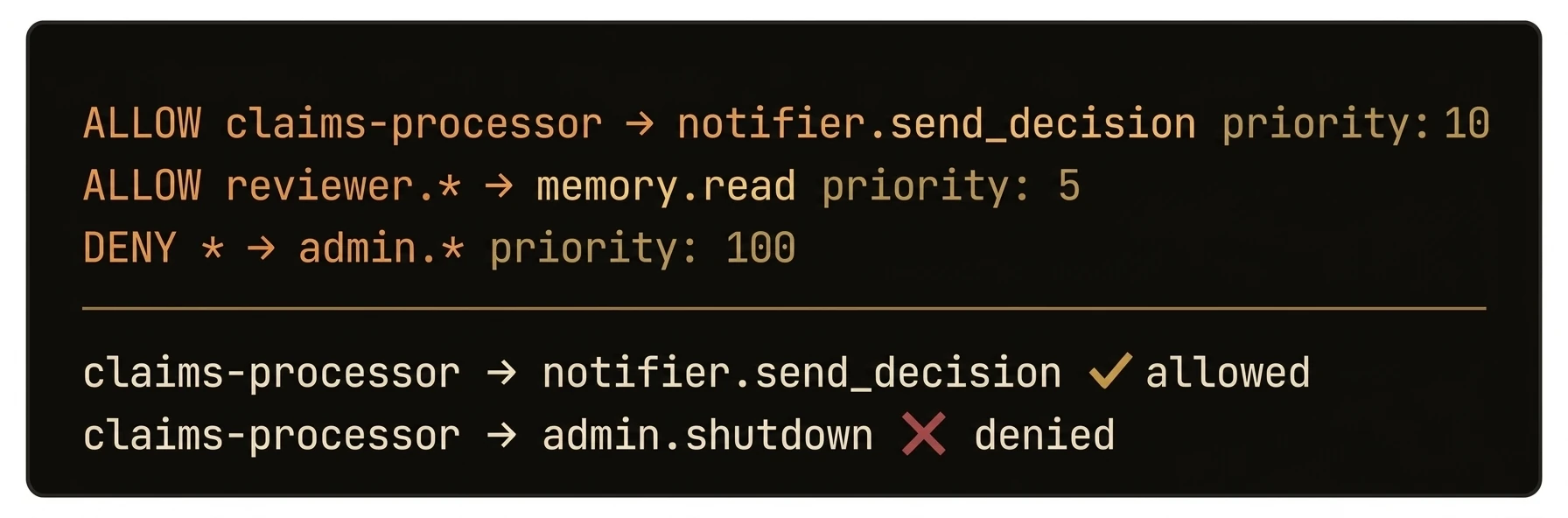 > Control which agents can call which functions using tag-based ALLOW/DENY rules -- no hardcoded ACLs required.
AgentField evaluates access policies on every cross-agent call. Policies match on caller and target tags (not specific agent IDs), support function-level granularity with input constraints, and are sorted by priority with first-match-wins semantics. Within each policy, `deny_functions` are checked before `allow_functions`, but across policies the result is determined by the first matching policy in priority order. Fail-open by default: if no policy matches, the call is allowed (backward compatibility).
### Python
### TypeScript
### Go
### curl
## What just happened
The example created real allow and deny rules, attached them to caller and target tags, and then showed where to inspect the resulting policy state. That is the core value to surface here: authorization decisions live in the control plane and can be reasoned about as explicit policy data.
### What you get
- **Tag-based authorization** -- policies match on caller and target tags, not specific agent IDs
- **ALLOW/DENY semantics** -- deny rules take precedence; fail-open by default (access allowed when no policy matches)
- **Priority ordering** -- multiple policies evaluated highest-priority first; first match wins
- **Function-level granularity** -- restrict access to specific reasoners and skills within an agent
- **Input constraints** -- policies can enforce conditions on execution input parameters
- **Tag approval workflow** -- tags can be auto-approved, require manual review, or be forbidden entirely
- **Cryptographic tag verification** -- tag VCs prove an agent's tags were legitimately assigned
### How policies work
When Agent A calls a function on Agent B, the control plane evaluates access policies:
### Policy Evaluation Order
1. Policies are sorted by priority (highest first), with ID as tie-breaker
2. For each enabled policy:
- Check if caller tags intersect with the policy's `caller_tags`
- Check if target tags intersect with the policy's `target_tags`
- If both match, check the function against `deny_functions` (deny takes precedence)
- Then check against `allow_functions` (if set, function must be in the list)
- Evaluate input `constraints` if present
3. First matching policy determines the result
4. If no policy matches, the result is "no match" (access allowed for backward compatibility)
### Policy Structure
| Field | Type | Description |
|-------|------|-------------|
| `name` | `string` | Human-readable policy name |
| `caller_tags` | `string[]` | Tags the calling agent must have (any match) |
| `target_tags` | `string[]` | Tags the target agent must have (any match) |
| `allow_functions` | `string[]` | Functions explicitly allowed (empty = all allowed) |
| `deny_functions` | `string[]` | Functions explicitly denied (checked before allow) |
| `constraints` | `map[string]AccessConstraint` | Parameter constraints with `operator` and `value` fields |
| `action` | `string` | `"allow"` or `"deny"` |
| `priority` | `int` | Higher number = higher priority |
| `enabled` | `bool` | Whether the policy is active |
### Tag approval workflow
When agents register with tags, those tags may require approval before the agent becomes operational:
### Approval Modes
| Mode | Behavior |
|------|----------|
| `auto` | Tags are approved immediately (default) |
| `manual` | Tags require human approval; agent enters `pending_approval` state |
| `forbidden` | Tags are rejected; agent cannot register with them |
Configure tag rules in `agentfield.yaml`:
### Approval Flow
When tags require manual review, the agent enters `pending_approval` lifecycle status. It cannot accept executions until an administrator approves or modifies its tags.
### Tag VCs
Upon approval, the control plane issues a tag VC -- a cryptographically signed credential certifying the agent's authorized tags. This VC is verified during policy evaluation to ensure tags have not been tampered with.
See [Credentials](/docs/build/governance/credentials) for details on the VC format and verification.
### Patterns
### Least-Privilege Agent Tags
Assign minimal tags and create explicit allow policies:
### Environment Isolation
Use tags to separate staging from production:
### Input Constraints
Restrict what parameters can be passed to sensitive functions:
When `constraints` are set, the policy evaluator checks the execution's input parameters against the constraint map. Each constraint specifies an `operator` (`"=="`, `"<="`, `">="`, `"<"`, `">"`, `"!="`) and a `value`. If the input does not satisfy the constraint conditions, the policy does not match (fail-closed).
### API reference
### List Policies
Returns all access policies, sorted by priority.
### Create Policy
### Update Policy
Updates an existing policy. The full policy object must be provided.
### Delete Policy
Removes a policy. Active executions already authorized by this policy are not affected.
### Revocations
Lists revoked DIDs. Agents cache this list for local verification to ensure revoked DIDs are rejected during policy evaluation.
### Authorization Overview (UI)
Returns all agents with their current tags, tag VC status, and approval state.
---
## AI Generation
URL: https://agentfield.ai/docs/build/intelligence/ai-generation
Markdown: https://agentfield.ai/llm/docs/build/intelligence/ai-generation
Last-Modified: 2026-03-24T16:54:10.000Z
Category: intelligence
Difficulty: beginner
Keywords: ai, llm, generation, structured output, schema, pydantic, zod, text, completion
Summary: Text generation and structured output with app.ai() — the universal method for LLM calls
> Control which agents can call which functions using tag-based ALLOW/DENY rules -- no hardcoded ACLs required.
AgentField evaluates access policies on every cross-agent call. Policies match on caller and target tags (not specific agent IDs), support function-level granularity with input constraints, and are sorted by priority with first-match-wins semantics. Within each policy, `deny_functions` are checked before `allow_functions`, but across policies the result is determined by the first matching policy in priority order. Fail-open by default: if no policy matches, the call is allowed (backward compatibility).
### Python
### TypeScript
### Go
### curl
## What just happened
The example created real allow and deny rules, attached them to caller and target tags, and then showed where to inspect the resulting policy state. That is the core value to surface here: authorization decisions live in the control plane and can be reasoned about as explicit policy data.
### What you get
- **Tag-based authorization** -- policies match on caller and target tags, not specific agent IDs
- **ALLOW/DENY semantics** -- deny rules take precedence; fail-open by default (access allowed when no policy matches)
- **Priority ordering** -- multiple policies evaluated highest-priority first; first match wins
- **Function-level granularity** -- restrict access to specific reasoners and skills within an agent
- **Input constraints** -- policies can enforce conditions on execution input parameters
- **Tag approval workflow** -- tags can be auto-approved, require manual review, or be forbidden entirely
- **Cryptographic tag verification** -- tag VCs prove an agent's tags were legitimately assigned
### How policies work
When Agent A calls a function on Agent B, the control plane evaluates access policies:
### Policy Evaluation Order
1. Policies are sorted by priority (highest first), with ID as tie-breaker
2. For each enabled policy:
- Check if caller tags intersect with the policy's `caller_tags`
- Check if target tags intersect with the policy's `target_tags`
- If both match, check the function against `deny_functions` (deny takes precedence)
- Then check against `allow_functions` (if set, function must be in the list)
- Evaluate input `constraints` if present
3. First matching policy determines the result
4. If no policy matches, the result is "no match" (access allowed for backward compatibility)
### Policy Structure
| Field | Type | Description |
|-------|------|-------------|
| `name` | `string` | Human-readable policy name |
| `caller_tags` | `string[]` | Tags the calling agent must have (any match) |
| `target_tags` | `string[]` | Tags the target agent must have (any match) |
| `allow_functions` | `string[]` | Functions explicitly allowed (empty = all allowed) |
| `deny_functions` | `string[]` | Functions explicitly denied (checked before allow) |
| `constraints` | `map[string]AccessConstraint` | Parameter constraints with `operator` and `value` fields |
| `action` | `string` | `"allow"` or `"deny"` |
| `priority` | `int` | Higher number = higher priority |
| `enabled` | `bool` | Whether the policy is active |
### Tag approval workflow
When agents register with tags, those tags may require approval before the agent becomes operational:
### Approval Modes
| Mode | Behavior |
|------|----------|
| `auto` | Tags are approved immediately (default) |
| `manual` | Tags require human approval; agent enters `pending_approval` state |
| `forbidden` | Tags are rejected; agent cannot register with them |
Configure tag rules in `agentfield.yaml`:
### Approval Flow
When tags require manual review, the agent enters `pending_approval` lifecycle status. It cannot accept executions until an administrator approves or modifies its tags.
### Tag VCs
Upon approval, the control plane issues a tag VC -- a cryptographically signed credential certifying the agent's authorized tags. This VC is verified during policy evaluation to ensure tags have not been tampered with.
See [Credentials](/docs/build/governance/credentials) for details on the VC format and verification.
### Patterns
### Least-Privilege Agent Tags
Assign minimal tags and create explicit allow policies:
### Environment Isolation
Use tags to separate staging from production:
### Input Constraints
Restrict what parameters can be passed to sensitive functions:
When `constraints` are set, the policy evaluator checks the execution's input parameters against the constraint map. Each constraint specifies an `operator` (`"=="`, `"<="`, `">="`, `"<"`, `">"`, `"!="`) and a `value`. If the input does not satisfy the constraint conditions, the policy does not match (fail-closed).
### API reference
### List Policies
Returns all access policies, sorted by priority.
### Create Policy
### Update Policy
Updates an existing policy. The full policy object must be provided.
### Delete Policy
Removes a policy. Active executions already authorized by this policy are not affected.
### Revocations
Lists revoked DIDs. Agents cache this list for local verification to ensure revoked DIDs are rejected during policy evaluation.
### Authorization Overview (UI)
Returns all agents with their current tags, tag VC status, and approval state.
---
## AI Generation
URL: https://agentfield.ai/docs/build/intelligence/ai-generation
Markdown: https://agentfield.ai/llm/docs/build/intelligence/ai-generation
Last-Modified: 2026-03-24T16:54:10.000Z
Category: intelligence
Difficulty: beginner
Keywords: ai, llm, generation, structured output, schema, pydantic, zod, text, completion
Summary: Text generation and structured output with app.ai() — the universal method for LLM calls
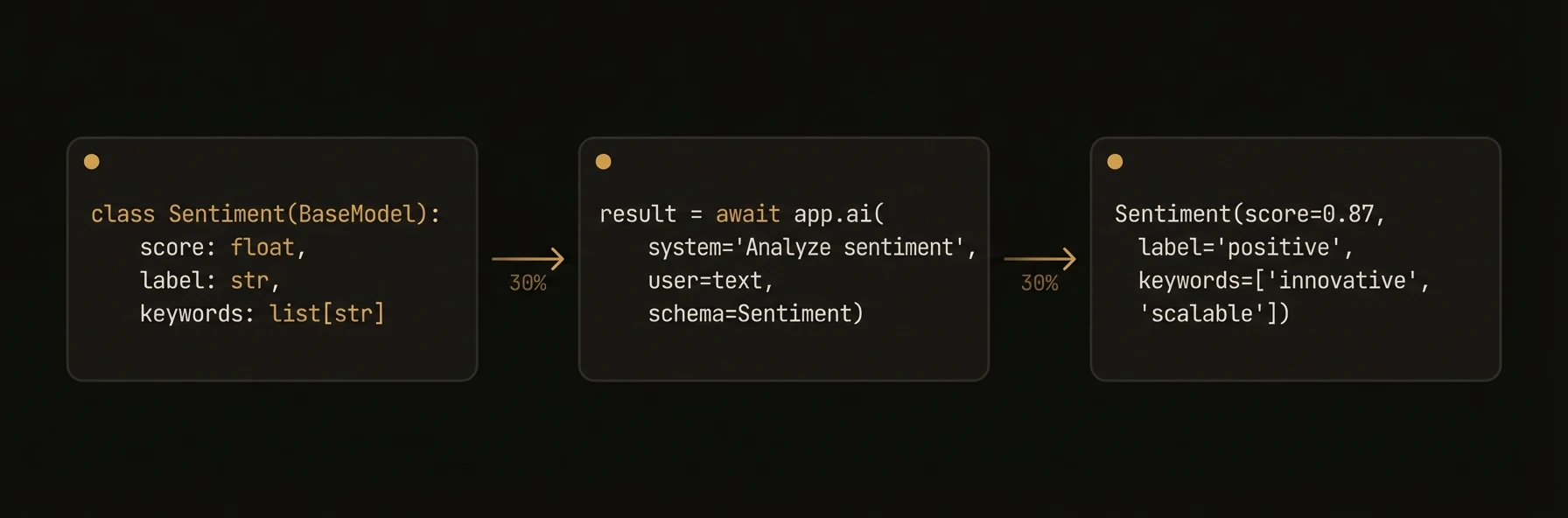 Call any LLM with a single method. Pass a prompt, get text back. Pass a schema, get a validated object back. Override the model, temperature, or any other parameter per-call without changing your agent config. Works with 100+ models via LiteLLM (Python), Vercel AI SDK (TypeScript), or OpenAI-compatible APIs (Go).
### Python
### TypeScript
### Go
## What just happened
The same `ai()` call handled three common production modes without changing your surrounding code: typed extraction with a schema, a cheap model override for simple classification, and a stronger model override for deeper analysis. The page’s main point is that you do not need separate client stacks for each of those paths.
---
### What You Get
- **Text generation** from 100+ LLMs via a single method call
- **Structured output** validated against Pydantic models (Python), Zod schemas (TypeScript), or Go structs
- **Automatic prompt trimming** to fit model context windows
- **Rate limit retry** with exponential backoff and circuit breaker
- **Model fallbacks** when primary model fails
- **Streaming** for real-time token delivery
- **Multimodal input** auto-detection for images, audio, and files
### Patterns
### System + User Prompts
The most common pattern separates instruction from input.
### Python
### TypeScript
### Go
### Structured Output
Schema-validated output eliminates parsing and handles malformed JSON automatically.
### Python
### TypeScript
### Go
### Model Override Per Call
Use different models for different tasks without reconfiguring the agent.
### Streaming
Stream tokens in real-time for interactive applications.
### Python
### TypeScript
### Model Fallbacks
Configure automatic fallback to alternative models when the primary fails.
If the primary model hits a rate limit or returns an error, the SDK automatically tries each fallback in order.
### Rate Limit Configuration
Fine-tune retry behavior for rate limits and transient errors via `AIConfig`.
| Field | Type | Default | Description |
|---|---|---|---|
| `rate_limit_max_retries` | `int` | `5` | Maximum retry attempts before failing |
| `rate_limit_base_delay` | `float` | `0.5` | Initial backoff delay in seconds |
| `rate_limit_max_delay` | `float` | `30.0` | Maximum backoff delay cap |
| `rate_limit_jitter_factor` | `float` | `0.25` | Random jitter factor (0.0 = none, 1.0 = full) |
| `rate_limit_circuit_breaker_threshold` | `int` | `5` | Consecutive failures to trip the circuit breaker |
| `rate_limit_circuit_breaker_timeout` | `int` | `30` | Seconds before attempting recovery |
### Cost Management
Set hard cost limits to prevent runaway spending.
| Field | Type | Default | Description |
|---|---|---|---|
| `max_cost_per_call` | `float` | `None` | Maximum estimated cost per individual AI call |
| `daily_budget` | `float` | `None` | Maximum daily spend across all calls (resets at midnight UTC) |
### Memory Scope Injection
Use `memory_scope` to automatically inject memory context into AI calls. The SDK fetches the specified scopes and appends their contents to the system prompt.
### Python
### Method Signatures
### Python
### TypeScript
AI methods are accessed via `ctx` inside reasoner/skill handlers:
### Go
**Options:** `WithSystem(s)`, `WithModel(m)`, `WithTemperature(t)`, `WithMaxTokens(n)`, `WithStream()`, `WithSchema(struct)`, `WithJSONMode()`, `WithAPIKey(k)`
### SDK Reference
| Feature | Python | TypeScript | Go |
|---|---|---|---|
| Method | `await app.ai(...)` | `await ctx.ai(...)` | `client.Complete(ctx, ...)` |
| Schema type | Pydantic `BaseModel` | Zod `z.object(...)` | Go struct with `json` tags |
| Streaming | `stream=True` | `ctx.aiStream(...)` | `ai.WithStream()` |
| System prompt | `system="..."` | `{ system: "..." }` | `ai.WithSystem("...")` |
| Model override | `model="openai/gpt-4o"` | `{ model: "gpt-4o" }` | `ai.WithModel("gpt-4o")` |
| Temperature | `temperature=0.7` | `{ temperature: 0.7 }` | `ai.WithTemperature(0.7)` |
| Max tokens | `max_tokens=1000` | `{ maxTokens: 1000 }` | `ai.WithMaxTokens(1000)` |
| JSON mode | `response_format="json"` | `{ mode: 'json' }` | `ai.WithJSONMode()` |
| Rate limit retry | Built-in (configurable) | Built-in (configurable) | Manual |
| Embeddings | Via LiteLLM | Via `AIClient.embed(...)` | N/A |
---
## Harness
URL: https://agentfield.ai/docs/build/intelligence/harness
Markdown: https://agentfield.ai/llm/docs/build/intelligence/harness
Last-Modified: 2026-03-24T16:54:10.000Z
Category: intelligence
Difficulty: intermediate
Keywords: harness, coding agent, claude code, codex, gemini, opencode, structured output, tools
Summary: Dispatch complex tasks to coding agents — Claude Code, Codex, Gemini CLI, and OpenCode
Call any LLM with a single method. Pass a prompt, get text back. Pass a schema, get a validated object back. Override the model, temperature, or any other parameter per-call without changing your agent config. Works with 100+ models via LiteLLM (Python), Vercel AI SDK (TypeScript), or OpenAI-compatible APIs (Go).
### Python
### TypeScript
### Go
## What just happened
The same `ai()` call handled three common production modes without changing your surrounding code: typed extraction with a schema, a cheap model override for simple classification, and a stronger model override for deeper analysis. The page’s main point is that you do not need separate client stacks for each of those paths.
---
### What You Get
- **Text generation** from 100+ LLMs via a single method call
- **Structured output** validated against Pydantic models (Python), Zod schemas (TypeScript), or Go structs
- **Automatic prompt trimming** to fit model context windows
- **Rate limit retry** with exponential backoff and circuit breaker
- **Model fallbacks** when primary model fails
- **Streaming** for real-time token delivery
- **Multimodal input** auto-detection for images, audio, and files
### Patterns
### System + User Prompts
The most common pattern separates instruction from input.
### Python
### TypeScript
### Go
### Structured Output
Schema-validated output eliminates parsing and handles malformed JSON automatically.
### Python
### TypeScript
### Go
### Model Override Per Call
Use different models for different tasks without reconfiguring the agent.
### Streaming
Stream tokens in real-time for interactive applications.
### Python
### TypeScript
### Model Fallbacks
Configure automatic fallback to alternative models when the primary fails.
If the primary model hits a rate limit or returns an error, the SDK automatically tries each fallback in order.
### Rate Limit Configuration
Fine-tune retry behavior for rate limits and transient errors via `AIConfig`.
| Field | Type | Default | Description |
|---|---|---|---|
| `rate_limit_max_retries` | `int` | `5` | Maximum retry attempts before failing |
| `rate_limit_base_delay` | `float` | `0.5` | Initial backoff delay in seconds |
| `rate_limit_max_delay` | `float` | `30.0` | Maximum backoff delay cap |
| `rate_limit_jitter_factor` | `float` | `0.25` | Random jitter factor (0.0 = none, 1.0 = full) |
| `rate_limit_circuit_breaker_threshold` | `int` | `5` | Consecutive failures to trip the circuit breaker |
| `rate_limit_circuit_breaker_timeout` | `int` | `30` | Seconds before attempting recovery |
### Cost Management
Set hard cost limits to prevent runaway spending.
| Field | Type | Default | Description |
|---|---|---|---|
| `max_cost_per_call` | `float` | `None` | Maximum estimated cost per individual AI call |
| `daily_budget` | `float` | `None` | Maximum daily spend across all calls (resets at midnight UTC) |
### Memory Scope Injection
Use `memory_scope` to automatically inject memory context into AI calls. The SDK fetches the specified scopes and appends their contents to the system prompt.
### Python
### Method Signatures
### Python
### TypeScript
AI methods are accessed via `ctx` inside reasoner/skill handlers:
### Go
**Options:** `WithSystem(s)`, `WithModel(m)`, `WithTemperature(t)`, `WithMaxTokens(n)`, `WithStream()`, `WithSchema(struct)`, `WithJSONMode()`, `WithAPIKey(k)`
### SDK Reference
| Feature | Python | TypeScript | Go |
|---|---|---|---|
| Method | `await app.ai(...)` | `await ctx.ai(...)` | `client.Complete(ctx, ...)` |
| Schema type | Pydantic `BaseModel` | Zod `z.object(...)` | Go struct with `json` tags |
| Streaming | `stream=True` | `ctx.aiStream(...)` | `ai.WithStream()` |
| System prompt | `system="..."` | `{ system: "..." }` | `ai.WithSystem("...")` |
| Model override | `model="openai/gpt-4o"` | `{ model: "gpt-4o" }` | `ai.WithModel("gpt-4o")` |
| Temperature | `temperature=0.7` | `{ temperature: 0.7 }` | `ai.WithTemperature(0.7)` |
| Max tokens | `max_tokens=1000` | `{ maxTokens: 1000 }` | `ai.WithMaxTokens(1000)` |
| JSON mode | `response_format="json"` | `{ mode: 'json' }` | `ai.WithJSONMode()` |
| Rate limit retry | Built-in (configurable) | Built-in (configurable) | Manual |
| Embeddings | Via LiteLLM | Via `AIClient.embed(...)` | N/A |
---
## Harness
URL: https://agentfield.ai/docs/build/intelligence/harness
Markdown: https://agentfield.ai/llm/docs/build/intelligence/harness
Last-Modified: 2026-03-24T16:54:10.000Z
Category: intelligence
Difficulty: intermediate
Keywords: harness, coding agent, claude code, codex, gemini, opencode, structured output, tools
Summary: Dispatch complex tasks to coding agents — Claude Code, Codex, Gemini CLI, and OpenCode
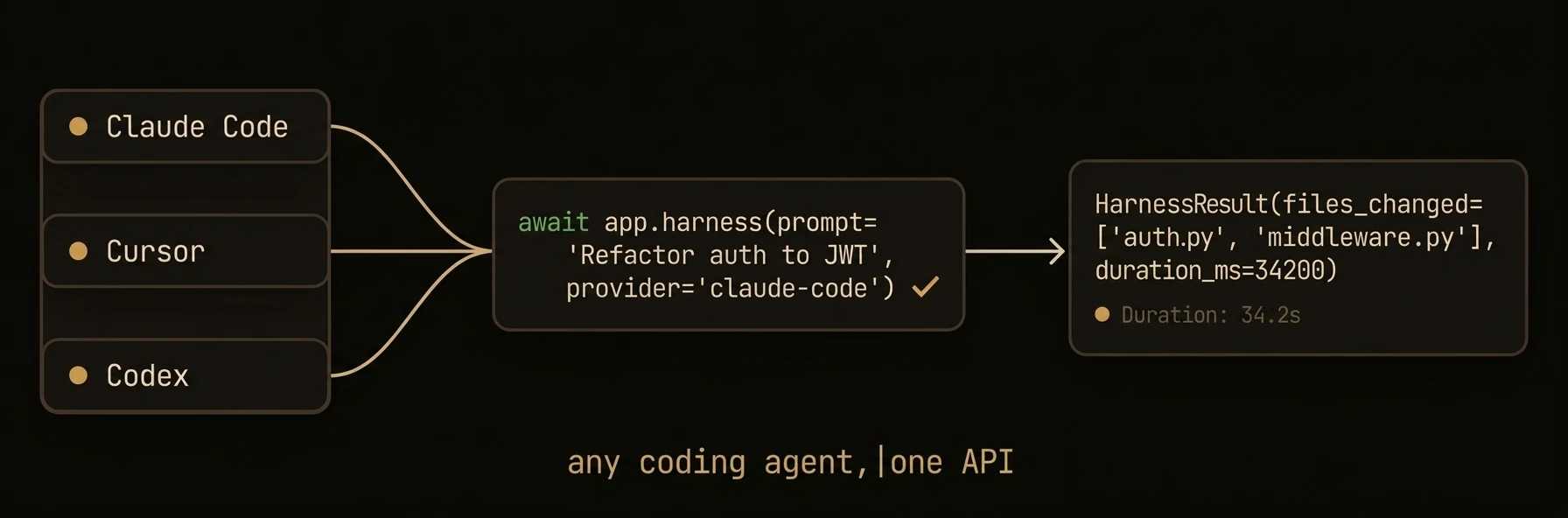 Dispatch complex tasks to coding agents that can read files, write code, run commands, and return structured results. Unlike `app.ai()` which makes a single LLM call, the harness spawns a multi-turn agent with full tool access -- Claude Code, Codex, Gemini CLI, or OpenCode -- that can navigate codebases, run tests, and produce verified output with cost controls.
### Python
### TypeScript
### Go
## What just happened
The harness example did not just call a model. It launched a coding agent with tool access, enforced turn and budget limits, and returned structured output with execution metrics. That is the main distinction this page needs to make visible immediately.
---
### How It Works
The harness uses a **file-write strategy** for structured output. Instead of parsing JSON from the LLM response text (which is brittle), the harness instructs the coding agent to write its output to a deterministic file path using its Write tool.
This approach works across all providers because every coding agent has a Write tool.
### Providers
### Claude Code
The default provider. Uses the `claude` CLI with `--print` mode for non-interactive execution.
### Codex
OpenAI's Codex CLI agent.
### Gemini CLI
Google's Gemini CLI agent.
### OpenCode
OpenCode agent with optional server mode for avoiding session bugs.
### Patterns
### Structured Output with Schema
The harness instructs the coding agent to write validated JSON to a file. On parse failure, it attempts cosmetic repair (fixing markdown fences, trailing commas, unclosed brackets), then sends a follow-up prompt, then retries from scratch.
### Cost-Capped Execution
Prevent runaway costs by setting a budget cap per call.
### Per-Call Provider Override
Override the configured provider for specific tasks.
### Error Handling
Check `is_error` and `failure_type` for robust error handling.
### HarnessConfig
Configure the harness at agent construction time. All fields can be overridden per-call.
| Field | Type | Default | Description |
|---|---|---|---|
| `provider` | `string` | (required) | `"claude-code"`, `"codex"`, `"gemini"`, or `"opencode"` |
| `model` | `string` | `"sonnet"` | Model identifier (provider-specific) |
| `max_turns` | `int` | `30` | Maximum agent iterations |
| `max_budget_usd` | `float?` | `None` | Cost cap in USD per call |
| `max_retries` | `int` | `3` | Retry attempts for transient errors |
| `initial_delay` | `float` | `1.0` | Initial retry delay in seconds |
| `max_delay` | `float` | `30.0` | Maximum retry delay in seconds |
| `backoff_factor` | `float` | `2.0` | Retry backoff multiplier |
| `tools` | `list[str]` | `["Read","Write","Edit","Bash","Glob","Grep"]` | Allowed tools |
| `permission_mode` | `string?` | `None` | `"plan"`, `"auto"`, or `None` |
| `system_prompt` | `string?` | `None` | Default system prompt |
| `env` | `dict` | `{}` | Environment variables for the agent process |
| `cwd` | `string?` | `None` | Working directory |
| `project_dir` | `string?` | `None` | Project directory for agent exploration |
### HarnessResult
Every harness call returns a `HarnessResult` with full observability.
| Field | Type | Description |
|---|---|---|
| `result` | `string?` | Raw text output from the coding agent |
| `parsed` | `Any?` | Schema-validated object (if schema was provided) |
| `is_error` | `bool` | Whether the execution failed |
| `error_message` | `string?` | Error description on failure |
| `failure_type` | `FailureType` | `none`, `crash`, `timeout`, `api_error`, `no_output`, `schema` *(Python/Go only — not available in TypeScript SDK)* |
| `cost_usd` | `float?` | Total cost of the execution |
| `num_turns` | `int` | Number of agent iterations |
| `duration_ms` | `int` | Wall-clock execution time |
| `session_id` | `string` | Provider session identifier |
| `messages` | `list[dict]` | Full conversation history |
| `text` | `string` | Property -- returns `result` or empty string |
---
## Media Generation
URL: https://agentfield.ai/docs/build/intelligence/media-generation
Markdown: https://agentfield.ai/llm/docs/build/intelligence/media-generation
Last-Modified: 2026-03-24T16:54:10.000Z
Category: intelligence
Difficulty: intermediate
Keywords: media, image, video, audio, tts, transcription, fal, generation, multimodal-output
Summary: Generate images, video, audio, and transcriptions with a unified API backed by pluggable media providers.
Dispatch complex tasks to coding agents that can read files, write code, run commands, and return structured results. Unlike `app.ai()` which makes a single LLM call, the harness spawns a multi-turn agent with full tool access -- Claude Code, Codex, Gemini CLI, or OpenCode -- that can navigate codebases, run tests, and produce verified output with cost controls.
### Python
### TypeScript
### Go
## What just happened
The harness example did not just call a model. It launched a coding agent with tool access, enforced turn and budget limits, and returned structured output with execution metrics. That is the main distinction this page needs to make visible immediately.
---
### How It Works
The harness uses a **file-write strategy** for structured output. Instead of parsing JSON from the LLM response text (which is brittle), the harness instructs the coding agent to write its output to a deterministic file path using its Write tool.
This approach works across all providers because every coding agent has a Write tool.
### Providers
### Claude Code
The default provider. Uses the `claude` CLI with `--print` mode for non-interactive execution.
### Codex
OpenAI's Codex CLI agent.
### Gemini CLI
Google's Gemini CLI agent.
### OpenCode
OpenCode agent with optional server mode for avoiding session bugs.
### Patterns
### Structured Output with Schema
The harness instructs the coding agent to write validated JSON to a file. On parse failure, it attempts cosmetic repair (fixing markdown fences, trailing commas, unclosed brackets), then sends a follow-up prompt, then retries from scratch.
### Cost-Capped Execution
Prevent runaway costs by setting a budget cap per call.
### Per-Call Provider Override
Override the configured provider for specific tasks.
### Error Handling
Check `is_error` and `failure_type` for robust error handling.
### HarnessConfig
Configure the harness at agent construction time. All fields can be overridden per-call.
| Field | Type | Default | Description |
|---|---|---|---|
| `provider` | `string` | (required) | `"claude-code"`, `"codex"`, `"gemini"`, or `"opencode"` |
| `model` | `string` | `"sonnet"` | Model identifier (provider-specific) |
| `max_turns` | `int` | `30` | Maximum agent iterations |
| `max_budget_usd` | `float?` | `None` | Cost cap in USD per call |
| `max_retries` | `int` | `3` | Retry attempts for transient errors |
| `initial_delay` | `float` | `1.0` | Initial retry delay in seconds |
| `max_delay` | `float` | `30.0` | Maximum retry delay in seconds |
| `backoff_factor` | `float` | `2.0` | Retry backoff multiplier |
| `tools` | `list[str]` | `["Read","Write","Edit","Bash","Glob","Grep"]` | Allowed tools |
| `permission_mode` | `string?` | `None` | `"plan"`, `"auto"`, or `None` |
| `system_prompt` | `string?` | `None` | Default system prompt |
| `env` | `dict` | `{}` | Environment variables for the agent process |
| `cwd` | `string?` | `None` | Working directory |
| `project_dir` | `string?` | `None` | Project directory for agent exploration |
### HarnessResult
Every harness call returns a `HarnessResult` with full observability.
| Field | Type | Description |
|---|---|---|
| `result` | `string?` | Raw text output from the coding agent |
| `parsed` | `Any?` | Schema-validated object (if schema was provided) |
| `is_error` | `bool` | Whether the execution failed |
| `error_message` | `string?` | Error description on failure |
| `failure_type` | `FailureType` | `none`, `crash`, `timeout`, `api_error`, `no_output`, `schema` *(Python/Go only — not available in TypeScript SDK)* |
| `cost_usd` | `float?` | Total cost of the execution |
| `num_turns` | `int` | Number of agent iterations |
| `duration_ms` | `int` | Wall-clock execution time |
| `session_id` | `string` | Provider session identifier |
| `messages` | `list[dict]` | Full conversation history |
| `text` | `string` | Property -- returns `result` or empty string |
---
## Media Generation
URL: https://agentfield.ai/docs/build/intelligence/media-generation
Markdown: https://agentfield.ai/llm/docs/build/intelligence/media-generation
Last-Modified: 2026-03-24T16:54:10.000Z
Category: intelligence
Difficulty: intermediate
Keywords: media, image, video, audio, tts, transcription, fal, generation, multimodal-output
Summary: Generate images, video, audio, and transcriptions with a unified API backed by pluggable media providers.
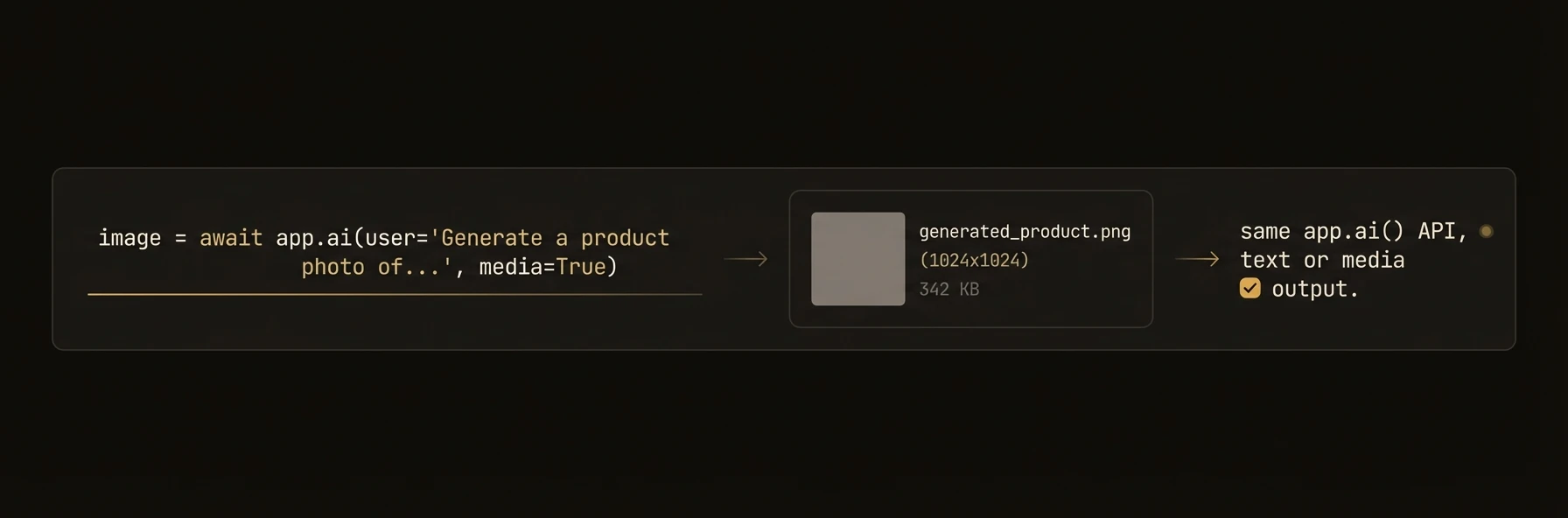 > Generate images, audio, video, and transcriptions from your agents -- same method pattern as `app.ai()`.
Agents that generate reports, product listings, marketing content, or customer-facing assets often need more than text. AgentField's media generation API lets you create images, narrate text, produce video, and transcribe audio through a unified interface backed by pluggable providers like fal.ai, DALL-E, and ElevenLabs.
### Python
### TypeScript
### Go
## What you get back
The example did four output-producing operations in one workflow: image generation, audio generation, video generation, and transcription. The point to emphasize above the fold is that those outputs come back as typed objects with saveable files and URLs, not as ad hoc provider responses you have to normalize yourself.
### What you get
- **Unified generation API** -- `ai_generate_image()`, `ai_generate_video()`, `ai_generate_audio()`, `ai_transcribe_audio()` with consistent signatures.
- **Pluggable providers** -- FalProvider (fal.ai), LiteLLMProvider (DALL-E, OpenAI TTS), OpenRouterProvider. Register custom providers.
- **Rich output types** -- `MultimodalResponse` with `.images` (list of `ImageOutput`), `.audio` (`AudioOutput`), `.files` (list of `FileOutput`), all with `.save()` and `.get_bytes()` methods.
- **Model override per call** -- use different models for different media types without reconfiguring.
- **Cross-agent access** -- TypeScript and Go agents can use media generation via agent-to-agent calls to Python agents.
### Media providers
AgentField uses a pluggable provider system for media generation. Each provider wraps an external API and returns standardized output types.
### Built-in Providers
| Provider | Key | Supports | Models |
|---|---|---|---|
| **FalProvider** | `"fal"` | Images, video, audio | `fal-ai/flux/schnell`, `fal-ai/flux/dev`, `fal-ai/minimax-video/image-to-video`, `fal-ai/f5-tts` |
| **LiteLLMProvider** | `"litellm"` | Images, audio | `openai/dall-e-3`, `openai/tts-1` |
| **OpenRouterProvider** | `"openrouter"` | Images | Models available via OpenRouter |
### Configuration
### Custom Providers
### Output types
All generation methods return typed output objects with convenience methods.
### ImageOutput
| Property / Method | Type | Description |
|---|---|---|
| `.url` | `str?` | CDN or presigned URL for the generated image |
| `.b64_json` | `str?` | Base64-encoded image data (when available) |
| `.revised_prompt` | `str?` | Revised prompt used for generation |
| `.save(path)` | `None` | Save image to local file |
| `.show()` | `None` | Display image (requires Pillow) |
| `.get_bytes()` | `bytes` | Raw image bytes |
### AudioOutput
| Property / Method | Type | Description |
|---|---|---|
| `.url` | `str?` | URL for the generated audio |
| `.data` | `str?` | Base64-encoded audio data |
| `.format` | `str` | Audio format (`"wav"`, `"mp3"`, etc.) |
| `.save(path)` | `None` | Save audio to local file |
| `.play()` | `None` | Play audio (requires pygame) |
| `.get_bytes()` | `bytes` | Raw audio bytes |
### FileOutput (Video)
Video generation results are returned as `FileOutput` objects in the `MultimodalResponse.files` list.
| Property / Method | Type | Description |
|---|---|---|
| `.url` | `str?` | URL for the generated file |
| `.data` | `str?` | Base64-encoded file data |
| `.mime_type` | `str?` | MIME type of the file |
| `.filename` | `str?` | Suggested filename |
| `.save(path)` | `None` | Save file to local disk |
| `.get_bytes()` | `bytes` | Raw file bytes |
### Transcription
Transcription returns a `MultimodalResponse` -- use `.text` for the transcribed text and `.raw_response` for provider-specific details like segments.
### Patterns
### Multi-Format Content Generation
Generate a complete content package from a single input.
### Transcription Pipeline
Process uploaded audio files and extract structured data.
### Dynamic Media in Agent Workflows
Combine media generation with cross-agent calls for rich workflows.
### SDK reference
### Python Methods
| Method | Description | Returns |
|---|---|---|
| `await app.ai_generate_image(prompt, model=, size=, quality=, style=)` | Generate an image from a text prompt | `MultimodalResponse` |
| `await app.ai_generate_video(prompt, model=, image_url=, duration=)` | Generate a video from a text prompt | `MultimodalResponse` |
| `await app.ai_generate_audio(text, model=, voice=, format=, speed=)` | Generate audio / TTS from text | `MultimodalResponse` |
| `await app.ai_transcribe_audio(audio_url, model=, language=)` | Transcribe audio to text | `MultimodalResponse` |
### Provider Management
| Operation | Python |
|---|---|
| Get provider | `get_provider("fal", api_key="...")` |
| Register provider | `register_provider("name", MyProviderClass)` |
| Set fal API key | `AIConfig(fal_api_key="...")` or `FAL_KEY` env var |
---
## Models
URL: https://agentfield.ai/docs/build/intelligence/models
Markdown: https://agentfield.ai/llm/docs/build/intelligence/models
Last-Modified: 2026-03-24T16:54:10.000Z
Category: intelligence
Difficulty: beginner
Keywords: models, llm, litellm, openai, anthropic, google, mistral, deepseek, ollama, config, cost
Summary: 100+ LLMs via LiteLLM — model-agnostic configuration, cost controls, and rate limiting
> Generate images, audio, video, and transcriptions from your agents -- same method pattern as `app.ai()`.
Agents that generate reports, product listings, marketing content, or customer-facing assets often need more than text. AgentField's media generation API lets you create images, narrate text, produce video, and transcribe audio through a unified interface backed by pluggable providers like fal.ai, DALL-E, and ElevenLabs.
### Python
### TypeScript
### Go
## What you get back
The example did four output-producing operations in one workflow: image generation, audio generation, video generation, and transcription. The point to emphasize above the fold is that those outputs come back as typed objects with saveable files and URLs, not as ad hoc provider responses you have to normalize yourself.
### What you get
- **Unified generation API** -- `ai_generate_image()`, `ai_generate_video()`, `ai_generate_audio()`, `ai_transcribe_audio()` with consistent signatures.
- **Pluggable providers** -- FalProvider (fal.ai), LiteLLMProvider (DALL-E, OpenAI TTS), OpenRouterProvider. Register custom providers.
- **Rich output types** -- `MultimodalResponse` with `.images` (list of `ImageOutput`), `.audio` (`AudioOutput`), `.files` (list of `FileOutput`), all with `.save()` and `.get_bytes()` methods.
- **Model override per call** -- use different models for different media types without reconfiguring.
- **Cross-agent access** -- TypeScript and Go agents can use media generation via agent-to-agent calls to Python agents.
### Media providers
AgentField uses a pluggable provider system for media generation. Each provider wraps an external API and returns standardized output types.
### Built-in Providers
| Provider | Key | Supports | Models |
|---|---|---|---|
| **FalProvider** | `"fal"` | Images, video, audio | `fal-ai/flux/schnell`, `fal-ai/flux/dev`, `fal-ai/minimax-video/image-to-video`, `fal-ai/f5-tts` |
| **LiteLLMProvider** | `"litellm"` | Images, audio | `openai/dall-e-3`, `openai/tts-1` |
| **OpenRouterProvider** | `"openrouter"` | Images | Models available via OpenRouter |
### Configuration
### Custom Providers
### Output types
All generation methods return typed output objects with convenience methods.
### ImageOutput
| Property / Method | Type | Description |
|---|---|---|
| `.url` | `str?` | CDN or presigned URL for the generated image |
| `.b64_json` | `str?` | Base64-encoded image data (when available) |
| `.revised_prompt` | `str?` | Revised prompt used for generation |
| `.save(path)` | `None` | Save image to local file |
| `.show()` | `None` | Display image (requires Pillow) |
| `.get_bytes()` | `bytes` | Raw image bytes |
### AudioOutput
| Property / Method | Type | Description |
|---|---|---|
| `.url` | `str?` | URL for the generated audio |
| `.data` | `str?` | Base64-encoded audio data |
| `.format` | `str` | Audio format (`"wav"`, `"mp3"`, etc.) |
| `.save(path)` | `None` | Save audio to local file |
| `.play()` | `None` | Play audio (requires pygame) |
| `.get_bytes()` | `bytes` | Raw audio bytes |
### FileOutput (Video)
Video generation results are returned as `FileOutput` objects in the `MultimodalResponse.files` list.
| Property / Method | Type | Description |
|---|---|---|
| `.url` | `str?` | URL for the generated file |
| `.data` | `str?` | Base64-encoded file data |
| `.mime_type` | `str?` | MIME type of the file |
| `.filename` | `str?` | Suggested filename |
| `.save(path)` | `None` | Save file to local disk |
| `.get_bytes()` | `bytes` | Raw file bytes |
### Transcription
Transcription returns a `MultimodalResponse` -- use `.text` for the transcribed text and `.raw_response` for provider-specific details like segments.
### Patterns
### Multi-Format Content Generation
Generate a complete content package from a single input.
### Transcription Pipeline
Process uploaded audio files and extract structured data.
### Dynamic Media in Agent Workflows
Combine media generation with cross-agent calls for rich workflows.
### SDK reference
### Python Methods
| Method | Description | Returns |
|---|---|---|
| `await app.ai_generate_image(prompt, model=, size=, quality=, style=)` | Generate an image from a text prompt | `MultimodalResponse` |
| `await app.ai_generate_video(prompt, model=, image_url=, duration=)` | Generate a video from a text prompt | `MultimodalResponse` |
| `await app.ai_generate_audio(text, model=, voice=, format=, speed=)` | Generate audio / TTS from text | `MultimodalResponse` |
| `await app.ai_transcribe_audio(audio_url, model=, language=)` | Transcribe audio to text | `MultimodalResponse` |
### Provider Management
| Operation | Python |
|---|---|
| Get provider | `get_provider("fal", api_key="...")` |
| Register provider | `register_provider("name", MyProviderClass)` |
| Set fal API key | `AIConfig(fal_api_key="...")` or `FAL_KEY` env var |
---
## Models
URL: https://agentfield.ai/docs/build/intelligence/models
Markdown: https://agentfield.ai/llm/docs/build/intelligence/models
Last-Modified: 2026-03-24T16:54:10.000Z
Category: intelligence
Difficulty: beginner
Keywords: models, llm, litellm, openai, anthropic, google, mistral, deepseek, ollama, config, cost
Summary: 100+ LLMs via LiteLLM — model-agnostic configuration, cost controls, and rate limiting
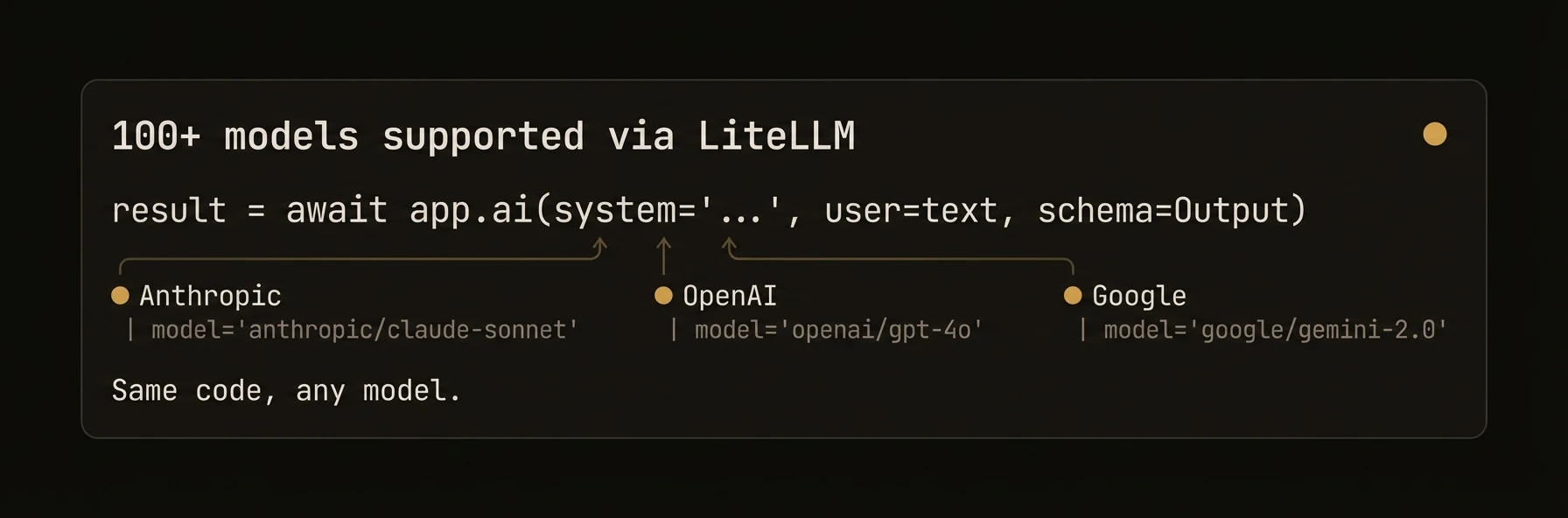 Use any LLM. Switch models per-call. Set cost caps. Auto-retry on rate limits. AgentField is model-agnostic -- the Python SDK routes through LiteLLM for 100+ models from every major provider, TypeScript uses the Vercel AI SDK, and Go uses OpenAI-compatible HTTP APIs directly.
### Python
### TypeScript
### Go
| Provider | Python (LiteLLM) | TypeScript (Vercel AI) | Go (HTTP) |
|---|---|---|---|
| OpenAI | `openai/gpt-4o` | `openai` provider | Default |
| Anthropic | `anthropic/claude-sonnet-4-20250514` | `anthropic` provider | Via OpenRouter |
| Google Gemini | `gemini/gemini-2.5-pro` | `google` provider | Via OpenRouter |
| Mistral | `mistral/mistral-large-latest` | `mistral` provider | Via OpenRouter |
| DeepSeek | `deepseek/deepseek-chat` | `deepseek` provider | Via OpenRouter |
| Groq | `groq/llama-3.1-70b` | `groq` provider | Via OpenRouter |
| xAI | `xai/grok-2` | `xai` provider | Via OpenRouter |
| Cohere | `cohere/command-r-plus` | `cohere` provider | Via OpenRouter |
| OpenRouter | `openrouter/...` | `openrouter` provider | Native |
| Ollama | `ollama/llama3` | `ollama` provider | Native |
| Azure OpenAI | `azure/gpt-4o` | Via OpenAI adapter | Via URL |
| AWS Bedrock | `bedrock/...` | N/A | N/A |
## What just happened
The example set a default model once and then overrode it only where the task changed. That is the practical pattern this page should teach: keep one baseline model for most calls, then switch to a cheaper or stronger model per execution instead of rebuilding your agent around provider-specific clients.
---
### Configuration Examples
### Minimal Setup
### Cost-Conscious Production
### Multi-Provider Resilience
### Local Models with Ollama
### TypeScript with Anthropic
### Go with OpenRouter
### Model Selection Guide
| Use Case | Recommended | Why |
|---|---|---|
| General tasks | `openai/gpt-4o` | Good balance of capability and cost |
| Fast classification | `openai/gpt-4o-mini` | 10x cheaper, fast |
| Deep reasoning | `anthropic/claude-sonnet-4-20250514` | Best for code and analysis |
| Long context | `openrouter/google/gemini-2.5-pro` | 2M token context window |
| Budget-friendly | `deepseek/deepseek-chat` | Strong capability at low cost |
| Local/private | `ollama/llama3` | No data leaves your machine |
| Maximum quality | `anthropic/claude-opus-4-20250514` | Best reasoning, highest cost |
### AIConfig (Python)
The `AIConfig` class controls all LLM behavior. Set defaults at agent construction time, override per-call.
### Core Fields
| Field | Type | Default | Description |
|---|---|---|---|
| `model` | `str` | `"gpt-4o"` | Default model (use `provider/model` format for LiteLLM) |
| `temperature` | `float?` | `None` | Creativity (0.0-2.0). None = model default |
| `max_tokens` | `int?` | `None` | Maximum response tokens. None = model default |
| `top_p` | `float?` | `None` | Nucleus sampling (0.0-1.0). None = model default |
| `stream` | `bool?` | `None` | Enable streaming. None = model default |
| `response_format` | `str` | `"auto"` | `"auto"`, `"json"`, or `"text"` |
### API Configuration
| Field | Type | Default | Description |
|---|---|---|---|
| `api_key` | `str?` | `None` | API key (overrides env vars) |
| `api_base` | `str?` | `None` | Custom API base URL |
| `api_version` | `str?` | `None` | API version (for Azure) |
| `organization` | `str?` | `None` | Organization ID (for OpenAI) |
| `litellm_params` | `dict` | `{}` | Additional LiteLLM parameters |
### Multimodal Models
| Field | Type | Default | Description |
|---|---|---|---|
| `vision_model` | `str` | `"dall-e-3"` | Model for image generation |
| `audio_model` | `str` | `"tts-1"` | Model for speech generation |
| `video_model` | `str` | `"fal-ai/minimax-video/image-to-video"` | Model for video generation |
| `image_quality` | `str` | `"high"` | `"low"` or `"high"` |
| `audio_format` | `str` | `"wav"` | Default audio format |
| `fal_api_key` | `str?` | `None` | Fal.ai API key (or `FAL_KEY` env var) |
### Cost Controls
| Field | Type | Default | Description |
|---|---|---|---|
| `max_cost_per_call` | `float?` | `None` | Maximum cost per AI call in USD |
| `daily_budget` | `float?` | `None` | Daily budget for AI calls in USD |
### Rate Limiting
| Field | Type | Default | Description |
|---|---|---|---|
| `enable_rate_limit_retry` | `bool` | `True` | Auto-retry on rate limit errors |
| `rate_limit_max_retries` | `int` | `5` | Maximum retry attempts |
| `rate_limit_base_delay` | `float` | `0.5` | Base delay for exponential backoff (seconds) |
| `rate_limit_max_delay` | `float` | `30.0` | Maximum backoff delay (seconds) |
| `rate_limit_jitter_factor` | `float` | `0.25` | Randomization factor (+/- 25%) |
| `rate_limit_circuit_breaker_threshold` | `int` | `5` | Consecutive failures before circuit opens |
| `rate_limit_circuit_breaker_timeout` | `int` | `30` | Circuit breaker timeout (seconds) |
### Resilience
| Field | Type | Default | Description |
|---|---|---|---|
| `fallback_models` | `list[str]` | `[]` | Models to try if primary fails |
| `timeout` | `int?` | `None` | Call timeout in seconds |
| `retry_attempts` | `int?` | `None` | Retry attempts for failed calls |
| `retry_delay` | `float` | `1.0` | Delay between retries (seconds) |
### Context Management
| Field | Type | Default | Description |
|---|---|---|---|
| `max_input_tokens` | `int?` | `None` | Max input tokens (overrides auto-detection) |
| `preserve_context` | `bool` | `True` | Preserve conversation context |
| `context_window` | `int` | `10` | Previous messages to include |
| `auto_inject_memory` | `list[str]` | `[]` | Memory scopes to auto-inject |
### AIConfig (TypeScript)
The TypeScript SDK uses the Vercel AI SDK and requires an explicit provider.
| Field | Type | Default | Description |
|---|---|---|---|
| `provider` | `string` | `"openai"` | `"openai"`, `"anthropic"`, `"google"`, `"mistral"`, `"groq"`, `"xai"`, `"deepseek"`, `"cohere"`, `"openrouter"`, `"ollama"` |
| `model` | `string?` | `"gpt-4o"` | Model name |
| `embeddingModel` | `string?` | `None` | Embedding model |
| `apiKey` | `string?` | `None` | API key |
| `baseUrl` | `string?` | `None` | Custom base URL |
| `temperature` | `number?` | `None` | Creativity (0.0-2.0) |
| `maxTokens` | `number?` | `None` | Maximum response tokens |
| `enableRateLimitRetry` | `bool` | `true` | Auto-retry on rate limits |
| `rateLimitMaxRetries` | `number` | `20` | Maximum retry attempts |
| `rateLimitBaseDelay` | `number` | `1.0` | Base delay (seconds) |
| `rateLimitMaxDelay` | `number` | `300.0` | Maximum delay (seconds) |
### Config (Go)
The Go SDK uses a simple config struct for OpenAI-compatible APIs.
| Field | Type | Default | Description |
|---|---|---|---|
| `APIKey` | `string` | `OPENAI_API_KEY` env | API key |
| `BaseURL` | `string` | `https://api.openai.com/v1` | API endpoint |
| `Model` | `string` | `"gpt-4o"` | Default model |
| `Temperature` | `float64` | `0.7` | Creativity |
| `MaxTokens` | `int` | `4096` | Maximum tokens |
| `Timeout` | `time.Duration` | `30s` | HTTP timeout |
| `SiteURL` | `string` | `""` | OpenRouter site URL |
| `SiteName` | `string` | `""` | OpenRouter site name |
The Go SDK auto-detects OpenRouter from the `OPENROUTER_API_KEY` environment variable.
### Environment Variables
Set API keys via environment variables. The SDK picks them up automatically.
| Variable | Provider |
|---|---|
| `OPENAI_API_KEY` | OpenAI |
| `ANTHROPIC_API_KEY` | Anthropic |
| `GOOGLE_API_KEY` | Google Gemini |
| `MISTRAL_API_KEY` | Mistral |
| `DEEPSEEK_API_KEY` | DeepSeek |
| `GROQ_API_KEY` | Groq |
| `XAI_API_KEY` | xAI |
| `COHERE_API_KEY` | Cohere |
| `OPENROUTER_API_KEY` | OpenRouter |
| `AZURE_OPENAI_API_KEY` | Azure OpenAI |
| `FAL_KEY` | Fal.ai (media generation) |
---
## Multimodal
URL: https://agentfield.ai/docs/build/intelligence/multimodal
Markdown: https://agentfield.ai/llm/docs/build/intelligence/multimodal
Last-Modified: 2026-03-24T15:33:27.000Z
Category: intelligence
Difficulty: intermediate
Keywords: multimodal, vision, audio, image, video, generation, fal, dall-e, tts, speech
Summary: Vision, audio, and media generation — images, speech, and video through a unified interface
Use any LLM. Switch models per-call. Set cost caps. Auto-retry on rate limits. AgentField is model-agnostic -- the Python SDK routes through LiteLLM for 100+ models from every major provider, TypeScript uses the Vercel AI SDK, and Go uses OpenAI-compatible HTTP APIs directly.
### Python
### TypeScript
### Go
| Provider | Python (LiteLLM) | TypeScript (Vercel AI) | Go (HTTP) |
|---|---|---|---|
| OpenAI | `openai/gpt-4o` | `openai` provider | Default |
| Anthropic | `anthropic/claude-sonnet-4-20250514` | `anthropic` provider | Via OpenRouter |
| Google Gemini | `gemini/gemini-2.5-pro` | `google` provider | Via OpenRouter |
| Mistral | `mistral/mistral-large-latest` | `mistral` provider | Via OpenRouter |
| DeepSeek | `deepseek/deepseek-chat` | `deepseek` provider | Via OpenRouter |
| Groq | `groq/llama-3.1-70b` | `groq` provider | Via OpenRouter |
| xAI | `xai/grok-2` | `xai` provider | Via OpenRouter |
| Cohere | `cohere/command-r-plus` | `cohere` provider | Via OpenRouter |
| OpenRouter | `openrouter/...` | `openrouter` provider | Native |
| Ollama | `ollama/llama3` | `ollama` provider | Native |
| Azure OpenAI | `azure/gpt-4o` | Via OpenAI adapter | Via URL |
| AWS Bedrock | `bedrock/...` | N/A | N/A |
## What just happened
The example set a default model once and then overrode it only where the task changed. That is the practical pattern this page should teach: keep one baseline model for most calls, then switch to a cheaper or stronger model per execution instead of rebuilding your agent around provider-specific clients.
---
### Configuration Examples
### Minimal Setup
### Cost-Conscious Production
### Multi-Provider Resilience
### Local Models with Ollama
### TypeScript with Anthropic
### Go with OpenRouter
### Model Selection Guide
| Use Case | Recommended | Why |
|---|---|---|
| General tasks | `openai/gpt-4o` | Good balance of capability and cost |
| Fast classification | `openai/gpt-4o-mini` | 10x cheaper, fast |
| Deep reasoning | `anthropic/claude-sonnet-4-20250514` | Best for code and analysis |
| Long context | `openrouter/google/gemini-2.5-pro` | 2M token context window |
| Budget-friendly | `deepseek/deepseek-chat` | Strong capability at low cost |
| Local/private | `ollama/llama3` | No data leaves your machine |
| Maximum quality | `anthropic/claude-opus-4-20250514` | Best reasoning, highest cost |
### AIConfig (Python)
The `AIConfig` class controls all LLM behavior. Set defaults at agent construction time, override per-call.
### Core Fields
| Field | Type | Default | Description |
|---|---|---|---|
| `model` | `str` | `"gpt-4o"` | Default model (use `provider/model` format for LiteLLM) |
| `temperature` | `float?` | `None` | Creativity (0.0-2.0). None = model default |
| `max_tokens` | `int?` | `None` | Maximum response tokens. None = model default |
| `top_p` | `float?` | `None` | Nucleus sampling (0.0-1.0). None = model default |
| `stream` | `bool?` | `None` | Enable streaming. None = model default |
| `response_format` | `str` | `"auto"` | `"auto"`, `"json"`, or `"text"` |
### API Configuration
| Field | Type | Default | Description |
|---|---|---|---|
| `api_key` | `str?` | `None` | API key (overrides env vars) |
| `api_base` | `str?` | `None` | Custom API base URL |
| `api_version` | `str?` | `None` | API version (for Azure) |
| `organization` | `str?` | `None` | Organization ID (for OpenAI) |
| `litellm_params` | `dict` | `{}` | Additional LiteLLM parameters |
### Multimodal Models
| Field | Type | Default | Description |
|---|---|---|---|
| `vision_model` | `str` | `"dall-e-3"` | Model for image generation |
| `audio_model` | `str` | `"tts-1"` | Model for speech generation |
| `video_model` | `str` | `"fal-ai/minimax-video/image-to-video"` | Model for video generation |
| `image_quality` | `str` | `"high"` | `"low"` or `"high"` |
| `audio_format` | `str` | `"wav"` | Default audio format |
| `fal_api_key` | `str?` | `None` | Fal.ai API key (or `FAL_KEY` env var) |
### Cost Controls
| Field | Type | Default | Description |
|---|---|---|---|
| `max_cost_per_call` | `float?` | `None` | Maximum cost per AI call in USD |
| `daily_budget` | `float?` | `None` | Daily budget for AI calls in USD |
### Rate Limiting
| Field | Type | Default | Description |
|---|---|---|---|
| `enable_rate_limit_retry` | `bool` | `True` | Auto-retry on rate limit errors |
| `rate_limit_max_retries` | `int` | `5` | Maximum retry attempts |
| `rate_limit_base_delay` | `float` | `0.5` | Base delay for exponential backoff (seconds) |
| `rate_limit_max_delay` | `float` | `30.0` | Maximum backoff delay (seconds) |
| `rate_limit_jitter_factor` | `float` | `0.25` | Randomization factor (+/- 25%) |
| `rate_limit_circuit_breaker_threshold` | `int` | `5` | Consecutive failures before circuit opens |
| `rate_limit_circuit_breaker_timeout` | `int` | `30` | Circuit breaker timeout (seconds) |
### Resilience
| Field | Type | Default | Description |
|---|---|---|---|
| `fallback_models` | `list[str]` | `[]` | Models to try if primary fails |
| `timeout` | `int?` | `None` | Call timeout in seconds |
| `retry_attempts` | `int?` | `None` | Retry attempts for failed calls |
| `retry_delay` | `float` | `1.0` | Delay between retries (seconds) |
### Context Management
| Field | Type | Default | Description |
|---|---|---|---|
| `max_input_tokens` | `int?` | `None` | Max input tokens (overrides auto-detection) |
| `preserve_context` | `bool` | `True` | Preserve conversation context |
| `context_window` | `int` | `10` | Previous messages to include |
| `auto_inject_memory` | `list[str]` | `[]` | Memory scopes to auto-inject |
### AIConfig (TypeScript)
The TypeScript SDK uses the Vercel AI SDK and requires an explicit provider.
| Field | Type | Default | Description |
|---|---|---|---|
| `provider` | `string` | `"openai"` | `"openai"`, `"anthropic"`, `"google"`, `"mistral"`, `"groq"`, `"xai"`, `"deepseek"`, `"cohere"`, `"openrouter"`, `"ollama"` |
| `model` | `string?` | `"gpt-4o"` | Model name |
| `embeddingModel` | `string?` | `None` | Embedding model |
| `apiKey` | `string?` | `None` | API key |
| `baseUrl` | `string?` | `None` | Custom base URL |
| `temperature` | `number?` | `None` | Creativity (0.0-2.0) |
| `maxTokens` | `number?` | `None` | Maximum response tokens |
| `enableRateLimitRetry` | `bool` | `true` | Auto-retry on rate limits |
| `rateLimitMaxRetries` | `number` | `20` | Maximum retry attempts |
| `rateLimitBaseDelay` | `number` | `1.0` | Base delay (seconds) |
| `rateLimitMaxDelay` | `number` | `300.0` | Maximum delay (seconds) |
### Config (Go)
The Go SDK uses a simple config struct for OpenAI-compatible APIs.
| Field | Type | Default | Description |
|---|---|---|---|
| `APIKey` | `string` | `OPENAI_API_KEY` env | API key |
| `BaseURL` | `string` | `https://api.openai.com/v1` | API endpoint |
| `Model` | `string` | `"gpt-4o"` | Default model |
| `Temperature` | `float64` | `0.7` | Creativity |
| `MaxTokens` | `int` | `4096` | Maximum tokens |
| `Timeout` | `time.Duration` | `30s` | HTTP timeout |
| `SiteURL` | `string` | `""` | OpenRouter site URL |
| `SiteName` | `string` | `""` | OpenRouter site name |
The Go SDK auto-detects OpenRouter from the `OPENROUTER_API_KEY` environment variable.
### Environment Variables
Set API keys via environment variables. The SDK picks them up automatically.
| Variable | Provider |
|---|---|
| `OPENAI_API_KEY` | OpenAI |
| `ANTHROPIC_API_KEY` | Anthropic |
| `GOOGLE_API_KEY` | Google Gemini |
| `MISTRAL_API_KEY` | Mistral |
| `DEEPSEEK_API_KEY` | DeepSeek |
| `GROQ_API_KEY` | Groq |
| `XAI_API_KEY` | xAI |
| `COHERE_API_KEY` | Cohere |
| `OPENROUTER_API_KEY` | OpenRouter |
| `AZURE_OPENAI_API_KEY` | Azure OpenAI |
| `FAL_KEY` | Fal.ai (media generation) |
---
## Multimodal
URL: https://agentfield.ai/docs/build/intelligence/multimodal
Markdown: https://agentfield.ai/llm/docs/build/intelligence/multimodal
Last-Modified: 2026-03-24T15:33:27.000Z
Category: intelligence
Difficulty: intermediate
Keywords: multimodal, vision, audio, image, video, generation, fal, dall-e, tts, speech
Summary: Vision, audio, and media generation — images, speech, and video through a unified interface
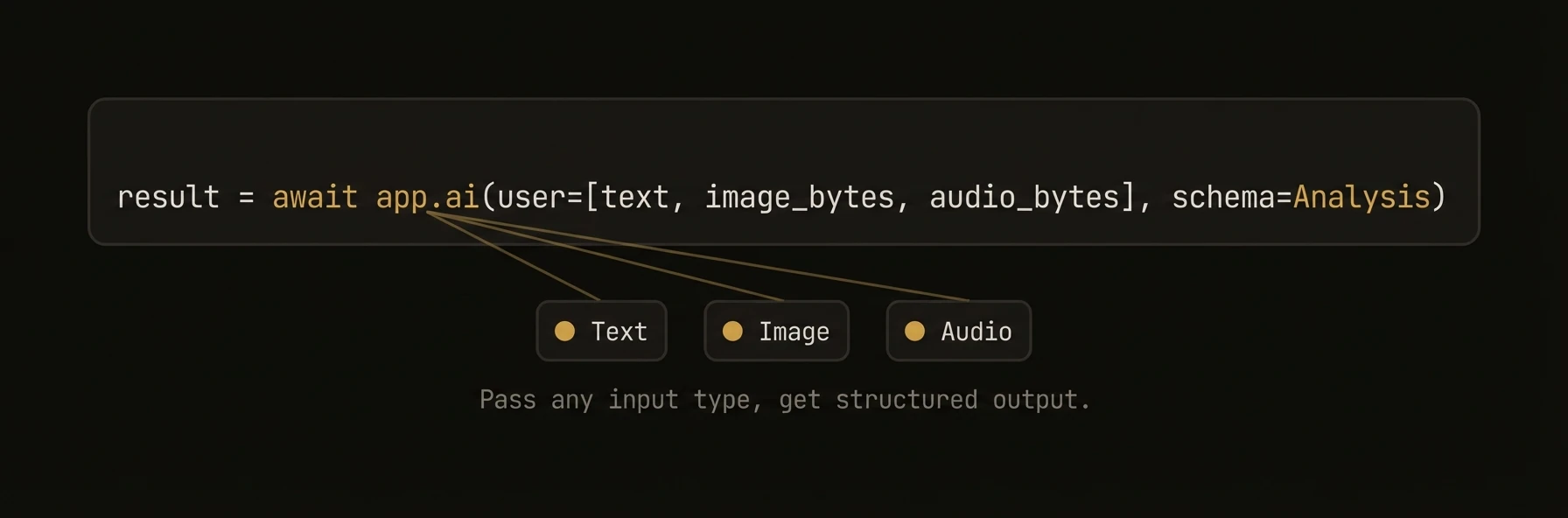 Send images and audio to LLMs. Generate images, speech, and video. The Python SDK provides first-class multimodal support through `app.ai()` with automatic input type detection -- just pass an image URL or file path and the SDK handles the rest. Media generation methods produce images (DALL-E, Flux), speech (TTS), and video (fal.ai) through a unified `MultimodalResponse`.
### Python
### TypeScript
### Go
## What just happened
The examples used one interface for three very different workloads: sending images, sending audio, and generating media outputs. That matters because multimodal support is only useful if teams do not need separate mental models for vision, transcription, and generation.
---
### What You Get
- **Vision input** -- send images (URLs, files, bytes) to any vision-capable LLM
- **Audio input** -- send audio files to speech-capable models
- **Image generation** -- DALL-E, Flux, Stable Diffusion via LiteLLM and fal.ai
- **Speech generation** -- TTS via OpenAI, fal.ai
- **Video generation** -- text-to-video and image-to-video via fal.ai (Python-only)
- **Unified response** -- `MultimodalResponse` with `.text`, `.images`, `.audio`, `.files`
### Input Helpers (Python)
The Python SDK provides convenience functions for building multimodal prompts.
| Helper | Description | Example |
|---|---|---|
| `text(s)` | Explicit text content | `text("Describe this:")` |
| `image_from_url(url, detail="high")` | Image from URL | `image_from_url("https://...")` |
| `image_from_file(path, detail="high")` | Image from local file (auto base64) | `image_from_file("./photo.jpg")` |
| `audio_from_file(path, format=None)` | Audio from local file | `audio_from_file("./speech.mp3")` |
| `audio_from_url(url, format="wav")` | Audio from URL | `audio_from_url("https://...")` |
| `file_from_path(path, mime_type=None)` | Generic file content | `file_from_path("./data.pdf")` |
| `file_from_url(url, mime_type=None)` | File from URL | `file_from_url("https://...")` |
### Auto-Detection (Python)
When you pass positional arguments to `app.ai()`, the SDK auto-detects the content type.
| Input | Detection | Handling |
|---|---|---|
| `str` ending in `.jpg`, `.png`, `.gif`, `.webp` | Image URL | Wrapped as `image_url` content part |
| `str` ending in `.mp3`, `.wav`, `.flac`, `.ogg` | Audio URL/path | Wrapped as `input_audio` content part |
| `str` (other) | Text | Used as user message text |
| `bytes` | Binary data | Detected and encoded as base64 |
| `dict` with `"image"` key | Image | Wrapped as image content |
| `list` of `dict` | Messages | Used as full conversation |
| `Image`, `Audio`, `Text` objects | Multimodal | Used directly |
### Media Generation (Python-Only)
Media generation uses a provider system with three backends: fal.ai, LiteLLM, and OpenRouter.
### Image Generation
### Speech Generation
### Video Generation
### MultimodalResponse
All media generation methods return a `MultimodalResponse`.
| Property | Type | Description |
|---|---|---|
| `text` | `str` | Text content (prompt or LLM response) |
| `images` | `list[ImageOutput]` | Generated images |
| `audio` | `AudioOutput?` | Generated audio |
| `files` | `list[FileOutput]` | Generated files (videos, etc.) |
| `has_images` | `bool` | Whether response contains images |
| `has_audio` | `bool` | Whether response contains audio |
| `has_files` | `bool` | Whether response contains files |
| `is_multimodal` | `bool` | Whether any non-text content exists |
| `cost_usd` | `float?` | Estimated cost |
| `usage` | `dict` | Token usage breakdown |
| `raw_response` | `Any?` | Raw provider response |
### Save All Content
### ImageOutput Methods
| Method | Description |
|---|---|
| `save(path)` | Save image to file |
| `get_bytes()` | Get raw image bytes |
| `show()` | Display image (requires Pillow) |
### AudioOutput Methods
| Method | Description |
|---|---|
| `save(path)` | Save audio to file |
| `get_bytes()` | Get raw audio bytes |
| `play()` | Play audio (requires pygame) |
### Vision Input (Go)
Go provides functional options for attaching images to requests.
### Media Provider System (Python)
The Python SDK uses a pluggable provider system for media generation.
| Provider | Supports | Setup |
|---|---|---|
| `litellm` | Image (DALL-E), Audio (TTS) | `OPENAI_API_KEY` env var |
| `fal` | Image (Flux, SDXL), Audio (Whisper, TTS), Video | `FAL_KEY` env var |
| `openrouter` | Image (Gemini) | `OPENROUTER_API_KEY` env var |
### SDK Support Matrix
| Feature | Python | TypeScript | Go |
|---|---|---|---|
| Vision input (URLs) | Auto-detect | Via messages | `WithImageURL()` |
| Vision input (files) | `image_from_file()` | Manual base64 | `WithImageFile()` |
| Vision input (bytes) | Auto-detect | Manual base64 | `WithImageBytes()` |
| Audio input | `audio_from_file()` | Via messages | N/A |
| Image generation | `ai_generate_image()` | N/A | N/A |
| Audio generation | `ai_generate_audio()` | N/A | N/A |
| Video generation | `ai_generate_video()` | N/A | N/A |
| MultimodalResponse | Full support | N/A | N/A |
| Fal.ai integration | Full support | N/A | N/A |
---
## Tool Calling
URL: https://agentfield.ai/docs/build/intelligence/tool-calling
Markdown: https://agentfield.ai/llm/docs/build/intelligence/tool-calling
Last-Modified: 2026-03-24T16:54:10.000Z
Category: intelligence
Difficulty: intermediate
Keywords: tool calling, discover, agent tools, function calling, tool-call loop, dispatch
Summary: AI auto-discovers and invokes other agents as tools through the control plane
Send images and audio to LLMs. Generate images, speech, and video. The Python SDK provides first-class multimodal support through `app.ai()` with automatic input type detection -- just pass an image URL or file path and the SDK handles the rest. Media generation methods produce images (DALL-E, Flux), speech (TTS), and video (fal.ai) through a unified `MultimodalResponse`.
### Python
### TypeScript
### Go
## What just happened
The examples used one interface for three very different workloads: sending images, sending audio, and generating media outputs. That matters because multimodal support is only useful if teams do not need separate mental models for vision, transcription, and generation.
---
### What You Get
- **Vision input** -- send images (URLs, files, bytes) to any vision-capable LLM
- **Audio input** -- send audio files to speech-capable models
- **Image generation** -- DALL-E, Flux, Stable Diffusion via LiteLLM and fal.ai
- **Speech generation** -- TTS via OpenAI, fal.ai
- **Video generation** -- text-to-video and image-to-video via fal.ai (Python-only)
- **Unified response** -- `MultimodalResponse` with `.text`, `.images`, `.audio`, `.files`
### Input Helpers (Python)
The Python SDK provides convenience functions for building multimodal prompts.
| Helper | Description | Example |
|---|---|---|
| `text(s)` | Explicit text content | `text("Describe this:")` |
| `image_from_url(url, detail="high")` | Image from URL | `image_from_url("https://...")` |
| `image_from_file(path, detail="high")` | Image from local file (auto base64) | `image_from_file("./photo.jpg")` |
| `audio_from_file(path, format=None)` | Audio from local file | `audio_from_file("./speech.mp3")` |
| `audio_from_url(url, format="wav")` | Audio from URL | `audio_from_url("https://...")` |
| `file_from_path(path, mime_type=None)` | Generic file content | `file_from_path("./data.pdf")` |
| `file_from_url(url, mime_type=None)` | File from URL | `file_from_url("https://...")` |
### Auto-Detection (Python)
When you pass positional arguments to `app.ai()`, the SDK auto-detects the content type.
| Input | Detection | Handling |
|---|---|---|
| `str` ending in `.jpg`, `.png`, `.gif`, `.webp` | Image URL | Wrapped as `image_url` content part |
| `str` ending in `.mp3`, `.wav`, `.flac`, `.ogg` | Audio URL/path | Wrapped as `input_audio` content part |
| `str` (other) | Text | Used as user message text |
| `bytes` | Binary data | Detected and encoded as base64 |
| `dict` with `"image"` key | Image | Wrapped as image content |
| `list` of `dict` | Messages | Used as full conversation |
| `Image`, `Audio`, `Text` objects | Multimodal | Used directly |
### Media Generation (Python-Only)
Media generation uses a provider system with three backends: fal.ai, LiteLLM, and OpenRouter.
### Image Generation
### Speech Generation
### Video Generation
### MultimodalResponse
All media generation methods return a `MultimodalResponse`.
| Property | Type | Description |
|---|---|---|
| `text` | `str` | Text content (prompt or LLM response) |
| `images` | `list[ImageOutput]` | Generated images |
| `audio` | `AudioOutput?` | Generated audio |
| `files` | `list[FileOutput]` | Generated files (videos, etc.) |
| `has_images` | `bool` | Whether response contains images |
| `has_audio` | `bool` | Whether response contains audio |
| `has_files` | `bool` | Whether response contains files |
| `is_multimodal` | `bool` | Whether any non-text content exists |
| `cost_usd` | `float?` | Estimated cost |
| `usage` | `dict` | Token usage breakdown |
| `raw_response` | `Any?` | Raw provider response |
### Save All Content
### ImageOutput Methods
| Method | Description |
|---|---|
| `save(path)` | Save image to file |
| `get_bytes()` | Get raw image bytes |
| `show()` | Display image (requires Pillow) |
### AudioOutput Methods
| Method | Description |
|---|---|
| `save(path)` | Save audio to file |
| `get_bytes()` | Get raw audio bytes |
| `play()` | Play audio (requires pygame) |
### Vision Input (Go)
Go provides functional options for attaching images to requests.
### Media Provider System (Python)
The Python SDK uses a pluggable provider system for media generation.
| Provider | Supports | Setup |
|---|---|---|
| `litellm` | Image (DALL-E), Audio (TTS) | `OPENAI_API_KEY` env var |
| `fal` | Image (Flux, SDXL), Audio (Whisper, TTS), Video | `FAL_KEY` env var |
| `openrouter` | Image (Gemini) | `OPENROUTER_API_KEY` env var |
### SDK Support Matrix
| Feature | Python | TypeScript | Go |
|---|---|---|---|
| Vision input (URLs) | Auto-detect | Via messages | `WithImageURL()` |
| Vision input (files) | `image_from_file()` | Manual base64 | `WithImageFile()` |
| Vision input (bytes) | Auto-detect | Manual base64 | `WithImageBytes()` |
| Audio input | `audio_from_file()` | Via messages | N/A |
| Image generation | `ai_generate_image()` | N/A | N/A |
| Audio generation | `ai_generate_audio()` | N/A | N/A |
| Video generation | `ai_generate_video()` | N/A | N/A |
| MultimodalResponse | Full support | N/A | N/A |
| Fal.ai integration | Full support | N/A | N/A |
---
## Tool Calling
URL: https://agentfield.ai/docs/build/intelligence/tool-calling
Markdown: https://agentfield.ai/llm/docs/build/intelligence/tool-calling
Last-Modified: 2026-03-24T16:54:10.000Z
Category: intelligence
Difficulty: intermediate
Keywords: tool calling, discover, agent tools, function calling, tool-call loop, dispatch
Summary: AI auto-discovers and invokes other agents as tools through the control plane
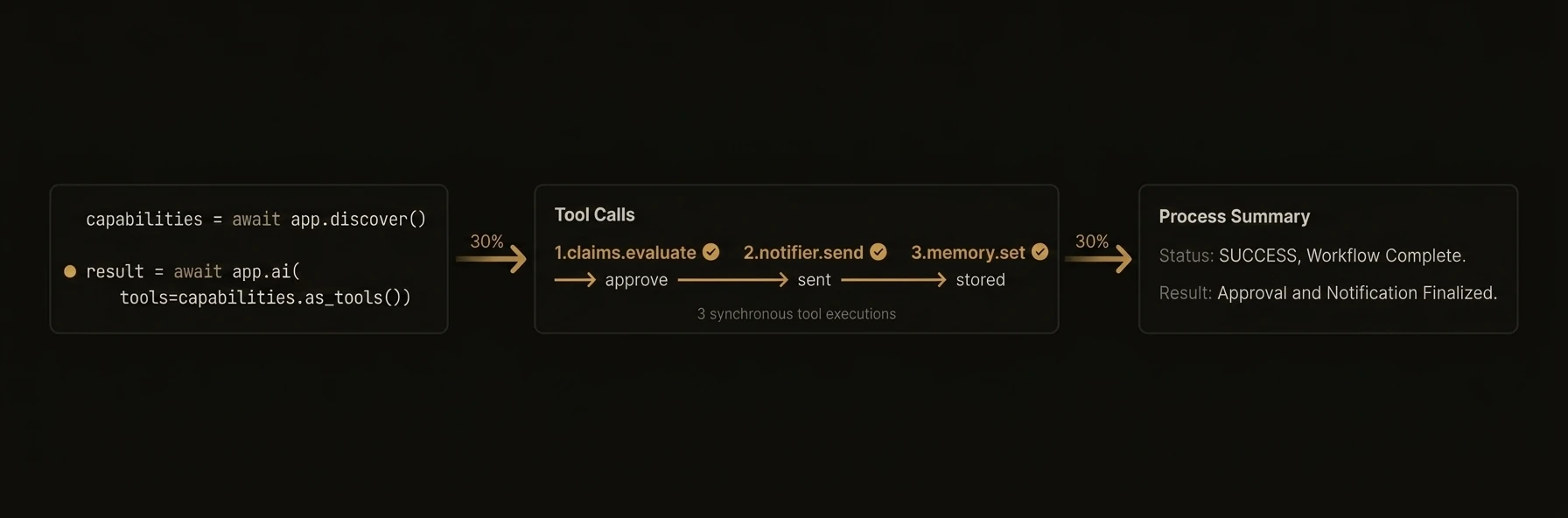 AI automatically discovers other agents in the network and invokes them as tools to complete tasks. Pass `tools="discover"` and the SDK queries the control plane for all available agent capabilities, converts them to LLM-native tool schemas, and runs an automatic execution loop -- the LLM decides which agents to call, the SDK dispatches, feeds results back, and repeats until done.
### Python
### TypeScript
### Go
## What just happened
The SDK discovered callable capabilities, converted them into tool definitions for the model, executed the chosen agent calls, and returned both the final answer and the trace metadata. That means the visible example is not just tool use, it is tool use with bounded turns, bounded calls, and replayable execution details.
---
### How It Works
### Patterns
### Filtered Discovery
Only expose specific agents or capabilities to the LLM.
### Lazy Schema Hydration
For large registries (100+ tools), send metadata first and hydrate schemas only for tools the LLM selects.
### Structured Output with Tool Calling
Combine tool calling with structured output -- the LLM uses tools to gather data, then returns a validated schema.
### Observability and Debugging
Inspect the full trace to understand what the AI did.
### Per-Call Limits
Override the default config for specific calls.
### ToolCallConfig
Fine-tune the tool-calling loop with `ToolCallConfig`.
| Field | Type | Default | Description |
|---|---|---|---|
| `max_turns` | `int` | `10` | Maximum LLM round-trips |
| `max_tool_calls` | `int` | `25` | Maximum total tool invocations |
| `max_candidate_tools` | `int?` | `None` | Limit tools presented to the LLM |
| `max_hydrated_tools` | `int?` | `None` | Limit tools with full schemas (lazy mode) |
| `schema_hydration` | `"eager" \| "lazy"` | `"eager"` | When to fetch full input schemas |
| `fallback_broadening` | `bool` | `False` | Broaden discovery if no tools match |
| `tags` | `list[str]?` | `None` | Filter by capability tags |
| `agent_ids` | `list[str]?` | `None` | Filter by specific agent IDs |
| `health_status` | `string?` | `None` | Filter by agent health status |
The Go SDK's `ai.ToolCallConfig` only supports the `MaxTurns` and `MaxToolCalls` fields. Other fields (tags, agent_ids, schema_hydration, etc.) are configured at the agent level in Go.
### ToolCallTrace
Every tool-calling response includes a `ToolCallTrace` for full observability.
| Field | Type | Description |
|---|---|---|
| `calls` | `list[ToolCallRecord]` | Individual tool call records |
| `total_turns` | `int` | Number of LLM round-trips |
| `total_tool_calls` | `int` | Total tool invocations |
| `final_response` | `string?` | Final text from the LLM |
### ToolCallRecord
| Field | Type | Description |
|---|---|---|
| `tool_name` | `string` | Sanitized tool name |
| `arguments` | `dict` | Arguments passed to the tool |
| `result` | `Any?` | Tool call result |
| `error` | `string?` | Error message on failure |
| `latency_ms` | `float` | Call duration in milliseconds |
| `turn` | `int` | Which turn this call occurred in |
### SDK Reference
| Feature | Python | TypeScript | Go |
|---|---|---|---|
| Auto-discover | `tools="discover"` | `tools: 'discover'` | `AIWithTools()` discovers automatically |
| Config object | `ToolCallConfig(...)` | `{ maxTurns, maxToolCalls, ... }` | `ai.ToolCallConfig{}` |
| Response type | `ToolCallResponse` | `{ text: string; trace: ToolCallTrace }` | `(*ai.Response, *ai.ToolCallTrace, error)` |
| Access trace | `result.trace` | `result.trace` | Second return value |
| Access text | `result.text` | `result.text` | `resp.Choices[0].Message.Content[0].Text` |
| Per-call limits | `max_turns=5, max_tool_calls=10` | `{ maxTurns: 5, maxToolCalls: 10 }` | `ToolCallConfig{MaxTurns: 5, MaxToolCalls: 10}` |
| Manual tool schemas | N/A | N/A | `CapabilityToToolDefinition(cap)` |
| Execute loop | Built into `app.ai()` | Built into `ctx.aiWithTools()` | `aiClient.ExecuteToolCallLoop(ctx, msgs, tools, config, callFn)` |
### Go SDK Details
The Go SDK provides three key functions for tool calling:
---
## AgentField Documentation
URL: https://agentfield.ai/docs/learn
Markdown: https://agentfield.ai/llm/docs/learn
Last-Modified: 2026-03-24T15:33:27.000Z
Category: getting-started
Difficulty: beginner
Keywords: agentfield, ai backend, agents, documentation
Summary: The AI backend. Build, deploy, and govern AI agents like APIs.
**The AI backend. Build, deploy, and govern AI agents like APIs.**
AI automatically discovers other agents in the network and invokes them as tools to complete tasks. Pass `tools="discover"` and the SDK queries the control plane for all available agent capabilities, converts them to LLM-native tool schemas, and runs an automatic execution loop -- the LLM decides which agents to call, the SDK dispatches, feeds results back, and repeats until done.
### Python
### TypeScript
### Go
## What just happened
The SDK discovered callable capabilities, converted them into tool definitions for the model, executed the chosen agent calls, and returned both the final answer and the trace metadata. That means the visible example is not just tool use, it is tool use with bounded turns, bounded calls, and replayable execution details.
---
### How It Works
### Patterns
### Filtered Discovery
Only expose specific agents or capabilities to the LLM.
### Lazy Schema Hydration
For large registries (100+ tools), send metadata first and hydrate schemas only for tools the LLM selects.
### Structured Output with Tool Calling
Combine tool calling with structured output -- the LLM uses tools to gather data, then returns a validated schema.
### Observability and Debugging
Inspect the full trace to understand what the AI did.
### Per-Call Limits
Override the default config for specific calls.
### ToolCallConfig
Fine-tune the tool-calling loop with `ToolCallConfig`.
| Field | Type | Default | Description |
|---|---|---|---|
| `max_turns` | `int` | `10` | Maximum LLM round-trips |
| `max_tool_calls` | `int` | `25` | Maximum total tool invocations |
| `max_candidate_tools` | `int?` | `None` | Limit tools presented to the LLM |
| `max_hydrated_tools` | `int?` | `None` | Limit tools with full schemas (lazy mode) |
| `schema_hydration` | `"eager" \| "lazy"` | `"eager"` | When to fetch full input schemas |
| `fallback_broadening` | `bool` | `False` | Broaden discovery if no tools match |
| `tags` | `list[str]?` | `None` | Filter by capability tags |
| `agent_ids` | `list[str]?` | `None` | Filter by specific agent IDs |
| `health_status` | `string?` | `None` | Filter by agent health status |
The Go SDK's `ai.ToolCallConfig` only supports the `MaxTurns` and `MaxToolCalls` fields. Other fields (tags, agent_ids, schema_hydration, etc.) are configured at the agent level in Go.
### ToolCallTrace
Every tool-calling response includes a `ToolCallTrace` for full observability.
| Field | Type | Description |
|---|---|---|
| `calls` | `list[ToolCallRecord]` | Individual tool call records |
| `total_turns` | `int` | Number of LLM round-trips |
| `total_tool_calls` | `int` | Total tool invocations |
| `final_response` | `string?` | Final text from the LLM |
### ToolCallRecord
| Field | Type | Description |
|---|---|---|
| `tool_name` | `string` | Sanitized tool name |
| `arguments` | `dict` | Arguments passed to the tool |
| `result` | `Any?` | Tool call result |
| `error` | `string?` | Error message on failure |
| `latency_ms` | `float` | Call duration in milliseconds |
| `turn` | `int` | Which turn this call occurred in |
### SDK Reference
| Feature | Python | TypeScript | Go |
|---|---|---|---|
| Auto-discover | `tools="discover"` | `tools: 'discover'` | `AIWithTools()` discovers automatically |
| Config object | `ToolCallConfig(...)` | `{ maxTurns, maxToolCalls, ... }` | `ai.ToolCallConfig{}` |
| Response type | `ToolCallResponse` | `{ text: string; trace: ToolCallTrace }` | `(*ai.Response, *ai.ToolCallTrace, error)` |
| Access trace | `result.trace` | `result.trace` | Second return value |
| Access text | `result.text` | `result.text` | `resp.Choices[0].Message.Content[0].Text` |
| Per-call limits | `max_turns=5, max_tool_calls=10` | `{ maxTurns: 5, maxToolCalls: 10 }` | `ToolCallConfig{MaxTurns: 5, MaxToolCalls: 10}` |
| Manual tool schemas | N/A | N/A | `CapabilityToToolDefinition(cap)` |
| Execute loop | Built into `app.ai()` | Built into `ctx.aiWithTools()` | `aiClient.ExecuteToolCallLoop(ctx, msgs, tools, config, callFn)` |
### Go SDK Details
The Go SDK provides three key functions for tool calling:
---
## AgentField Documentation
URL: https://agentfield.ai/docs/learn
Markdown: https://agentfield.ai/llm/docs/learn
Last-Modified: 2026-03-24T15:33:27.000Z
Category: getting-started
Difficulty: beginner
Keywords: agentfield, ai backend, agents, documentation
Summary: The AI backend. Build, deploy, and govern AI agents like APIs.
**The AI backend. Build, deploy, and govern AI agents like APIs.**
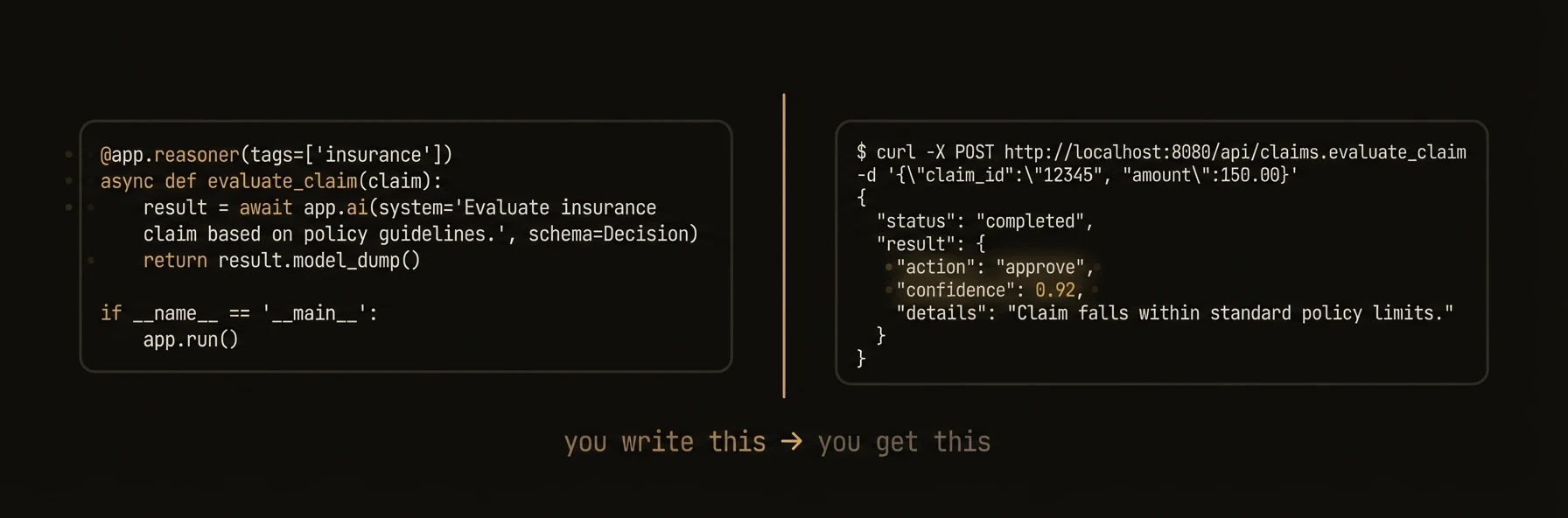 ### Python
### TypeScript
### Go
- **APIs** — decorated functions become HTTP endpoints with discovery and tracing.
- **Models** — 100+ LLMs, structured output (Pydantic / Zod / structs), tool calling.
- **Multi-agent** — `app.call`, shared memory, async, webhooks, governance (DIDs, policy, audit).
- Quickstart: Install, scaffold, run in about a minute (/docs/learn/quickstart)
- How it works: Primitives + control plane in one pass (/docs/learn/how-it-works)
- Architecture: Request flow: sync, async, cross-agent calls (/docs/learn/architecture)
- Build: Agents, intelligence, coordination, execution, governance (/docs/build/building-blocks/agents)
- Reference: SDKs, REST, CLI, deploy, testing (/docs/reference/sdks/python)
---
## Use with AI Agents
URL: https://agentfield.ai/docs/learn/ai-native
Markdown: https://agentfield.ai/llm/docs/learn/ai-native
Last-Modified: 2026-03-24T15:48:56.000Z
Category: learn
Difficulty: beginner
Keywords: ai-native, claude-code, cursor, codex, agent-mode, prompt, harness
Summary: Give your AI agent everything it needs to explore, build, and operate AgentField autonomously.
### Python
### TypeScript
### Go
- **APIs** — decorated functions become HTTP endpoints with discovery and tracing.
- **Models** — 100+ LLMs, structured output (Pydantic / Zod / structs), tool calling.
- **Multi-agent** — `app.call`, shared memory, async, webhooks, governance (DIDs, policy, audit).
- Quickstart: Install, scaffold, run in about a minute (/docs/learn/quickstart)
- How it works: Primitives + control plane in one pass (/docs/learn/how-it-works)
- Architecture: Request flow: sync, async, cross-agent calls (/docs/learn/architecture)
- Build: Agents, intelligence, coordination, execution, governance (/docs/build/building-blocks/agents)
- Reference: SDKs, REST, CLI, deploy, testing (/docs/reference/sdks/python)
---
## Use with AI Agents
URL: https://agentfield.ai/docs/learn/ai-native
Markdown: https://agentfield.ai/llm/docs/learn/ai-native
Last-Modified: 2026-03-24T15:48:56.000Z
Category: learn
Difficulty: beginner
Keywords: ai-native, claude-code, cursor, codex, agent-mode, prompt, harness
Summary: Give your AI agent everything it needs to explore, build, and operate AgentField autonomously.
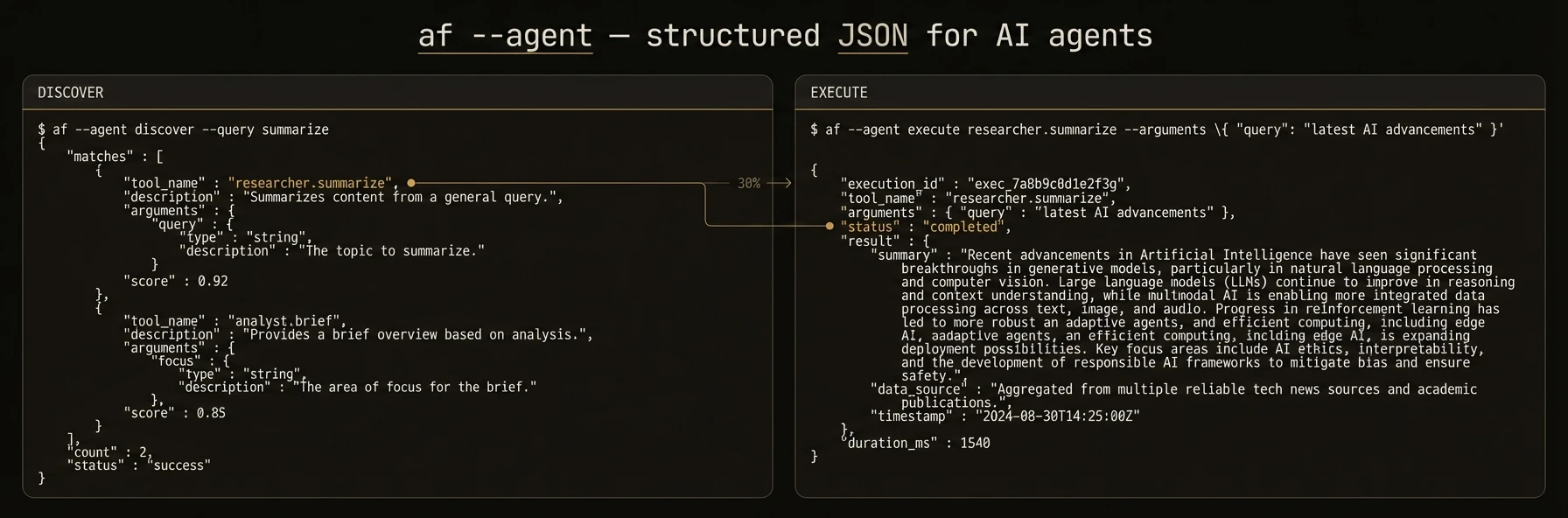 > Let your AI agent build, deploy, and operate AgentField agents — no manual setup required.
AgentField is built for a world where AI agents write code, manage infrastructure, and operate systems. The CLI and REST API are designed so that tools like **Claude Code**, **Cursor**, **Codex**, and **Gemini CLI** can interact with AgentField directly.
This page provides **copy-pasteable prompts** you can hand to your AI agent to get started immediately.
---
## Quick Setup: Give This to Your Agent
Copy the prompt below and paste it into your AI coding agent. It will install AgentField, scaffold a project, and start building.
### For Claude Code / Cursor / Codex
bash
curl -fsSL https://agentfield.ai/get | sh
af init my-agent --defaults
cd my-agent && pip install -r requirements.txt
bash
af server # Terminal 1 — Control plane at http://localhost:8080
python main.py # Terminal 2 — Agent auto-registers
bash
curl -X POST http://localhost:8080/api/v1/execute/my-agent.demo_echo \
-H "Content-Type: application/json" \
-d '{"input": {"message": "Hello from my agent!"}}'
`
---
## Explore an Existing AgentField Deployment
If you already have AgentField running and want your AI agent to explore it, paste this:
bash
# List all registered agents and their capabilities
curl -s http://localhost:8080/api/v1/discovery/capabilities \
-H "Authorization: Bearer $AGENTFIELD_API_KEY" | jq .
# Search for specific capabilities (AI-native endpoint)
curl -s "http://localhost:8080/api/v1/agentic/discover?q=summarize" \
-H "Authorization: Bearer $AGENTFIELD_API_KEY" | jq .
# Get platform status
curl -s http://localhost:8080/api/v1/agentic/status \
-H "Authorization: Bearer $AGENTFIELD_API_KEY" | jq .
# Unified resource query
curl -s -X POST http://localhost:8080/api/v1/agentic/query \
-H "Authorization: Bearer $AGENTFIELD_API_KEY" \
-H "Content-Type: application/json" \
-d '{"resource": "agents", "limit": 20}'
bash
# Synchronous execution
curl -s -X POST http://localhost:8080/api/v1/execute/. \
-H "Authorization: Bearer $AGENTFIELD_API_KEY" \
-H "Content-Type: application/json" \
-d '{"input": {"key": "value"}}'
# Async execution (returns immediately with execution_id)
curl -s -X POST http://localhost:8080/api/v1/execute/async/. \
-H "Authorization: Bearer $AGENTFIELD_API_KEY" \
-H "Content-Type: application/json" \
-d '{"input": {"key": "value"}}'
bash
curl -s http://localhost:8080/api/v1/executions/ \
-H "Authorization: Bearer $AGENTFIELD_API_KEY" | jq .
`
---
## CLI Agent Mode
The AgentField CLI has a dedicated `agent` subcommand that switches all output to structured JSON — no colors, no tables, no interactive prompts. This is how AI agents should operate the control plane from a terminal.
### Give this to your agent for CLI-based operation
bash
# Check system health
af agent status
# Discover all registered agents and their endpoints
af agent discover
# List all agents
af list
# Execute a reasoner
curl -s -X POST http://localhost:8080/api/v1/execute/my-agent.summarize \
-H "Content-Type: application/json" \
-d '{"input": {"text": "Quarterly earnings report..."}}'
# Check execution status
curl -s http://localhost:8080/api/v1/executions/ | jq .status
# View agent configuration
af config my-agent
bash
af agent --server https://my-agentfield.example.com --api-key $KEY status
`
---
## Build a Multi-Agent System
For agents that need to build more complex systems, paste this extended prompt:
python
from agentfield import Agent, AIConfig
from pydantic import BaseModel
app = Agent(node_id="researcher", ai_config=AIConfig(model="anthropic/claude-sonnet-4-20250514"))
class Summary(BaseModel):
title: str
key_points: list[str]
confidence: float
@app.reasoner(tags=["research"])
async def summarize(text: str) -> dict:
result = await app.ai(
system="Extract key points from the given text.",
user=text,
schema=Summary,
)
return result.model_dump()
app.run()
python
from agentfield import Agent
app = Agent(node_id="reporter")
@app.reasoner(tags=["reporting"])
async def generate_report(topic: str) -> dict:
# Call the researcher agent through the control plane
research = await app.call("researcher.summarize", text=topic)
# Use shared memory to store the report
await app.memory.set(f"report:{topic}", research)
return {"report": research, "stored": True}
app.run()
bash
af server # Terminal 1
python researcher.py # Terminal 2
python reporter.py # Terminal 3
bash
curl -X POST http://localhost:8080/api/v1/execute/reporter.generate_report \
-H "Content-Type: application/json" \
-H "Authorization: Bearer $AGENTFIELD_API_KEY" \
-d '{"input": {"topic": "The impact of autonomous agents on software engineering"}}'
`
---
## Machine-Readable Documentation
AgentField publishes its full documentation in machine-readable formats that AI agents can consume directly:
| Resource | URL | Use case |
|----------|-----|----------|
| Full docs corpus | `https://agentfield.ai/llms-full.txt` | Complete context for any AI agent |
| Docs manifest | `https://agentfield.ai/docs-ai.json` | Structured metadata for all pages |
| Summary index | `https://agentfield.ai/llms.txt` | Quick overview with key links |
| Per-page markdown | `https://agentfield.ai/llm/docs/` | Individual page content |
Point your AI agent to `https://agentfield.ai/llms-full.txt` for complete documentation context. This file is kept in sync with every docs change and contains all SDK references, architecture guides, and examples.
### Add AgentField context to Claude Code
Add this to your project's `CLAUDE.md`:
### Add AgentField context to Cursor
Add to `.cursorrules`:
---
## Architecture
URL: https://agentfield.ai/docs/learn/architecture
Markdown: https://agentfield.ai/llm/docs/learn/architecture
Last-Modified: 2026-03-24T15:33:27.000Z
Category: getting-started
Difficulty: beginner
Keywords:
Summary: Control plane, agent nodes, sync and async execution.
**Stateless control plane (routing, queue, memory, identity) + your agent nodes (Python / TypeScript / Go).** All cross-agent calls go through the plane so the DAG and policy stay consistent.
> Let your AI agent build, deploy, and operate AgentField agents — no manual setup required.
AgentField is built for a world where AI agents write code, manage infrastructure, and operate systems. The CLI and REST API are designed so that tools like **Claude Code**, **Cursor**, **Codex**, and **Gemini CLI** can interact with AgentField directly.
This page provides **copy-pasteable prompts** you can hand to your AI agent to get started immediately.
---
## Quick Setup: Give This to Your Agent
Copy the prompt below and paste it into your AI coding agent. It will install AgentField, scaffold a project, and start building.
### For Claude Code / Cursor / Codex
bash
curl -fsSL https://agentfield.ai/get | sh
af init my-agent --defaults
cd my-agent && pip install -r requirements.txt
bash
af server # Terminal 1 — Control plane at http://localhost:8080
python main.py # Terminal 2 — Agent auto-registers
bash
curl -X POST http://localhost:8080/api/v1/execute/my-agent.demo_echo \
-H "Content-Type: application/json" \
-d '{"input": {"message": "Hello from my agent!"}}'
`
---
## Explore an Existing AgentField Deployment
If you already have AgentField running and want your AI agent to explore it, paste this:
bash
# List all registered agents and their capabilities
curl -s http://localhost:8080/api/v1/discovery/capabilities \
-H "Authorization: Bearer $AGENTFIELD_API_KEY" | jq .
# Search for specific capabilities (AI-native endpoint)
curl -s "http://localhost:8080/api/v1/agentic/discover?q=summarize" \
-H "Authorization: Bearer $AGENTFIELD_API_KEY" | jq .
# Get platform status
curl -s http://localhost:8080/api/v1/agentic/status \
-H "Authorization: Bearer $AGENTFIELD_API_KEY" | jq .
# Unified resource query
curl -s -X POST http://localhost:8080/api/v1/agentic/query \
-H "Authorization: Bearer $AGENTFIELD_API_KEY" \
-H "Content-Type: application/json" \
-d '{"resource": "agents", "limit": 20}'
bash
# Synchronous execution
curl -s -X POST http://localhost:8080/api/v1/execute/. \
-H "Authorization: Bearer $AGENTFIELD_API_KEY" \
-H "Content-Type: application/json" \
-d '{"input": {"key": "value"}}'
# Async execution (returns immediately with execution_id)
curl -s -X POST http://localhost:8080/api/v1/execute/async/. \
-H "Authorization: Bearer $AGENTFIELD_API_KEY" \
-H "Content-Type: application/json" \
-d '{"input": {"key": "value"}}'
bash
curl -s http://localhost:8080/api/v1/executions/ \
-H "Authorization: Bearer $AGENTFIELD_API_KEY" | jq .
`
---
## CLI Agent Mode
The AgentField CLI has a dedicated `agent` subcommand that switches all output to structured JSON — no colors, no tables, no interactive prompts. This is how AI agents should operate the control plane from a terminal.
### Give this to your agent for CLI-based operation
bash
# Check system health
af agent status
# Discover all registered agents and their endpoints
af agent discover
# List all agents
af list
# Execute a reasoner
curl -s -X POST http://localhost:8080/api/v1/execute/my-agent.summarize \
-H "Content-Type: application/json" \
-d '{"input": {"text": "Quarterly earnings report..."}}'
# Check execution status
curl -s http://localhost:8080/api/v1/executions/ | jq .status
# View agent configuration
af config my-agent
bash
af agent --server https://my-agentfield.example.com --api-key $KEY status
`
---
## Build a Multi-Agent System
For agents that need to build more complex systems, paste this extended prompt:
python
from agentfield import Agent, AIConfig
from pydantic import BaseModel
app = Agent(node_id="researcher", ai_config=AIConfig(model="anthropic/claude-sonnet-4-20250514"))
class Summary(BaseModel):
title: str
key_points: list[str]
confidence: float
@app.reasoner(tags=["research"])
async def summarize(text: str) -> dict:
result = await app.ai(
system="Extract key points from the given text.",
user=text,
schema=Summary,
)
return result.model_dump()
app.run()
python
from agentfield import Agent
app = Agent(node_id="reporter")
@app.reasoner(tags=["reporting"])
async def generate_report(topic: str) -> dict:
# Call the researcher agent through the control plane
research = await app.call("researcher.summarize", text=topic)
# Use shared memory to store the report
await app.memory.set(f"report:{topic}", research)
return {"report": research, "stored": True}
app.run()
bash
af server # Terminal 1
python researcher.py # Terminal 2
python reporter.py # Terminal 3
bash
curl -X POST http://localhost:8080/api/v1/execute/reporter.generate_report \
-H "Content-Type: application/json" \
-H "Authorization: Bearer $AGENTFIELD_API_KEY" \
-d '{"input": {"topic": "The impact of autonomous agents on software engineering"}}'
`
---
## Machine-Readable Documentation
AgentField publishes its full documentation in machine-readable formats that AI agents can consume directly:
| Resource | URL | Use case |
|----------|-----|----------|
| Full docs corpus | `https://agentfield.ai/llms-full.txt` | Complete context for any AI agent |
| Docs manifest | `https://agentfield.ai/docs-ai.json` | Structured metadata for all pages |
| Summary index | `https://agentfield.ai/llms.txt` | Quick overview with key links |
| Per-page markdown | `https://agentfield.ai/llm/docs/` | Individual page content |
Point your AI agent to `https://agentfield.ai/llms-full.txt` for complete documentation context. This file is kept in sync with every docs change and contains all SDK references, architecture guides, and examples.
### Add AgentField context to Claude Code
Add this to your project's `CLAUDE.md`:
### Add AgentField context to Cursor
Add to `.cursorrules`:
---
## Architecture
URL: https://agentfield.ai/docs/learn/architecture
Markdown: https://agentfield.ai/llm/docs/learn/architecture
Last-Modified: 2026-03-24T15:33:27.000Z
Category: getting-started
Difficulty: beginner
Keywords:
Summary: Control plane, agent nodes, sync and async execution.
**Stateless control plane (routing, queue, memory, identity) + your agent nodes (Python / TypeScript / Go).** All cross-agent calls go through the plane so the DAG and policy stay consistent.
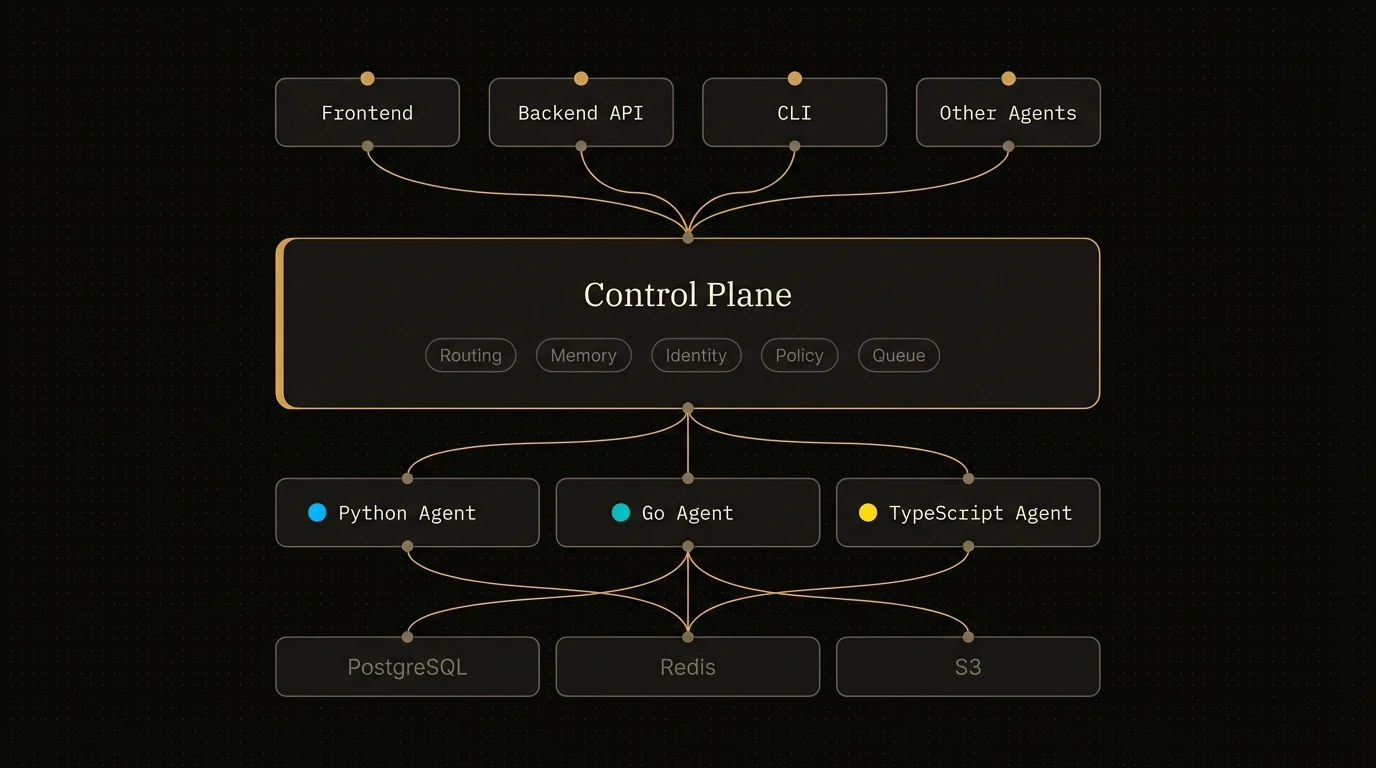 Deep dives live under [Build](/docs/build/building-blocks/agents): coordination, execution, governance.
---
## Examples
URL: https://agentfield.ai/docs/learn/examples
Markdown: https://agentfield.ai/llm/docs/learn/examples
Last-Modified: 2026-03-24T15:33:27.000Z
Category: getting-started
Difficulty: beginner
Keywords:
Summary: Runnable patterns — multi-agent, tools, support-style flows.
Deep dives live under [Build](/docs/build/building-blocks/agents): coordination, execution, governance.
---
## Examples
URL: https://agentfield.ai/docs/learn/examples
Markdown: https://agentfield.ai/llm/docs/learn/examples
Last-Modified: 2026-03-24T15:33:27.000Z
Category: getting-started
Difficulty: beginner
Keywords:
Summary: Runnable patterns — multi-agent, tools, support-style flows.
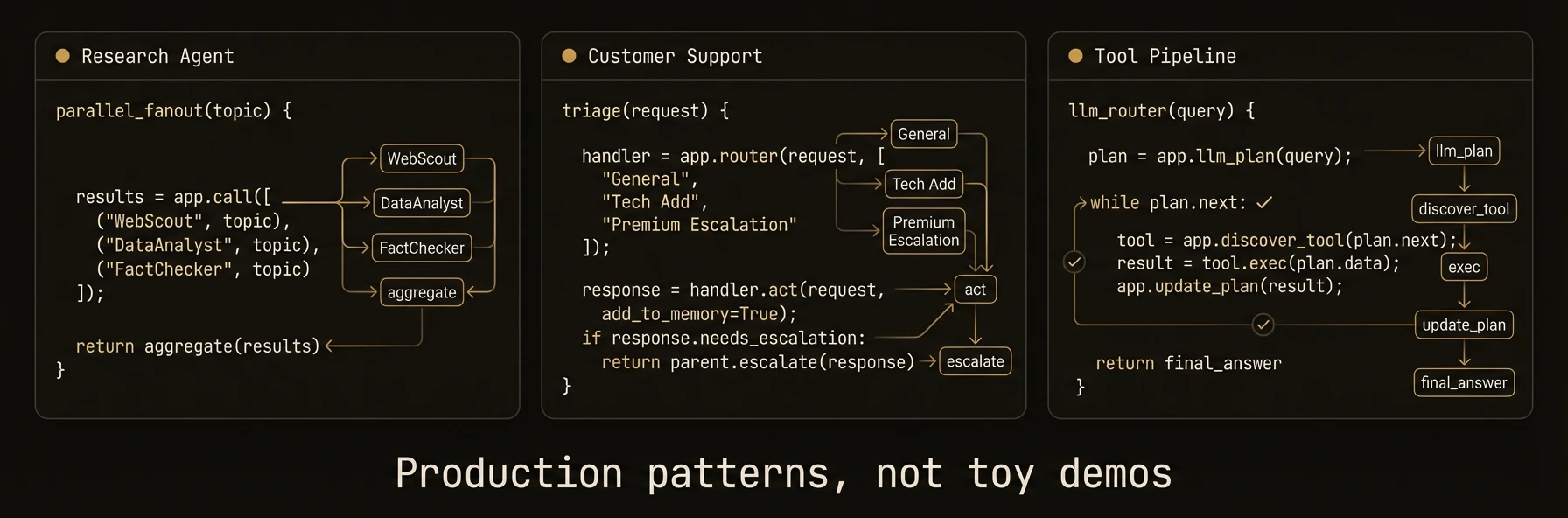 End-to-end recipes (placeholders until copy-paste examples are finalized):
- [Research agent](/docs/learn/examples/research-agent) — fan-out / aggregate pattern
- [Customer support](/docs/learn/examples/customer-support) — triage, memory, escalation
- [Tool-calling pipeline](/docs/learn/examples/tool-calling-pipeline) — agents as tools via discovery
Start from [Quickstart](/docs/learn/quickstart) if you have not run AgentField yet.
---
## Customer support (example)
URL: https://agentfield.ai/docs/learn/examples/customer-support
Markdown: https://agentfield.ai/llm/docs/learn/examples/customer-support
Last-Modified: 2026-03-24T15:33:27.000Z
Category: getting-started
Difficulty: intermediate
Keywords:
Summary: Placeholder — triage, sentiment, memory, human-in-the-loop.
End-to-end recipes (placeholders until copy-paste examples are finalized):
- [Research agent](/docs/learn/examples/research-agent) — fan-out / aggregate pattern
- [Customer support](/docs/learn/examples/customer-support) — triage, memory, escalation
- [Tool-calling pipeline](/docs/learn/examples/tool-calling-pipeline) — agents as tools via discovery
Start from [Quickstart](/docs/learn/quickstart) if you have not run AgentField yet.
---
## Customer support (example)
URL: https://agentfield.ai/docs/learn/examples/customer-support
Markdown: https://agentfield.ai/llm/docs/learn/examples/customer-support
Last-Modified: 2026-03-24T15:33:27.000Z
Category: getting-started
Difficulty: intermediate
Keywords:
Summary: Placeholder — triage, sentiment, memory, human-in-the-loop.
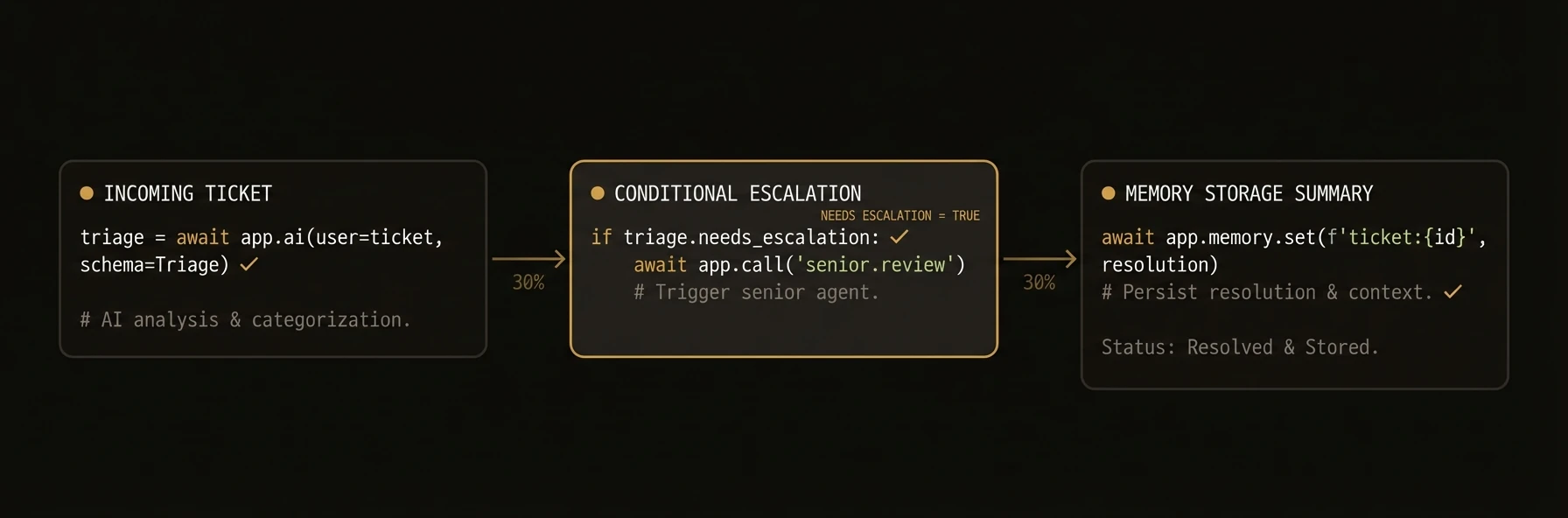 **Placeholder.** This page will show ticket triage, optional cross-agent sentiment check, session-scoped memory, and `app.pause` for human approval.
Until then, see [Human-in-the-loop](/docs/build/execution/human-in-the-loop) and [Shared memory](/docs/build/coordination/shared-memory).
---
## Research agent (example)
URL: https://agentfield.ai/docs/learn/examples/research-agent
Markdown: https://agentfield.ai/llm/docs/learn/examples/research-agent
Last-Modified: 2026-03-24T15:33:27.000Z
Category: getting-started
Difficulty: intermediate
Keywords:
Summary: Placeholder — multi-step research with fan-out and structured output.
**Placeholder.** This page will show ticket triage, optional cross-agent sentiment check, session-scoped memory, and `app.pause` for human approval.
Until then, see [Human-in-the-loop](/docs/build/execution/human-in-the-loop) and [Shared memory](/docs/build/coordination/shared-memory).
---
## Research agent (example)
URL: https://agentfield.ai/docs/learn/examples/research-agent
Markdown: https://agentfield.ai/llm/docs/learn/examples/research-agent
Last-Modified: 2026-03-24T15:33:27.000Z
Category: getting-started
Difficulty: intermediate
Keywords:
Summary: Placeholder — multi-step research with fan-out and structured output.
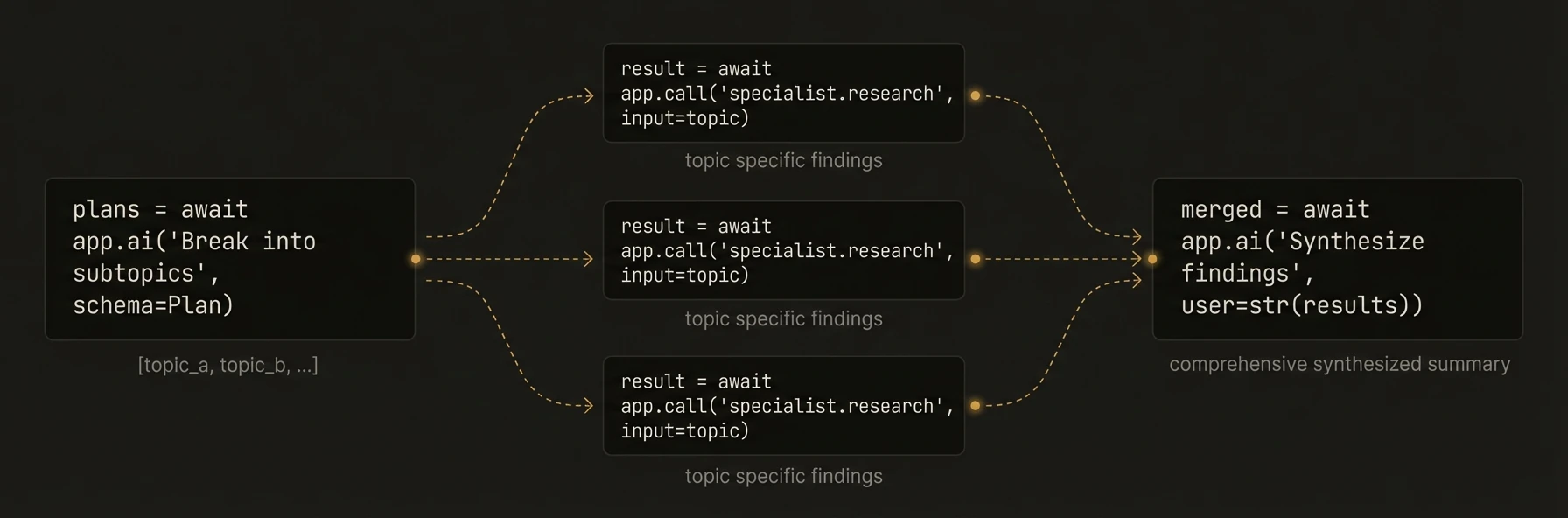 **Placeholder.** This page will hold a minimal runnable project: planner reasoner, parallel `app.call` to specialist agents, merge step, structured summary schema.
Until then, use [Quickstart](/docs/learn/quickstart), [Orchestration](/docs/build/coordination/orchestration), and [AI generation](/docs/build/intelligence/ai-generation).
---
## Tool-calling pipeline (example)
URL: https://agentfield.ai/docs/learn/examples/tool-calling-pipeline
Markdown: https://agentfield.ai/llm/docs/learn/examples/tool-calling-pipeline
Last-Modified: 2026-03-24T15:33:27.000Z
Category: getting-started
Difficulty: intermediate
Keywords:
Summary: Placeholder — discovery + agents invoked as tools.
**Placeholder.** This page will hold a minimal runnable project: planner reasoner, parallel `app.call` to specialist agents, merge step, structured summary schema.
Until then, use [Quickstart](/docs/learn/quickstart), [Orchestration](/docs/build/coordination/orchestration), and [AI generation](/docs/build/intelligence/ai-generation).
---
## Tool-calling pipeline (example)
URL: https://agentfield.ai/docs/learn/examples/tool-calling-pipeline
Markdown: https://agentfield.ai/llm/docs/learn/examples/tool-calling-pipeline
Last-Modified: 2026-03-24T15:33:27.000Z
Category: getting-started
Difficulty: intermediate
Keywords:
Summary: Placeholder — discovery + agents invoked as tools.
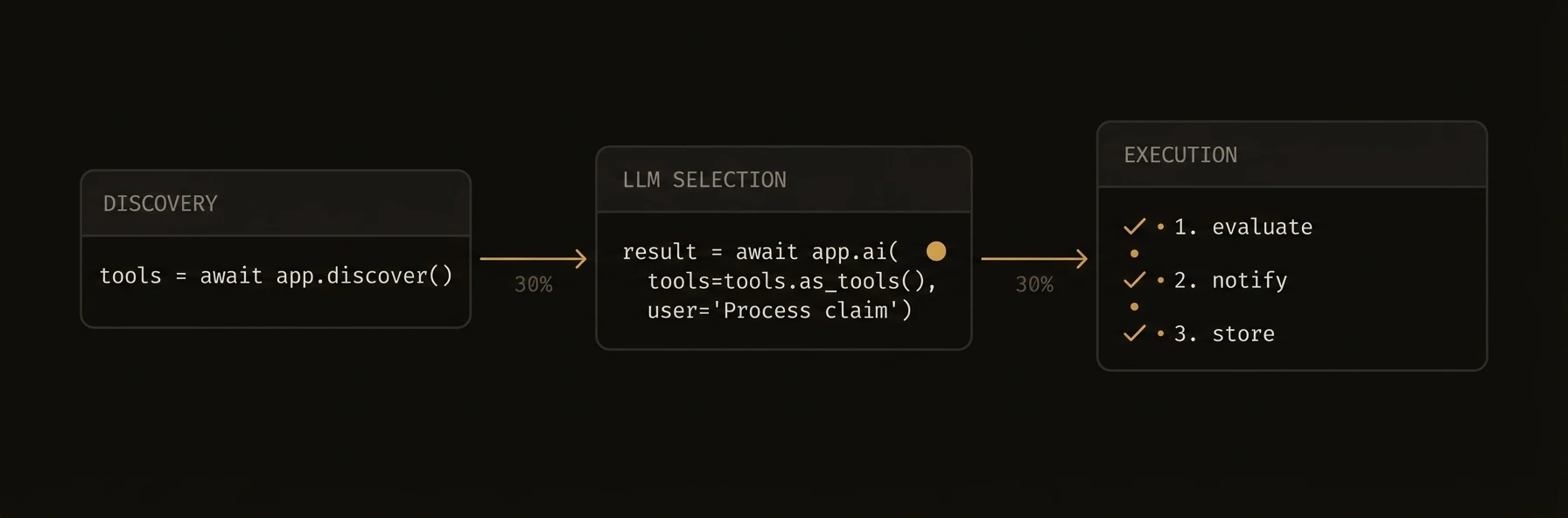 **Placeholder.** This page will walk through tool calling where the model selects other registered agents as tools.
Until then, read [Tool calling](/docs/build/intelligence/tool-calling) and [Service discovery](/docs/build/coordination/discovery).
---
## Features
URL: https://agentfield.ai/docs/learn/features
Markdown: https://agentfield.ai/llm/docs/learn/features
Last-Modified: 2026-03-24T16:26:51.000Z
Category: getting-started
Difficulty: beginner
Keywords: features, overview, capabilities, platform, agents, llm, coordination, governance
Summary: Everything AgentField gives you out of the box.
**Placeholder.** This page will walk through tool calling where the model selects other registered agents as tools.
Until then, read [Tool calling](/docs/build/intelligence/tool-calling) and [Service discovery](/docs/build/coordination/discovery).
---
## Features
URL: https://agentfield.ai/docs/learn/features
Markdown: https://agentfield.ai/llm/docs/learn/features
Last-Modified: 2026-03-24T16:26:51.000Z
Category: getting-started
Difficulty: beginner
Keywords: features, overview, capabilities, platform, agents, llm, coordination, governance
Summary: Everything AgentField gives you out of the box.
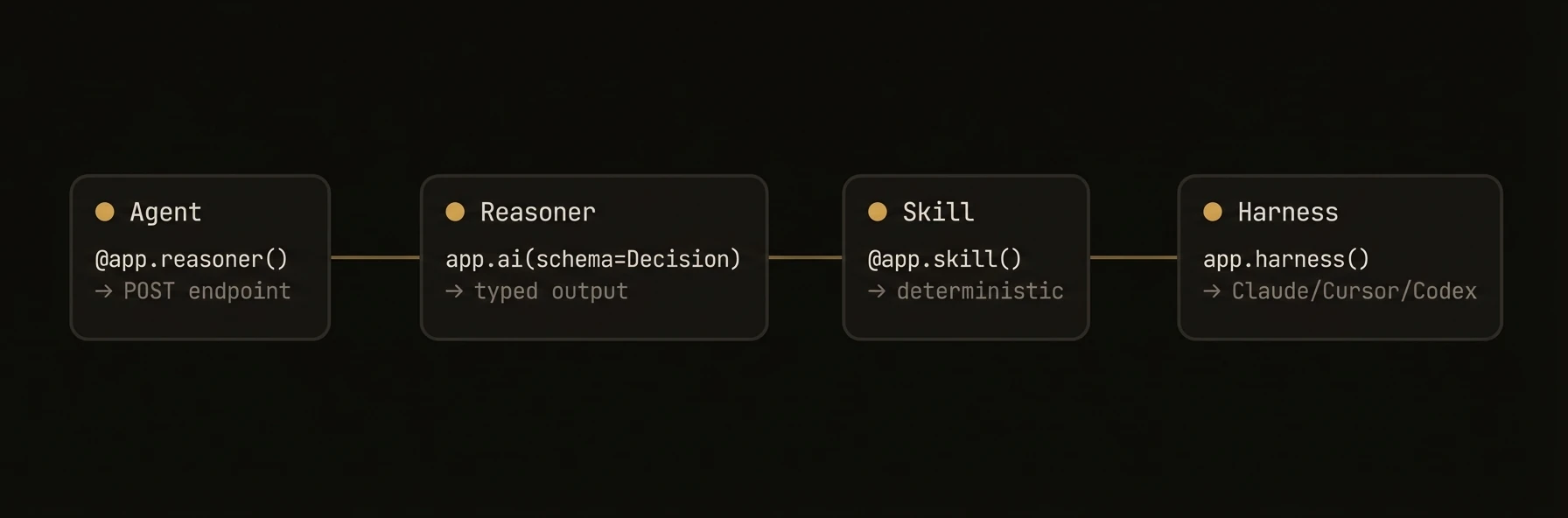 > Four primitives. Three SDKs. One control plane.
AgentField is not just an SDK for writing agents. It is the control plane, execution layer, memory fabric, and audit system that turns agent code into production infrastructure.
If you assemble this stack yourself, you end up stitching together HTTP services, service discovery, async queues, workflow tracing, shared state, identity, and observability before you even get to agent logic.
Core features are available across Python, TypeScript, and Go SDKs, but a few APIs differ by language. For example, Go registers deterministic functions with `RegisterReasoner`, and Go memory reads the session scope by default.
## What You'd Otherwise Build
| Traditional stack | AgentField |
|-----------|-------------|
| HTTP services for every agent function | Every reasoner and skill becomes an endpoint automatically |
| Service registry and routing | Control plane registration, discovery, and routing built in |
| Queue + retries + webhooks | Durable async execution with polling and webhooks |
| Redis / vector DB / pub-sub glue | Shared memory, vector search, and memory events |
| Tracing + metrics + audit exports | Workflow DAGs, notes, metrics, DIDs, and VCs |
## Platform Proof
The visible difference is that you can inspect a workflow like infrastructure, not guess at it like app code:
```json
{
"execution_id": "exec_a1b2c3",
"workflow_id": "wf_d4e5f6",
"target": "support-triage.process_refund",
"status": "completed",
"children": [
{ "target": "orders.get_order", "status": "completed", "duration_ms": 18 },
{ "target": "fraud-detector.assess", "status": "completed", "duration_ms": 941 },
{ "target": "payments.issue_refund", "status": "completed", "duration_ms": 77 }
]
}
```
That is the real product: agent code plus a control plane that tracks, routes, governs, and proves what happened.
## What you get
The visible pattern across the platform is that AgentField collapses infrastructure you would normally assemble yourself into one operating model. You write agent code, and the control plane gives you routing, execution tracking, memory, async delivery, and governance around it.
```json
{
"write": "agent code",
"get_back": [
"endpoints",
"discovery",
"workflow_dag",
"shared_memory",
"policy_checks",
"audit_artifacts"
]
}
```
## Core Primitives
| Primitive | What it does |
|-----------|-------------|
| **[Agents](/docs/build/building-blocks/agents)** | Production-ready microservice container. Discoverable, observable, governed. Every function becomes a REST endpoint. |
| **[Reasoners](/docs/build/building-blocks/reasoners)** | LLM-powered decision-making that works with any model provider -- OpenAI, Anthropic, Google, open-source. |
| **[Skills](/docs/build/building-blocks/skills)** | Deterministic tools agents use -- API calls, file ops, calculations. Typed inputs and outputs. |
| **[Harness](/docs/build/intelligence/harness)** | Bridge between coding agent frameworks (Claude Code, Codex, Gemini CLI) and the control plane. |
---
## Why This Matters
| Audience | Why it matters |
|-----|------|
| **Developers** | Write normal agent code, then get endpoints, tracing, memory, and async execution automatically. |
| **Platform teams** | Run a stateless control plane, scale agents independently, and inspect workflows like distributed systems. |
| **Security / compliance** | Prove what ran, which agent ran it, and how the workflow evolved with DIDs, VCs, notes, and DAGs. |
### AI and Intelligence
## AI and Intelligence
Turn any LLM into a structured, observable reasoning engine.
- **[100+ LLM support](/docs/build/intelligence/models)** -- OpenAI, Anthropic, Google, Mistral, Cohere, open-source models via LiteLLM. Switch models per-call without changing agent config.
- **[Structured output](/docs/build/intelligence/ai-generation)** -- `app.ai(schema=MyModel)` returns validated Pydantic, Zod, or Go struct objects. No string parsing.
- **[Streaming](/docs/build/intelligence/ai-generation)** -- Real-time token delivery for responsive UIs. Works with structured output.
- **[Tool calling](/docs/build/intelligence/tool-calling)** -- AI auto-discovers other agents in the network and invokes them as tools. Multi-turn execution loop with configurable limits.
- **[Multimodal input](/docs/build/intelligence/multimodal)** -- Images, audio, and files auto-detected and routed to capable models.
- **[Coding agents](/docs/build/intelligence/harness)** -- Dispatch complex tasks to Claude Code, Codex, Gemini CLI, or OpenCode with full tool access, cost controls, and structured output.
- **Automatic prompt trimming** -- Inputs trimmed to fit model context windows. Rate limit retries with exponential backoff and circuit breakers.
### Multi-Agent Coordination
## Multi-Agent Coordination
Compose agents into workflows using your language's native concurrency primitives.
- **[Service discovery](/docs/build/coordination/discovery)** -- Agents register capabilities with the control plane. Other agents find them by tags, health status, or function signatures.
- **[Cross-agent calls](/docs/build/coordination/cross-agent-calls)** -- `app.call("target.function", input)` routes through the control plane with automatic context propagation.
- **[Shared memory](/docs/build/coordination/shared-memory)** -- Distributed KV and vector storage with four isolation scopes: global, session, actor, and workflow. Python and TypeScript add hierarchical lookup; Go uses explicit scoped accessors and session-scoped `Memory.Get`.
- **[Orchestration patterns](/docs/build/coordination/orchestration)** -- Parallel execution, sequential pipelines, fan-out/fan-in. Every call tracked in the execution DAG.
### Execution
## Execution
Run agents synchronously, asynchronously, or on a schedule -- with no timeout limits.
- **[Async execution](/docs/build/execution/async)** -- Fire-and-forget dispatch with a durable PostgreSQL queue. Executions survive control plane restarts.
- **[Human-in-the-loop](/docs/build/execution/human-in-the-loop)** -- `app.pause()` halts execution for human approval. Crash-safe state with configurable expiry and webhook callbacks.
- **[Webhooks and streaming](/docs/build/execution/webhooks)** -- HMAC-SHA256 signed completion webhooks, SSE streaming for live events, and observability forwarding with dead letter queues.
- **[Versioning and lifecycle](/docs/build/execution/versioning)** -- Agent version tracking, heartbeat monitoring, lease-based presence, and graceful lifecycle transitions.
- **Fair scheduling** -- Configurable worker pool prevents any single agent from starving others.
### Governance and Security
## Governance and Security
Cryptographic identity and audit trails -- not just access control lists.
- **[W3C DIDs](/docs/build/governance/identity)** -- Every agent gets a `did:key` identifier backed by Ed25519. 3-tier hierarchy: platform root, agent node, and individual function DIDs.
- **[Verifiable Credentials](/docs/build/governance/credentials)** -- Execution VCs with signed input/output hashes for non-repudiation. Offline verification with `af vc verify`. Full VC chain export per workflow.
- **[Tag-based access policies](/docs/build/governance/policy)** -- ALLOW/DENY rules based on caller and target tags. Priority-sorted, first-match evaluation.
- **[Audit trails](/docs/build/governance/audit)** -- Execution notes, correlation IDs, DAG visualization, Prometheus metrics at `/metrics`, and structured JSON logging.
### SDKs, Tooling, and Deployment
## SDKs and Tooling
| SDK | Install | Docs |
|-----|---------|------|
| **Python** | `pip install agentfield` | [Python SDK](/docs/reference/sdks/python) |
| **TypeScript** | `npm install @agentfield/sdk` | [TypeScript SDK](/docs/reference/sdks/typescript) |
| **Go** | `go get github.com/Agent-Field/agentfield/sdk/go` | [Go SDK](/docs/reference/sdks/go) |
| **REST API** | Any HTTP client | [REST API](/docs/reference/sdks/rest-api) |
| **CLI** | `curl -sSf https://agentfield.ai/get \| sh` | [CLI docs](/docs/reference/sdks/cli) |
## Deployment
- **Local dev** -- `af server` with SQLite. Zero config, no database setup.
- **Docker** -- Single container with volume mount for persistence.
- **Kubernetes** -- Deployment manifests with health and readiness probes.
- **Cloud platforms** -- Railway, Fly.io, AWS ECS, GCP Cloud Run.
- **PostgreSQL** -- Production storage backend for multi-replica deployments.
[Deployment guide](/docs/reference/deploy) has the full details.
---
## Next Steps
Ready to build? Start with the [Quickstart](/docs/learn/quickstart) -- go from zero to a running agent in 60 seconds.
---
## How it works
URL: https://agentfield.ai/docs/learn/how-it-works
Markdown: https://agentfield.ai/llm/docs/learn/how-it-works
Last-Modified: 2026-03-24T15:33:27.000Z
Category: getting-started
Difficulty: beginner
Keywords:
Summary: AgentField primitives and control plane in one pass.
**You write agent functions. AgentField exposes them as infrastructure: HTTP, routing, memory, tracing, policy, async.**
## Primitives
| Piece | Role |
| --- | --- |
| **Agent** | Container; each reasoner/skill is a discoverable endpoint. |
| **Reasoner** | LLM-backed function; structured output via `app.ai(...)`. |
| **Skill** | Deterministic tool (API, file, compute) with typed I/O. |
| **Router** | Programmatic routing between functions. |
| **Harness** | Bridge from coding-agent CLIs into the control plane. |
> Four primitives. Three SDKs. One control plane.
AgentField is not just an SDK for writing agents. It is the control plane, execution layer, memory fabric, and audit system that turns agent code into production infrastructure.
If you assemble this stack yourself, you end up stitching together HTTP services, service discovery, async queues, workflow tracing, shared state, identity, and observability before you even get to agent logic.
Core features are available across Python, TypeScript, and Go SDKs, but a few APIs differ by language. For example, Go registers deterministic functions with `RegisterReasoner`, and Go memory reads the session scope by default.
## What You'd Otherwise Build
| Traditional stack | AgentField |
|-----------|-------------|
| HTTP services for every agent function | Every reasoner and skill becomes an endpoint automatically |
| Service registry and routing | Control plane registration, discovery, and routing built in |
| Queue + retries + webhooks | Durable async execution with polling and webhooks |
| Redis / vector DB / pub-sub glue | Shared memory, vector search, and memory events |
| Tracing + metrics + audit exports | Workflow DAGs, notes, metrics, DIDs, and VCs |
## Platform Proof
The visible difference is that you can inspect a workflow like infrastructure, not guess at it like app code:
```json
{
"execution_id": "exec_a1b2c3",
"workflow_id": "wf_d4e5f6",
"target": "support-triage.process_refund",
"status": "completed",
"children": [
{ "target": "orders.get_order", "status": "completed", "duration_ms": 18 },
{ "target": "fraud-detector.assess", "status": "completed", "duration_ms": 941 },
{ "target": "payments.issue_refund", "status": "completed", "duration_ms": 77 }
]
}
```
That is the real product: agent code plus a control plane that tracks, routes, governs, and proves what happened.
## What you get
The visible pattern across the platform is that AgentField collapses infrastructure you would normally assemble yourself into one operating model. You write agent code, and the control plane gives you routing, execution tracking, memory, async delivery, and governance around it.
```json
{
"write": "agent code",
"get_back": [
"endpoints",
"discovery",
"workflow_dag",
"shared_memory",
"policy_checks",
"audit_artifacts"
]
}
```
## Core Primitives
| Primitive | What it does |
|-----------|-------------|
| **[Agents](/docs/build/building-blocks/agents)** | Production-ready microservice container. Discoverable, observable, governed. Every function becomes a REST endpoint. |
| **[Reasoners](/docs/build/building-blocks/reasoners)** | LLM-powered decision-making that works with any model provider -- OpenAI, Anthropic, Google, open-source. |
| **[Skills](/docs/build/building-blocks/skills)** | Deterministic tools agents use -- API calls, file ops, calculations. Typed inputs and outputs. |
| **[Harness](/docs/build/intelligence/harness)** | Bridge between coding agent frameworks (Claude Code, Codex, Gemini CLI) and the control plane. |
---
## Why This Matters
| Audience | Why it matters |
|-----|------|
| **Developers** | Write normal agent code, then get endpoints, tracing, memory, and async execution automatically. |
| **Platform teams** | Run a stateless control plane, scale agents independently, and inspect workflows like distributed systems. |
| **Security / compliance** | Prove what ran, which agent ran it, and how the workflow evolved with DIDs, VCs, notes, and DAGs. |
### AI and Intelligence
## AI and Intelligence
Turn any LLM into a structured, observable reasoning engine.
- **[100+ LLM support](/docs/build/intelligence/models)** -- OpenAI, Anthropic, Google, Mistral, Cohere, open-source models via LiteLLM. Switch models per-call without changing agent config.
- **[Structured output](/docs/build/intelligence/ai-generation)** -- `app.ai(schema=MyModel)` returns validated Pydantic, Zod, or Go struct objects. No string parsing.
- **[Streaming](/docs/build/intelligence/ai-generation)** -- Real-time token delivery for responsive UIs. Works with structured output.
- **[Tool calling](/docs/build/intelligence/tool-calling)** -- AI auto-discovers other agents in the network and invokes them as tools. Multi-turn execution loop with configurable limits.
- **[Multimodal input](/docs/build/intelligence/multimodal)** -- Images, audio, and files auto-detected and routed to capable models.
- **[Coding agents](/docs/build/intelligence/harness)** -- Dispatch complex tasks to Claude Code, Codex, Gemini CLI, or OpenCode with full tool access, cost controls, and structured output.
- **Automatic prompt trimming** -- Inputs trimmed to fit model context windows. Rate limit retries with exponential backoff and circuit breakers.
### Multi-Agent Coordination
## Multi-Agent Coordination
Compose agents into workflows using your language's native concurrency primitives.
- **[Service discovery](/docs/build/coordination/discovery)** -- Agents register capabilities with the control plane. Other agents find them by tags, health status, or function signatures.
- **[Cross-agent calls](/docs/build/coordination/cross-agent-calls)** -- `app.call("target.function", input)` routes through the control plane with automatic context propagation.
- **[Shared memory](/docs/build/coordination/shared-memory)** -- Distributed KV and vector storage with four isolation scopes: global, session, actor, and workflow. Python and TypeScript add hierarchical lookup; Go uses explicit scoped accessors and session-scoped `Memory.Get`.
- **[Orchestration patterns](/docs/build/coordination/orchestration)** -- Parallel execution, sequential pipelines, fan-out/fan-in. Every call tracked in the execution DAG.
### Execution
## Execution
Run agents synchronously, asynchronously, or on a schedule -- with no timeout limits.
- **[Async execution](/docs/build/execution/async)** -- Fire-and-forget dispatch with a durable PostgreSQL queue. Executions survive control plane restarts.
- **[Human-in-the-loop](/docs/build/execution/human-in-the-loop)** -- `app.pause()` halts execution for human approval. Crash-safe state with configurable expiry and webhook callbacks.
- **[Webhooks and streaming](/docs/build/execution/webhooks)** -- HMAC-SHA256 signed completion webhooks, SSE streaming for live events, and observability forwarding with dead letter queues.
- **[Versioning and lifecycle](/docs/build/execution/versioning)** -- Agent version tracking, heartbeat monitoring, lease-based presence, and graceful lifecycle transitions.
- **Fair scheduling** -- Configurable worker pool prevents any single agent from starving others.
### Governance and Security
## Governance and Security
Cryptographic identity and audit trails -- not just access control lists.
- **[W3C DIDs](/docs/build/governance/identity)** -- Every agent gets a `did:key` identifier backed by Ed25519. 3-tier hierarchy: platform root, agent node, and individual function DIDs.
- **[Verifiable Credentials](/docs/build/governance/credentials)** -- Execution VCs with signed input/output hashes for non-repudiation. Offline verification with `af vc verify`. Full VC chain export per workflow.
- **[Tag-based access policies](/docs/build/governance/policy)** -- ALLOW/DENY rules based on caller and target tags. Priority-sorted, first-match evaluation.
- **[Audit trails](/docs/build/governance/audit)** -- Execution notes, correlation IDs, DAG visualization, Prometheus metrics at `/metrics`, and structured JSON logging.
### SDKs, Tooling, and Deployment
## SDKs and Tooling
| SDK | Install | Docs |
|-----|---------|------|
| **Python** | `pip install agentfield` | [Python SDK](/docs/reference/sdks/python) |
| **TypeScript** | `npm install @agentfield/sdk` | [TypeScript SDK](/docs/reference/sdks/typescript) |
| **Go** | `go get github.com/Agent-Field/agentfield/sdk/go` | [Go SDK](/docs/reference/sdks/go) |
| **REST API** | Any HTTP client | [REST API](/docs/reference/sdks/rest-api) |
| **CLI** | `curl -sSf https://agentfield.ai/get \| sh` | [CLI docs](/docs/reference/sdks/cli) |
## Deployment
- **Local dev** -- `af server` with SQLite. Zero config, no database setup.
- **Docker** -- Single container with volume mount for persistence.
- **Kubernetes** -- Deployment manifests with health and readiness probes.
- **Cloud platforms** -- Railway, Fly.io, AWS ECS, GCP Cloud Run.
- **PostgreSQL** -- Production storage backend for multi-replica deployments.
[Deployment guide](/docs/reference/deploy) has the full details.
---
## Next Steps
Ready to build? Start with the [Quickstart](/docs/learn/quickstart) -- go from zero to a running agent in 60 seconds.
---
## How it works
URL: https://agentfield.ai/docs/learn/how-it-works
Markdown: https://agentfield.ai/llm/docs/learn/how-it-works
Last-Modified: 2026-03-24T15:33:27.000Z
Category: getting-started
Difficulty: beginner
Keywords:
Summary: AgentField primitives and control plane in one pass.
**You write agent functions. AgentField exposes them as infrastructure: HTTP, routing, memory, tracing, policy, async.**
## Primitives
| Piece | Role |
| --- | --- |
| **Agent** | Container; each reasoner/skill is a discoverable endpoint. |
| **Reasoner** | LLM-backed function; structured output via `app.ai(...)`. |
| **Skill** | Deterministic tool (API, file, compute) with typed I/O. |
| **Router** | Programmatic routing between functions. |
| **Harness** | Bridge from coding-agent CLIs into the control plane. |
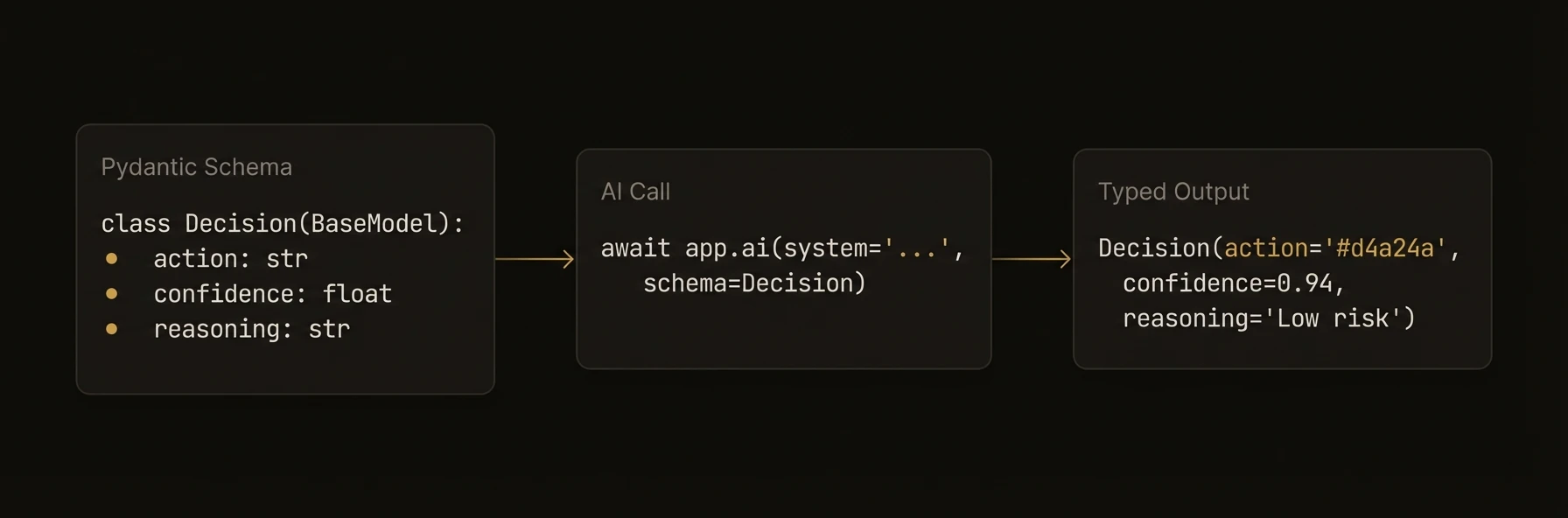 ## Control plane
The control plane routes execution, tracks workflows, manages shared memory, applies policy, and records audit data. Your node code calls `app.call`, `app.ai`, `app.memory`, etc.; the SDK talks to the plane.
Next: [Architecture](/docs/learn/architecture) for request flow, or [Quickstart](/docs/learn/quickstart) to run code.
---
## Quickstart
URL: https://agentfield.ai/docs/learn/quickstart
Markdown: https://agentfield.ai/llm/docs/learn/quickstart
Last-Modified: 2026-03-24T17:32:27.000Z
Category: getting-started
Difficulty: beginner
Keywords: quickstart, install, getting started, hello world, cli, scaffold
Summary: Go from zero to a running AI agent in 60 seconds
## Control plane
The control plane routes execution, tracks workflows, manages shared memory, applies policy, and records audit data. Your node code calls `app.call`, `app.ai`, `app.memory`, etc.; the SDK talks to the plane.
Next: [Architecture](/docs/learn/architecture) for request flow, or [Quickstart](/docs/learn/quickstart) to run code.
---
## Quickstart
URL: https://agentfield.ai/docs/learn/quickstart
Markdown: https://agentfield.ai/llm/docs/learn/quickstart
Last-Modified: 2026-03-24T17:32:27.000Z
Category: getting-started
Difficulty: beginner
Keywords: quickstart, install, getting started, hello world, cli, scaffold
Summary: Go from zero to a running AI agent in 60 seconds
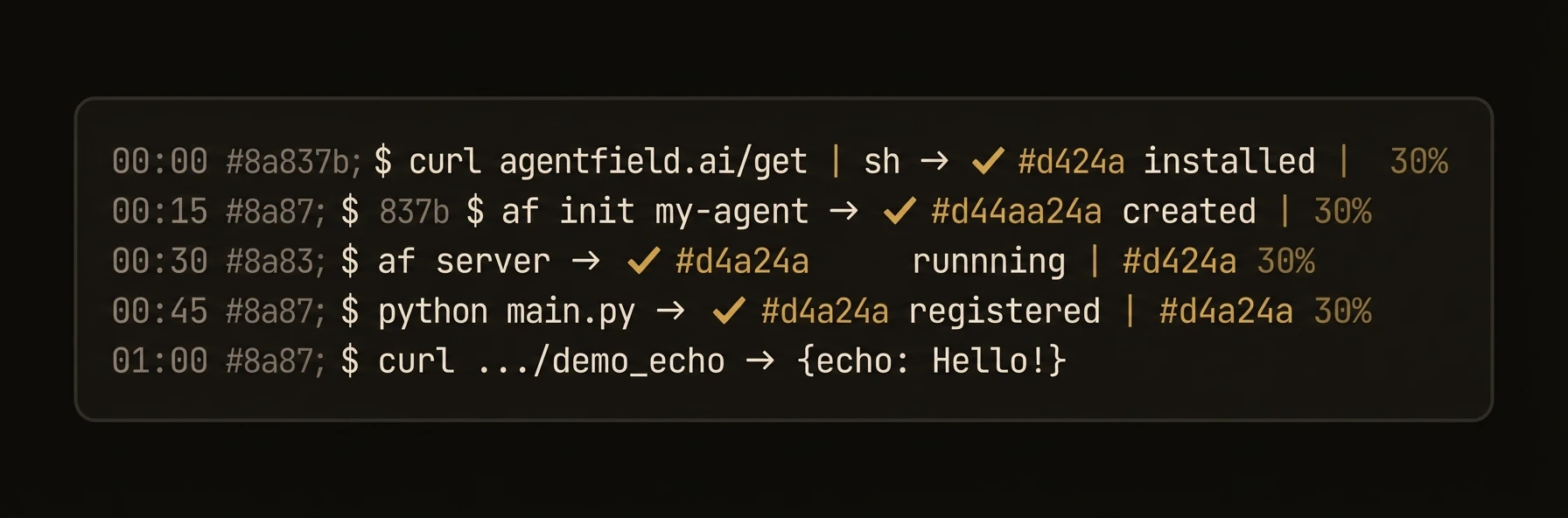 Install. Scaffold. Write. Run. Done.
## Install
This installs the `af` binary. Verify with `af --version`.
### Alternative: install the SDK directly
### Python
### TypeScript
### Go
## Scaffold
Set your LLM key in the generated `.env` file:
## Write your agent
### Python
### TypeScript
### Go
## Run
Start the control plane in one terminal:
Then run your agent app in a second terminal:
### Python
### TypeScript
### Go
Dashboard at [localhost:8080](http://localhost:8080).
## Test
Synchronous execution waits for the result inline:
Structured JSON back -- not raw LLM text:
## What just happened
You started the control plane, ran an agent app in your SDK of choice, and invoked it through the execution API. That is the minimum mental model of AgentField: one server process, one agent process, then a target you can call synchronously or defer for later completion.
Deferred execution returns immediately with a tracking ID:
Example deferred response:
## Next steps
- [Building Blocks](/docs/build/building-blocks/agents) -- Agents, Reasoners, Skills, and Harness
- [Intelligence](/docs/build/intelligence/ai-generation) -- structured AI, memory, and multi-turn harnesses
- [Coordination](/docs/build/coordination/discovery) -- cross-agent calls and discovery
- [Deploy](/docs/reference/deploy) -- ship to production
---
## AgentField vs agent frameworks
URL: https://agentfield.ai/docs/learn/vs-frameworks
Markdown: https://agentfield.ai/llm/docs/learn/vs-frameworks
Last-Modified: 2026-03-24T15:33:27.000Z
Category: getting-started
Difficulty: beginner
Keywords:
Summary: When you need infrastructure, not only an app-level SDK.
LangChain, CrewAI, and similar tools are strong for **single-app** agents. AgentField targets **many agents as services**: independent deploys, REST discovery, shared memory, durable async, cryptographic audit.
Install. Scaffold. Write. Run. Done.
## Install
This installs the `af` binary. Verify with `af --version`.
### Alternative: install the SDK directly
### Python
### TypeScript
### Go
## Scaffold
Set your LLM key in the generated `.env` file:
## Write your agent
### Python
### TypeScript
### Go
## Run
Start the control plane in one terminal:
Then run your agent app in a second terminal:
### Python
### TypeScript
### Go
Dashboard at [localhost:8080](http://localhost:8080).
## Test
Synchronous execution waits for the result inline:
Structured JSON back -- not raw LLM text:
## What just happened
You started the control plane, ran an agent app in your SDK of choice, and invoked it through the execution API. That is the minimum mental model of AgentField: one server process, one agent process, then a target you can call synchronously or defer for later completion.
Deferred execution returns immediately with a tracking ID:
Example deferred response:
## Next steps
- [Building Blocks](/docs/build/building-blocks/agents) -- Agents, Reasoners, Skills, and Harness
- [Intelligence](/docs/build/intelligence/ai-generation) -- structured AI, memory, and multi-turn harnesses
- [Coordination](/docs/build/coordination/discovery) -- cross-agent calls and discovery
- [Deploy](/docs/reference/deploy) -- ship to production
---
## AgentField vs agent frameworks
URL: https://agentfield.ai/docs/learn/vs-frameworks
Markdown: https://agentfield.ai/llm/docs/learn/vs-frameworks
Last-Modified: 2026-03-24T15:33:27.000Z
Category: getting-started
Difficulty: beginner
Keywords:
Summary: When you need infrastructure, not only an app-level SDK.
LangChain, CrewAI, and similar tools are strong for **single-app** agents. AgentField targets **many agents as services**: independent deploys, REST discovery, shared memory, durable async, cryptographic audit.
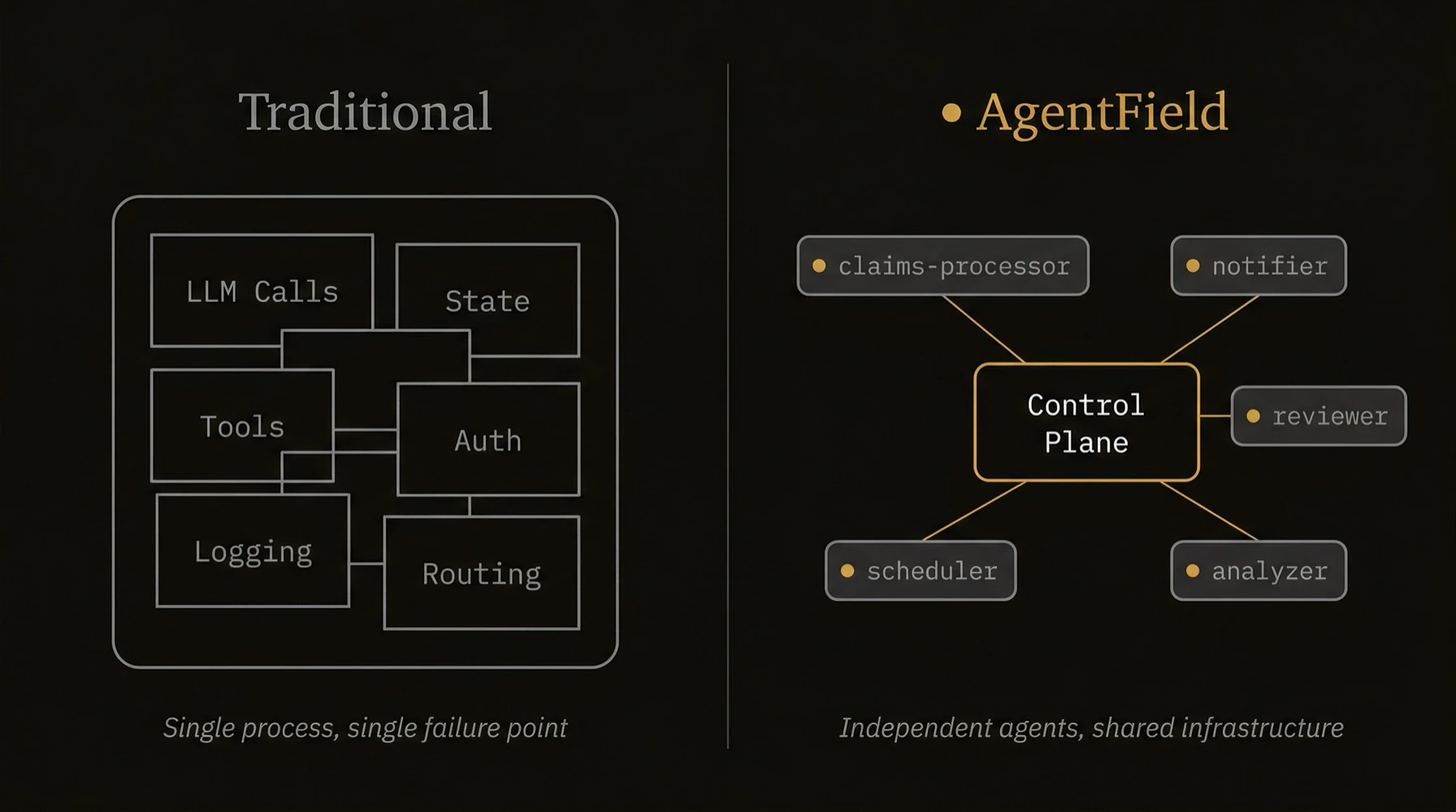 | Concern | Typical framework app | AgentField |
| --- | --- | --- |
| Deploy units | Often one service | Each agent scales independently |
| Call surface | In-process / custom glue | HTTP + `app.call` through control plane |
| Long jobs | You add queues/webhooks | Async execution + signed webhooks built in |
| Cross-agent state | Bring your own DB | Shared memory scopes + events |
| Strong audit | Usually logs only | DIDs, VCs, policy, execution DAG |
Use a framework inside a node if you want; AgentField is the **runtime and control plane** around those nodes.
---
## Deployment
URL: https://agentfield.ai/docs/reference/deploy
Markdown: https://agentfield.ai/llm/docs/reference/deploy
Last-Modified: 2026-03-24T15:33:27.000Z
Category: deploy
Difficulty: intermediate
Keywords: deploy, docker, kubernetes, cloud, production, sqlite, postgres
Summary: Deploy the AgentField control plane and agent nodes to local, Docker, Kubernetes, or cloud environments.
| Concern | Typical framework app | AgentField |
| --- | --- | --- |
| Deploy units | Often one service | Each agent scales independently |
| Call surface | In-process / custom glue | HTTP + `app.call` through control plane |
| Long jobs | You add queues/webhooks | Async execution + signed webhooks built in |
| Cross-agent state | Bring your own DB | Shared memory scopes + events |
| Strong audit | Usually logs only | DIDs, VCs, policy, execution DAG |
Use a framework inside a node if you want; AgentField is the **runtime and control plane** around those nodes.
---
## Deployment
URL: https://agentfield.ai/docs/reference/deploy
Markdown: https://agentfield.ai/llm/docs/reference/deploy
Last-Modified: 2026-03-24T15:33:27.000Z
Category: deploy
Difficulty: intermediate
Keywords: deploy, docker, kubernetes, cloud, production, sqlite, postgres
Summary: Deploy the AgentField control plane and agent nodes to local, Docker, Kubernetes, or cloud environments.
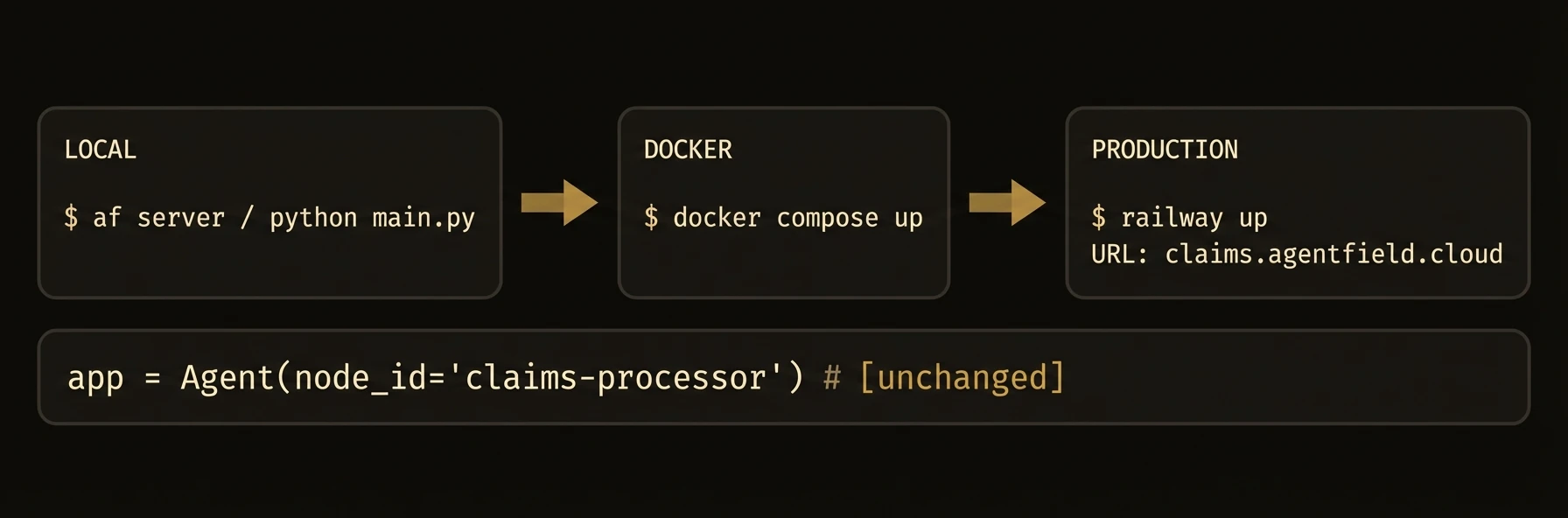 > From local development to production Kubernetes -- one binary, zero vendor lock-in.
AgentField runs as a stateless control plane that agent nodes connect to over HTTP. The same agent code runs on your laptop, in Docker, in Kubernetes, or in a customer's private environment.
The key deployment story is not just where it runs. It is that teams can deploy agents independently while the control plane keeps routing, discovery, and workflow tracking consistent.
## The Deployment Coordination Problem
Support needs to ship a bug fix. Analytics is running a long job. Another team is testing a new agent in staging. In a monolith, everyone waits. In a raw microservice stack, everyone coordinates service discovery, routing, and rollout plumbing.
AgentField removes most of that coordination burden:
- **Stateless control plane** -- scale the routing/orchestration layer independently
- **Independent agent scaling** -- each agent family deploys and scales on its own schedule
- **Agents anywhere** -- cloud, Docker, Kubernetes, on-prem, or private networks
- **Same code everywhere** -- your agent code does not change across environments
## Local To Production
What changes is the storage backend and where agents run. What does not change is the control-plane model, your agent code, or the API contract.
## What just happened
The same `af server` process was shown in both local and production modes, with only the storage backend changing. That is the deployment promise this page needs to make explicit: the control-plane shape stays stable while environments and agent placements change around it.
## Storage Modes
| Mode | Backend | Best For |
|------|---------|----------|
| `local` | SQLite | Development, single-node deployments |
| `postgres` | PostgreSQL | Production, multi-replica deployments |
SQLite is the default. No database setup required.
## Local Development
No Docker, no database, no configuration files required.
## Deployment Model
| Capability | What stays the same |
|----------|----------------------|
| **Laptop** | Same control plane, same agent APIs, fastest iteration |
| **Docker** | Same binary, same routes, isolated team environments |
| **Kubernetes** | Same control plane model, now with replicas, probes, and managed rollout |
| **On-prem / hybrid** | Same agent code, different network placement and storage configuration |
---
### Storage Configuration
## Storage Modes
Configure via `--storage-mode` or `storage.mode` in `agentfield.yaml`.
For PostgreSQL:
Or in `agentfield.yaml`:
### Docker
## Docker
### Single Container
### Docker Compose
To use PostgreSQL, add to the `agentfield` service:
### Kubernetes
## Kubernetes
### Deployment
### Service
For multi-replica deployments, switch to PostgreSQL storage. SQLite does not support concurrent writes from multiple processes.
### Health Probes
| Endpoint | Purpose |
|----------|---------|
| `GET /api/v1/health` | Liveness -- returns `200` if the process is alive |
| `GET /metrics` | Prometheus metrics for monitoring |
### Cloud Platforms
## Cloud Platforms
### Railway
Set `AGENTFIELD_HOME=/data` and attach a persistent volume at `/data`.
### Fly.io
### AWS ECS / Fargate
Use the Docker image with an EFS volume for persistent storage, or switch to PostgreSQL (RDS) for production workloads.
### Google Cloud Run
Cloud Run is stateless by default. Use PostgreSQL (Cloud SQL) as the storage backend, not SQLite.
### Environment Variables and Production Checklist
## Environment Variables
| Variable | Description | Default |
|----------|-------------|---------|
| `AGENTFIELD_HOME` | Data directory for SQLite, keys, payloads | `~/.agentfield` |
| `AGENTFIELD_SERVER` | Control plane URL for agent registration | `http://localhost:8080` |
| `AGENTFIELD_STORAGE_MODE` | `local` or `postgres` | `local` |
| `AGENTFIELD_POSTGRES_URL` | PostgreSQL connection string | -- |
| `AGENTFIELD_AUTHORIZATION_ADMIN_TOKEN` | Admin token for authorization endpoints | -- |
| `AGENTFIELD_CONFIG_SOURCE` | Set to `db` to overlay config from database | -- |
## Production Checklist
- [ ] Switch to PostgreSQL storage
- [ ] Set a strong `AGENTFIELD_AUTHORIZATION_ADMIN_TOKEN`
- [ ] Enable DID authorization (`features.did.authorization.enabled: true`)
- [ ] Set `tag_approval_rules.default_mode` to `manual`
- [ ] Configure an observability webhook for external monitoring
- [ ] Set up persistent volumes or managed database
- [ ] Configure liveness and readiness probes
- [ ] Enable TLS termination (via load balancer or reverse proxy)
---
## Serverless Deployment
URL: https://agentfield.ai/docs/reference/deploy/serverless
Markdown: https://agentfield.ai/llm/docs/reference/deploy/serverless
Last-Modified: 2026-03-24T16:54:10.000Z
Category: deploy
Difficulty: intermediate
Keywords: serverless, lambda, cloud-functions, cloud-run, vercel, scale-to-zero, deployment, faas
Summary: Deploy agents as serverless functions with handle_serverless(), Lambda adapters, and scale-to-zero.
> From local development to production Kubernetes -- one binary, zero vendor lock-in.
AgentField runs as a stateless control plane that agent nodes connect to over HTTP. The same agent code runs on your laptop, in Docker, in Kubernetes, or in a customer's private environment.
The key deployment story is not just where it runs. It is that teams can deploy agents independently while the control plane keeps routing, discovery, and workflow tracking consistent.
## The Deployment Coordination Problem
Support needs to ship a bug fix. Analytics is running a long job. Another team is testing a new agent in staging. In a monolith, everyone waits. In a raw microservice stack, everyone coordinates service discovery, routing, and rollout plumbing.
AgentField removes most of that coordination burden:
- **Stateless control plane** -- scale the routing/orchestration layer independently
- **Independent agent scaling** -- each agent family deploys and scales on its own schedule
- **Agents anywhere** -- cloud, Docker, Kubernetes, on-prem, or private networks
- **Same code everywhere** -- your agent code does not change across environments
## Local To Production
What changes is the storage backend and where agents run. What does not change is the control-plane model, your agent code, or the API contract.
## What just happened
The same `af server` process was shown in both local and production modes, with only the storage backend changing. That is the deployment promise this page needs to make explicit: the control-plane shape stays stable while environments and agent placements change around it.
## Storage Modes
| Mode | Backend | Best For |
|------|---------|----------|
| `local` | SQLite | Development, single-node deployments |
| `postgres` | PostgreSQL | Production, multi-replica deployments |
SQLite is the default. No database setup required.
## Local Development
No Docker, no database, no configuration files required.
## Deployment Model
| Capability | What stays the same |
|----------|----------------------|
| **Laptop** | Same control plane, same agent APIs, fastest iteration |
| **Docker** | Same binary, same routes, isolated team environments |
| **Kubernetes** | Same control plane model, now with replicas, probes, and managed rollout |
| **On-prem / hybrid** | Same agent code, different network placement and storage configuration |
---
### Storage Configuration
## Storage Modes
Configure via `--storage-mode` or `storage.mode` in `agentfield.yaml`.
For PostgreSQL:
Or in `agentfield.yaml`:
### Docker
## Docker
### Single Container
### Docker Compose
To use PostgreSQL, add to the `agentfield` service:
### Kubernetes
## Kubernetes
### Deployment
### Service
For multi-replica deployments, switch to PostgreSQL storage. SQLite does not support concurrent writes from multiple processes.
### Health Probes
| Endpoint | Purpose |
|----------|---------|
| `GET /api/v1/health` | Liveness -- returns `200` if the process is alive |
| `GET /metrics` | Prometheus metrics for monitoring |
### Cloud Platforms
## Cloud Platforms
### Railway
Set `AGENTFIELD_HOME=/data` and attach a persistent volume at `/data`.
### Fly.io
### AWS ECS / Fargate
Use the Docker image with an EFS volume for persistent storage, or switch to PostgreSQL (RDS) for production workloads.
### Google Cloud Run
Cloud Run is stateless by default. Use PostgreSQL (Cloud SQL) as the storage backend, not SQLite.
### Environment Variables and Production Checklist
## Environment Variables
| Variable | Description | Default |
|----------|-------------|---------|
| `AGENTFIELD_HOME` | Data directory for SQLite, keys, payloads | `~/.agentfield` |
| `AGENTFIELD_SERVER` | Control plane URL for agent registration | `http://localhost:8080` |
| `AGENTFIELD_STORAGE_MODE` | `local` or `postgres` | `local` |
| `AGENTFIELD_POSTGRES_URL` | PostgreSQL connection string | -- |
| `AGENTFIELD_AUTHORIZATION_ADMIN_TOKEN` | Admin token for authorization endpoints | -- |
| `AGENTFIELD_CONFIG_SOURCE` | Set to `db` to overlay config from database | -- |
## Production Checklist
- [ ] Switch to PostgreSQL storage
- [ ] Set a strong `AGENTFIELD_AUTHORIZATION_ADMIN_TOKEN`
- [ ] Enable DID authorization (`features.did.authorization.enabled: true`)
- [ ] Set `tag_approval_rules.default_mode` to `manual`
- [ ] Configure an observability webhook for external monitoring
- [ ] Set up persistent volumes or managed database
- [ ] Configure liveness and readiness probes
- [ ] Enable TLS termination (via load balancer or reverse proxy)
---
## Serverless Deployment
URL: https://agentfield.ai/docs/reference/deploy/serverless
Markdown: https://agentfield.ai/llm/docs/reference/deploy/serverless
Last-Modified: 2026-03-24T16:54:10.000Z
Category: deploy
Difficulty: intermediate
Keywords: serverless, lambda, cloud-functions, cloud-run, vercel, scale-to-zero, deployment, faas
Summary: Deploy agents as serverless functions with handle_serverless(), Lambda adapters, and scale-to-zero.
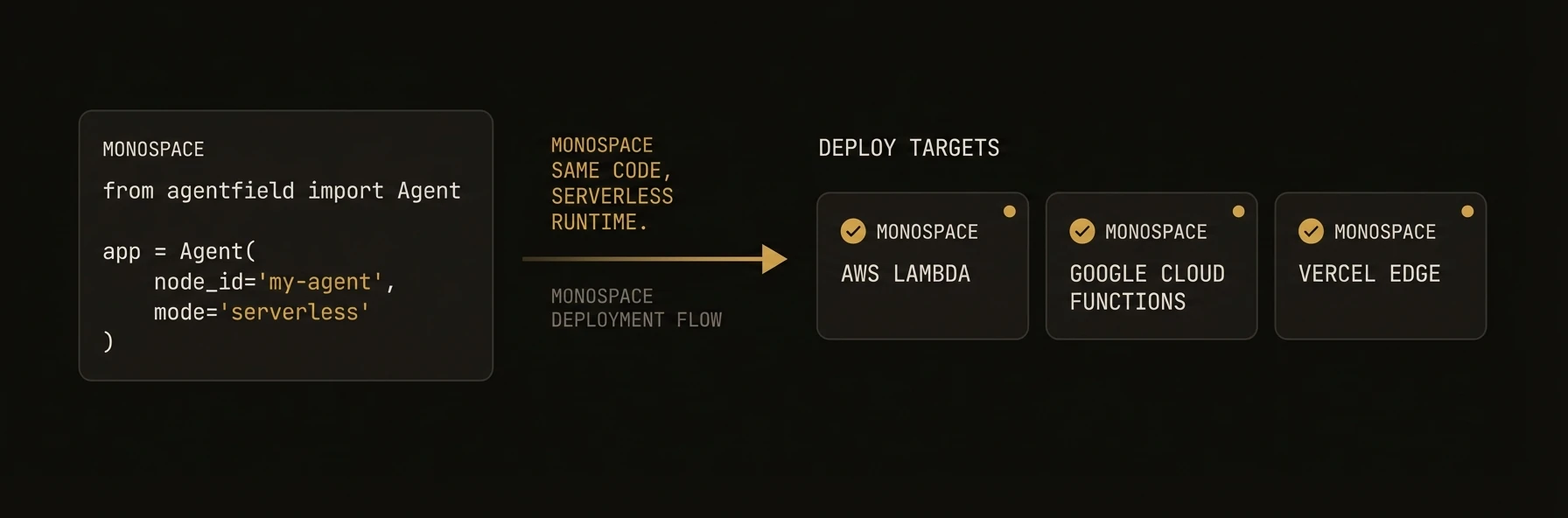 > Deploy agents as Lambda functions, Cloud Functions, or edge handlers while keeping the same agent logic.
Not every agent needs a long-running server. For event-driven workloads, batch processing, or cost-sensitive deployments, AgentField agents can run as serverless functions. Python's `handle_serverless(event)`, TypeScript's `handler()`, and Go's `Handler()` wrap your agent so it works with AWS Lambda, Google Cloud Functions, Azure Functions, Vercel, and any platform that speaks HTTP.
### Python
```python
from agentfield import Agent, AIConfig
from pydantic import BaseModel
app = Agent(
node_id="invoice-processor",
ai_config=AIConfig(model="openai/gpt-4o-mini"),
)
class InvoiceInput(BaseModel):
document_url: str
vendor: str
class InvoiceOutput(BaseModel):
total: float
line_items: list[dict]
due_date: str
confidence: float
@app.reasoner()
async def process_invoice(document_url: str, vendor: str) -> dict:
result = await app.ai(
system="Extract structured invoice data.",
user=f"Vendor: {vendor}, Document: {document_url}",
schema=InvoiceOutput,
)
return result
# Lambda handler — pass the event directly
def handler(event, context):
return app.handle_serverless(event)
```
### TypeScript
```typescript
import { Agent } from "@agentfield/sdk";
import { z } from "zod";
const agent = new Agent({ nodeId: "invoice-processor" });
const InvoiceInput = z.object({
documentUrl: z.string().url(),
vendor: z.string(),
});
const InvoiceOutput = z.object({
total: z.number(),
lineItems: z.array(z.record(z.any())),
dueDate: z.string(),
confidence: z.number(),
});
agent.reasoner("processInvoice", async (ctx) => {
const input = InvoiceInput.parse(ctx.input);
return await ctx.ai(`Vendor: ${input.vendor}, Doc: ${input.documentUrl}`, {
system: "Extract structured invoice data.",
schema: InvoiceOutput,
});
});
// Serverless handler — works with Lambda, Cloud Functions, Vercel, etc.
export default agent.handler();
```
### Go
```go
package main
import (
"context"
"log"
"net/http"
"github.com/Agent-Field/agentfield/sdk/go/agent"
)
type InvoiceInput struct {
DocumentURL string `json:"document_url"`
Vendor string `json:"vendor"`
}
type InvoiceOutput struct {
Total float64 `json:"total"`
LineItems []map[string]any `json:"line_items"`
DueDate string `json:"due_date"`
Confidence float64 `json:"confidence"`
}
func main() {
a, err := agent.New(agent.Config{
NodeID: "invoice-processor",
Version: "1.0.0",
DeploymentType: "serverless",
})
if err != nil {
log.Fatal(err)
}
a.RegisterReasoner("processInvoice", func(ctx context.Context, input map[string]any) (any, error) {
// Process invoice...
return InvoiceOutput{
Total: 1250.00,
DueDate: "2026-04-15",
Confidence: 0.95,
}, nil
})
// Expose as an http.Handler when your serverless platform accepts HTTP handlers directly.
http.ListenAndServe(":8001", a.Handler())
}
```
## What just happened
The same agent definition was exposed as a serverless handler without rewriting the business logic. You keep the same reasoners and schemas, then swap only the runtime boundary.
```json
{
"deployment_shape": "serverless",
"entrypoint": "handle_serverless / handler",
"cold_start_behavior": "runtime-dependent",
"scale_model": "scale_to_zero"
}
```
### What you get
- **Serverless adapter** -- `handle_serverless()` (Python) or `handler()` (TypeScript/Go) wraps your agent for any FaaS platform.
- **Registration behavior** -- startup and registration behavior depend on your runtime and deployment adapter.
- **Scale-to-zero** -- no traffic, no cost. The control plane routes requests when the function wakes up.
- **Typed I/O** -- Pydantic models, Zod schemas, or Go structs for request/response validation.
- **Platform support** -- Lambda, Cloud Functions, Cloud Run, Vercel, Netlify, Azure Functions.
- **Cold start optimization** -- use fast models and the Go SDK for minimal startup latency.
### Platform adapters
Each adapter translates the platform's event format into AgentField's execution model.
### AWS Lambda
### Python
```python
# handler.py — deploy with SAM, CDK, or Serverless Framework
from agentfield import Agent
app = Agent(node_id="my-agent")
@app.reasoner()
async def process(text: str) -> dict:
return {"result": await app.ai(user=text)}
def handler(event, context):
return app.handle_serverless(event)
```
```yaml
# template.yaml (AWS SAM)
Resources:
AgentFunction:
Type: AWS::Serverless::Function
Properties:
Handler: handler.handler
Runtime: python3.12
Timeout: 300
MemorySize: 512
Environment:
Variables:
AGENTFIELD_SERVER: !Ref ControlPlaneUrl
OPENAI_API_KEY: !Ref OpenAIKey
```
### TypeScript
```typescript
// handler.ts
import { Agent } from "@agentfield/sdk";
const agent = new Agent({ nodeId: "my-agent" });
agent.reasoner("process", async (ctx) => {
return { result: await ctx.ai(JSON.stringify(ctx.input)) };
});
export const handler = agent.handler();
```
### Go
```go
// main.go
package main
import (
"context"
"log"
"net/http"
"github.com/Agent-Field/agentfield/sdk/go/agent"
)
func main() {
a, err := agent.New(agent.Config{
NodeID: "my-agent",
Version: "1.0.0",
DeploymentType: "serverless",
})
if err != nil {
log.Fatal(err)
}
a.RegisterReasoner("process", func(ctx context.Context, input map[string]any) (any, error) {
return map[string]any{"result": "processed"}, nil
})
// Expose as http.Handler for Lambda (via AWS Lambda Web Adapter or similar)
http.ListenAndServe(":8001", a.Handler())
}
```
### Google Cloud Functions
```python
# main.py — deploy with gcloud functions deploy
from agentfield import Agent
app = Agent(node_id="my-agent")
@app.reasoner()
async def process(text: str) -> dict:
return {"result": await app.ai(user=text)}
# Cloud Functions entry point — pass the event directly
def handle(event, context=None):
return app.handle_serverless(event)
```
### Vercel / Netlify Edge
```typescript
// api/agent.ts — auto-detected by Vercel
import { Agent } from "@agentfield/sdk";
const agent = new Agent({ nodeId: "my-agent" });
agent.reasoner("process", async (ctx) => {
return { result: await ctx.ai(JSON.stringify(ctx.input)) };
});
export default agent.handler();
```
### Platform Comparison
| Platform | Cold Start | Max Timeout | Notes |
|---|---|---|---|
| AWS Lambda | 1-3s (Python), under 1s (Go) | 15 min | Best for heavy compute |
| Cloud Functions | 1-2s | 9 min (gen1), 60 min (gen2) | GCP native |
| Cloud Run | 1-3s | 60 min | Container-based, best flexibility |
| Vercel | under 500ms | 5 min (Pro) | Best for edge/API routes |
| Azure Functions | 1-3s | 10 min | Azure ecosystem |
### Cold start optimization
Serverless cold starts can add latency. These patterns minimize startup time.
### Use a Fast Model
```python
app = Agent(
node_id="my-agent",
ai_config=AIConfig(
model="openai/gpt-4o-mini", # fast, cheap model for serverless
),
)
```
### Tips
| Optimization | Impact | Applies To |
|---|---|---|
| Use Go SDK | 10-50x faster cold start | All platforms |
| Use smaller models (`gpt-4o-mini`) | Faster response, lower cost | All |
| Increase memory allocation | Faster CPU = faster startup | Lambda, Cloud Functions |
| Use provisioned concurrency | Zero cold starts | Lambda (costs more) |
### Patterns
### Event-Driven Processing
Trigger agent execution from cloud events (S3 uploads, Pub/Sub messages, webhooks).
```python
from agentfield import Agent
app = Agent(node_id="document-processor")
@app.reasoner()
async def process_upload(bucket: str, key: str) -> dict:
# Download and process the uploaded document
analysis = await app.ai(
system="Analyze this document and extract key information.",
user=f"Document from s3://{bucket}/{key}",
)
return {"analysis": analysis, "source": f"s3://{bucket}/{key}"}
def handler(event, context):
# Normalize S3 event into agent input
record = event["Records"][0]["s3"]
normalized = {
"reasoner": "process_upload",
"input": {
"bucket": record["bucket"]["name"],
"key": record["object"]["key"],
},
}
return app.handle_serverless(normalized)
```
### Scheduled Agent Runs
Run agents on a cron schedule with CloudWatch Events or Cloud Scheduler.
```python
@app.reasoner()
async def daily_report(period: str = "24h") -> dict:
# Fetch data from other agents
metrics = await app.call("metrics.collect", period=period)
anomalies = await app.call("anomaly-detector.scan", **metrics)
report = await app.ai(
system="Generate a daily operations report.",
user=str({"metrics": metrics, "anomalies": anomalies}),
)
return {"report": report, "anomaly_count": len(anomalies.get("items", []))}
def handler(event, context):
return app.handle_serverless(event)
# Trigger with: cron(0 9 * * ? *) — every day at 9 AM
```
### Hybrid Deployment
Run critical agents on servers, burst agents as serverless.
```python
import asyncio
from agentfield import Agent
# Long-running orchestrator on a server
orchestrator = Agent(node_id="orchestrator")
@orchestrator.reasoner()
async def coordinate(task: str) -> dict:
# Fan out to serverless workers — they scale automatically
results = await asyncio.gather(
orchestrator.call("serverless-analyzer.process", chunk=1),
orchestrator.call("serverless-analyzer.process", chunk=2),
orchestrator.call("serverless-analyzer.process", chunk=3),
)
return {"combined": results}
orchestrator.serve() # Long-running server
# The "serverless-analyzer" agents are deployed as Lambda functions
# and scale independently based on demand
```
### Environment variables
Configure serverless agents via environment variables -- no secrets in code.
| Variable | Required | Description |
|---|---|---|
| `AGENTFIELD_SERVER` | Yes | Control plane URL for registration and execution |
| `OPENAI_API_KEY` | Depends | OpenAI API key (if using OpenAI models) |
| `ANTHROPIC_API_KEY` | Depends | Anthropic API key (if using Claude models) |
| `FAL_KEY` | No | fal.ai API key (if using media generation) |
| `AGENTFIELD_LOG_LEVEL` | No | Logging level: `DEBUG`, `INFO`, `WARN`, `ERROR` |
---
## CLI Reference
URL: https://agentfield.ai/docs/reference/sdks/cli
Markdown: https://agentfield.ai/llm/docs/reference/sdks/cli
Last-Modified: 2026-03-24T15:48:56.000Z
Category: sdks
Difficulty: beginner
Keywords: cli, af, command-line, terminal, agent-mode
Summary: Command reference for the af command-line interface.
> Deploy agents as Lambda functions, Cloud Functions, or edge handlers while keeping the same agent logic.
Not every agent needs a long-running server. For event-driven workloads, batch processing, or cost-sensitive deployments, AgentField agents can run as serverless functions. Python's `handle_serverless(event)`, TypeScript's `handler()`, and Go's `Handler()` wrap your agent so it works with AWS Lambda, Google Cloud Functions, Azure Functions, Vercel, and any platform that speaks HTTP.
### Python
```python
from agentfield import Agent, AIConfig
from pydantic import BaseModel
app = Agent(
node_id="invoice-processor",
ai_config=AIConfig(model="openai/gpt-4o-mini"),
)
class InvoiceInput(BaseModel):
document_url: str
vendor: str
class InvoiceOutput(BaseModel):
total: float
line_items: list[dict]
due_date: str
confidence: float
@app.reasoner()
async def process_invoice(document_url: str, vendor: str) -> dict:
result = await app.ai(
system="Extract structured invoice data.",
user=f"Vendor: {vendor}, Document: {document_url}",
schema=InvoiceOutput,
)
return result
# Lambda handler — pass the event directly
def handler(event, context):
return app.handle_serverless(event)
```
### TypeScript
```typescript
import { Agent } from "@agentfield/sdk";
import { z } from "zod";
const agent = new Agent({ nodeId: "invoice-processor" });
const InvoiceInput = z.object({
documentUrl: z.string().url(),
vendor: z.string(),
});
const InvoiceOutput = z.object({
total: z.number(),
lineItems: z.array(z.record(z.any())),
dueDate: z.string(),
confidence: z.number(),
});
agent.reasoner("processInvoice", async (ctx) => {
const input = InvoiceInput.parse(ctx.input);
return await ctx.ai(`Vendor: ${input.vendor}, Doc: ${input.documentUrl}`, {
system: "Extract structured invoice data.",
schema: InvoiceOutput,
});
});
// Serverless handler — works with Lambda, Cloud Functions, Vercel, etc.
export default agent.handler();
```
### Go
```go
package main
import (
"context"
"log"
"net/http"
"github.com/Agent-Field/agentfield/sdk/go/agent"
)
type InvoiceInput struct {
DocumentURL string `json:"document_url"`
Vendor string `json:"vendor"`
}
type InvoiceOutput struct {
Total float64 `json:"total"`
LineItems []map[string]any `json:"line_items"`
DueDate string `json:"due_date"`
Confidence float64 `json:"confidence"`
}
func main() {
a, err := agent.New(agent.Config{
NodeID: "invoice-processor",
Version: "1.0.0",
DeploymentType: "serverless",
})
if err != nil {
log.Fatal(err)
}
a.RegisterReasoner("processInvoice", func(ctx context.Context, input map[string]any) (any, error) {
// Process invoice...
return InvoiceOutput{
Total: 1250.00,
DueDate: "2026-04-15",
Confidence: 0.95,
}, nil
})
// Expose as an http.Handler when your serverless platform accepts HTTP handlers directly.
http.ListenAndServe(":8001", a.Handler())
}
```
## What just happened
The same agent definition was exposed as a serverless handler without rewriting the business logic. You keep the same reasoners and schemas, then swap only the runtime boundary.
```json
{
"deployment_shape": "serverless",
"entrypoint": "handle_serverless / handler",
"cold_start_behavior": "runtime-dependent",
"scale_model": "scale_to_zero"
}
```
### What you get
- **Serverless adapter** -- `handle_serverless()` (Python) or `handler()` (TypeScript/Go) wraps your agent for any FaaS platform.
- **Registration behavior** -- startup and registration behavior depend on your runtime and deployment adapter.
- **Scale-to-zero** -- no traffic, no cost. The control plane routes requests when the function wakes up.
- **Typed I/O** -- Pydantic models, Zod schemas, or Go structs for request/response validation.
- **Platform support** -- Lambda, Cloud Functions, Cloud Run, Vercel, Netlify, Azure Functions.
- **Cold start optimization** -- use fast models and the Go SDK for minimal startup latency.
### Platform adapters
Each adapter translates the platform's event format into AgentField's execution model.
### AWS Lambda
### Python
```python
# handler.py — deploy with SAM, CDK, or Serverless Framework
from agentfield import Agent
app = Agent(node_id="my-agent")
@app.reasoner()
async def process(text: str) -> dict:
return {"result": await app.ai(user=text)}
def handler(event, context):
return app.handle_serverless(event)
```
```yaml
# template.yaml (AWS SAM)
Resources:
AgentFunction:
Type: AWS::Serverless::Function
Properties:
Handler: handler.handler
Runtime: python3.12
Timeout: 300
MemorySize: 512
Environment:
Variables:
AGENTFIELD_SERVER: !Ref ControlPlaneUrl
OPENAI_API_KEY: !Ref OpenAIKey
```
### TypeScript
```typescript
// handler.ts
import { Agent } from "@agentfield/sdk";
const agent = new Agent({ nodeId: "my-agent" });
agent.reasoner("process", async (ctx) => {
return { result: await ctx.ai(JSON.stringify(ctx.input)) };
});
export const handler = agent.handler();
```
### Go
```go
// main.go
package main
import (
"context"
"log"
"net/http"
"github.com/Agent-Field/agentfield/sdk/go/agent"
)
func main() {
a, err := agent.New(agent.Config{
NodeID: "my-agent",
Version: "1.0.0",
DeploymentType: "serverless",
})
if err != nil {
log.Fatal(err)
}
a.RegisterReasoner("process", func(ctx context.Context, input map[string]any) (any, error) {
return map[string]any{"result": "processed"}, nil
})
// Expose as http.Handler for Lambda (via AWS Lambda Web Adapter or similar)
http.ListenAndServe(":8001", a.Handler())
}
```
### Google Cloud Functions
```python
# main.py — deploy with gcloud functions deploy
from agentfield import Agent
app = Agent(node_id="my-agent")
@app.reasoner()
async def process(text: str) -> dict:
return {"result": await app.ai(user=text)}
# Cloud Functions entry point — pass the event directly
def handle(event, context=None):
return app.handle_serverless(event)
```
### Vercel / Netlify Edge
```typescript
// api/agent.ts — auto-detected by Vercel
import { Agent } from "@agentfield/sdk";
const agent = new Agent({ nodeId: "my-agent" });
agent.reasoner("process", async (ctx) => {
return { result: await ctx.ai(JSON.stringify(ctx.input)) };
});
export default agent.handler();
```
### Platform Comparison
| Platform | Cold Start | Max Timeout | Notes |
|---|---|---|---|
| AWS Lambda | 1-3s (Python), under 1s (Go) | 15 min | Best for heavy compute |
| Cloud Functions | 1-2s | 9 min (gen1), 60 min (gen2) | GCP native |
| Cloud Run | 1-3s | 60 min | Container-based, best flexibility |
| Vercel | under 500ms | 5 min (Pro) | Best for edge/API routes |
| Azure Functions | 1-3s | 10 min | Azure ecosystem |
### Cold start optimization
Serverless cold starts can add latency. These patterns minimize startup time.
### Use a Fast Model
```python
app = Agent(
node_id="my-agent",
ai_config=AIConfig(
model="openai/gpt-4o-mini", # fast, cheap model for serverless
),
)
```
### Tips
| Optimization | Impact | Applies To |
|---|---|---|
| Use Go SDK | 10-50x faster cold start | All platforms |
| Use smaller models (`gpt-4o-mini`) | Faster response, lower cost | All |
| Increase memory allocation | Faster CPU = faster startup | Lambda, Cloud Functions |
| Use provisioned concurrency | Zero cold starts | Lambda (costs more) |
### Patterns
### Event-Driven Processing
Trigger agent execution from cloud events (S3 uploads, Pub/Sub messages, webhooks).
```python
from agentfield import Agent
app = Agent(node_id="document-processor")
@app.reasoner()
async def process_upload(bucket: str, key: str) -> dict:
# Download and process the uploaded document
analysis = await app.ai(
system="Analyze this document and extract key information.",
user=f"Document from s3://{bucket}/{key}",
)
return {"analysis": analysis, "source": f"s3://{bucket}/{key}"}
def handler(event, context):
# Normalize S3 event into agent input
record = event["Records"][0]["s3"]
normalized = {
"reasoner": "process_upload",
"input": {
"bucket": record["bucket"]["name"],
"key": record["object"]["key"],
},
}
return app.handle_serverless(normalized)
```
### Scheduled Agent Runs
Run agents on a cron schedule with CloudWatch Events or Cloud Scheduler.
```python
@app.reasoner()
async def daily_report(period: str = "24h") -> dict:
# Fetch data from other agents
metrics = await app.call("metrics.collect", period=period)
anomalies = await app.call("anomaly-detector.scan", **metrics)
report = await app.ai(
system="Generate a daily operations report.",
user=str({"metrics": metrics, "anomalies": anomalies}),
)
return {"report": report, "anomaly_count": len(anomalies.get("items", []))}
def handler(event, context):
return app.handle_serverless(event)
# Trigger with: cron(0 9 * * ? *) — every day at 9 AM
```
### Hybrid Deployment
Run critical agents on servers, burst agents as serverless.
```python
import asyncio
from agentfield import Agent
# Long-running orchestrator on a server
orchestrator = Agent(node_id="orchestrator")
@orchestrator.reasoner()
async def coordinate(task: str) -> dict:
# Fan out to serverless workers — they scale automatically
results = await asyncio.gather(
orchestrator.call("serverless-analyzer.process", chunk=1),
orchestrator.call("serverless-analyzer.process", chunk=2),
orchestrator.call("serverless-analyzer.process", chunk=3),
)
return {"combined": results}
orchestrator.serve() # Long-running server
# The "serverless-analyzer" agents are deployed as Lambda functions
# and scale independently based on demand
```
### Environment variables
Configure serverless agents via environment variables -- no secrets in code.
| Variable | Required | Description |
|---|---|---|
| `AGENTFIELD_SERVER` | Yes | Control plane URL for registration and execution |
| `OPENAI_API_KEY` | Depends | OpenAI API key (if using OpenAI models) |
| `ANTHROPIC_API_KEY` | Depends | Anthropic API key (if using Claude models) |
| `FAL_KEY` | No | fal.ai API key (if using media generation) |
| `AGENTFIELD_LOG_LEVEL` | No | Logging level: `DEBUG`, `INFO`, `WARN`, `ERROR` |
---
## CLI Reference
URL: https://agentfield.ai/docs/reference/sdks/cli
Markdown: https://agentfield.ai/llm/docs/reference/sdks/cli
Last-Modified: 2026-03-24T15:48:56.000Z
Category: sdks
Difficulty: beginner
Keywords: cli, af, command-line, terminal, agent-mode
Summary: Command reference for the af command-line interface.
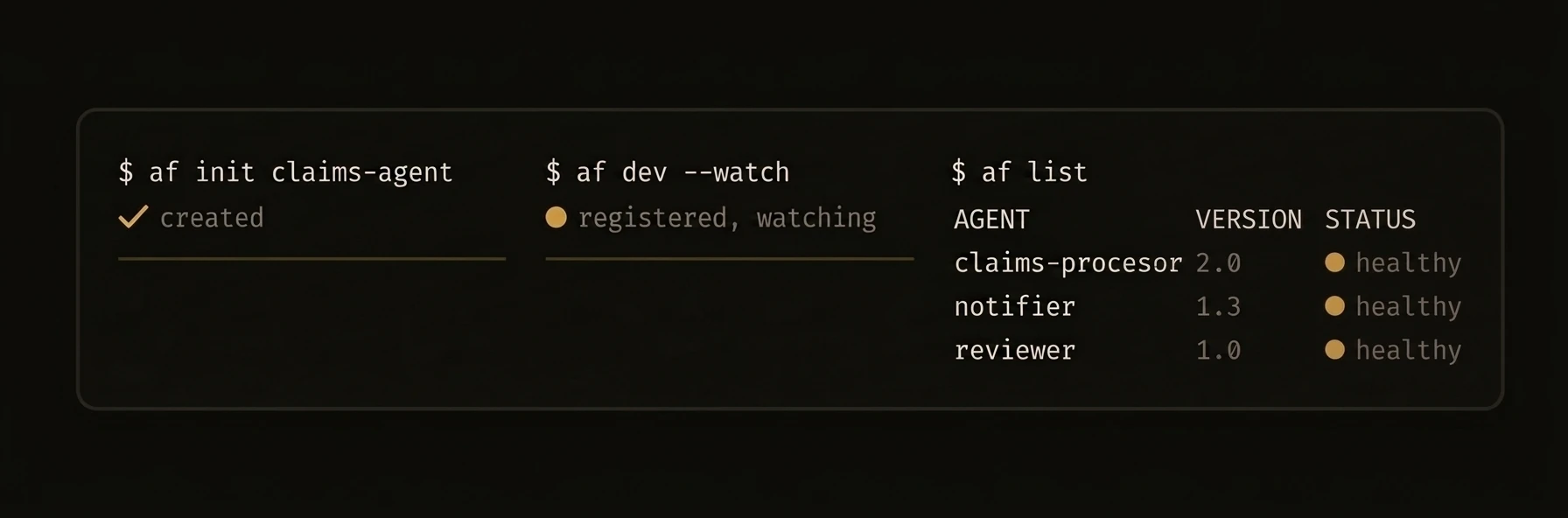 > The `af` binary is the single entry point for creating, running, and managing AgentField agents and the control plane server.
Install from the [releases page](https://github.com/Agent-Field/agentfield/releases) or build from source:
---
## af agent — Machine-Readable CLI
The `af agent` subcommand is the primary interface for AI coding tools — Claude Code, Cursor, Codex, and any LLM-powered automation. All `af agent` subcommands output structured JSON to stdout with no ANSI colors, no interactive prompts, and no spinners.
AI agents operating an AgentField control plane should use `af agent` subcommands. These provide a machine-readable interface to the control plane.
### Subcommands
| Subcommand | Description |
|------------|-------------|
| `af agent status` | Platform status as JSON |
| `af agent discover` | List all capabilities as JSON |
| `af agent query` | Query an agent |
| `af agent run` | Fetch run overview by ID |
| `af agent agent-summary` | Get a summary of a specific agent |
| `af agent kb` | Knowledge base operations |
| `af agent batch` | Batch operations |
### Flags for `af agent`
| Flag | Description |
|------|-------------|
| `--output` | Output format: `json` or `compact` (default: `json`) |
| `--timeout` | Request timeout in seconds |
| `--server` | Control plane URL |
### Example — AI Agent Workflow
This is how Claude Code or Cursor would interact with AgentField:
### Error Handling
All errors return a consistent JSON structure:
---
## Global Flags
These flags apply to every command:
| Flag | Short | Description |
|------|-------|-------------|
| `--verbose` | `-v` | Enable verbose output |
| `--config` | | Path to `agentfield.yaml` config file |
| `--api-key` | `-k` | API key for authenticating with the control plane |
## Essential Commands
| Command | Description |
|---------|-------------|
| `af init [name]` | Scaffold a new agent project |
| `af dev [path]` | Run agent in dev mode with hot reload |
| `af server` | Start the control plane |
| `af run ` | Start an installed agent in the background |
| `af add` | Add MCP servers or agent packages |
| `af list` | List installed agent packages |
| `af agent status` | Show platform and node status (JSON) |
| `af agent discover` | List available capabilities (JSON) |
---
### af init — Scaffold a Project
## af init
Creates a project directory with `agentfield.yaml`, a starter agent file, and the correct package structure.
### Flags
| Flag | Short | Description |
|------|-------|-------------|
| `--language` | `-l` | Language: `python`, `typescript`, or `go` |
| `--defaults` | | Use defaults with no interactive prompts |
| `--author` | `-a` | Author name |
| `--email` | `-e` | Author email |
### Examples
### Output
### af dev — Development Mode
## af dev
Reads `agentfield.yaml` in the target directory, starts the agent process, registers with the control plane, and provides verbose logging.
### Flags
| Flag | Short | Description |
|------|-------|-------------|
| `--port` | `-p` | Use a specific port (auto-assigned by default) |
| `--watch` | `-w` | Watch for file changes and auto-restart |
| `--verbose` | `-v` | Verbose output |
### Examples
### Output
### af run, af server
## af run
Start an installed agent node package in the background.
| Flag | Short | Description |
|------|-------|-------------|
| `--port` | `-p` | Use a specific port |
| `--detach` | `-d` | Run in background (default: `true`) |
| `--verbose` | `-v` | Verbose output |
### Examples
### Output
## af server
Start the AgentField control plane server.
Launches the control plane API server, web UI, and all background services. Reads configuration from `agentfield.yaml`.
### Key Environment Variables
| Variable | Description |
|----------|-------------|
| `AGENTFIELD_HOME` | Data directory (default: `~/.agentfield`) |
| `AGENTFIELD_SERVER` | Control plane URL for agents to connect to |
| `AGENTFIELD_AUTHORIZATION_ADMIN_TOKEN` | Admin token for authorization endpoints |
### Examples
### Output
### af list, af config, af agent status
## af list
List installed agent packages with version, language, and status.
### Normal Output
### Example
## af config
Get or set runtime configuration for an installed agent.
### Normal Output
### Setting Values
## af agent status
Show platform and node status as structured JSON. Note that `status` is a subcommand of `af agent`, not a top-level command.
### af add — Dependencies and MCP Servers
## af add
Add MCP servers or agent packages to your project.
### MCP Server Flags
| Flag | Description |
|------|-------------|
| `--mcp` | Add an MCP server (required for MCP mode) |
| `--url` | GitHub URL of a remote MCP server |
| `--run` | Command to start the server (supports `{{port}}` template) |
| `--setup` | Setup commands to run before starting (repeatable) |
| `--env` | Environment variables as `KEY=VALUE` (repeatable) |
| `--working-dir` | Working directory for the server process |
| `--health-check` | Health check command (supports `{{port}}` template) |
| `--timeout` | Startup timeout in seconds |
| `--force` | Overwrite if already added |
### Examples
### Output
### af agent run, af execution
## af agent run
Fetch a run overview by ID. This retrieves details about a specific run from the control plane.
### Example
## af execution
Manage running workflow executions. This command does not start new executions — use `af agent run` for that.
### Examples
### af vc verify, af mcp, af agent
## af vc verify
Verify a Verifiable Credential exported from AgentField.
| Flag | Short | Description |
|------|-------|-------------|
| `--format` | `-f` | Output format: `json` or `pretty` (default: `json`) |
| `--resolve-web` | | Resolve all DIDs from web |
| `--did-resolver` | | Custom DID resolver URL |
| `--verbose` | `-v` | Show detailed verification steps |
VC verification works fully offline when the VC file includes embedded DID resolution data.
### Example
## af mcp
Manage MCP server integrations.
### Example
## af agent
Machine-friendly subcommands that return structured JSON on stdout. See the [af agent section above](#af-agent--machine-readable-cli) for the full list of subcommands and flags.
### Example
### Memory Operations
## Memory
Memory operations (key-value storage and vector search) are not available as CLI commands. Use the [REST API](/docs/reference/api/memory) or the [Python](/docs/reference/sdks/python)/[TypeScript](/docs/reference/sdks/typescript) SDKs to interact with memory programmatically.
---
## Configuration Reference
URL: https://agentfield.ai/docs/reference/sdks/configuration
Markdown: https://agentfield.ai/llm/docs/reference/sdks/configuration
Last-Modified: 2026-03-24T15:35:27.000Z
Category: sdks
Difficulty: intermediate
Keywords: config, AIConfig, AsyncConfig, MemoryConfig, HarnessConfig, WebhookConfig, ToolCallConfig, settings
Summary: Complete reference for AIConfig, AsyncConfig, MemoryConfig, HarnessConfig, WebhookConfig, and ToolCallConfig.
> The `af` binary is the single entry point for creating, running, and managing AgentField agents and the control plane server.
Install from the [releases page](https://github.com/Agent-Field/agentfield/releases) or build from source:
---
## af agent — Machine-Readable CLI
The `af agent` subcommand is the primary interface for AI coding tools — Claude Code, Cursor, Codex, and any LLM-powered automation. All `af agent` subcommands output structured JSON to stdout with no ANSI colors, no interactive prompts, and no spinners.
AI agents operating an AgentField control plane should use `af agent` subcommands. These provide a machine-readable interface to the control plane.
### Subcommands
| Subcommand | Description |
|------------|-------------|
| `af agent status` | Platform status as JSON |
| `af agent discover` | List all capabilities as JSON |
| `af agent query` | Query an agent |
| `af agent run` | Fetch run overview by ID |
| `af agent agent-summary` | Get a summary of a specific agent |
| `af agent kb` | Knowledge base operations |
| `af agent batch` | Batch operations |
### Flags for `af agent`
| Flag | Description |
|------|-------------|
| `--output` | Output format: `json` or `compact` (default: `json`) |
| `--timeout` | Request timeout in seconds |
| `--server` | Control plane URL |
### Example — AI Agent Workflow
This is how Claude Code or Cursor would interact with AgentField:
### Error Handling
All errors return a consistent JSON structure:
---
## Global Flags
These flags apply to every command:
| Flag | Short | Description |
|------|-------|-------------|
| `--verbose` | `-v` | Enable verbose output |
| `--config` | | Path to `agentfield.yaml` config file |
| `--api-key` | `-k` | API key for authenticating with the control plane |
## Essential Commands
| Command | Description |
|---------|-------------|
| `af init [name]` | Scaffold a new agent project |
| `af dev [path]` | Run agent in dev mode with hot reload |
| `af server` | Start the control plane |
| `af run ` | Start an installed agent in the background |
| `af add` | Add MCP servers or agent packages |
| `af list` | List installed agent packages |
| `af agent status` | Show platform and node status (JSON) |
| `af agent discover` | List available capabilities (JSON) |
---
### af init — Scaffold a Project
## af init
Creates a project directory with `agentfield.yaml`, a starter agent file, and the correct package structure.
### Flags
| Flag | Short | Description |
|------|-------|-------------|
| `--language` | `-l` | Language: `python`, `typescript`, or `go` |
| `--defaults` | | Use defaults with no interactive prompts |
| `--author` | `-a` | Author name |
| `--email` | `-e` | Author email |
### Examples
### Output
### af dev — Development Mode
## af dev
Reads `agentfield.yaml` in the target directory, starts the agent process, registers with the control plane, and provides verbose logging.
### Flags
| Flag | Short | Description |
|------|-------|-------------|
| `--port` | `-p` | Use a specific port (auto-assigned by default) |
| `--watch` | `-w` | Watch for file changes and auto-restart |
| `--verbose` | `-v` | Verbose output |
### Examples
### Output
### af run, af server
## af run
Start an installed agent node package in the background.
| Flag | Short | Description |
|------|-------|-------------|
| `--port` | `-p` | Use a specific port |
| `--detach` | `-d` | Run in background (default: `true`) |
| `--verbose` | `-v` | Verbose output |
### Examples
### Output
## af server
Start the AgentField control plane server.
Launches the control plane API server, web UI, and all background services. Reads configuration from `agentfield.yaml`.
### Key Environment Variables
| Variable | Description |
|----------|-------------|
| `AGENTFIELD_HOME` | Data directory (default: `~/.agentfield`) |
| `AGENTFIELD_SERVER` | Control plane URL for agents to connect to |
| `AGENTFIELD_AUTHORIZATION_ADMIN_TOKEN` | Admin token for authorization endpoints |
### Examples
### Output
### af list, af config, af agent status
## af list
List installed agent packages with version, language, and status.
### Normal Output
### Example
## af config
Get or set runtime configuration for an installed agent.
### Normal Output
### Setting Values
## af agent status
Show platform and node status as structured JSON. Note that `status` is a subcommand of `af agent`, not a top-level command.
### af add — Dependencies and MCP Servers
## af add
Add MCP servers or agent packages to your project.
### MCP Server Flags
| Flag | Description |
|------|-------------|
| `--mcp` | Add an MCP server (required for MCP mode) |
| `--url` | GitHub URL of a remote MCP server |
| `--run` | Command to start the server (supports `{{port}}` template) |
| `--setup` | Setup commands to run before starting (repeatable) |
| `--env` | Environment variables as `KEY=VALUE` (repeatable) |
| `--working-dir` | Working directory for the server process |
| `--health-check` | Health check command (supports `{{port}}` template) |
| `--timeout` | Startup timeout in seconds |
| `--force` | Overwrite if already added |
### Examples
### Output
### af agent run, af execution
## af agent run
Fetch a run overview by ID. This retrieves details about a specific run from the control plane.
### Example
## af execution
Manage running workflow executions. This command does not start new executions — use `af agent run` for that.
### Examples
### af vc verify, af mcp, af agent
## af vc verify
Verify a Verifiable Credential exported from AgentField.
| Flag | Short | Description |
|------|-------|-------------|
| `--format` | `-f` | Output format: `json` or `pretty` (default: `json`) |
| `--resolve-web` | | Resolve all DIDs from web |
| `--did-resolver` | | Custom DID resolver URL |
| `--verbose` | `-v` | Show detailed verification steps |
VC verification works fully offline when the VC file includes embedded DID resolution data.
### Example
## af mcp
Manage MCP server integrations.
### Example
## af agent
Machine-friendly subcommands that return structured JSON on stdout. See the [af agent section above](#af-agent--machine-readable-cli) for the full list of subcommands and flags.
### Example
### Memory Operations
## Memory
Memory operations (key-value storage and vector search) are not available as CLI commands. Use the [REST API](/docs/reference/api/memory) or the [Python](/docs/reference/sdks/python)/[TypeScript](/docs/reference/sdks/typescript) SDKs to interact with memory programmatically.
---
## Configuration Reference
URL: https://agentfield.ai/docs/reference/sdks/configuration
Markdown: https://agentfield.ai/llm/docs/reference/sdks/configuration
Last-Modified: 2026-03-24T15:35:27.000Z
Category: sdks
Difficulty: intermediate
Keywords: config, AIConfig, AsyncConfig, MemoryConfig, HarnessConfig, WebhookConfig, ToolCallConfig, settings
Summary: Complete reference for AIConfig, AsyncConfig, MemoryConfig, HarnessConfig, WebhookConfig, and ToolCallConfig.
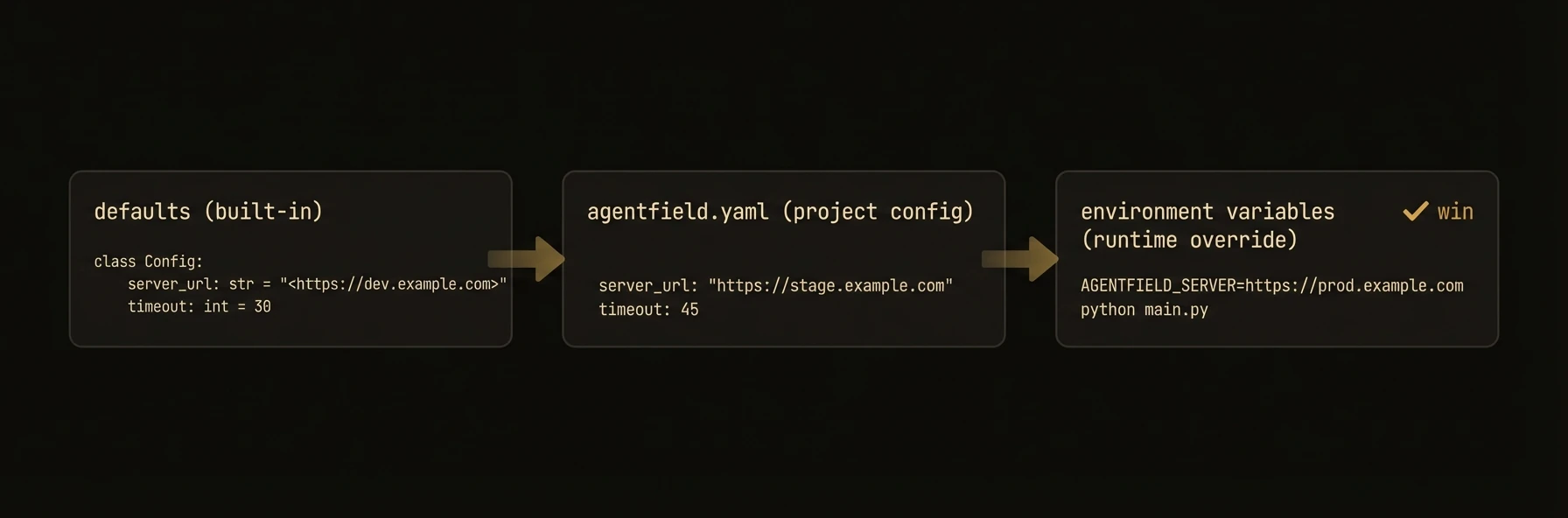 > Every knob your agents expose -- cost caps, rate limits, fallbacks, memory backends, and tool behavior.
AgentField agents are configured through typed config objects that control AI behavior, async execution, memory storage, harness loops, webhooks, and tool calling. Set defaults at agent creation time, then override per-call when you need different behavior.
### Python
### TypeScript
### Go
### AIConfig
Controls LLM behavior, model selection, cost limits, and rate limiting.
| Field | Type | Default | Description |
|---|---|---|---|
| `model` | `str` | `"gpt-4o"` | Default LLM model (LiteLLM format: `provider/model`) |
| `fallback_models` | `list[str]` | `[]` | Ordered fallback models when primary fails |
| `temperature` | `float` | `None` | Creativity/randomness (0.0-2.0). `None` uses model default |
| `max_tokens` | `int` | `None` | Maximum tokens in LLM response. `None` uses model default |
| `max_cost_per_call` | `float` | `None` | Hard cost cap per individual AI call ($) |
| `daily_budget` | `float` | `None` | Daily budget for AI calls in USD |
| `enable_rate_limit_retry` | `bool` | `True` | Auto-retry on HTTP 429 rate limit errors |
| `rate_limit_max_retries` | `int` | `5` | Maximum retry attempts for rate limits |
| `rate_limit_base_delay` | `float` | `0.5` | Base delay for rate limit backoff in seconds |
| `rate_limit_max_delay` | `float` | `30.0` | Maximum delay for rate limit backoff in seconds |
| `fal_api_key` | `str` | `None` | fal.ai API key (or set `FAL_KEY` env var) |
| `api_key` | `str` | `None` | Provider API key (or use env vars) |
| `api_base` | `str` | `None` | Custom API base URL for self-hosted models |
| `response_format` | `str` | `"auto"` | Default response format: `"auto"`, `"json"`, `"text"` |
| `timeout` | `int` | `None` | HTTP timeout per LLM call in seconds |
| `auto_inject_memory` | `list[str]` | `[]` | Memory scopes to auto-inject into AI calls |
| `litellm_params` | `dict` | `{}` | Additional parameters passed to LiteLLM |
> **Note:** TypeScript SDK rate limit defaults differ significantly from Python: `rateLimitMaxRetries` defaults to 20 (vs 5 in Python) and `rateLimitMaxDelay` defaults to 300s (vs 30s in Python).
### Per-Call Override
Every AIConfig field can be overridden on individual `app.ai()` calls:
### AsyncConfig (Python)
Controls internal async execution behavior: adaptive polling intervals, connection pooling, timeouts, batching, and circuit breakers. This is a low-level tuning configuration -- most users do not need to modify it.
Async executions are initiated via the REST API (`POST /api/v1/execute/async/:target`). The Python SDK's `AsyncConfig` controls how the SDK internally polls for completion.
| Field | Type | Default | Description |
|---|---|---|---|
| `initial_poll_interval` | `float` | `0.03` | Initial polling interval (seconds) |
| `fast_poll_interval` | `float` | `0.08` | Polling interval for short executions (0-10s) |
| `medium_poll_interval` | `float` | `0.4` | Polling interval for medium executions (10s-60s) |
| `slow_poll_interval` | `float` | `1.5` | Polling interval for long executions (60s+) |
| `max_execution_timeout` | `float` | `21600.0` | Maximum execution time (6 hours) |
| `default_execution_timeout` | `float` | `7200.0` | Default execution timeout (2 hours) |
| `max_concurrent_executions` | `int` | `4096` | Maximum concurrent executions to track |
| `batch_size` | `int` | `100` | Maximum executions per batch status check |
| `enable_event_stream` | `bool` | `False` | Subscribe to SSE updates when available |
### MemoryConfig
Controls memory behavior and scope configuration.
**Python** (`MemoryConfig` dataclass):
| Field | Type | Default | Description |
|---|---|---|---|
| `auto_inject` | `list[str]` | -- | Memory scopes to auto-inject into context |
| `memory_retention` | `str` | -- | Retention policy (e.g. `"session"`) |
| `cache_results` | `bool` | -- | Cache memory results locally |
**TypeScript** (`MemoryConfig` interface):
| Field | Type | Default | Description |
|---|---|---|---|
| `defaultScope` | `MemoryScope` | -- | Default memory scope (`"workflow"`, `"session"`, `"actor"`, `"global"`) |
| `ttl` | `number` | -- | Default TTL for keys |
**Go**: The Go SDK uses a pluggable `MemoryBackend` interface on the `Config` struct instead of a `MemoryConfig`. See the [Go SDK docs](/docs/reference/sdks/go) for details on `NewInMemoryBackend()` and `NewControlPlaneMemoryBackend()`.
Memory storage backends (Redis, PostgreSQL, etc.) are configured at the control plane level, not in the SDK memory config.
### HarnessConfig
Controls coding agent dispatch -- provider, max turns, cost caps, and tool configuration.
| Field | Type | Default | Description |
|---|---|---|---|
| `provider` | `str` | **required** | Coding agent provider: `"claude-code"`, `"codex"`, `"gemini"`, `"opencode"` |
| `model` | `str` | `"sonnet"` | Model identifier |
| `max_turns` | `int` | `30` | Maximum agent iterations |
| `max_budget_usd` | `float` | `None` | Cost cap in USD |
| `max_retries` | `int` | `3` | Maximum retry attempts for transient errors |
| `initial_delay` | `float` | `1.0` | Initial retry delay in seconds |
| `max_delay` | `float` | `30.0` | Maximum retry delay in seconds |
| `backoff_factor` | `float` | `2.0` | Exponential backoff multiplier |
| `tools` | `list[str]` | `["Read", "Write", "Edit", "Bash", "Glob", "Grep"]` | Allowed tools |
| `permission_mode` | `str` | `None` | Permission mode: `"plan"`, `"auto"`, or `None` |
| `system_prompt` | `str` | `None` | System prompt for the coding agent |
| `env` | `dict[str, str]` | `{}` | Environment variables for the agent process |
| `cwd` | `str` | `None` | Working directory |
### WebhookConfig
Controls webhook delivery for execution completion notifications.
| Field | Type | Default | Description |
|---|---|---|---|
| `url` | `str` | Required | HTTPS endpoint to receive callbacks |
| `secret` | `str` | `None` | HMAC-SHA256 secret for signature verification |
| `headers` | `dict[str, str]` | `None` | Custom headers included in delivery |
Webhook retry behavior (max retries, backoff, timeouts) is configured at the control plane level, not in the SDK's `WebhookConfig`.
### ToolCallConfig
Controls tool calling behavior within `app.ai()` and harness runs.
| Field | Type | Default | Description |
|---|---|---|---|
| `max_turns` | `int` | `10` | Maximum LLM turns in the tool-call loop |
| `max_tool_calls` | `int` | `25` | Maximum total tool invocations |
| `tags` | `list[str]` | `None` | Filter discovered tools by tags |
| `agent_ids` | `list[str]` | `None` | Filter discovered tools by agent IDs |
| `schema_hydration` | `str` | `"eager"` | Schema hydration strategy: `"eager"` or `"lazy"` |
| `fallback_broadening` | `bool` | `False` | Broaden discovery if initial filter yields no tools |
### Python
### TypeScript
### Go
### Environment variables
All config values can be set via environment variables. Explicit parameters take precedence over environment variables, which take precedence over defaults (i.e., explicit params > env vars > defaults).
| Variable | Config Field | Description |
|---|---|---|
| `OPENAI_API_KEY` | `ai_config.api_key` | OpenAI API key |
| `ANTHROPIC_API_KEY` | `ai_config.api_key` | Anthropic API key |
| `FAL_KEY` | `ai_config.fal_api_key` | fal.ai API key |
| `AGENTFIELD_SERVER` | `agentfield_server` | Control plane URL |
| `AGENTFIELD_SERVER_URL` | `agentfield_server` | Fallback control plane URL |
| `AGENTFIELD_LOG_LEVEL` | -- | Logging level (`DEBUG`, `INFO`, `WARN`, `ERROR`) |
---
## Go SDK
URL: https://agentfield.ai/docs/reference/sdks/go
Markdown: https://agentfield.ai/llm/docs/reference/sdks/go
Last-Modified: 2026-03-24T15:35:27.000Z
Category: sdks
Difficulty: intermediate
Keywords: go, golang, sdk, agent, reasoner, memory, ai, harness
Summary: Build production agents in Go with the AgentField SDK
> Every knob your agents expose -- cost caps, rate limits, fallbacks, memory backends, and tool behavior.
AgentField agents are configured through typed config objects that control AI behavior, async execution, memory storage, harness loops, webhooks, and tool calling. Set defaults at agent creation time, then override per-call when you need different behavior.
### Python
### TypeScript
### Go
### AIConfig
Controls LLM behavior, model selection, cost limits, and rate limiting.
| Field | Type | Default | Description |
|---|---|---|---|
| `model` | `str` | `"gpt-4o"` | Default LLM model (LiteLLM format: `provider/model`) |
| `fallback_models` | `list[str]` | `[]` | Ordered fallback models when primary fails |
| `temperature` | `float` | `None` | Creativity/randomness (0.0-2.0). `None` uses model default |
| `max_tokens` | `int` | `None` | Maximum tokens in LLM response. `None` uses model default |
| `max_cost_per_call` | `float` | `None` | Hard cost cap per individual AI call ($) |
| `daily_budget` | `float` | `None` | Daily budget for AI calls in USD |
| `enable_rate_limit_retry` | `bool` | `True` | Auto-retry on HTTP 429 rate limit errors |
| `rate_limit_max_retries` | `int` | `5` | Maximum retry attempts for rate limits |
| `rate_limit_base_delay` | `float` | `0.5` | Base delay for rate limit backoff in seconds |
| `rate_limit_max_delay` | `float` | `30.0` | Maximum delay for rate limit backoff in seconds |
| `fal_api_key` | `str` | `None` | fal.ai API key (or set `FAL_KEY` env var) |
| `api_key` | `str` | `None` | Provider API key (or use env vars) |
| `api_base` | `str` | `None` | Custom API base URL for self-hosted models |
| `response_format` | `str` | `"auto"` | Default response format: `"auto"`, `"json"`, `"text"` |
| `timeout` | `int` | `None` | HTTP timeout per LLM call in seconds |
| `auto_inject_memory` | `list[str]` | `[]` | Memory scopes to auto-inject into AI calls |
| `litellm_params` | `dict` | `{}` | Additional parameters passed to LiteLLM |
> **Note:** TypeScript SDK rate limit defaults differ significantly from Python: `rateLimitMaxRetries` defaults to 20 (vs 5 in Python) and `rateLimitMaxDelay` defaults to 300s (vs 30s in Python).
### Per-Call Override
Every AIConfig field can be overridden on individual `app.ai()` calls:
### AsyncConfig (Python)
Controls internal async execution behavior: adaptive polling intervals, connection pooling, timeouts, batching, and circuit breakers. This is a low-level tuning configuration -- most users do not need to modify it.
Async executions are initiated via the REST API (`POST /api/v1/execute/async/:target`). The Python SDK's `AsyncConfig` controls how the SDK internally polls for completion.
| Field | Type | Default | Description |
|---|---|---|---|
| `initial_poll_interval` | `float` | `0.03` | Initial polling interval (seconds) |
| `fast_poll_interval` | `float` | `0.08` | Polling interval for short executions (0-10s) |
| `medium_poll_interval` | `float` | `0.4` | Polling interval for medium executions (10s-60s) |
| `slow_poll_interval` | `float` | `1.5` | Polling interval for long executions (60s+) |
| `max_execution_timeout` | `float` | `21600.0` | Maximum execution time (6 hours) |
| `default_execution_timeout` | `float` | `7200.0` | Default execution timeout (2 hours) |
| `max_concurrent_executions` | `int` | `4096` | Maximum concurrent executions to track |
| `batch_size` | `int` | `100` | Maximum executions per batch status check |
| `enable_event_stream` | `bool` | `False` | Subscribe to SSE updates when available |
### MemoryConfig
Controls memory behavior and scope configuration.
**Python** (`MemoryConfig` dataclass):
| Field | Type | Default | Description |
|---|---|---|---|
| `auto_inject` | `list[str]` | -- | Memory scopes to auto-inject into context |
| `memory_retention` | `str` | -- | Retention policy (e.g. `"session"`) |
| `cache_results` | `bool` | -- | Cache memory results locally |
**TypeScript** (`MemoryConfig` interface):
| Field | Type | Default | Description |
|---|---|---|---|
| `defaultScope` | `MemoryScope` | -- | Default memory scope (`"workflow"`, `"session"`, `"actor"`, `"global"`) |
| `ttl` | `number` | -- | Default TTL for keys |
**Go**: The Go SDK uses a pluggable `MemoryBackend` interface on the `Config` struct instead of a `MemoryConfig`. See the [Go SDK docs](/docs/reference/sdks/go) for details on `NewInMemoryBackend()` and `NewControlPlaneMemoryBackend()`.
Memory storage backends (Redis, PostgreSQL, etc.) are configured at the control plane level, not in the SDK memory config.
### HarnessConfig
Controls coding agent dispatch -- provider, max turns, cost caps, and tool configuration.
| Field | Type | Default | Description |
|---|---|---|---|
| `provider` | `str` | **required** | Coding agent provider: `"claude-code"`, `"codex"`, `"gemini"`, `"opencode"` |
| `model` | `str` | `"sonnet"` | Model identifier |
| `max_turns` | `int` | `30` | Maximum agent iterations |
| `max_budget_usd` | `float` | `None` | Cost cap in USD |
| `max_retries` | `int` | `3` | Maximum retry attempts for transient errors |
| `initial_delay` | `float` | `1.0` | Initial retry delay in seconds |
| `max_delay` | `float` | `30.0` | Maximum retry delay in seconds |
| `backoff_factor` | `float` | `2.0` | Exponential backoff multiplier |
| `tools` | `list[str]` | `["Read", "Write", "Edit", "Bash", "Glob", "Grep"]` | Allowed tools |
| `permission_mode` | `str` | `None` | Permission mode: `"plan"`, `"auto"`, or `None` |
| `system_prompt` | `str` | `None` | System prompt for the coding agent |
| `env` | `dict[str, str]` | `{}` | Environment variables for the agent process |
| `cwd` | `str` | `None` | Working directory |
### WebhookConfig
Controls webhook delivery for execution completion notifications.
| Field | Type | Default | Description |
|---|---|---|---|
| `url` | `str` | Required | HTTPS endpoint to receive callbacks |
| `secret` | `str` | `None` | HMAC-SHA256 secret for signature verification |
| `headers` | `dict[str, str]` | `None` | Custom headers included in delivery |
Webhook retry behavior (max retries, backoff, timeouts) is configured at the control plane level, not in the SDK's `WebhookConfig`.
### ToolCallConfig
Controls tool calling behavior within `app.ai()` and harness runs.
| Field | Type | Default | Description |
|---|---|---|---|
| `max_turns` | `int` | `10` | Maximum LLM turns in the tool-call loop |
| `max_tool_calls` | `int` | `25` | Maximum total tool invocations |
| `tags` | `list[str]` | `None` | Filter discovered tools by tags |
| `agent_ids` | `list[str]` | `None` | Filter discovered tools by agent IDs |
| `schema_hydration` | `str` | `"eager"` | Schema hydration strategy: `"eager"` or `"lazy"` |
| `fallback_broadening` | `bool` | `False` | Broaden discovery if initial filter yields no tools |
### Python
### TypeScript
### Go
### Environment variables
All config values can be set via environment variables. Explicit parameters take precedence over environment variables, which take precedence over defaults (i.e., explicit params > env vars > defaults).
| Variable | Config Field | Description |
|---|---|---|
| `OPENAI_API_KEY` | `ai_config.api_key` | OpenAI API key |
| `ANTHROPIC_API_KEY` | `ai_config.api_key` | Anthropic API key |
| `FAL_KEY` | `ai_config.fal_api_key` | fal.ai API key |
| `AGENTFIELD_SERVER` | `agentfield_server` | Control plane URL |
| `AGENTFIELD_SERVER_URL` | `agentfield_server` | Fallback control plane URL |
| `AGENTFIELD_LOG_LEVEL` | -- | Logging level (`DEBUG`, `INFO`, `WARN`, `ERROR`) |
---
## Go SDK
URL: https://agentfield.ai/docs/reference/sdks/go
Markdown: https://agentfield.ai/llm/docs/reference/sdks/go
Last-Modified: 2026-03-24T15:35:27.000Z
Category: sdks
Difficulty: intermediate
Keywords: go, golang, sdk, agent, reasoner, memory, ai, harness
Summary: Build production agents in Go with the AgentField SDK
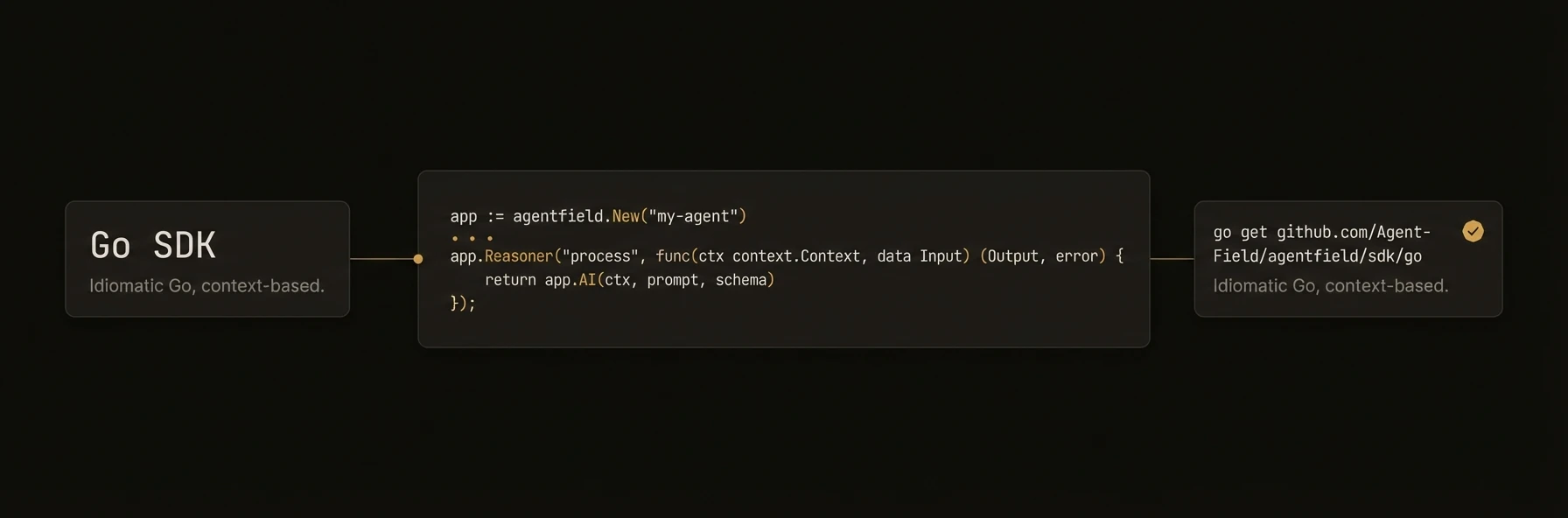 > Build and deploy AI agents in Go with idiomatic patterns.
The Go SDK provides the same core primitives as the Python and TypeScript SDKs -- agents, reasoners, memory, AI, cross-agent calls -- with idiomatic Go patterns: functional options, explicit error returns, and `context.Context` propagation.
## Install
## Quick Start
The Go SDK does not have separate skill registration or an AgentRouter. All capabilities are registered as reasoners. For routing across multiple agents, use the control plane's discovery and execution APIs.
---
### Agent Constructor and Config
## agent.New
Creates an `Agent` instance. `NodeID` and `Version` are required; everything else has sensible defaults.
### Config struct
| Field | Type | Default | Description |
|---|---|---|---|
| `NodeID` | `string` | **required** | Unique identifier for this agent node |
| `Version` | `string` | **required** | Agent version (e.g. `"1.0.0"`) |
| `TeamID` | `string` | `"default"` | Groups related agents together |
| `AgentFieldURL` | `string` | `""` | Control plane URL |
| `ListenAddress` | `string` | `":8001"` | Address the HTTP server binds to |
| `PublicURL` | `string` | `"http://localhost" + ListenAddress` | URL reported to the control plane |
| `Token` | `string` | `""` | Bearer token for control plane authentication |
| `DeploymentType` | `string` | `"long_running"` | `"long_running"` or `"serverless"` |
| `LeaseRefreshInterval` | `time.Duration` | `2m` | Heartbeat interval with control plane |
| `DisableLeaseLoop` | `bool` | `false` | Disable automatic heartbeats |
| `Logger` | `*log.Logger` | stdout logger | Custom logger |
| `AIConfig` | `*ai.Config` | `nil` | LLM configuration |
| `MemoryBackend` | `MemoryBackend` | in-memory | Pluggable storage backend |
| `HarnessConfig` | `*HarnessConfig` | `nil` | Default config for `Harness()` calls |
| `Tags` | `[]string` | `nil` | Metadata labels for policy-based authorization |
| `RequireOriginAuth` | `bool` | `false` | Validate incoming requests |
| `InternalToken` | `string` | `""` | Token for origin auth |
| `EnableDID` | `bool` | `false` | Auto-register a DID identity |
| `DID` | `string` | `""` | Pre-configured DID |
| `PrivateKeyJWK` | `string` | `""` | Ed25519 private key for DID signing |
| `VCEnabled` | `bool` | `false` | Generate Verifiable Credentials |
| `LocalVerification` | `bool` | `false` | Verify incoming DID signatures locally |
| `VerificationRefreshInterval` | `time.Duration` | `5m` | Cache refresh interval |
| `CLIConfig` | `*CLIConfig` | `nil` | CLI help text and formatting options |
### RegisterReasoner
## RegisterReasoner
Registers a handler function at `/reasoners/{name}`.
### ReasonerOption functions
| Option | Description |
|---|---|
| `WithInputSchema(raw json.RawMessage)` | Override auto-generated input JSON Schema |
| `WithOutputSchema(raw json.RawMessage)` | Override default output JSON Schema |
| `WithDescription(desc string)` | Human-readable description for discovery |
| `WithReasonerTags(tags ...string)` | Tags for tag-based authorization policies |
| `WithCLI()` | Make this reasoner callable from the CLI |
| `WithDefaultCLI()` | Mark as the default CLI handler |
| `WithCLIFormatter(fn func(context.Context, any, error))` | Custom CLI output formatter |
| `WithVCEnabled(enabled bool)` | Override agent-level VC generation |
| `WithRequireRealtimeValidation()` | Force control-plane verification |
### Example
### AI Methods — AI(), AIStream(), AIWithTools()
## AI Methods
All AI methods require `AIConfig` to be set in the agent `Config`.
### ai.Config
### AI
### AIStream
### AIWithTools
### ai.Option functions
| Option | Description |
|---|---|
| `ai.WithSystem(content)` | System message |
| `ai.WithModel(model)` | Override model |
| `ai.WithTemperature(temp)` | Set temperature (0.0--2.0) |
| `ai.WithMaxTokens(n)` | Set max tokens |
| `ai.WithJSONMode()` | Enable JSON response format |
| `ai.WithSchema(schema)` | Structured output with JSON Schema |
| `ai.WithStream()` | Enable streaming |
| `ai.WithTools(tools)` | Provide tool definitions |
| `ai.WithImageFile(path)` | Attach image from file |
| `ai.WithImageURL(url)` | Attach image from URL |
### Memory
## Memory
Returns the agent's hierarchical memory system. Default scope is **session**.
### Key-value operations
### Vector operations
### Scoped memory
| Method | Scope |
|---|---|
| `Memory().WorkflowScope()` | Current workflow execution |
| `Memory().SessionScope()` | Current session (default) |
| `Memory().UserScope()` | Current user/actor across sessions |
| `Memory().GlobalScope()` | Shared across all sessions and users |
| `Memory().Scoped(scope, id)` | Explicit scope and scope ID |
### Memory backends
- **`NewInMemoryBackend()`** -- Thread-safe in-process storage. Default.
- **`NewControlPlaneMemoryBackend(url, token, nodeID)`** -- Delegates to control plane's distributed memory API.
### Discover, Call, Harness, Note
## Discover
| Option | Description |
|---|---|
| `WithAgent(id)` | Filter to a single agent |
| `WithAgentIDs(ids)` | Filter to multiple agents |
| `WithTags(tags)` | Filter by tags (supports wildcards) |
| `WithDiscoveryInputSchema(bool)` | Include input schemas |
| `WithFormat(format)` | `"json"`, `"xml"`, or `"compact"` |
| `WithLimit(n)` | Pagination limit |
## Call
Target uses dot notation: `"agent-id.reasoner-name"`.
### CallLocal
## Harness
## Note
### Server Lifecycle, CLI, Execution Context
## Server Lifecycle
### Serve
Registers with the control plane, starts HTTP server, blocks until context cancelled or SIGTERM.
### Run
Intelligent mode router: CLI mode if CLI-enabled reasoners exist and arguments are present, otherwise falls back to `Serve()`.
### Handler
Returns the agent as an `http.Handler` for serverless or custom hosting.
### HandleServerlessEvent
## Execution Context
| Field | Type | Description |
|---|---|---|
| `RunID` | `string` | Unique run identifier |
| `ExecutionID` | `string` | Unique execution identifier |
| `ParentExecutionID` | `string` | Parent execution (for nested calls) |
| `SessionID` | `string` | Session identifier |
| `ActorID` | `string` | User/actor identifier |
| `WorkflowID` | `string` | Current workflow |
| `Depth` | `int` | Nesting depth |
| `CallerDID` | `string` | DID of the calling agent |
## HTTP Endpoints
| Endpoint | Method | Description |
|---|---|---|
| `/health` | GET | Health check |
| `/discover` | GET | Capability discovery |
| `/execute` | POST | Execute a reasoner (control plane routing) |
| `/execute/{name}` | POST | Execute a specific reasoner |
| `/reasoners/{name}` | POST | Direct reasoner invocation |
## CLI Mode
### CLI Integration
## CLI Mode
The Go SDK supports building agents that double as CLI tools. Register reasoners with `WithCLI()` or `WithDefaultCLI()`, then call `app.Run()` -- it automatically detects whether to start the HTTP server or run the CLI handler.
### CLIConfig
| Field | Type | Description |
|---|---|---|
| `AppName` | `string` | CLI program name (shown in usage) |
| `AppDescription` | `string` | Short description for help text |
| `DisableColors` | `bool` | Disable colored output |
| `DefaultOutputFormat` | `string` | Default output format |
| `HelpPreamble` | `string` | Text shown before help content |
| `HelpEpilog` | `string` | Text shown after help content |
| `EnvironmentVars` | `[]string` | Environment variables shown in help |
### Registering CLI Handlers
### CLI Usage
### Convenience Methods — CallLocal, Initialize
## CallLocal
Invoke a reasoner registered on the same agent without going through the network. Useful for internal composition.
## Initialize
Manually initialize the agent (register with control plane, start heartbeats) without starting the HTTP server. Useful when embedding the agent in a larger application.
### MemoryBackend Interface
## Pluggable Memory Backends
The Go SDK uses a `MemoryBackend` interface for all storage. Swap implementations for testing, local dev, or production.
### Built-in Backends
| Backend | Constructor | Description |
|---|---|---|
| **InMemoryBackend** | `agent.NewInMemoryBackend()` | Thread-safe in-process map. Default. Ideal for tests. |
| **ControlPlaneMemoryBackend** | `agent.NewControlPlaneMemoryBackend(url, token, nodeID)` | Delegates to the control plane's distributed memory API. Use in production. |
### Custom Backend
Implement the `MemoryBackend` interface to use Redis, DynamoDB, or any other store:
### Complete Example
## Full Example
---
## Python SDK
URL: https://agentfield.ai/docs/reference/sdks/python
Markdown: https://agentfield.ai/llm/docs/reference/sdks/python
Last-Modified: 2026-03-24T17:17:24.000Z
Category: sdks
Difficulty: beginner
Keywords: python, sdk, pip, agentfield, pydantic
Summary: Build agents with the AgentField Python SDK
> Build and deploy AI agents in Go with idiomatic patterns.
The Go SDK provides the same core primitives as the Python and TypeScript SDKs -- agents, reasoners, memory, AI, cross-agent calls -- with idiomatic Go patterns: functional options, explicit error returns, and `context.Context` propagation.
## Install
## Quick Start
The Go SDK does not have separate skill registration or an AgentRouter. All capabilities are registered as reasoners. For routing across multiple agents, use the control plane's discovery and execution APIs.
---
### Agent Constructor and Config
## agent.New
Creates an `Agent` instance. `NodeID` and `Version` are required; everything else has sensible defaults.
### Config struct
| Field | Type | Default | Description |
|---|---|---|---|
| `NodeID` | `string` | **required** | Unique identifier for this agent node |
| `Version` | `string` | **required** | Agent version (e.g. `"1.0.0"`) |
| `TeamID` | `string` | `"default"` | Groups related agents together |
| `AgentFieldURL` | `string` | `""` | Control plane URL |
| `ListenAddress` | `string` | `":8001"` | Address the HTTP server binds to |
| `PublicURL` | `string` | `"http://localhost" + ListenAddress` | URL reported to the control plane |
| `Token` | `string` | `""` | Bearer token for control plane authentication |
| `DeploymentType` | `string` | `"long_running"` | `"long_running"` or `"serverless"` |
| `LeaseRefreshInterval` | `time.Duration` | `2m` | Heartbeat interval with control plane |
| `DisableLeaseLoop` | `bool` | `false` | Disable automatic heartbeats |
| `Logger` | `*log.Logger` | stdout logger | Custom logger |
| `AIConfig` | `*ai.Config` | `nil` | LLM configuration |
| `MemoryBackend` | `MemoryBackend` | in-memory | Pluggable storage backend |
| `HarnessConfig` | `*HarnessConfig` | `nil` | Default config for `Harness()` calls |
| `Tags` | `[]string` | `nil` | Metadata labels for policy-based authorization |
| `RequireOriginAuth` | `bool` | `false` | Validate incoming requests |
| `InternalToken` | `string` | `""` | Token for origin auth |
| `EnableDID` | `bool` | `false` | Auto-register a DID identity |
| `DID` | `string` | `""` | Pre-configured DID |
| `PrivateKeyJWK` | `string` | `""` | Ed25519 private key for DID signing |
| `VCEnabled` | `bool` | `false` | Generate Verifiable Credentials |
| `LocalVerification` | `bool` | `false` | Verify incoming DID signatures locally |
| `VerificationRefreshInterval` | `time.Duration` | `5m` | Cache refresh interval |
| `CLIConfig` | `*CLIConfig` | `nil` | CLI help text and formatting options |
### RegisterReasoner
## RegisterReasoner
Registers a handler function at `/reasoners/{name}`.
### ReasonerOption functions
| Option | Description |
|---|---|
| `WithInputSchema(raw json.RawMessage)` | Override auto-generated input JSON Schema |
| `WithOutputSchema(raw json.RawMessage)` | Override default output JSON Schema |
| `WithDescription(desc string)` | Human-readable description for discovery |
| `WithReasonerTags(tags ...string)` | Tags for tag-based authorization policies |
| `WithCLI()` | Make this reasoner callable from the CLI |
| `WithDefaultCLI()` | Mark as the default CLI handler |
| `WithCLIFormatter(fn func(context.Context, any, error))` | Custom CLI output formatter |
| `WithVCEnabled(enabled bool)` | Override agent-level VC generation |
| `WithRequireRealtimeValidation()` | Force control-plane verification |
### Example
### AI Methods — AI(), AIStream(), AIWithTools()
## AI Methods
All AI methods require `AIConfig` to be set in the agent `Config`.
### ai.Config
### AI
### AIStream
### AIWithTools
### ai.Option functions
| Option | Description |
|---|---|
| `ai.WithSystem(content)` | System message |
| `ai.WithModel(model)` | Override model |
| `ai.WithTemperature(temp)` | Set temperature (0.0--2.0) |
| `ai.WithMaxTokens(n)` | Set max tokens |
| `ai.WithJSONMode()` | Enable JSON response format |
| `ai.WithSchema(schema)` | Structured output with JSON Schema |
| `ai.WithStream()` | Enable streaming |
| `ai.WithTools(tools)` | Provide tool definitions |
| `ai.WithImageFile(path)` | Attach image from file |
| `ai.WithImageURL(url)` | Attach image from URL |
### Memory
## Memory
Returns the agent's hierarchical memory system. Default scope is **session**.
### Key-value operations
### Vector operations
### Scoped memory
| Method | Scope |
|---|---|
| `Memory().WorkflowScope()` | Current workflow execution |
| `Memory().SessionScope()` | Current session (default) |
| `Memory().UserScope()` | Current user/actor across sessions |
| `Memory().GlobalScope()` | Shared across all sessions and users |
| `Memory().Scoped(scope, id)` | Explicit scope and scope ID |
### Memory backends
- **`NewInMemoryBackend()`** -- Thread-safe in-process storage. Default.
- **`NewControlPlaneMemoryBackend(url, token, nodeID)`** -- Delegates to control plane's distributed memory API.
### Discover, Call, Harness, Note
## Discover
| Option | Description |
|---|---|
| `WithAgent(id)` | Filter to a single agent |
| `WithAgentIDs(ids)` | Filter to multiple agents |
| `WithTags(tags)` | Filter by tags (supports wildcards) |
| `WithDiscoveryInputSchema(bool)` | Include input schemas |
| `WithFormat(format)` | `"json"`, `"xml"`, or `"compact"` |
| `WithLimit(n)` | Pagination limit |
## Call
Target uses dot notation: `"agent-id.reasoner-name"`.
### CallLocal
## Harness
## Note
### Server Lifecycle, CLI, Execution Context
## Server Lifecycle
### Serve
Registers with the control plane, starts HTTP server, blocks until context cancelled or SIGTERM.
### Run
Intelligent mode router: CLI mode if CLI-enabled reasoners exist and arguments are present, otherwise falls back to `Serve()`.
### Handler
Returns the agent as an `http.Handler` for serverless or custom hosting.
### HandleServerlessEvent
## Execution Context
| Field | Type | Description |
|---|---|---|
| `RunID` | `string` | Unique run identifier |
| `ExecutionID` | `string` | Unique execution identifier |
| `ParentExecutionID` | `string` | Parent execution (for nested calls) |
| `SessionID` | `string` | Session identifier |
| `ActorID` | `string` | User/actor identifier |
| `WorkflowID` | `string` | Current workflow |
| `Depth` | `int` | Nesting depth |
| `CallerDID` | `string` | DID of the calling agent |
## HTTP Endpoints
| Endpoint | Method | Description |
|---|---|---|
| `/health` | GET | Health check |
| `/discover` | GET | Capability discovery |
| `/execute` | POST | Execute a reasoner (control plane routing) |
| `/execute/{name}` | POST | Execute a specific reasoner |
| `/reasoners/{name}` | POST | Direct reasoner invocation |
## CLI Mode
### CLI Integration
## CLI Mode
The Go SDK supports building agents that double as CLI tools. Register reasoners with `WithCLI()` or `WithDefaultCLI()`, then call `app.Run()` -- it automatically detects whether to start the HTTP server or run the CLI handler.
### CLIConfig
| Field | Type | Description |
|---|---|---|
| `AppName` | `string` | CLI program name (shown in usage) |
| `AppDescription` | `string` | Short description for help text |
| `DisableColors` | `bool` | Disable colored output |
| `DefaultOutputFormat` | `string` | Default output format |
| `HelpPreamble` | `string` | Text shown before help content |
| `HelpEpilog` | `string` | Text shown after help content |
| `EnvironmentVars` | `[]string` | Environment variables shown in help |
### Registering CLI Handlers
### CLI Usage
### Convenience Methods — CallLocal, Initialize
## CallLocal
Invoke a reasoner registered on the same agent without going through the network. Useful for internal composition.
## Initialize
Manually initialize the agent (register with control plane, start heartbeats) without starting the HTTP server. Useful when embedding the agent in a larger application.
### MemoryBackend Interface
## Pluggable Memory Backends
The Go SDK uses a `MemoryBackend` interface for all storage. Swap implementations for testing, local dev, or production.
### Built-in Backends
| Backend | Constructor | Description |
|---|---|---|
| **InMemoryBackend** | `agent.NewInMemoryBackend()` | Thread-safe in-process map. Default. Ideal for tests. |
| **ControlPlaneMemoryBackend** | `agent.NewControlPlaneMemoryBackend(url, token, nodeID)` | Delegates to the control plane's distributed memory API. Use in production. |
### Custom Backend
Implement the `MemoryBackend` interface to use Redis, DynamoDB, or any other store:
### Complete Example
## Full Example
---
## Python SDK
URL: https://agentfield.ai/docs/reference/sdks/python
Markdown: https://agentfield.ai/llm/docs/reference/sdks/python
Last-Modified: 2026-03-24T17:17:24.000Z
Category: sdks
Difficulty: beginner
Keywords: python, sdk, pip, agentfield, pydantic
Summary: Build agents with the AgentField Python SDK
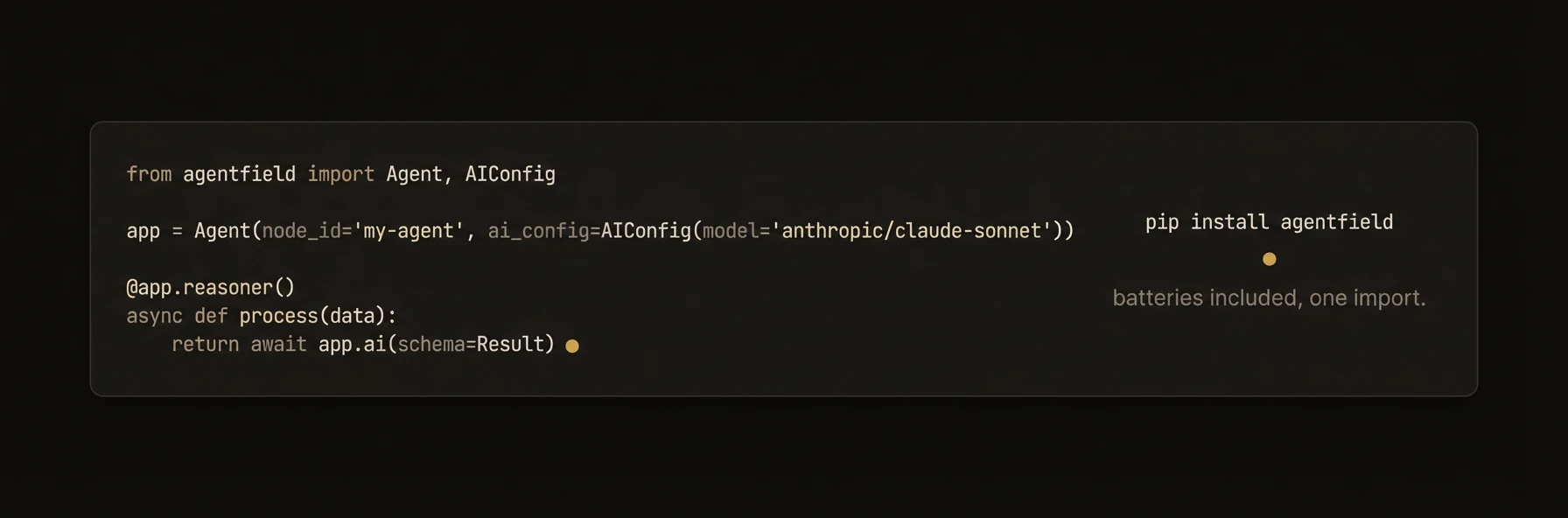 > Build AI agents as production microservices with Python.
The Python SDK turns registered reasoners and skills into callable agent endpoints with routing, coordination, memory, async execution, and optional DID-backed governance. Identity and verifiable-credential features are available when you enable them.
## Install
```bash
pip install agentfield
```
Requires Python 3.8+. The package version is currently `0.1.61`.
## Quick Start
```python
from agentfield import Agent, AIConfig
from pydantic import BaseModel
app = Agent(
node_id="my-agent",
ai_config=AIConfig(model="anthropic/claude-sonnet-4-20250514"),
)
class Summary(BaseModel):
title: str
key_points: list[str]
@app.reasoner()
async def summarize(text: str) -> dict:
result = await app.ai(
system="You are a concise summarizer.",
user=text,
schema=Summary,
)
return result.model_dump()
app.run()
```
Start the control plane and your agent:
```bash
af server # Terminal 1 — Dashboard at http://localhost:8080
python app.py # Terminal 2 — Agent auto-registers
```
Call your agent:
```bash
curl -X POST http://localhost:8080/api/v1/execute/my-agent.summarize \
-H "Content-Type: application/json" \
-d '{"input": {"text": "AgentField is an open-source control plane..."}}'
```
---
### Agent Constructor and Environment Variables
## Agent Constructor
```python
from agentfield import Agent, AIConfig, HarnessConfig, MemoryConfig
app = Agent(
node_id="my-agent", # Required — unique agent identifier
agentfield_server="http://localhost:8080", # Control plane URL (default: env or localhost:8080)
version="1.0.0", # Agent version string
description="My agent description", # Human-readable description
tags=["nlp", "production"], # Organizational tags
author={"name": "Team", "email": "a@b.com"}, # Author metadata
ai_config=AIConfig(...), # LLM configuration
harness_config=HarnessConfig(...), # Coding agent configuration
memory_config=MemoryConfig(...), # Memory behavior configuration
dev_mode=False, # Enable verbose debug logging
async_config=None, # AsyncConfig for execution tuning
callback_url=None, # Explicit callback URL for control plane
auto_register=True, # Auto-register on first invocation
vc_enabled=True, # Generate verifiable credentials
api_key=None, # API key for control plane auth
enable_mcp=False, # Enable Model Context Protocol servers
enable_did=True, # Enable decentralized identity
local_verification=False, # Enable local DID signature verification
verification_refresh_interval=300, # DID verification refresh interval (seconds)
)
```
The `Agent` class extends FastAPI, so you can use all FastAPI features (middleware, dependency injection, lifespan events) alongside AgentField capabilities.
### Environment Variables
| Variable | Purpose |
|---|---|
| `AGENTFIELD_SERVER` | Primary control plane URL |
| `AGENTFIELD_SERVER_URL` | Fallback control plane URL |
| `AGENT_CALLBACK_URL` | Explicit callback URL for the agent |
### Complete Method Reference
## Complete Method Reference
### Core Methods
| Method | Signature | Returns | Description |
|---|---|---|---|
| `ai` | `await app.ai(*args, system=, user=, schema=, model=, ...)` | `Any` | LLM call with structured output support |
| `harness` | `await app.harness(prompt, schema=, provider=, ...)` | `HarnessResult` | Dispatch task to a coding agent |
| `call` | `await app.call(target, *args, **kwargs)` | `dict` | Cross-agent function call |
| `pause` | `await app.pause(approval_request_id, ...)` | `ApprovalResult` | Suspend execution for human approval |
| `note` | `app.note(message, tags=)` | `None` | Fire-and-forget execution note |
| `discover` | `app.discover(agent=, tags=, ...)` | `DiscoveryResult` | Discover agent capabilities |
| `run` | `app.run(**serve_kwargs)` | `None` | Auto-detect CLI vs server mode |
| `serve` | `app.serve(port=, host=, dev=, ...)` | `None` | Start the agent HTTP server |
### Properties
| Property | Type | Description |
|---|---|---|
| `memory` | `MemoryInterface \| None` | Memory interface scoped to current execution context |
### app.ai() — LLM Calls
## `app.ai()` — LLM Calls
The universal AI method supports text, images, audio, and file inputs with intelligent type detection.
```python
async def ai(
*args: Any, # Flexible inputs — text, URLs, bytes, dicts
system: Optional[str] = None, # System prompt
user: Optional[str] = None, # User message (alternative to positional args)
schema: Optional[Type[BaseModel]] = None, # Pydantic model for structured output
model: Optional[str] = None, # Override model (e.g., "gpt-4o", "claude-3")
temperature: Optional[float] = None, # Creativity (0.0-2.0)
max_tokens: Optional[int] = None, # Maximum response length
stream: Optional[bool] = None, # Enable streaming
response_format: Optional[str | Dict] = None, # "auto", "json", or "text"
context: Optional[Dict] = None, # Additional context for the LLM
memory_scope: Optional[List[str]] = None, # Memory scopes to inject
tools: Optional[...] = None, # Tool definitions for tool calling
max_turns: Optional[int] = None, # Max LLM turns in tool-call loop (default: 10)
max_tool_calls: Optional[int] = None, # Max total tool calls (default: 25)
**kwargs, # Additional provider-specific parameters
) -> Any
```
### Examples
```python
# Simple text
response = await app.ai("Summarize this document.")
# System + user prompts
response = await app.ai(
system="You are a helpful assistant.",
user="What is the capital of France?",
)
# Structured output with Pydantic
class Sentiment(BaseModel):
sentiment: str
confidence: float
result = await app.ai(
"Analyze sentiment of: I love this!",
schema=Sentiment,
)
print(result.sentiment) # "positive"
print(result.confidence) # 0.95
# Multimodal — image + text
response = await app.ai(
"Describe this image:",
"https://example.com/photo.jpg",
)
# Tool calling with auto-discovery
response = await app.ai(
system="You are a helpful assistant with access to tools.",
user="What agents are available?",
tools="discover",
)
```
### Tool Calling
The `tools` parameter accepts multiple formats:
| Value | Behavior |
|---|---|
| `"discover"` | Auto-discover all tools from the control plane |
| `ToolCallConfig(...)` | Discover with filtering and progressive options |
| `List[dict]` | Raw OpenAI-format tool schemas |
| `List[ReasonerCapability \| SkillCapability]` | Pre-fetched capability objects |
```python
from agentfield import ToolCallConfig
result = await app.ai(
user="Process this claim",
tools=ToolCallConfig(
max_turns=5,
max_tool_calls=10,
tags=["insurance"],
agent_ids=["claims-processor"],
),
)
```
### app.harness() — Coding Agents
## `app.harness()` — Coding Agents
Dispatch tasks to external coding agents (Claude Code, Codex, Gemini, OpenCode) that can read, write, and edit files.
```python
async def harness(
prompt: str, # Task description
*,
schema: Any = None, # Pydantic model for structured output
provider: Optional[str] = None, # "claude-code", "codex", "gemini", "opencode"
model: Optional[str] = None, # Model identifier
max_turns: Optional[int] = None, # Maximum agent iterations
max_budget_usd: Optional[float] = None, # Cost cap in USD
tools: Optional[List[str]] = None, # Allowed tools
permission_mode: Optional[str] = None, # "plan", "auto", or None
system_prompt: Optional[str] = None, # System prompt for the agent
env: Optional[Dict[str, str]] = None, # Environment variables
cwd: Optional[str] = None, # Working directory
**kwargs,
) -> HarnessResult
```
### HarnessResult
| Field | Type | Description |
|---|---|---|
| `result` | `str \| None` | Raw text output from the coding agent |
| `parsed` | `Any` | Validated schema object (if `schema` was provided) |
| `is_error` | `bool` | Whether the execution errored |
| `error_message` | `str \| None` | Error details if `is_error` is `True` |
| `cost_usd` | `float \| None` | Execution cost in USD |
| `num_turns` | `int` | Number of agent iterations |
| `duration_ms` | `int` | Execution duration in milliseconds |
| `session_id` | `str` | Session identifier |
| `messages` | `List[Dict]` | Full message history |
| `text` | `str` | Property — alias for `result` (returns `""` if `None`) |
### Example
```python
from pydantic import BaseModel
class CodeReview(BaseModel):
issues: list[str]
suggestions: list[str]
score: int
result = await app.harness(
"Review the Python code in ./src for security issues",
schema=CodeReview,
provider="claude-code",
max_turns=20,
max_budget_usd=0.50,
cwd="/path/to/project",
)
print(result.parsed.score) # 85
print(result.cost_usd) # 0.23
```
### app.call() — Cross-Agent Communication
## `app.call()` — Cross-Agent Communication
Route calls to other agents through the control plane. Always returns `dict` (like a REST API).
```python
async def call(
target: str, # "node_id.function_name"
*args, # Positional arguments (auto-mapped to parameter names)
**kwargs, # Keyword arguments
) -> dict
```
### Examples
```python
# Keyword arguments (recommended)
result = await app.call(
"sentiment-agent.analyze",
message="I love this product!",
customer_id="cust_123",
)
# Positional arguments
result = await app.call(
"notification-agent.send_email",
"user@example.com", # to
"Welcome!", # subject
body="Thanks for joining.",
)
```
### app.pause() — Human-in-the-Loop
## `app.pause()` — Human-in-the-Loop
Suspend execution until a human approves, rejects, or requests changes.
```python
async def pause(
approval_request_id: str, # ID of the approval request
approval_request_url: str = "", # URL where humans review the request
expires_in_hours: int = 72, # Expiry time
timeout: Optional[float] = None, # Max seconds to wait
execution_id: Optional[str] = None, # Override current execution ID
) -> ApprovalResult
```
### ApprovalResult
| Field | Type | Description |
|---|---|---|
| `decision` | `str` | `"approved"`, `"rejected"`, `"request_changes"`, `"expired"`, or `"error"` |
| `feedback` | `str` | Human's feedback text |
| `execution_id` | `str` | The execution that was paused |
| `approval_request_id` | `str` | The approval request identifier |
| `approved` | `bool` | Property — `True` if `decision == "approved"` |
### Decorators, Memory, and Configuration
## Decorators
### `@app.reasoner()`
Register an AI-powered function.
```python
@app.reasoner(
path=None, # Custom endpoint path
name=None, # Explicit registration ID
tags=None, # Organizational tags
vc_enabled=None, # Override VC generation
require_realtime_validation=False, # Require real-time VC validation
)
```
### `@app.skill()`
Register a deterministic function.
```python
@app.skill(
tags=None, # Organizational tags
path=None, # Custom endpoint path
name=None, # Explicit registration ID
vc_enabled=None, # Override VC generation
require_realtime_validation=False, # Require real-time VC validation
)
```
Both decorators automatically generate input/output schemas from type hints, create FastAPI endpoints with validation, integrate with workflow tracking, and enable cross-agent communication via `app.call()`.
## Memory
The `app.memory` property provides a `MemoryInterface` scoped to the current execution context.
### Memory Scopes
| Scope | Lifetime | Use For |
|---|---|---|
| `global` | Until explicitly deleted | Shared config, knowledge bases |
| `session` | Until session ends | Conversation context, user preferences |
| `actor` | Persists across sessions | Actor-specific learned data |
| `workflow` | Until workflow run completes | Intermediate results, per-run state |
### MemoryInterface Methods
```python
# Basic key-value operations
await app.memory.set(key: str, data: Any) -> None
await app.memory.get(key: str, default: Any = None) -> Any
await app.memory.exists(key: str) -> bool
await app.memory.delete(key: str) -> None
# Vector operations
await app.memory.set_vector(key, embedding, metadata=None)
await app.memory.delete_vector(key)
await app.memory.similarity_search(query_embedding, top_k=10, filters=None)
# Scoped access
app.memory.session(session_id) -> ScopedMemoryClient
app.memory.actor(actor_id) -> ScopedMemoryClient
app.memory.workflow(workflow_id) -> ScopedMemoryClient
# Reactive events
@app.memory.on_change("user.*")
async def on_user_change(event):
print(f"Key {event.key} changed: {event.data}")
```
## Configuration Classes
### AIConfig
```python
from agentfield import AIConfig
config = AIConfig(
model="gpt-4o", # Default LLM model
temperature=None, # 0.0-2.0
max_tokens=None, # Max response length
fallback_models=[], # Fallback model list
enable_rate_limit_retry=True, # Auto-retry on rate limits
max_cost_per_call=None, # Max cost per call in USD
daily_budget=None, # Daily budget in USD
auto_inject_memory=[], # Memory scopes to auto-inject
litellm_params={}, # Additional LiteLLM parameters
)
```
### HarnessConfig
```python
from agentfield import HarnessConfig
config = HarnessConfig(
provider="claude-code", # "claude-code", "codex", "gemini", "opencode"
model="sonnet", # Model identifier
max_turns=30, # Maximum agent iterations
max_budget_usd=None, # Cost cap in USD
max_retries=3, # Retry attempts
tools=["Read", "Write", "Edit", "Bash", "Glob", "Grep"],
permission_mode=None, # "plan", "auto", or None
)
```
### MemoryConfig
```python
from agentfield import MemoryConfig
config = MemoryConfig(
auto_inject=["workflow", "session"], # Memory scopes to auto-inject
memory_retention="session", # Retention policy
cache_results=True, # Cache memory results locally
)
```
### AgentRouter, Exceptions, and Complete Example
## AgentRouter
Organize reasoners and skills into modular routers, similar to FastAPI's `APIRouter`.
```python
from agentfield import Agent, AgentRouter
user_router = AgentRouter(prefix="/users", tags=["users"])
@user_router.reasoner()
async def analyze_behavior(user_id: str) -> dict:
...
@user_router.skill()
async def get_profile(user_id: str) -> dict:
...
app = Agent(node_id="my-agent")
app.include_router(user_router)
```
## Exceptions
```python
from agentfield import (
AgentFieldError, # Base exception
AgentFieldClientError, # Control plane request failures
ExecutionTimeoutError, # Execution timeout
MemoryAccessError, # Memory backend failures
RegistrationError, # Agent registration failures
ValidationError, # Input validation failures
)
```
## Complete Example
```python
from agentfield import Agent, AIConfig, HarnessConfig
from pydantic import BaseModel
app = Agent(
node_id="claims-processor",
version="2.1.0",
ai_config=AIConfig(model="anthropic/claude-sonnet-4-20250514"),
tags=["insurance", "critical"],
)
class Decision(BaseModel):
action: str # "approve", "deny", "escalate"
confidence: float
reasoning: str
@app.reasoner(tags=["insurance", "critical"])
async def evaluate_claim(claim: dict) -> dict:
await app.memory.set("current_claim", claim)
decision = await app.ai(
system="Insurance claims adjuster. Evaluate and decide.",
user=f"Claim #{claim['id']}: {claim['description']}",
schema=Decision,
)
app.note(f"Decision: {decision.action} ({decision.confidence})", ["audit"])
if decision.confidence < 0.85:
approval = await app.pause(
approval_request_id=f"claim-{claim['id']}",
approval_request_url=f"https://internal.acme.com/approvals/{claim['id']}",
expires_in_hours=48,
)
if not approval.approved:
return {"action": "rejected", "feedback": approval.feedback}
await app.call("notifier.send_decision", input={
"claim_id": claim["id"],
"decision": decision.model_dump(),
})
return decision.model_dump()
app.run()
```
---
## REST API
URL: https://agentfield.ai/docs/reference/sdks/rest-api
Markdown: https://agentfield.ai/llm/docs/reference/sdks/rest-api
Last-Modified: 2026-03-24T17:32:27.000Z
Category: sdks
Difficulty: intermediate
Keywords: rest, api, http, endpoints, control-plane, agentic
Summary: Complete HTTP endpoint reference for the AgentField control plane.
> Build AI agents as production microservices with Python.
The Python SDK turns registered reasoners and skills into callable agent endpoints with routing, coordination, memory, async execution, and optional DID-backed governance. Identity and verifiable-credential features are available when you enable them.
## Install
```bash
pip install agentfield
```
Requires Python 3.8+. The package version is currently `0.1.61`.
## Quick Start
```python
from agentfield import Agent, AIConfig
from pydantic import BaseModel
app = Agent(
node_id="my-agent",
ai_config=AIConfig(model="anthropic/claude-sonnet-4-20250514"),
)
class Summary(BaseModel):
title: str
key_points: list[str]
@app.reasoner()
async def summarize(text: str) -> dict:
result = await app.ai(
system="You are a concise summarizer.",
user=text,
schema=Summary,
)
return result.model_dump()
app.run()
```
Start the control plane and your agent:
```bash
af server # Terminal 1 — Dashboard at http://localhost:8080
python app.py # Terminal 2 — Agent auto-registers
```
Call your agent:
```bash
curl -X POST http://localhost:8080/api/v1/execute/my-agent.summarize \
-H "Content-Type: application/json" \
-d '{"input": {"text": "AgentField is an open-source control plane..."}}'
```
---
### Agent Constructor and Environment Variables
## Agent Constructor
```python
from agentfield import Agent, AIConfig, HarnessConfig, MemoryConfig
app = Agent(
node_id="my-agent", # Required — unique agent identifier
agentfield_server="http://localhost:8080", # Control plane URL (default: env or localhost:8080)
version="1.0.0", # Agent version string
description="My agent description", # Human-readable description
tags=["nlp", "production"], # Organizational tags
author={"name": "Team", "email": "a@b.com"}, # Author metadata
ai_config=AIConfig(...), # LLM configuration
harness_config=HarnessConfig(...), # Coding agent configuration
memory_config=MemoryConfig(...), # Memory behavior configuration
dev_mode=False, # Enable verbose debug logging
async_config=None, # AsyncConfig for execution tuning
callback_url=None, # Explicit callback URL for control plane
auto_register=True, # Auto-register on first invocation
vc_enabled=True, # Generate verifiable credentials
api_key=None, # API key for control plane auth
enable_mcp=False, # Enable Model Context Protocol servers
enable_did=True, # Enable decentralized identity
local_verification=False, # Enable local DID signature verification
verification_refresh_interval=300, # DID verification refresh interval (seconds)
)
```
The `Agent` class extends FastAPI, so you can use all FastAPI features (middleware, dependency injection, lifespan events) alongside AgentField capabilities.
### Environment Variables
| Variable | Purpose |
|---|---|
| `AGENTFIELD_SERVER` | Primary control plane URL |
| `AGENTFIELD_SERVER_URL` | Fallback control plane URL |
| `AGENT_CALLBACK_URL` | Explicit callback URL for the agent |
### Complete Method Reference
## Complete Method Reference
### Core Methods
| Method | Signature | Returns | Description |
|---|---|---|---|
| `ai` | `await app.ai(*args, system=, user=, schema=, model=, ...)` | `Any` | LLM call with structured output support |
| `harness` | `await app.harness(prompt, schema=, provider=, ...)` | `HarnessResult` | Dispatch task to a coding agent |
| `call` | `await app.call(target, *args, **kwargs)` | `dict` | Cross-agent function call |
| `pause` | `await app.pause(approval_request_id, ...)` | `ApprovalResult` | Suspend execution for human approval |
| `note` | `app.note(message, tags=)` | `None` | Fire-and-forget execution note |
| `discover` | `app.discover(agent=, tags=, ...)` | `DiscoveryResult` | Discover agent capabilities |
| `run` | `app.run(**serve_kwargs)` | `None` | Auto-detect CLI vs server mode |
| `serve` | `app.serve(port=, host=, dev=, ...)` | `None` | Start the agent HTTP server |
### Properties
| Property | Type | Description |
|---|---|---|
| `memory` | `MemoryInterface \| None` | Memory interface scoped to current execution context |
### app.ai() — LLM Calls
## `app.ai()` — LLM Calls
The universal AI method supports text, images, audio, and file inputs with intelligent type detection.
```python
async def ai(
*args: Any, # Flexible inputs — text, URLs, bytes, dicts
system: Optional[str] = None, # System prompt
user: Optional[str] = None, # User message (alternative to positional args)
schema: Optional[Type[BaseModel]] = None, # Pydantic model for structured output
model: Optional[str] = None, # Override model (e.g., "gpt-4o", "claude-3")
temperature: Optional[float] = None, # Creativity (0.0-2.0)
max_tokens: Optional[int] = None, # Maximum response length
stream: Optional[bool] = None, # Enable streaming
response_format: Optional[str | Dict] = None, # "auto", "json", or "text"
context: Optional[Dict] = None, # Additional context for the LLM
memory_scope: Optional[List[str]] = None, # Memory scopes to inject
tools: Optional[...] = None, # Tool definitions for tool calling
max_turns: Optional[int] = None, # Max LLM turns in tool-call loop (default: 10)
max_tool_calls: Optional[int] = None, # Max total tool calls (default: 25)
**kwargs, # Additional provider-specific parameters
) -> Any
```
### Examples
```python
# Simple text
response = await app.ai("Summarize this document.")
# System + user prompts
response = await app.ai(
system="You are a helpful assistant.",
user="What is the capital of France?",
)
# Structured output with Pydantic
class Sentiment(BaseModel):
sentiment: str
confidence: float
result = await app.ai(
"Analyze sentiment of: I love this!",
schema=Sentiment,
)
print(result.sentiment) # "positive"
print(result.confidence) # 0.95
# Multimodal — image + text
response = await app.ai(
"Describe this image:",
"https://example.com/photo.jpg",
)
# Tool calling with auto-discovery
response = await app.ai(
system="You are a helpful assistant with access to tools.",
user="What agents are available?",
tools="discover",
)
```
### Tool Calling
The `tools` parameter accepts multiple formats:
| Value | Behavior |
|---|---|
| `"discover"` | Auto-discover all tools from the control plane |
| `ToolCallConfig(...)` | Discover with filtering and progressive options |
| `List[dict]` | Raw OpenAI-format tool schemas |
| `List[ReasonerCapability \| SkillCapability]` | Pre-fetched capability objects |
```python
from agentfield import ToolCallConfig
result = await app.ai(
user="Process this claim",
tools=ToolCallConfig(
max_turns=5,
max_tool_calls=10,
tags=["insurance"],
agent_ids=["claims-processor"],
),
)
```
### app.harness() — Coding Agents
## `app.harness()` — Coding Agents
Dispatch tasks to external coding agents (Claude Code, Codex, Gemini, OpenCode) that can read, write, and edit files.
```python
async def harness(
prompt: str, # Task description
*,
schema: Any = None, # Pydantic model for structured output
provider: Optional[str] = None, # "claude-code", "codex", "gemini", "opencode"
model: Optional[str] = None, # Model identifier
max_turns: Optional[int] = None, # Maximum agent iterations
max_budget_usd: Optional[float] = None, # Cost cap in USD
tools: Optional[List[str]] = None, # Allowed tools
permission_mode: Optional[str] = None, # "plan", "auto", or None
system_prompt: Optional[str] = None, # System prompt for the agent
env: Optional[Dict[str, str]] = None, # Environment variables
cwd: Optional[str] = None, # Working directory
**kwargs,
) -> HarnessResult
```
### HarnessResult
| Field | Type | Description |
|---|---|---|
| `result` | `str \| None` | Raw text output from the coding agent |
| `parsed` | `Any` | Validated schema object (if `schema` was provided) |
| `is_error` | `bool` | Whether the execution errored |
| `error_message` | `str \| None` | Error details if `is_error` is `True` |
| `cost_usd` | `float \| None` | Execution cost in USD |
| `num_turns` | `int` | Number of agent iterations |
| `duration_ms` | `int` | Execution duration in milliseconds |
| `session_id` | `str` | Session identifier |
| `messages` | `List[Dict]` | Full message history |
| `text` | `str` | Property — alias for `result` (returns `""` if `None`) |
### Example
```python
from pydantic import BaseModel
class CodeReview(BaseModel):
issues: list[str]
suggestions: list[str]
score: int
result = await app.harness(
"Review the Python code in ./src for security issues",
schema=CodeReview,
provider="claude-code",
max_turns=20,
max_budget_usd=0.50,
cwd="/path/to/project",
)
print(result.parsed.score) # 85
print(result.cost_usd) # 0.23
```
### app.call() — Cross-Agent Communication
## `app.call()` — Cross-Agent Communication
Route calls to other agents through the control plane. Always returns `dict` (like a REST API).
```python
async def call(
target: str, # "node_id.function_name"
*args, # Positional arguments (auto-mapped to parameter names)
**kwargs, # Keyword arguments
) -> dict
```
### Examples
```python
# Keyword arguments (recommended)
result = await app.call(
"sentiment-agent.analyze",
message="I love this product!",
customer_id="cust_123",
)
# Positional arguments
result = await app.call(
"notification-agent.send_email",
"user@example.com", # to
"Welcome!", # subject
body="Thanks for joining.",
)
```
### app.pause() — Human-in-the-Loop
## `app.pause()` — Human-in-the-Loop
Suspend execution until a human approves, rejects, or requests changes.
```python
async def pause(
approval_request_id: str, # ID of the approval request
approval_request_url: str = "", # URL where humans review the request
expires_in_hours: int = 72, # Expiry time
timeout: Optional[float] = None, # Max seconds to wait
execution_id: Optional[str] = None, # Override current execution ID
) -> ApprovalResult
```
### ApprovalResult
| Field | Type | Description |
|---|---|---|
| `decision` | `str` | `"approved"`, `"rejected"`, `"request_changes"`, `"expired"`, or `"error"` |
| `feedback` | `str` | Human's feedback text |
| `execution_id` | `str` | The execution that was paused |
| `approval_request_id` | `str` | The approval request identifier |
| `approved` | `bool` | Property — `True` if `decision == "approved"` |
### Decorators, Memory, and Configuration
## Decorators
### `@app.reasoner()`
Register an AI-powered function.
```python
@app.reasoner(
path=None, # Custom endpoint path
name=None, # Explicit registration ID
tags=None, # Organizational tags
vc_enabled=None, # Override VC generation
require_realtime_validation=False, # Require real-time VC validation
)
```
### `@app.skill()`
Register a deterministic function.
```python
@app.skill(
tags=None, # Organizational tags
path=None, # Custom endpoint path
name=None, # Explicit registration ID
vc_enabled=None, # Override VC generation
require_realtime_validation=False, # Require real-time VC validation
)
```
Both decorators automatically generate input/output schemas from type hints, create FastAPI endpoints with validation, integrate with workflow tracking, and enable cross-agent communication via `app.call()`.
## Memory
The `app.memory` property provides a `MemoryInterface` scoped to the current execution context.
### Memory Scopes
| Scope | Lifetime | Use For |
|---|---|---|
| `global` | Until explicitly deleted | Shared config, knowledge bases |
| `session` | Until session ends | Conversation context, user preferences |
| `actor` | Persists across sessions | Actor-specific learned data |
| `workflow` | Until workflow run completes | Intermediate results, per-run state |
### MemoryInterface Methods
```python
# Basic key-value operations
await app.memory.set(key: str, data: Any) -> None
await app.memory.get(key: str, default: Any = None) -> Any
await app.memory.exists(key: str) -> bool
await app.memory.delete(key: str) -> None
# Vector operations
await app.memory.set_vector(key, embedding, metadata=None)
await app.memory.delete_vector(key)
await app.memory.similarity_search(query_embedding, top_k=10, filters=None)
# Scoped access
app.memory.session(session_id) -> ScopedMemoryClient
app.memory.actor(actor_id) -> ScopedMemoryClient
app.memory.workflow(workflow_id) -> ScopedMemoryClient
# Reactive events
@app.memory.on_change("user.*")
async def on_user_change(event):
print(f"Key {event.key} changed: {event.data}")
```
## Configuration Classes
### AIConfig
```python
from agentfield import AIConfig
config = AIConfig(
model="gpt-4o", # Default LLM model
temperature=None, # 0.0-2.0
max_tokens=None, # Max response length
fallback_models=[], # Fallback model list
enable_rate_limit_retry=True, # Auto-retry on rate limits
max_cost_per_call=None, # Max cost per call in USD
daily_budget=None, # Daily budget in USD
auto_inject_memory=[], # Memory scopes to auto-inject
litellm_params={}, # Additional LiteLLM parameters
)
```
### HarnessConfig
```python
from agentfield import HarnessConfig
config = HarnessConfig(
provider="claude-code", # "claude-code", "codex", "gemini", "opencode"
model="sonnet", # Model identifier
max_turns=30, # Maximum agent iterations
max_budget_usd=None, # Cost cap in USD
max_retries=3, # Retry attempts
tools=["Read", "Write", "Edit", "Bash", "Glob", "Grep"],
permission_mode=None, # "plan", "auto", or None
)
```
### MemoryConfig
```python
from agentfield import MemoryConfig
config = MemoryConfig(
auto_inject=["workflow", "session"], # Memory scopes to auto-inject
memory_retention="session", # Retention policy
cache_results=True, # Cache memory results locally
)
```
### AgentRouter, Exceptions, and Complete Example
## AgentRouter
Organize reasoners and skills into modular routers, similar to FastAPI's `APIRouter`.
```python
from agentfield import Agent, AgentRouter
user_router = AgentRouter(prefix="/users", tags=["users"])
@user_router.reasoner()
async def analyze_behavior(user_id: str) -> dict:
...
@user_router.skill()
async def get_profile(user_id: str) -> dict:
...
app = Agent(node_id="my-agent")
app.include_router(user_router)
```
## Exceptions
```python
from agentfield import (
AgentFieldError, # Base exception
AgentFieldClientError, # Control plane request failures
ExecutionTimeoutError, # Execution timeout
MemoryAccessError, # Memory backend failures
RegistrationError, # Agent registration failures
ValidationError, # Input validation failures
)
```
## Complete Example
```python
from agentfield import Agent, AIConfig, HarnessConfig
from pydantic import BaseModel
app = Agent(
node_id="claims-processor",
version="2.1.0",
ai_config=AIConfig(model="anthropic/claude-sonnet-4-20250514"),
tags=["insurance", "critical"],
)
class Decision(BaseModel):
action: str # "approve", "deny", "escalate"
confidence: float
reasoning: str
@app.reasoner(tags=["insurance", "critical"])
async def evaluate_claim(claim: dict) -> dict:
await app.memory.set("current_claim", claim)
decision = await app.ai(
system="Insurance claims adjuster. Evaluate and decide.",
user=f"Claim #{claim['id']}: {claim['description']}",
schema=Decision,
)
app.note(f"Decision: {decision.action} ({decision.confidence})", ["audit"])
if decision.confidence < 0.85:
approval = await app.pause(
approval_request_id=f"claim-{claim['id']}",
approval_request_url=f"https://internal.acme.com/approvals/{claim['id']}",
expires_in_hours=48,
)
if not approval.approved:
return {"action": "rejected", "feedback": approval.feedback}
await app.call("notifier.send_decision", input={
"claim_id": claim["id"],
"decision": decision.model_dump(),
})
return decision.model_dump()
app.run()
```
---
## REST API
URL: https://agentfield.ai/docs/reference/sdks/rest-api
Markdown: https://agentfield.ai/llm/docs/reference/sdks/rest-api
Last-Modified: 2026-03-24T17:32:27.000Z
Category: sdks
Difficulty: intermediate
Keywords: rest, api, http, endpoints, control-plane, agentic
Summary: Complete HTTP endpoint reference for the AgentField control plane.
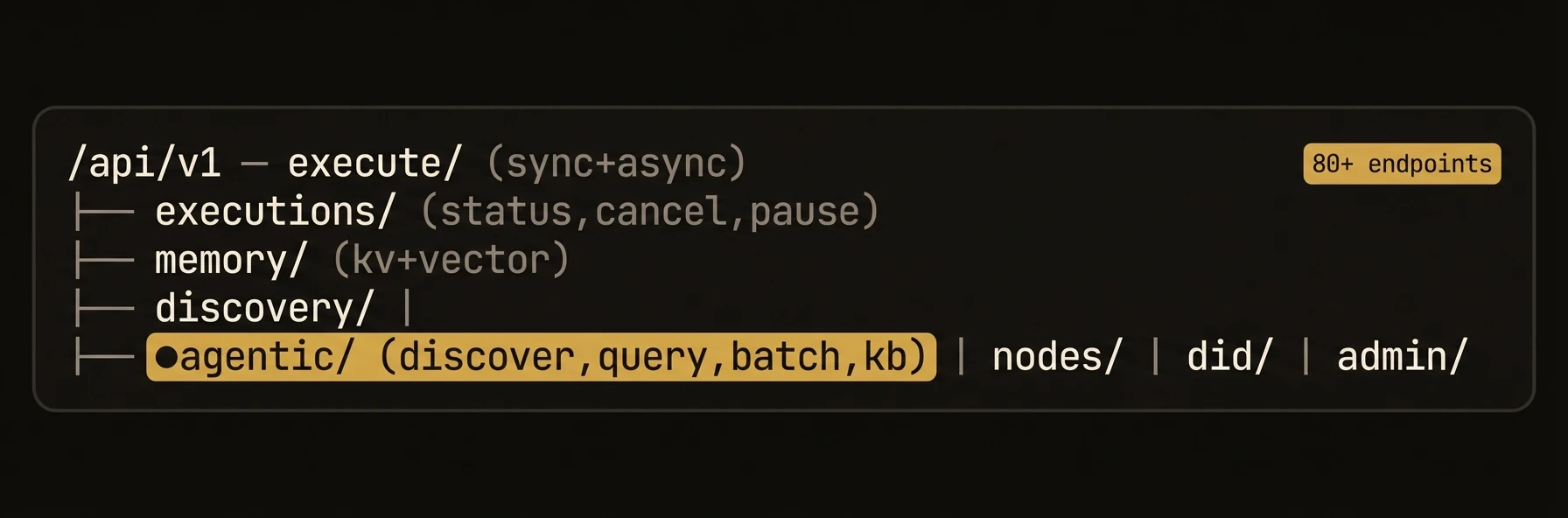 > Complete HTTP endpoint reference for the AgentField control plane.
Every AgentField control plane exposes a REST API on its configured port (default `8080`). All agent-facing endpoints live under the `/api/v1` prefix. All request and response bodies are JSON.
## Authentication
Most endpoints require the control plane API key passed as a Bearer token:
```bash
Authorization: Bearer
```
Admin endpoints require a separate admin token configured via `AGENTFIELD_AUTHORIZATION_ADMIN_TOKEN`.
---
## Agentic API — AI-Native Endpoints
The Agentic API is what makes AgentField **AI-native**. These endpoints are designed for AI agents — Claude Code, Cursor, Codex, or any LLM-powered tool — to discover, query, and operate the control plane programmatically. Every response is machine-readable JSON optimized for LLM consumption.
Unlike traditional APIs that assume a human developer reading docs, the Agentic API provides self-describing capabilities, structured queries over platform resources, and batched operations so an AI agent can explore and use the control plane programmatically.
### Discovery
```bash
GET /api/v1/agentic/discover
```
Returns a machine-readable catalog of API endpoints from the control plane's internal catalog. AI agents can use this as a first call to understand what the platform can do.
**Response:**
```json
{
"endpoints": [
{
"method": "GET",
"path": "/api/v1/agentic/status",
"summary": "Get system status overview",
"group": "agentic"
}
],
"total": 1,
"groups": ["agentic", "discovery", "memory"],
"filters": { "q": "", "group": "", "method": "" },
"see_also": {
"live_agents": "GET /api/v1/discovery/capabilities",
"kb": "GET /api/v1/agentic/kb/topics"
}
}
```
**Example:**
```bash
curl -s -H "Authorization: Bearer $AF_KEY" \
http://localhost:8080/api/v1/agentic/discover | jq '.endpoints[].path'
```
### Structured Resource Query
```bash
POST /api/v1/agentic/query
```
Query platform resources with an explicit resource name plus filters. This is the primary interface for AI agents that need a predictable response shape.
**Request:**
```json
{
"resource": "executions",
"filters": {
"status": "completed",
"agent_id": "doc-parser"
},
"limit": 10,
"offset": 0
}
```
**Response:**
```json
{
"resource": "executions",
"results": [
{
"execution_id": "exec_123",
"status": "completed"
}
],
"total": 1,
"limit": 10,
"offset": 0
}
```
**Example:**
```bash
curl -s -X POST -H "Authorization: Bearer $AF_KEY" \
-H "Content-Type: application/json" \
-d '{"resource":"agents","limit":5}' \
http://localhost:8080/api/v1/agentic/query
```
### Batch Operations
```bash
POST /api/v1/agentic/batch
```
Combine multiple API calls into a single request. Reduces round-trips for AI agents that need to perform several operations through one control-plane call.
**Request:**
```json
{
"operations": [
{
"id": "op1",
"method": "GET",
"path": "/api/v1/nodes"
},
{
"id": "op2",
"method": "POST",
"path": "/api/v1/memory/get",
"body": { "key": "session:current", "namespace": "global" }
},
{
"id": "op3",
"method": "POST",
"path": "/api/v1/execute/planner.analyze",
"body": { "input": { "topic": "quarterly review" } }
}
]
}
```
**Response:**
```json
{
"results": [
{ "id": "op1", "status": 200, "body": { "nodes": ["..."] } },
{ "id": "op2", "status": 200, "body": { "value": "sess_abc123" } },
{ "id": "op3", "status": 200, "body": { "execution_id": "exec_7f3a", "status": "completed", "result": {"...": "..."} } }
],
"total": 3
}
```
### Run and Agent Summary
| Method | Endpoint | Description | Auth |
|--------|----------|-------------|------|
| GET | `/api/v1/agentic/run/:run_id` | Get overview of a workflow run including step statuses | Yes |
| GET | `/api/v1/agentic/agent/:agent_id/summary` | Get agent summary: capabilities, recent executions, health | Yes |
| GET | `/api/v1/agentic/status` | Platform status summary: node count, memory usage, uptime | Yes |
**Example — agent summary:**
```bash
curl -s -H "Authorization: Bearer $AF_KEY" \
http://localhost:8080/api/v1/agentic/agent/email-assistant/summary
```
```json
{
"agent_id": "email-assistant",
"status": "online",
"uptime_seconds": 84720,
"capabilities": ["draft", "send", "search"],
"recent_executions": {
"total_24h": 142,
"success_rate": 0.97,
"avg_duration_ms": 1230
},
"memory_usage": {
"kv_keys": 38,
"vector_count": 1024
}
}
```
### Knowledge Base
The knowledge base provides self-serve documentation endpoints that AI agents can query to learn how to use the platform without external docs.
| Method | Endpoint | Description | Auth |
|--------|----------|-------------|------|
| GET | `/api/v1/agentic/kb/topics` | List knowledge base topics | No |
| GET | `/api/v1/agentic/kb/articles` | List knowledge base articles | No |
| GET | `/api/v1/agentic/kb/articles/:article_id` | Get a specific article | No |
| GET | `/api/v1/agentic/kb/guide` | Get the quick-start guide | No |
**Example — get the quick-start guide:**
```bash
curl -s http://localhost:8080/api/v1/agentic/kb/guide | jq '.title, .steps[0]'
```
---
### Execution Endpoints
## Execution
### Synchronous Execution
```bash
POST /api/v1/execute/:target
```
Execute a reasoner or skill synchronously. The `target` is formatted as `agent.reasoner_id` or `agent.skill_id`.
**Request:**
```json
{
"input": {
"prompt": "Summarize the Q4 earnings report",
"max_tokens": 2000
},
"context": {
"session_id": "sess_123"
},
"webhook": {
"url": "https://example.com/agentfield-webhook"
}
}
```
| Field | Type | Required | Description |
|-------|------|----------|-------------|
| `input` | object | Yes | Input payload passed to the reasoner/skill |
| `context` | object | No | Optional execution context propagated with the request |
| `webhook` | object | No | Optional webhook registration for completion delivery |
**Response (200):**
```json
{
"execution_id": "exec_8f2a1b3c",
"run_id": "run_8f2a1b3c",
"status": "completed",
"result": {
"summary": "Q4 revenue grew 23% year-over-year...",
"confidence": 0.92
},
"duration_ms": 2340,
"finished_at": "2026-03-24T10:15:12Z",
"webhook_registered": false
}
```
**Error Response (400):**
```json
{
"error": "invalid_target",
"message": "Target 'summarizer.nonexistent' not found. Available targets: summarizer.analyze, summarizer.extract",
"available_targets": ["summarizer.analyze", "summarizer.extract"]
}
```
**Example:**
```bash
curl -X POST -H "Authorization: Bearer $AF_KEY" \
-H "Content-Type: application/json" \
-d '{"input": {"prompt": "Summarize the Q4 report"}}' \
http://localhost:8080/api/v1/execute/summarizer.analyze
```
### Asynchronous Execution
```bash
POST /api/v1/execute/async/:target
```
Queue an execution and return immediately with an `execution_id`. Use the status endpoint to poll for results.
**Request:** Same as synchronous execution.
**Response (202):**
```json
{
"execution_id": "exec_c94d2e1f",
"run_id": "run_c94d2e1f",
"workflow_id": "run_c94d2e1f",
"status": "queued",
"target": "doc-parser.extract",
"type": "reasoner",
"created_at": "2026-03-24T10:15:00Z",
"webhook_registered": false
}
```
**Example:**
```bash
# Start async execution
EXEC_ID=$(curl -s -X POST -H "Authorization: Bearer $AF_KEY" \
-H "Content-Type: application/json" \
-d '{"input": {"document_url": "s3://bucket/large-report.pdf"}}' \
http://localhost:8080/api/v1/execute/async/doc-parser.extract \
| jq -r '.execution_id')
# Poll for result
curl -s -H "Authorization: Bearer $AF_KEY" \
http://localhost:8080/api/v1/executions/$EXEC_ID
```
**Legacy aliases** (kept for backward compatibility):
| Method | Endpoint | Description | Auth |
|--------|----------|-------------|------|
| POST | `/api/v1/reasoners/:reasoner_id` | Execute a reasoner by ID | Yes |
| POST | `/api/v1/skills/:skill_id` | Execute a skill by ID | Yes |
### Execution Status and Lifecycle
#### Get Execution Status
```bash
GET /api/v1/executions/:execution_id
```
**Response:**
```json
{
"execution_id": "exec_c94d2e1f",
"run_id": "run_c94d2e1f",
"status": "completed",
"result": { "pages": 42, "text": "..." },
"started_at": "2026-03-24T10:15:00Z",
"completed_at": "2026-03-24T10:15:12Z",
"duration_ms": 12340,
"webhook_registered": false
}
```
Status values: `queued`, `running`, `completed`, `failed`, `cancelled`, `paused`.
#### Batch Status
```bash
POST /api/v1/executions/batch-status
```
**Request:**
```json
{
"execution_ids": ["exec_c94d2e1f", "exec_a1b2c3d4", "exec_e5f6g7h8"]
}
```
**Response:**
```json
{
"exec_c94d2e1f": { "execution_id": "exec_c94d2e1f", "status": "completed" },
"exec_a1b2c3d4": { "execution_id": "exec_a1b2c3d4", "status": "running" },
"exec_e5f6g7h8": { "execution_id": "exec_e5f6g7h8", "status": "failed", "error": "Node offline" }
}
```
#### Lifecycle Operations
| Method | Endpoint | Description | Auth |
|--------|----------|-------------|------|
| POST | `/api/v1/executions/:execution_id/status` | Update execution status (used by agent nodes internally) | Yes |
| POST | `/api/v1/executions/:execution_id/cancel` | Cancel a running or queued execution | Yes |
| POST | `/api/v1/executions/:execution_id/pause` | Pause a running execution | Yes |
| POST | `/api/v1/executions/:execution_id/resume` | Resume a paused execution | Yes |
**Example — cancel an execution:**
```bash
curl -X POST -H "Authorization: Bearer $AF_KEY" \
http://localhost:8080/api/v1/executions/exec_c94d2e1f/cancel
```
**Response:**
```json
{
"execution_id": "exec_c94d2e1f",
"status": "cancelled",
"cancelled_at": "2025-03-24T10:16:00Z"
}
```
### Execution Notes
Attach notes to an execution for audit trails, debugging, or inter-agent communication.
```bash
POST /api/v1/executions/note
```
**Request:**
```json
{
"message": "Retrying with increased timeout due to large document size",
"tags": ["retry", "debug"]
}
```
Provide the execution ID via the active execution context, the `X-Execution-ID` header, or a query parameter.
```bash
GET /api/v1/executions/:execution_id/notes
```
**Response:**
```json
{
"execution_id": "exec_c94d2e1f",
"notes": [
{
"id": "note_1a2b3c",
"note": "Retrying with increased timeout due to large document size",
"author": "orchestrator-agent",
"created_at": "2025-03-24T10:15:30Z"
}
]
}
```
### Approval (Human-in-the-Loop)
## Approval
Human-in-the-loop approval allows agents to pause execution and request human sign-off before proceeding with sensitive operations.
### Request Approval
```bash
POST /api/v1/agents/:node_id/executions/:execution_id/request-approval
```
**Request:**
```json
{
"approval_request_id": "req-123",
"approval_request_url": "https://internal.example.com/approvals/req-123",
"callback_url": "https://your-app.com/webhooks/approval"
}
```
| Field | Type | Required | Description |
|-------|------|----------|-------------|
| `approval_request_id` | string | Yes | External approval request identifier |
| `approval_request_url` | string | No | Human-facing review URL |
| `callback_url` | string | No | Webhook URL for approval notifications |
| `expires_in_hours` | integer | No | Optional expiry window |
**Response (202):**
```json
{
"approval_request_id": "req-123",
"approval_request_url": "https://internal.example.com/approvals/req-123"
}
```
### Check Approval Status
```bash
GET /api/v1/agents/:node_id/executions/:execution_id/approval-status
```
**Response:**
```json
{
"status": "approved",
"response": {
"decision": "approved",
"feedback": "Approved - batch is expected"
},
"request_url": "https://internal.example.com/approvals/req-123",
"requested_at": "2026-03-24T10:15:00Z",
"responded_at": "2026-03-24T10:20:00Z"
}
```
Status values: `pending`, `approved`, `rejected`, `expired`.
### Agent-Scoped Approval
For multi-agent setups, scope approval requests to a specific agent node:
| Method | Endpoint | Description | Auth |
|--------|----------|-------------|------|
| POST | `/api/v1/agents/:node_id/executions/:execution_id/request-approval` | Agent-scoped approval request | Yes |
| GET | `/api/v1/agents/:node_id/executions/:execution_id/approval-status` | Agent-scoped approval status | Yes |
### External Approval Webhook
```bash
POST /api/v1/webhooks/approval-response
```
Receive approval decisions from external systems (Slack bots, email links, custom UIs).
**Request:**
```json
{
"requestId": "req-123",
"decision": "approved",
"feedback": "Looks good, proceed"
}
```
**Example — full approval flow:**
```bash
# 1. Request approval
curl -X POST -H "Authorization: Bearer $AF_KEY" \
-H "Content-Type: application/json" \
-d '{"approval_request_id":"req-123","expires_in_hours":1}' \
http://localhost:8080/api/v1/agents/my-agent/executions/exec_c94d2e1f/request-approval
# 2. Check status (poll or use webhook)
curl -s -H "Authorization: Bearer $AF_KEY" \
http://localhost:8080/api/v1/agents/my-agent/executions/exec_c94d2e1f/approval-status
# 3. Once approved, resume the execution
curl -X POST -H "Authorization: Bearer $AF_KEY" \
http://localhost:8080/api/v1/executions/exec_c94d2e1f/resume
```
### Node Registration and Lifecycle
## Node Registration
Agent nodes register with the control plane on startup and maintain their presence via heartbeats.
### Register a Node
```bash
POST /api/v1/nodes/register
```
**Request:**
```json
{
"name": "email-assistant",
"url": "http://10.0.1.5:8005",
"capabilities": {
"reasoners": [
{
"id": "draft",
"description": "Draft an email from a prompt",
"input_schema": { "type": "object", "properties": { "prompt": { "type": "string" } } },
"output_schema": { "type": "object", "properties": { "subject": { "type": "string" }, "body": { "type": "string" } } }
}
],
"skills": [
{
"id": "send",
"description": "Send a drafted email"
}
]
},
"tags": ["email", "communication"],
"metadata": {
"version": "1.2.0",
"language": "python"
}
}
```
| Field | Type | Required | Description |
|-------|------|----------|-------------|
| `name` | string | Yes | Unique agent name |
| `url` | string | Yes | Reachable URL of the agent node |
| `capabilities` | object | Yes | Reasoners and skills this node exposes |
| `tags` | string[] | No | Tags for discovery and policy matching |
| `metadata` | object | No | Arbitrary metadata (version, language, etc.) |
**Response (201):**
```json
{
"node_id": "node_a1b2c3d4",
"name": "email-assistant",
"status": "online",
"registered_at": "2025-03-24T10:00:00Z",
"heartbeat_interval_seconds": 30
}
```
**Error Response (409):**
```json
{
"error": "node_already_registered",
"message": "Node 'email-assistant' is already registered. Use PUT to update or DELETE to unregister first.",
"existing_node_id": "node_a1b2c3d4"
}
```
**Example:**
```bash
curl -X POST -H "Authorization: Bearer $AF_KEY" \
-H "Content-Type: application/json" \
-d '{
"name": "my-agent",
"url": "http://localhost:8005",
"capabilities": {"reasoners": [], "skills": []}
}' \
http://localhost:8080/api/v1/nodes/register
```
### Other Registration Endpoints
| Method | Endpoint | Description | Auth |
|--------|----------|-------------|------|
| POST | `/api/v1/nodes` | Alias for node registration | Yes |
| POST | `/api/v1/nodes/register-serverless` | Register a serverless agent node (no heartbeat required) | Yes |
| GET | `/api/v1/nodes` | List all registered nodes | Yes |
| GET | `/api/v1/nodes/:node_id` | Get details of a specific node | Yes |
| DELETE | `/api/v1/nodes/:node_id/monitoring` | Unregister a node from health monitoring | Yes |
### Heartbeat
```bash
POST /api/v1/nodes/:node_id/heartbeat
```
Nodes must send heartbeats at the interval specified during registration. Missed heartbeats mark the node as `unhealthy` after 3 missed intervals.
**Request:**
```json
{
"status": "healthy",
"load": {
"active_executions": 2,
"queue_depth": 5,
"cpu_percent": 45.2,
"memory_mb": 512
}
}
```
**Response (200):**
```json
{
"acknowledged": true,
"next_heartbeat_seconds": 30
}
```
**Example:**
```bash
curl -X POST -H "Authorization: Bearer $AF_KEY" \
-H "Content-Type: application/json" \
-d '{"status": "healthy", "load": {"active_executions": 0}}' \
http://localhost:8080/api/v1/nodes/node_a1b2c3d4/heartbeat
```
### Node Status
| Method | Endpoint | Description | Auth |
|--------|----------|-------------|------|
| GET | `/api/v1/nodes/:node_id/status` | Get current status of a node | Yes |
| POST | `/api/v1/nodes/:node_id/status/refresh` | Force a status refresh | Yes |
| POST | `/api/v1/nodes/status/bulk` | Get status for multiple nodes | Yes |
| POST | `/api/v1/nodes/status/refresh` | Force a status refresh for all nodes | Yes |
| PATCH | `/api/v1/nodes/:node_id/status` | Lease-based status update | Yes |
**GET status response:**
```json
{
"node_id": "node_a1b2c3d4",
"name": "email-assistant",
"status": "online",
"last_heartbeat": "2025-03-24T10:14:30Z",
"uptime_seconds": 84720,
"load": {
"active_executions": 2,
"queue_depth": 5
}
}
```
### Node Lifecycle
| Method | Endpoint | Description | Auth |
|--------|----------|-------------|------|
| POST | `/api/v1/nodes/:node_id/start` | Start a stopped node | Yes |
| POST | `/api/v1/nodes/:node_id/stop` | Stop a running node | Yes |
| POST | `/api/v1/nodes/:node_id/shutdown` | Graceful shutdown (drains queue first) | Yes |
| POST | `/api/v1/nodes/:node_id/actions/ack` | Acknowledge a pending action | Yes |
| POST | `/api/v1/actions/claim` | Claim pending actions | Yes |
**Example — graceful shutdown:**
```bash
curl -X POST -H "Authorization: Bearer $AF_KEY" \
http://localhost:8080/api/v1/nodes/node_a1b2c3d4/shutdown
```
```json
{
"node_id": "node_a1b2c3d4",
"status": "shutting_down",
"draining_executions": 2,
"estimated_drain_seconds": 15
}
```
### Memory Endpoints
## Memory
AgentField provides two memory primitives: a key-value store for structured data and a vector store for semantic search.
### Key-Value Store
#### Set a Value
```bash
POST /api/v1/memory/set
```
**Request:**
```json
{
"key": "user:preferences:u123",
"data": {
"theme": "dark",
"language": "en",
"notifications": true
},
"scope": "session"
}
```
| Field | Type | Required | Description |
|-------|------|----------|-------------|
| `key` | string | Yes | Unique key within the scope |
| `data` | any | Yes | Any JSON-serializable value |
| `scope` | string | No | Memory scope (valid scopes: `global`, `session`, `workflow`, `actor`) |
**Response (200):**
```json
{
"key": "user:preferences:u123",
"data": {
"theme": "dark",
"language": "en",
"notifications": true
},
"scope": "session",
"scope_id": "sess_abc123",
"created_at": "2025-03-24T10:15:00Z",
"updated_at": "2025-03-24T10:15:00Z"
}
```
#### Get a Value
```bash
POST /api/v1/memory/get
```
**Request:**
```json
{
"key": "user:preferences:u123",
"scope": "session"
}
```
**Response (200):**
```json
{
"data": {
"theme": "dark",
"language": "en",
"notifications": true
},
"scope": "session",
"scope_id": "sess_abc123",
"created_at": "2025-03-24T10:15:00Z",
"updated_at": "2025-03-24T10:15:00Z"
}
```
**Error Response (404):**
```json
{
"error": "key_not_found",
"message": "Key 'user:preferences:u123' not found in scope 'session'"
}
```
#### Delete and List
| Method | Endpoint | Description | Auth |
|--------|----------|-------------|------|
| POST | `/api/v1/memory/delete` | Delete a key (`{"key": "...", "scope": "..."}`) | Yes |
| GET | `/api/v1/memory/list` | List all keys, optionally filtered by `?scope=...` | Yes |
**Example — list keys in a scope:**
```bash
curl -s -H "Authorization: Bearer $AF_KEY" \
"http://localhost:8080/api/v1/memory/list?scope=session"
```
```json
[
{
"scope": "session",
"scope_id": "sess_abc123",
"key": "user:preferences:u123",
"data": {"theme": "dark", "language": "en"},
"created_at": "2025-03-24T10:15:00Z",
"updated_at": "2025-03-24T10:15:00Z"
},
{
"scope": "session",
"scope_id": "sess_abc123",
"key": "user:cart:u123",
"data": {"items": 3},
"created_at": "2025-03-24T09:30:00Z",
"updated_at": "2025-03-24T10:00:00Z"
}
]
```
### Vector Store
#### Store a Vector
```bash
POST /api/v1/memory/vector
```
**Request:**
```json
{
"key": "doc:quarterly-report-q4",
"embedding": [0.023, -0.118, 0.452, 0.007, -0.331],
"scope": "workflow",
"metadata": {
"source": "earnings-report-2024.pdf",
"page": 3,
"section": "executive_summary"
}
}
```
| Field | Type | Required | Description |
|-------|------|----------|-------------|
| `key` | string | Yes | Unique key for this vector |
| `embedding` | float[] | Yes | Pre-computed embedding vector |
| `scope` | string | No | Memory scope (valid scopes: `global`, `session`, `workflow`, `actor`) |
| `metadata` | object | No | Arbitrary metadata stored alongside the vector |
**Response (200):**
```json
{
"key": "doc:quarterly-report-q4",
"scope": "workflow",
"dimensions": 1536,
"created": true
}
```
#### Similarity Search
```bash
POST /api/v1/memory/vector/search
```
**Request:**
```json
{
"query_embedding": [0.019, -0.105, 0.438, 0.012, -0.298],
"scope": "workflow",
"top_k": 5,
"filters": {
"source": "earnings-report-2024.pdf"
}
}
```
| Field | Type | Required | Description |
|-------|------|----------|-------------|
| `query_embedding` | float[] | Yes | Pre-computed embedding vector for the query |
| `scope` | string | No | Restrict search to a scope |
| `top_k` | integer | No | Number of results (default: 10) |
| `filters` | object | No | Metadata filters for pre-filtering |
**Response (200):**
```json
{
"results": [
{
"key": "doc:quarterly-report-q4",
"content": "Q4 revenue grew 23% year-over-year driven by enterprise expansion...",
"score": 0.94,
"metadata": {
"source": "earnings-report-2024.pdf",
"page": 3,
"section": "executive_summary"
}
},
{
"key": "doc:quarterly-report-q3",
"content": "Q3 showed 18% growth with strong SMB adoption...",
"score": 0.78,
"metadata": {
"source": "earnings-report-2024.pdf",
"page": 12
}
}
],
"total": 2,
"query_embedding_dimensions": 1536
}
```
**Example:**
```bash
curl -X POST -H "Authorization: Bearer $AF_KEY" \
-H "Content-Type: application/json" \
-d '{"query_embedding": [0.019, -0.105, 0.438, 0.012, -0.298], "scope": "workflow", "top_k": 3}' \
http://localhost:8080/api/v1/memory/vector/search
```
#### Other Vector Operations
| Method | Endpoint | Description | Auth |
|--------|----------|-------------|------|
| POST | `/api/v1/memory/vector/set` | Alias for storing a vector | Yes |
| GET | `/api/v1/memory/vector/:key` | Get a vector by key | Yes |
| DELETE | `/api/v1/memory/vector/:key` | Delete a vector by key | Yes |
| POST | `/api/v1/memory/vector/delete` | Delete a vector by key (POST variant) | Yes |
| DELETE | `/api/v1/memory/vector/namespace` | Delete all vectors in a namespace | Yes |
### Memory Events
Subscribe to real-time memory changes for reactive agent architectures.
| Method | Endpoint | Description | Auth |
|--------|----------|-------------|------|
| GET | `/api/v1/memory/events/ws` | WebSocket stream of memory change events | Yes |
| GET | `/api/v1/memory/events/sse` | Server-Sent Events stream of memory changes | Yes |
| GET | `/api/v1/memory/events/history` | Query historical memory events | Yes |
**SSE event format:**
```
event: message
data: {"type": "set", "key": "user:preferences:u123", "scope": "session", "scope_id": "sess_abc123", "action": "set", "timestamp": "2025-03-24T10:15:00Z"}
```
**Example — subscribe via SSE:**
```bash
curl -s -N -H "Authorization: Bearer $AF_KEY" \
http://localhost:8080/api/v1/memory/events/sse
```
### Discovery, Health, DID, Workflow
## Health and Metrics
| Method | Endpoint | Description | Auth |
|--------|----------|-------------|------|
| GET | `/health` | Liveness check (returns `200 OK`) | No |
| GET | `/metrics` | Prometheus metrics (OpenMetrics format) | No |
| GET | `/api/v1/health` | API-scoped health check | No |
**Example:**
```bash
curl -s http://localhost:8080/health
```
```json
{
"status": "ok",
"version": "0.9.2",
"uptime_seconds": 86400
}
```
## Discovery
```bash
GET /api/v1/discovery/capabilities
```
List all registered reasoners, skills, and their schemas. Unlike the Agentic API's `/discover` endpoint, this returns the raw capability registry without AI-friendly annotations.
**Response:**
```json
{
"capabilities": [
{
"node_id": "node_a1b2c3d4",
"name": "email-assistant",
"reasoners": [
{
"id": "email-assistant.draft",
"input_schema": { "type": "object", "properties": { "prompt": { "type": "string" } } }
}
],
"skills": [
{ "id": "email-assistant.send" }
]
}
]
}
```
**Example:**
```bash
curl -s -H "Authorization: Bearer $AF_KEY" \
http://localhost:8080/api/v1/discovery/capabilities | jq '.capabilities[].name'
```
## Workflow
```bash
POST /api/v1/workflow/executions/events
```
Emit structured events to track multi-step workflow progress.
**Request:**
```json
{
"workflow_id": "wf_pipeline_001",
"execution_id": "exec_c94d2e1f",
"event": "step_completed",
"step": "data_extraction",
"data": {
"records_extracted": 1500,
"next_step": "validation"
}
}
```
**Response (200):**
```json
{
"event_id": "evt_x1y2z3",
"acknowledged": true
}
```
## DID and Verifiable Credentials
DID endpoints are only available when `features.did.enabled` is `true` in the server configuration.
Decentralized Identity (DID) and Verifiable Credentials (VC) provide cryptographic identity and capability attestation for agents.
| Method | Endpoint | Description | Auth |
|--------|----------|-------------|------|
| GET | `/.well-known/did.json` | DID Web document for the server | No |
| GET | `/agents/:agentID/did.json` | DID Web document for a specific agent | No |
| GET | `/api/v1/did/agentfield-server` | Get the AgentField server DID | Yes |
| GET | `/api/v1/did/issuer-public-key` | Get the issuer public key for VC verification | No |
| GET | `/api/v1/registered-dids` | List all registered DIDs | Yes |
| GET | `/api/v1/agents/:node_id/tag-vc` | Get tag VC for an agent | Yes |
| GET | `/api/v1/policies` | List access policies | Yes |
| GET | `/api/v1/revocations` | List revoked credentials | Yes |
**Example — resolve an agent's DID document:**
```bash
curl -s http://localhost:8080/agents/email-assistant/did.json
```
```json
{
"@context": "https://www.w3.org/ns/did/v1",
"id": "did:web:localhost:agents:email-assistant",
"verificationMethod": [
{
"id": "did:web:localhost:agents:email-assistant#key-1",
"type": "Ed25519VerificationKey2020",
"publicKeyMultibase": "z6Mkf5rGMoatrSj1f..."
}
],
"service": [
{
"id": "#agentfield",
"type": "AgentFieldNode",
"serviceEndpoint": "http://localhost:8005"
}
]
}
```
### Admin, Config, Observability
## Admin Endpoints
Admin endpoints require the admin token set via `AGENTFIELD_AUTHORIZATION_ADMIN_TOKEN`.
### Tag Approval
Agents request tags that describe their capabilities. Admins approve or reject these tags before they become part of the agent's discoverable profile.
| Method | Endpoint | Description | Auth |
|--------|----------|-------------|------|
| GET | `/api/v1/admin/agents/pending` | List agents with pending tag approvals | Admin |
| GET | `/api/v1/admin/agents/approved` | List agents with approved tags | Admin |
| POST | `/api/v1/admin/agents/:agent_id/approve-tags` | Approve tags for an agent | Admin |
| POST | `/api/v1/admin/agents/:agent_id/reject-tags` | Reject tags for an agent | Admin |
| POST | `/api/v1/admin/agents/:agent_id/revoke-tags` | Revoke previously approved tags | Admin |
| GET | `/api/v1/admin/tags` | List all known tags | Admin |
**Example — approve tags:**
```bash
curl -X POST -H "Authorization: Bearer $ADMIN_TOKEN" \
-H "Content-Type: application/json" \
-d '{"approved_tags": ["email", "communication"]}' \
http://localhost:8080/api/v1/admin/agents/email-assistant/approve-tags
```
**Response:**
```json
{
"success": true,
"message": "Agent tags approved",
"agent_id": "email-assistant",
"approved_tags": ["email", "communication"]
}
```
### Access Policies
Define fine-grained access policies that control which agents can execute which capabilities.
| Method | Endpoint | Description | Auth |
|--------|----------|-------------|------|
| GET | `/api/v1/admin/policies` | List all access policies | Admin |
| POST | `/api/v1/admin/policies` | Create a new access policy | Admin |
| GET | `/api/v1/admin/policies/:id` | Get a specific access policy | Admin |
| PUT | `/api/v1/admin/policies/:id` | Update an access policy | Admin |
| DELETE | `/api/v1/admin/policies/:id` | Delete an access policy | Admin |
**Create policy request:**
```json
{
"name": "email-only-verified",
"description": "Only agents with 'email' tag can execute email-assistant skills",
"caller_tags": ["email"],
"target_tags": ["email"],
"allow_functions": ["email-assistant.send", "email-assistant.draft"],
"action": "allow",
"priority": 100
}
```
**Response (201):**
```json
{
"id": 42,
"name": "email-only-verified",
"caller_tags": ["email"],
"target_tags": ["email"],
"allow_functions": ["email-assistant.send", "email-assistant.draft"],
"deny_functions": [],
"constraints": {},
"action": "allow",
"priority": 100,
"enabled": true,
"description": "Only agents with 'email' tag can execute email-assistant skills",
"created_at": "2025-03-24T10:00:00Z",
"updated_at": "2025-03-24T10:00:00Z"
}
```
## Configuration Storage
Runtime configuration key-value store accessible to all agents.
| Method | Endpoint | Description | Auth |
|--------|----------|-------------|------|
| GET | `/api/v1/configs` | List all stored configuration entries | Yes |
| GET | `/api/v1/configs/:key` | Get a configuration value by key | Yes |
| PUT | `/api/v1/configs/:key` | Set a configuration value | Yes |
| DELETE | `/api/v1/configs/:key` | Delete a configuration entry | Yes |
| POST | `/api/v1/configs/reload` | Reload configuration from storage | Yes |
**Example — set and get a config value:**
```bash
# Set
curl -X PUT -H "Authorization: Bearer $AF_KEY" \
-H "Content-Type: text/plain" \
--data-binary $'model: claude-sonnet-4-20250514\nmax_tokens: 4096\n' \
http://localhost:8080/api/v1/configs/default-model
# Get
curl -s -H "Authorization: Bearer $AF_KEY" \
http://localhost:8080/api/v1/configs/default-model
```
```json
{
"key": "default-model",
"value": "model: claude-sonnet-4-20250514\nmax_tokens: 4096\n",
"updated_by": "api",
"created_at": "2025-03-24T10:15:00Z",
"updated_at": "2025-03-24T10:15:00Z"
}
```
**Response (PUT):**
```json
{
"message": "config saved",
"config": {
"key": "default-model",
"value": "model: claude-sonnet-4-20250514\nmax_tokens: 4096\n",
"updated_by": "api",
"created_at": "2025-03-24T10:15:00Z",
"updated_at": "2025-03-24T10:15:00Z"
}
}
```
## Observability Webhook
Forward platform events (executions, errors, memory changes) to an external observability system.
| Method | Endpoint | Description | Auth |
|--------|----------|-------------|------|
| GET | `/api/v1/settings/observability-webhook` | Get current webhook configuration | Yes |
| POST | `/api/v1/settings/observability-webhook` | Set the observability webhook URL | Yes |
| DELETE | `/api/v1/settings/observability-webhook` | Remove the webhook | Yes |
| POST | `/api/v1/settings/observability-webhook/redrive` | Redrive failed webhook deliveries | Yes |
**Example — configure webhook:**
```bash
curl -X POST -H "Authorization: Bearer $AF_KEY" \
-H "Content-Type: application/json" \
-d '{"url": "https://your-app.com/webhooks/agentfield", "headers": {"X-Webhook-Source": "agentfield"}, "enabled": true}' \
http://localhost:8080/api/v1/settings/observability-webhook
```
```json
{
"success": true,
"message": "observability webhook configured successfully",
"config": {
"id": "global",
"url": "https://your-app.com/webhooks/agentfield",
"headers": {
"X-Webhook-Source": "agentfield"
},
"enabled": true,
"created_at": "2025-03-24T10:15:00Z",
"updated_at": "2025-03-24T10:15:00Z"
}
}
```
---
## TypeScript SDK
URL: https://agentfield.ai/docs/reference/sdks/typescript
Markdown: https://agentfield.ai/llm/docs/reference/sdks/typescript
Last-Modified: 2026-03-24T17:30:14.000Z
Category: sdks
Difficulty: beginner
Keywords: typescript, sdk, npm, agentfield, zod, node
Summary: Full API reference for @agentfield/sdk — the TypeScript SDK for building AI agents on AgentField.
> Complete HTTP endpoint reference for the AgentField control plane.
Every AgentField control plane exposes a REST API on its configured port (default `8080`). All agent-facing endpoints live under the `/api/v1` prefix. All request and response bodies are JSON.
## Authentication
Most endpoints require the control plane API key passed as a Bearer token:
```bash
Authorization: Bearer
```
Admin endpoints require a separate admin token configured via `AGENTFIELD_AUTHORIZATION_ADMIN_TOKEN`.
---
## Agentic API — AI-Native Endpoints
The Agentic API is what makes AgentField **AI-native**. These endpoints are designed for AI agents — Claude Code, Cursor, Codex, or any LLM-powered tool — to discover, query, and operate the control plane programmatically. Every response is machine-readable JSON optimized for LLM consumption.
Unlike traditional APIs that assume a human developer reading docs, the Agentic API provides self-describing capabilities, structured queries over platform resources, and batched operations so an AI agent can explore and use the control plane programmatically.
### Discovery
```bash
GET /api/v1/agentic/discover
```
Returns a machine-readable catalog of API endpoints from the control plane's internal catalog. AI agents can use this as a first call to understand what the platform can do.
**Response:**
```json
{
"endpoints": [
{
"method": "GET",
"path": "/api/v1/agentic/status",
"summary": "Get system status overview",
"group": "agentic"
}
],
"total": 1,
"groups": ["agentic", "discovery", "memory"],
"filters": { "q": "", "group": "", "method": "" },
"see_also": {
"live_agents": "GET /api/v1/discovery/capabilities",
"kb": "GET /api/v1/agentic/kb/topics"
}
}
```
**Example:**
```bash
curl -s -H "Authorization: Bearer $AF_KEY" \
http://localhost:8080/api/v1/agentic/discover | jq '.endpoints[].path'
```
### Structured Resource Query
```bash
POST /api/v1/agentic/query
```
Query platform resources with an explicit resource name plus filters. This is the primary interface for AI agents that need a predictable response shape.
**Request:**
```json
{
"resource": "executions",
"filters": {
"status": "completed",
"agent_id": "doc-parser"
},
"limit": 10,
"offset": 0
}
```
**Response:**
```json
{
"resource": "executions",
"results": [
{
"execution_id": "exec_123",
"status": "completed"
}
],
"total": 1,
"limit": 10,
"offset": 0
}
```
**Example:**
```bash
curl -s -X POST -H "Authorization: Bearer $AF_KEY" \
-H "Content-Type: application/json" \
-d '{"resource":"agents","limit":5}' \
http://localhost:8080/api/v1/agentic/query
```
### Batch Operations
```bash
POST /api/v1/agentic/batch
```
Combine multiple API calls into a single request. Reduces round-trips for AI agents that need to perform several operations through one control-plane call.
**Request:**
```json
{
"operations": [
{
"id": "op1",
"method": "GET",
"path": "/api/v1/nodes"
},
{
"id": "op2",
"method": "POST",
"path": "/api/v1/memory/get",
"body": { "key": "session:current", "namespace": "global" }
},
{
"id": "op3",
"method": "POST",
"path": "/api/v1/execute/planner.analyze",
"body": { "input": { "topic": "quarterly review" } }
}
]
}
```
**Response:**
```json
{
"results": [
{ "id": "op1", "status": 200, "body": { "nodes": ["..."] } },
{ "id": "op2", "status": 200, "body": { "value": "sess_abc123" } },
{ "id": "op3", "status": 200, "body": { "execution_id": "exec_7f3a", "status": "completed", "result": {"...": "..."} } }
],
"total": 3
}
```
### Run and Agent Summary
| Method | Endpoint | Description | Auth |
|--------|----------|-------------|------|
| GET | `/api/v1/agentic/run/:run_id` | Get overview of a workflow run including step statuses | Yes |
| GET | `/api/v1/agentic/agent/:agent_id/summary` | Get agent summary: capabilities, recent executions, health | Yes |
| GET | `/api/v1/agentic/status` | Platform status summary: node count, memory usage, uptime | Yes |
**Example — agent summary:**
```bash
curl -s -H "Authorization: Bearer $AF_KEY" \
http://localhost:8080/api/v1/agentic/agent/email-assistant/summary
```
```json
{
"agent_id": "email-assistant",
"status": "online",
"uptime_seconds": 84720,
"capabilities": ["draft", "send", "search"],
"recent_executions": {
"total_24h": 142,
"success_rate": 0.97,
"avg_duration_ms": 1230
},
"memory_usage": {
"kv_keys": 38,
"vector_count": 1024
}
}
```
### Knowledge Base
The knowledge base provides self-serve documentation endpoints that AI agents can query to learn how to use the platform without external docs.
| Method | Endpoint | Description | Auth |
|--------|----------|-------------|------|
| GET | `/api/v1/agentic/kb/topics` | List knowledge base topics | No |
| GET | `/api/v1/agentic/kb/articles` | List knowledge base articles | No |
| GET | `/api/v1/agentic/kb/articles/:article_id` | Get a specific article | No |
| GET | `/api/v1/agentic/kb/guide` | Get the quick-start guide | No |
**Example — get the quick-start guide:**
```bash
curl -s http://localhost:8080/api/v1/agentic/kb/guide | jq '.title, .steps[0]'
```
---
### Execution Endpoints
## Execution
### Synchronous Execution
```bash
POST /api/v1/execute/:target
```
Execute a reasoner or skill synchronously. The `target` is formatted as `agent.reasoner_id` or `agent.skill_id`.
**Request:**
```json
{
"input": {
"prompt": "Summarize the Q4 earnings report",
"max_tokens": 2000
},
"context": {
"session_id": "sess_123"
},
"webhook": {
"url": "https://example.com/agentfield-webhook"
}
}
```
| Field | Type | Required | Description |
|-------|------|----------|-------------|
| `input` | object | Yes | Input payload passed to the reasoner/skill |
| `context` | object | No | Optional execution context propagated with the request |
| `webhook` | object | No | Optional webhook registration for completion delivery |
**Response (200):**
```json
{
"execution_id": "exec_8f2a1b3c",
"run_id": "run_8f2a1b3c",
"status": "completed",
"result": {
"summary": "Q4 revenue grew 23% year-over-year...",
"confidence": 0.92
},
"duration_ms": 2340,
"finished_at": "2026-03-24T10:15:12Z",
"webhook_registered": false
}
```
**Error Response (400):**
```json
{
"error": "invalid_target",
"message": "Target 'summarizer.nonexistent' not found. Available targets: summarizer.analyze, summarizer.extract",
"available_targets": ["summarizer.analyze", "summarizer.extract"]
}
```
**Example:**
```bash
curl -X POST -H "Authorization: Bearer $AF_KEY" \
-H "Content-Type: application/json" \
-d '{"input": {"prompt": "Summarize the Q4 report"}}' \
http://localhost:8080/api/v1/execute/summarizer.analyze
```
### Asynchronous Execution
```bash
POST /api/v1/execute/async/:target
```
Queue an execution and return immediately with an `execution_id`. Use the status endpoint to poll for results.
**Request:** Same as synchronous execution.
**Response (202):**
```json
{
"execution_id": "exec_c94d2e1f",
"run_id": "run_c94d2e1f",
"workflow_id": "run_c94d2e1f",
"status": "queued",
"target": "doc-parser.extract",
"type": "reasoner",
"created_at": "2026-03-24T10:15:00Z",
"webhook_registered": false
}
```
**Example:**
```bash
# Start async execution
EXEC_ID=$(curl -s -X POST -H "Authorization: Bearer $AF_KEY" \
-H "Content-Type: application/json" \
-d '{"input": {"document_url": "s3://bucket/large-report.pdf"}}' \
http://localhost:8080/api/v1/execute/async/doc-parser.extract \
| jq -r '.execution_id')
# Poll for result
curl -s -H "Authorization: Bearer $AF_KEY" \
http://localhost:8080/api/v1/executions/$EXEC_ID
```
**Legacy aliases** (kept for backward compatibility):
| Method | Endpoint | Description | Auth |
|--------|----------|-------------|------|
| POST | `/api/v1/reasoners/:reasoner_id` | Execute a reasoner by ID | Yes |
| POST | `/api/v1/skills/:skill_id` | Execute a skill by ID | Yes |
### Execution Status and Lifecycle
#### Get Execution Status
```bash
GET /api/v1/executions/:execution_id
```
**Response:**
```json
{
"execution_id": "exec_c94d2e1f",
"run_id": "run_c94d2e1f",
"status": "completed",
"result": { "pages": 42, "text": "..." },
"started_at": "2026-03-24T10:15:00Z",
"completed_at": "2026-03-24T10:15:12Z",
"duration_ms": 12340,
"webhook_registered": false
}
```
Status values: `queued`, `running`, `completed`, `failed`, `cancelled`, `paused`.
#### Batch Status
```bash
POST /api/v1/executions/batch-status
```
**Request:**
```json
{
"execution_ids": ["exec_c94d2e1f", "exec_a1b2c3d4", "exec_e5f6g7h8"]
}
```
**Response:**
```json
{
"exec_c94d2e1f": { "execution_id": "exec_c94d2e1f", "status": "completed" },
"exec_a1b2c3d4": { "execution_id": "exec_a1b2c3d4", "status": "running" },
"exec_e5f6g7h8": { "execution_id": "exec_e5f6g7h8", "status": "failed", "error": "Node offline" }
}
```
#### Lifecycle Operations
| Method | Endpoint | Description | Auth |
|--------|----------|-------------|------|
| POST | `/api/v1/executions/:execution_id/status` | Update execution status (used by agent nodes internally) | Yes |
| POST | `/api/v1/executions/:execution_id/cancel` | Cancel a running or queued execution | Yes |
| POST | `/api/v1/executions/:execution_id/pause` | Pause a running execution | Yes |
| POST | `/api/v1/executions/:execution_id/resume` | Resume a paused execution | Yes |
**Example — cancel an execution:**
```bash
curl -X POST -H "Authorization: Bearer $AF_KEY" \
http://localhost:8080/api/v1/executions/exec_c94d2e1f/cancel
```
**Response:**
```json
{
"execution_id": "exec_c94d2e1f",
"status": "cancelled",
"cancelled_at": "2025-03-24T10:16:00Z"
}
```
### Execution Notes
Attach notes to an execution for audit trails, debugging, or inter-agent communication.
```bash
POST /api/v1/executions/note
```
**Request:**
```json
{
"message": "Retrying with increased timeout due to large document size",
"tags": ["retry", "debug"]
}
```
Provide the execution ID via the active execution context, the `X-Execution-ID` header, or a query parameter.
```bash
GET /api/v1/executions/:execution_id/notes
```
**Response:**
```json
{
"execution_id": "exec_c94d2e1f",
"notes": [
{
"id": "note_1a2b3c",
"note": "Retrying with increased timeout due to large document size",
"author": "orchestrator-agent",
"created_at": "2025-03-24T10:15:30Z"
}
]
}
```
### Approval (Human-in-the-Loop)
## Approval
Human-in-the-loop approval allows agents to pause execution and request human sign-off before proceeding with sensitive operations.
### Request Approval
```bash
POST /api/v1/agents/:node_id/executions/:execution_id/request-approval
```
**Request:**
```json
{
"approval_request_id": "req-123",
"approval_request_url": "https://internal.example.com/approvals/req-123",
"callback_url": "https://your-app.com/webhooks/approval"
}
```
| Field | Type | Required | Description |
|-------|------|----------|-------------|
| `approval_request_id` | string | Yes | External approval request identifier |
| `approval_request_url` | string | No | Human-facing review URL |
| `callback_url` | string | No | Webhook URL for approval notifications |
| `expires_in_hours` | integer | No | Optional expiry window |
**Response (202):**
```json
{
"approval_request_id": "req-123",
"approval_request_url": "https://internal.example.com/approvals/req-123"
}
```
### Check Approval Status
```bash
GET /api/v1/agents/:node_id/executions/:execution_id/approval-status
```
**Response:**
```json
{
"status": "approved",
"response": {
"decision": "approved",
"feedback": "Approved - batch is expected"
},
"request_url": "https://internal.example.com/approvals/req-123",
"requested_at": "2026-03-24T10:15:00Z",
"responded_at": "2026-03-24T10:20:00Z"
}
```
Status values: `pending`, `approved`, `rejected`, `expired`.
### Agent-Scoped Approval
For multi-agent setups, scope approval requests to a specific agent node:
| Method | Endpoint | Description | Auth |
|--------|----------|-------------|------|
| POST | `/api/v1/agents/:node_id/executions/:execution_id/request-approval` | Agent-scoped approval request | Yes |
| GET | `/api/v1/agents/:node_id/executions/:execution_id/approval-status` | Agent-scoped approval status | Yes |
### External Approval Webhook
```bash
POST /api/v1/webhooks/approval-response
```
Receive approval decisions from external systems (Slack bots, email links, custom UIs).
**Request:**
```json
{
"requestId": "req-123",
"decision": "approved",
"feedback": "Looks good, proceed"
}
```
**Example — full approval flow:**
```bash
# 1. Request approval
curl -X POST -H "Authorization: Bearer $AF_KEY" \
-H "Content-Type: application/json" \
-d '{"approval_request_id":"req-123","expires_in_hours":1}' \
http://localhost:8080/api/v1/agents/my-agent/executions/exec_c94d2e1f/request-approval
# 2. Check status (poll or use webhook)
curl -s -H "Authorization: Bearer $AF_KEY" \
http://localhost:8080/api/v1/agents/my-agent/executions/exec_c94d2e1f/approval-status
# 3. Once approved, resume the execution
curl -X POST -H "Authorization: Bearer $AF_KEY" \
http://localhost:8080/api/v1/executions/exec_c94d2e1f/resume
```
### Node Registration and Lifecycle
## Node Registration
Agent nodes register with the control plane on startup and maintain their presence via heartbeats.
### Register a Node
```bash
POST /api/v1/nodes/register
```
**Request:**
```json
{
"name": "email-assistant",
"url": "http://10.0.1.5:8005",
"capabilities": {
"reasoners": [
{
"id": "draft",
"description": "Draft an email from a prompt",
"input_schema": { "type": "object", "properties": { "prompt": { "type": "string" } } },
"output_schema": { "type": "object", "properties": { "subject": { "type": "string" }, "body": { "type": "string" } } }
}
],
"skills": [
{
"id": "send",
"description": "Send a drafted email"
}
]
},
"tags": ["email", "communication"],
"metadata": {
"version": "1.2.0",
"language": "python"
}
}
```
| Field | Type | Required | Description |
|-------|------|----------|-------------|
| `name` | string | Yes | Unique agent name |
| `url` | string | Yes | Reachable URL of the agent node |
| `capabilities` | object | Yes | Reasoners and skills this node exposes |
| `tags` | string[] | No | Tags for discovery and policy matching |
| `metadata` | object | No | Arbitrary metadata (version, language, etc.) |
**Response (201):**
```json
{
"node_id": "node_a1b2c3d4",
"name": "email-assistant",
"status": "online",
"registered_at": "2025-03-24T10:00:00Z",
"heartbeat_interval_seconds": 30
}
```
**Error Response (409):**
```json
{
"error": "node_already_registered",
"message": "Node 'email-assistant' is already registered. Use PUT to update or DELETE to unregister first.",
"existing_node_id": "node_a1b2c3d4"
}
```
**Example:**
```bash
curl -X POST -H "Authorization: Bearer $AF_KEY" \
-H "Content-Type: application/json" \
-d '{
"name": "my-agent",
"url": "http://localhost:8005",
"capabilities": {"reasoners": [], "skills": []}
}' \
http://localhost:8080/api/v1/nodes/register
```
### Other Registration Endpoints
| Method | Endpoint | Description | Auth |
|--------|----------|-------------|------|
| POST | `/api/v1/nodes` | Alias for node registration | Yes |
| POST | `/api/v1/nodes/register-serverless` | Register a serverless agent node (no heartbeat required) | Yes |
| GET | `/api/v1/nodes` | List all registered nodes | Yes |
| GET | `/api/v1/nodes/:node_id` | Get details of a specific node | Yes |
| DELETE | `/api/v1/nodes/:node_id/monitoring` | Unregister a node from health monitoring | Yes |
### Heartbeat
```bash
POST /api/v1/nodes/:node_id/heartbeat
```
Nodes must send heartbeats at the interval specified during registration. Missed heartbeats mark the node as `unhealthy` after 3 missed intervals.
**Request:**
```json
{
"status": "healthy",
"load": {
"active_executions": 2,
"queue_depth": 5,
"cpu_percent": 45.2,
"memory_mb": 512
}
}
```
**Response (200):**
```json
{
"acknowledged": true,
"next_heartbeat_seconds": 30
}
```
**Example:**
```bash
curl -X POST -H "Authorization: Bearer $AF_KEY" \
-H "Content-Type: application/json" \
-d '{"status": "healthy", "load": {"active_executions": 0}}' \
http://localhost:8080/api/v1/nodes/node_a1b2c3d4/heartbeat
```
### Node Status
| Method | Endpoint | Description | Auth |
|--------|----------|-------------|------|
| GET | `/api/v1/nodes/:node_id/status` | Get current status of a node | Yes |
| POST | `/api/v1/nodes/:node_id/status/refresh` | Force a status refresh | Yes |
| POST | `/api/v1/nodes/status/bulk` | Get status for multiple nodes | Yes |
| POST | `/api/v1/nodes/status/refresh` | Force a status refresh for all nodes | Yes |
| PATCH | `/api/v1/nodes/:node_id/status` | Lease-based status update | Yes |
**GET status response:**
```json
{
"node_id": "node_a1b2c3d4",
"name": "email-assistant",
"status": "online",
"last_heartbeat": "2025-03-24T10:14:30Z",
"uptime_seconds": 84720,
"load": {
"active_executions": 2,
"queue_depth": 5
}
}
```
### Node Lifecycle
| Method | Endpoint | Description | Auth |
|--------|----------|-------------|------|
| POST | `/api/v1/nodes/:node_id/start` | Start a stopped node | Yes |
| POST | `/api/v1/nodes/:node_id/stop` | Stop a running node | Yes |
| POST | `/api/v1/nodes/:node_id/shutdown` | Graceful shutdown (drains queue first) | Yes |
| POST | `/api/v1/nodes/:node_id/actions/ack` | Acknowledge a pending action | Yes |
| POST | `/api/v1/actions/claim` | Claim pending actions | Yes |
**Example — graceful shutdown:**
```bash
curl -X POST -H "Authorization: Bearer $AF_KEY" \
http://localhost:8080/api/v1/nodes/node_a1b2c3d4/shutdown
```
```json
{
"node_id": "node_a1b2c3d4",
"status": "shutting_down",
"draining_executions": 2,
"estimated_drain_seconds": 15
}
```
### Memory Endpoints
## Memory
AgentField provides two memory primitives: a key-value store for structured data and a vector store for semantic search.
### Key-Value Store
#### Set a Value
```bash
POST /api/v1/memory/set
```
**Request:**
```json
{
"key": "user:preferences:u123",
"data": {
"theme": "dark",
"language": "en",
"notifications": true
},
"scope": "session"
}
```
| Field | Type | Required | Description |
|-------|------|----------|-------------|
| `key` | string | Yes | Unique key within the scope |
| `data` | any | Yes | Any JSON-serializable value |
| `scope` | string | No | Memory scope (valid scopes: `global`, `session`, `workflow`, `actor`) |
**Response (200):**
```json
{
"key": "user:preferences:u123",
"data": {
"theme": "dark",
"language": "en",
"notifications": true
},
"scope": "session",
"scope_id": "sess_abc123",
"created_at": "2025-03-24T10:15:00Z",
"updated_at": "2025-03-24T10:15:00Z"
}
```
#### Get a Value
```bash
POST /api/v1/memory/get
```
**Request:**
```json
{
"key": "user:preferences:u123",
"scope": "session"
}
```
**Response (200):**
```json
{
"data": {
"theme": "dark",
"language": "en",
"notifications": true
},
"scope": "session",
"scope_id": "sess_abc123",
"created_at": "2025-03-24T10:15:00Z",
"updated_at": "2025-03-24T10:15:00Z"
}
```
**Error Response (404):**
```json
{
"error": "key_not_found",
"message": "Key 'user:preferences:u123' not found in scope 'session'"
}
```
#### Delete and List
| Method | Endpoint | Description | Auth |
|--------|----------|-------------|------|
| POST | `/api/v1/memory/delete` | Delete a key (`{"key": "...", "scope": "..."}`) | Yes |
| GET | `/api/v1/memory/list` | List all keys, optionally filtered by `?scope=...` | Yes |
**Example — list keys in a scope:**
```bash
curl -s -H "Authorization: Bearer $AF_KEY" \
"http://localhost:8080/api/v1/memory/list?scope=session"
```
```json
[
{
"scope": "session",
"scope_id": "sess_abc123",
"key": "user:preferences:u123",
"data": {"theme": "dark", "language": "en"},
"created_at": "2025-03-24T10:15:00Z",
"updated_at": "2025-03-24T10:15:00Z"
},
{
"scope": "session",
"scope_id": "sess_abc123",
"key": "user:cart:u123",
"data": {"items": 3},
"created_at": "2025-03-24T09:30:00Z",
"updated_at": "2025-03-24T10:00:00Z"
}
]
```
### Vector Store
#### Store a Vector
```bash
POST /api/v1/memory/vector
```
**Request:**
```json
{
"key": "doc:quarterly-report-q4",
"embedding": [0.023, -0.118, 0.452, 0.007, -0.331],
"scope": "workflow",
"metadata": {
"source": "earnings-report-2024.pdf",
"page": 3,
"section": "executive_summary"
}
}
```
| Field | Type | Required | Description |
|-------|------|----------|-------------|
| `key` | string | Yes | Unique key for this vector |
| `embedding` | float[] | Yes | Pre-computed embedding vector |
| `scope` | string | No | Memory scope (valid scopes: `global`, `session`, `workflow`, `actor`) |
| `metadata` | object | No | Arbitrary metadata stored alongside the vector |
**Response (200):**
```json
{
"key": "doc:quarterly-report-q4",
"scope": "workflow",
"dimensions": 1536,
"created": true
}
```
#### Similarity Search
```bash
POST /api/v1/memory/vector/search
```
**Request:**
```json
{
"query_embedding": [0.019, -0.105, 0.438, 0.012, -0.298],
"scope": "workflow",
"top_k": 5,
"filters": {
"source": "earnings-report-2024.pdf"
}
}
```
| Field | Type | Required | Description |
|-------|------|----------|-------------|
| `query_embedding` | float[] | Yes | Pre-computed embedding vector for the query |
| `scope` | string | No | Restrict search to a scope |
| `top_k` | integer | No | Number of results (default: 10) |
| `filters` | object | No | Metadata filters for pre-filtering |
**Response (200):**
```json
{
"results": [
{
"key": "doc:quarterly-report-q4",
"content": "Q4 revenue grew 23% year-over-year driven by enterprise expansion...",
"score": 0.94,
"metadata": {
"source": "earnings-report-2024.pdf",
"page": 3,
"section": "executive_summary"
}
},
{
"key": "doc:quarterly-report-q3",
"content": "Q3 showed 18% growth with strong SMB adoption...",
"score": 0.78,
"metadata": {
"source": "earnings-report-2024.pdf",
"page": 12
}
}
],
"total": 2,
"query_embedding_dimensions": 1536
}
```
**Example:**
```bash
curl -X POST -H "Authorization: Bearer $AF_KEY" \
-H "Content-Type: application/json" \
-d '{"query_embedding": [0.019, -0.105, 0.438, 0.012, -0.298], "scope": "workflow", "top_k": 3}' \
http://localhost:8080/api/v1/memory/vector/search
```
#### Other Vector Operations
| Method | Endpoint | Description | Auth |
|--------|----------|-------------|------|
| POST | `/api/v1/memory/vector/set` | Alias for storing a vector | Yes |
| GET | `/api/v1/memory/vector/:key` | Get a vector by key | Yes |
| DELETE | `/api/v1/memory/vector/:key` | Delete a vector by key | Yes |
| POST | `/api/v1/memory/vector/delete` | Delete a vector by key (POST variant) | Yes |
| DELETE | `/api/v1/memory/vector/namespace` | Delete all vectors in a namespace | Yes |
### Memory Events
Subscribe to real-time memory changes for reactive agent architectures.
| Method | Endpoint | Description | Auth |
|--------|----------|-------------|------|
| GET | `/api/v1/memory/events/ws` | WebSocket stream of memory change events | Yes |
| GET | `/api/v1/memory/events/sse` | Server-Sent Events stream of memory changes | Yes |
| GET | `/api/v1/memory/events/history` | Query historical memory events | Yes |
**SSE event format:**
```
event: message
data: {"type": "set", "key": "user:preferences:u123", "scope": "session", "scope_id": "sess_abc123", "action": "set", "timestamp": "2025-03-24T10:15:00Z"}
```
**Example — subscribe via SSE:**
```bash
curl -s -N -H "Authorization: Bearer $AF_KEY" \
http://localhost:8080/api/v1/memory/events/sse
```
### Discovery, Health, DID, Workflow
## Health and Metrics
| Method | Endpoint | Description | Auth |
|--------|----------|-------------|------|
| GET | `/health` | Liveness check (returns `200 OK`) | No |
| GET | `/metrics` | Prometheus metrics (OpenMetrics format) | No |
| GET | `/api/v1/health` | API-scoped health check | No |
**Example:**
```bash
curl -s http://localhost:8080/health
```
```json
{
"status": "ok",
"version": "0.9.2",
"uptime_seconds": 86400
}
```
## Discovery
```bash
GET /api/v1/discovery/capabilities
```
List all registered reasoners, skills, and their schemas. Unlike the Agentic API's `/discover` endpoint, this returns the raw capability registry without AI-friendly annotations.
**Response:**
```json
{
"capabilities": [
{
"node_id": "node_a1b2c3d4",
"name": "email-assistant",
"reasoners": [
{
"id": "email-assistant.draft",
"input_schema": { "type": "object", "properties": { "prompt": { "type": "string" } } }
}
],
"skills": [
{ "id": "email-assistant.send" }
]
}
]
}
```
**Example:**
```bash
curl -s -H "Authorization: Bearer $AF_KEY" \
http://localhost:8080/api/v1/discovery/capabilities | jq '.capabilities[].name'
```
## Workflow
```bash
POST /api/v1/workflow/executions/events
```
Emit structured events to track multi-step workflow progress.
**Request:**
```json
{
"workflow_id": "wf_pipeline_001",
"execution_id": "exec_c94d2e1f",
"event": "step_completed",
"step": "data_extraction",
"data": {
"records_extracted": 1500,
"next_step": "validation"
}
}
```
**Response (200):**
```json
{
"event_id": "evt_x1y2z3",
"acknowledged": true
}
```
## DID and Verifiable Credentials
DID endpoints are only available when `features.did.enabled` is `true` in the server configuration.
Decentralized Identity (DID) and Verifiable Credentials (VC) provide cryptographic identity and capability attestation for agents.
| Method | Endpoint | Description | Auth |
|--------|----------|-------------|------|
| GET | `/.well-known/did.json` | DID Web document for the server | No |
| GET | `/agents/:agentID/did.json` | DID Web document for a specific agent | No |
| GET | `/api/v1/did/agentfield-server` | Get the AgentField server DID | Yes |
| GET | `/api/v1/did/issuer-public-key` | Get the issuer public key for VC verification | No |
| GET | `/api/v1/registered-dids` | List all registered DIDs | Yes |
| GET | `/api/v1/agents/:node_id/tag-vc` | Get tag VC for an agent | Yes |
| GET | `/api/v1/policies` | List access policies | Yes |
| GET | `/api/v1/revocations` | List revoked credentials | Yes |
**Example — resolve an agent's DID document:**
```bash
curl -s http://localhost:8080/agents/email-assistant/did.json
```
```json
{
"@context": "https://www.w3.org/ns/did/v1",
"id": "did:web:localhost:agents:email-assistant",
"verificationMethod": [
{
"id": "did:web:localhost:agents:email-assistant#key-1",
"type": "Ed25519VerificationKey2020",
"publicKeyMultibase": "z6Mkf5rGMoatrSj1f..."
}
],
"service": [
{
"id": "#agentfield",
"type": "AgentFieldNode",
"serviceEndpoint": "http://localhost:8005"
}
]
}
```
### Admin, Config, Observability
## Admin Endpoints
Admin endpoints require the admin token set via `AGENTFIELD_AUTHORIZATION_ADMIN_TOKEN`.
### Tag Approval
Agents request tags that describe their capabilities. Admins approve or reject these tags before they become part of the agent's discoverable profile.
| Method | Endpoint | Description | Auth |
|--------|----------|-------------|------|
| GET | `/api/v1/admin/agents/pending` | List agents with pending tag approvals | Admin |
| GET | `/api/v1/admin/agents/approved` | List agents with approved tags | Admin |
| POST | `/api/v1/admin/agents/:agent_id/approve-tags` | Approve tags for an agent | Admin |
| POST | `/api/v1/admin/agents/:agent_id/reject-tags` | Reject tags for an agent | Admin |
| POST | `/api/v1/admin/agents/:agent_id/revoke-tags` | Revoke previously approved tags | Admin |
| GET | `/api/v1/admin/tags` | List all known tags | Admin |
**Example — approve tags:**
```bash
curl -X POST -H "Authorization: Bearer $ADMIN_TOKEN" \
-H "Content-Type: application/json" \
-d '{"approved_tags": ["email", "communication"]}' \
http://localhost:8080/api/v1/admin/agents/email-assistant/approve-tags
```
**Response:**
```json
{
"success": true,
"message": "Agent tags approved",
"agent_id": "email-assistant",
"approved_tags": ["email", "communication"]
}
```
### Access Policies
Define fine-grained access policies that control which agents can execute which capabilities.
| Method | Endpoint | Description | Auth |
|--------|----------|-------------|------|
| GET | `/api/v1/admin/policies` | List all access policies | Admin |
| POST | `/api/v1/admin/policies` | Create a new access policy | Admin |
| GET | `/api/v1/admin/policies/:id` | Get a specific access policy | Admin |
| PUT | `/api/v1/admin/policies/:id` | Update an access policy | Admin |
| DELETE | `/api/v1/admin/policies/:id` | Delete an access policy | Admin |
**Create policy request:**
```json
{
"name": "email-only-verified",
"description": "Only agents with 'email' tag can execute email-assistant skills",
"caller_tags": ["email"],
"target_tags": ["email"],
"allow_functions": ["email-assistant.send", "email-assistant.draft"],
"action": "allow",
"priority": 100
}
```
**Response (201):**
```json
{
"id": 42,
"name": "email-only-verified",
"caller_tags": ["email"],
"target_tags": ["email"],
"allow_functions": ["email-assistant.send", "email-assistant.draft"],
"deny_functions": [],
"constraints": {},
"action": "allow",
"priority": 100,
"enabled": true,
"description": "Only agents with 'email' tag can execute email-assistant skills",
"created_at": "2025-03-24T10:00:00Z",
"updated_at": "2025-03-24T10:00:00Z"
}
```
## Configuration Storage
Runtime configuration key-value store accessible to all agents.
| Method | Endpoint | Description | Auth |
|--------|----------|-------------|------|
| GET | `/api/v1/configs` | List all stored configuration entries | Yes |
| GET | `/api/v1/configs/:key` | Get a configuration value by key | Yes |
| PUT | `/api/v1/configs/:key` | Set a configuration value | Yes |
| DELETE | `/api/v1/configs/:key` | Delete a configuration entry | Yes |
| POST | `/api/v1/configs/reload` | Reload configuration from storage | Yes |
**Example — set and get a config value:**
```bash
# Set
curl -X PUT -H "Authorization: Bearer $AF_KEY" \
-H "Content-Type: text/plain" \
--data-binary $'model: claude-sonnet-4-20250514\nmax_tokens: 4096\n' \
http://localhost:8080/api/v1/configs/default-model
# Get
curl -s -H "Authorization: Bearer $AF_KEY" \
http://localhost:8080/api/v1/configs/default-model
```
```json
{
"key": "default-model",
"value": "model: claude-sonnet-4-20250514\nmax_tokens: 4096\n",
"updated_by": "api",
"created_at": "2025-03-24T10:15:00Z",
"updated_at": "2025-03-24T10:15:00Z"
}
```
**Response (PUT):**
```json
{
"message": "config saved",
"config": {
"key": "default-model",
"value": "model: claude-sonnet-4-20250514\nmax_tokens: 4096\n",
"updated_by": "api",
"created_at": "2025-03-24T10:15:00Z",
"updated_at": "2025-03-24T10:15:00Z"
}
}
```
## Observability Webhook
Forward platform events (executions, errors, memory changes) to an external observability system.
| Method | Endpoint | Description | Auth |
|--------|----------|-------------|------|
| GET | `/api/v1/settings/observability-webhook` | Get current webhook configuration | Yes |
| POST | `/api/v1/settings/observability-webhook` | Set the observability webhook URL | Yes |
| DELETE | `/api/v1/settings/observability-webhook` | Remove the webhook | Yes |
| POST | `/api/v1/settings/observability-webhook/redrive` | Redrive failed webhook deliveries | Yes |
**Example — configure webhook:**
```bash
curl -X POST -H "Authorization: Bearer $AF_KEY" \
-H "Content-Type: application/json" \
-d '{"url": "https://your-app.com/webhooks/agentfield", "headers": {"X-Webhook-Source": "agentfield"}, "enabled": true}' \
http://localhost:8080/api/v1/settings/observability-webhook
```
```json
{
"success": true,
"message": "observability webhook configured successfully",
"config": {
"id": "global",
"url": "https://your-app.com/webhooks/agentfield",
"headers": {
"X-Webhook-Source": "agentfield"
},
"enabled": true,
"created_at": "2025-03-24T10:15:00Z",
"updated_at": "2025-03-24T10:15:00Z"
}
}
```
---
## TypeScript SDK
URL: https://agentfield.ai/docs/reference/sdks/typescript
Markdown: https://agentfield.ai/llm/docs/reference/sdks/typescript
Last-Modified: 2026-03-24T17:30:14.000Z
Category: sdks
Difficulty: beginner
Keywords: typescript, sdk, npm, agentfield, zod, node
Summary: Full API reference for @agentfield/sdk — the TypeScript SDK for building AI agents on AgentField.
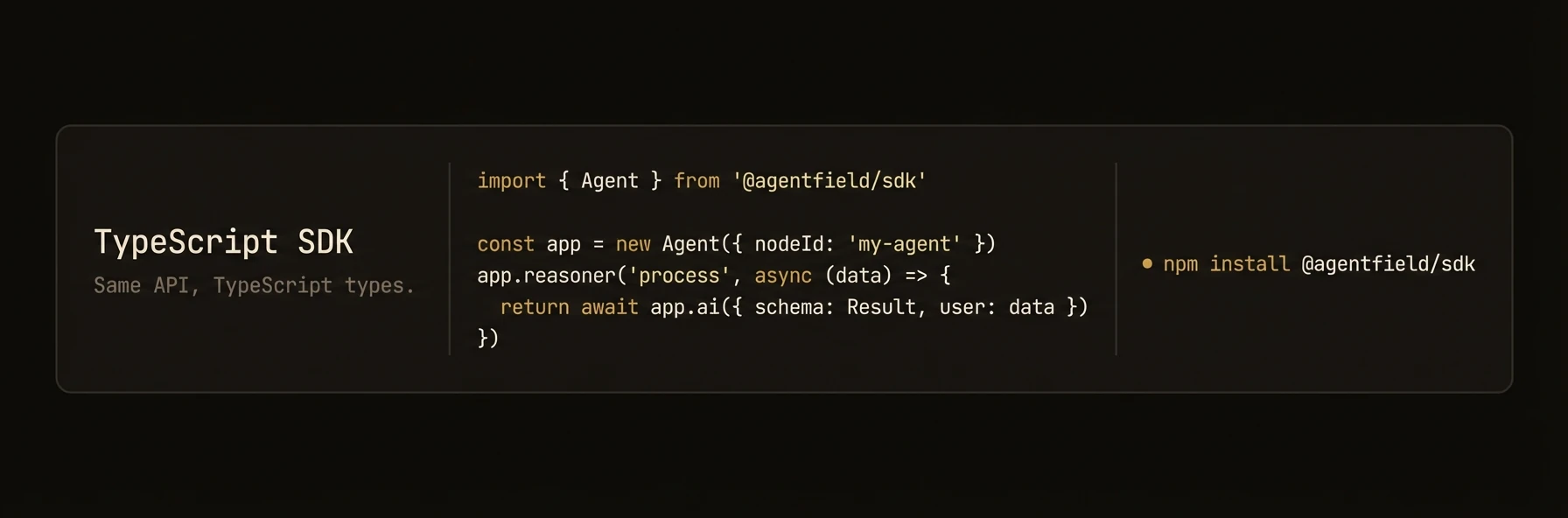 > Build AI agents as production microservices with TypeScript.
The `@agentfield/sdk` package lets you build, deploy, and orchestrate AI agents in TypeScript and JavaScript. Registered reasoners and skills are exposed through the agent runtime, and DID-backed identity is available when enabled in config. Runs on Node.js 18+.
## Install
```bash
npm install @agentfield/sdk
```
Requires Node.js 18+. The package uses native ESM -- set `"type": "module"` in your `package.json`.
## Quick Start
```typescript
import { Agent } from "@agentfield/sdk";
import { z } from "zod";
const agent = new Agent({
nodeId: "my-agent",
aiConfig: {
provider: "openai",
model: "gpt-4o",
},
});
agent.reasoner("greet", async (ctx) => {
const response = await ctx.ai("Say hello to the user.", {
system: "You are a friendly assistant.",
});
return { message: response };
});
agent.serve();
```
Start the control plane and your agent:
```bash
af server # Terminal 1 — Dashboard at http://localhost:8080
npx tsx app.ts # Terminal 2 — Agent auto-registers
```
In TypeScript, AI calls use `ctx.ai()` inside handler callbacks, NOT `agent.ai()` on the agent instance. The context object provides the full API surface.
---
### Agent Constructor and Configuration
## Agent
The `Agent` class is the top-level object that registers functions, starts an HTTP server, and manages connections to the AgentField control plane.
### Constructor
```typescript
import { Agent } from "@agentfield/sdk";
import type { AgentConfig } from "@agentfield/sdk";
const config: AgentConfig = { nodeId: "my-agent" };
const agent = new Agent(config);
```
### AgentConfig
| Field | Type | Default | Description |
|---|---|---|---|
| `nodeId` | `string` | **required** | Unique identifier for this agent node |
| `version` | `string` | -- | Semver version string |
| `teamId` | `string` | -- | Team/organization identifier |
| `agentFieldUrl` | `string` | `"http://localhost:8080"` | Control plane URL |
| `port` | `number` | `8001` | HTTP server port |
| `host` | `string` | `"0.0.0.0"` | HTTP server bind address |
| `publicUrl` | `string` | -- | Public URL for this agent (used in registration) |
| `aiConfig` | `AIConfig` | -- | LLM provider configuration |
| `harnessConfig` | `HarnessConfig` | -- | Harness runner defaults |
| `memoryConfig` | `MemoryConfig` | -- | Memory scope defaults |
| `mcp` | `MCPConfig` | -- | MCP server connections |
| `didEnabled` | `boolean` | `true` | Enable DID/Verifiable Credential features |
| `devMode` | `boolean` | -- | Enable development mode logging |
| `deploymentType` | `DeploymentType` | `"long_running"` | `"long_running"` or `"serverless"` |
| `apiKey` | `string` | -- | API key for control plane authentication |
| `tags` | `string[]` | -- | Agent-level tags for authorization policies |
| `localVerification` | `boolean` | -- | Enable decentralized local verification of DID signatures |
| `defaultHeaders` | `Record` | -- | Default headers sent with all control plane requests |
### Registering Reasoners and Skills
### agent.reasoner()
Register a reasoner function. Reasoners are the primary execution units -- they receive a `ReasonerContext` with full access to AI, memory, discovery, and harness capabilities.
```typescript
agent.reasoner(
name: string,
handler: (ctx: ReasonerContext) => Promise,
options?: ReasonerOptions
);
```
**ReasonerOptions:**
| Field | Type | Description |
|---|---|---|
| `tags` | `string[]` | Tags for discovery filtering |
| `description` | `string` | Human-readable description |
| `inputSchema` | `any` | JSON Schema or Zod schema for input validation |
| `outputSchema` | `any` | JSON Schema or Zod schema for output shape |
| `trackWorkflow` | `boolean` | Enable workflow tracking |
| `requireRealtimeValidation` | `boolean` | Force control-plane verification instead of local |
### agent.skill()
Register a skill function. Skills are lightweight handlers that receive a `SkillContext` -- they have access to memory and discovery but not AI generation.
```typescript
agent.skill(
name: string,
handler: (ctx: SkillContext) => TOutput | Promise,
options?: SkillOptions
);
```
**SkillOptions:**
| Field | Type | Description |
|---|---|---|
| `tags` | `string[]` | Tags for discovery filtering |
| `description` | `string` | Human-readable description |
| `inputSchema` | `any` | JSON Schema or Zod schema for input validation |
| `outputSchema` | `any` | JSON Schema or Zod schema for output shape |
| `requireRealtimeValidation` | `boolean` | Force control-plane verification instead of local |
Returns the `Agent` instance for chaining.
### Agent-Level Methods (call, discover, harness, serve)
### agent.call()
Invoke a reasoner on this agent or on a remote agent through the control plane.
```typescript
const result = await agent.call(target: string, input: any);
```
**Target format:** `"nodeId.reasonerName"` for remote calls, or just `"reasonerName"` for local calls.
### agent.discover()
Query the control plane for available capabilities across all registered agents.
```typescript
const result = await agent.discover(options?: DiscoveryOptions);
```
**DiscoveryOptions:**
| Field | Type | Description |
|---|---|---|
| `agent` | `string` | Filter by agent ID |
| `nodeId` | `string` | Filter by node ID |
| `agentIds` | `string[]` | Filter by multiple agent IDs |
| `nodeIds` | `string[]` | Filter by multiple node IDs |
| `reasoner` | `string` | Filter by reasoner name |
| `skill` | `string` | Filter by skill name |
| `tags` | `string[]` | Filter by tags |
| `format` | `DiscoveryFormat` | `"json"`, `"compact"`, or `"xml"` |
| `includeInputSchema` | `boolean` | Include input schemas in response |
| `includeOutputSchema` | `boolean` | Include output schemas in response |
| `includeDescriptions` | `boolean` | Include descriptions in response |
| `includeExamples` | `boolean` | Include examples in response |
| `healthStatus` | `string` | Filter by health status |
| `limit` | `number` | Pagination limit |
| `offset` | `number` | Pagination offset |
### agent.harness()
Run a prompt through an agentic coding harness (Claude Code, Codex, Gemini CLI, or OpenCode). The harness has tool access and multi-turn reasoning.
```typescript
const result = await agent.harness(
prompt: string,
options?: HarnessOptions
): Promise;
```
### agent.watchMemory()
Subscribe to memory change events matching a glob pattern.
```typescript
agent.watchMemory(
pattern: string | string[],
handler: (event: MemoryChangeEvent) => void | Promise,
options?: { scope?: string; scopeId?: string }
);
```
### agent.note()
Emit an observability note visible in the AgentField UI.
```typescript
agent.note(message: string, tags?: string[]);
```
### agent.includeRouter()
Mount an `AgentRouter` to compose reasoners and skills from separate modules.
```typescript
import { AgentRouter } from "@agentfield/sdk";
const router = new AgentRouter({ prefix: "analytics", tags: ["data"] });
router.reasoner("summarize", async (ctx) => {
return ctx.ai("Summarize the data.", { system: "You are a data analyst." });
});
agent.includeRouter(router);
```
### agent.serve()
Start the HTTP server and register with the control plane.
```typescript
await agent.serve();
```
### agent.handler()
Return a request handler for serverless deployments (AWS Lambda, Vercel, Netlify).
```typescript
export default agent.handler();
```
### agent.shutdown()
Gracefully shut down the HTTP server, stop heartbeats, and disconnect the memory event stream.
```typescript
await agent.shutdown();
```
### ReasonerContext — ctx.ai(), ctx.call(), ctx.discover()
## ReasonerContext
The context object passed to every reasoner handler. Provides access to AI generation, memory, inter-agent calls, discovery, harness execution, and observability.
### Properties
| Property | Type | Description |
|---|---|---|
| `input` | `TInput` | The input data passed to this reasoner |
| `executionId` | `string` | Unique ID for this execution |
| `runId` | `string?` | Run ID (groups related executions) |
| `sessionId` | `string?` | Session ID |
| `actorId` | `string?` | Actor/user ID |
| `workflowId` | `string?` | Workflow ID |
| `parentExecutionId` | `string?` | Parent execution ID (for nested calls) |
| `callerDid` | `string?` | DID of the calling agent |
| `targetDid` | `string?` | DID of this agent/function |
| `agent` | `Agent` | Reference to the parent Agent instance |
| `aiClient` | `AIClient` | Direct access to the AI client |
| `memory` | `MemoryInterface` | Scoped memory interface |
| `workflow` | `WorkflowReporter` | Workflow progress reporting |
| `did` | `DidInterface` | DID/Verifiable Credential operations |
### ctx.ai()
The primary method for LLM generation. Supports plain text, structured output with Zod schemas, and automatic tool calling.
**Plain text generation:**
```typescript
const text = await ctx.ai("Summarize this document.", {
system: "You are a concise summarizer.",
model: "gpt-4o",
temperature: 0.3,
});
```
**Structured output with Zod:**
```typescript
import { z } from "zod";
const result = await ctx.ai("Extract the key entities.", {
schema: z.object({
people: z.array(z.string()),
places: z.array(z.string()),
dates: z.array(z.string()),
}),
});
// result is typed as { people: string[], places: string[], dates: string[] }
```
**Tool calling with auto-discovery:**
```typescript
const { text, trace } = await ctx.aiWithTools("Find and analyze the latest data.", {
tools: "discover", // auto-discover capabilities from control plane
maxTurns: 5,
maxToolCalls: 15,
});
```
**AIRequestOptions:**
| Field | Type | Default | Description |
|---|---|---|---|
| `system` | `string` | -- | System prompt |
| `schema` | `ZodSchema` | -- | Zod schema for structured output |
| `model` | `string` | from config | Model name override |
| `temperature` | `number` | from config | Sampling temperature |
| `maxTokens` | `number` | from config | Maximum output tokens |
| `provider` | `AIConfig["provider"]` | from config | Provider override |
| `mode` | `"auto" \| "json" \| "tool"` | `"json"` | Structured output mode |
**AIToolRequestOptions** (extends AIRequestOptions):
| Field | Type | Default | Description |
|---|---|---|---|
| `tools` | `ToolsOption` | -- | Tool definitions (see below) |
| `maxTurns` | `number` | `10` | Maximum LLM turns in tool-call loop |
| `maxToolCalls` | `number` | `25` | Maximum total tool calls |
**ToolsOption** accepts multiple forms:
| Value | Description |
|---|---|
| `"discover"` | Auto-discover all capabilities from the control plane |
| `ToolCallConfig` | Discovery with filtering (tags, agentIds, health) |
| `DiscoveryResult` | Use pre-fetched discovery results |
| `AgentCapability[]` | Convert capability list directly |
| `ToolSet` | Raw Vercel AI SDK tool definitions |
### ctx.aiStream()
Stream text from the LLM. Returns an `AsyncIterable`.
```typescript
const stream = await ctx.aiStream("Tell me a story.", {
system: "You are a storyteller.",
});
for await (const chunk of stream) {
process.stdout.write(chunk);
}
```
### ctx.aiWithTools()
Explicitly run the tool-calling loop. Usually you can use `ctx.ai()` with the `tools` option instead -- this is exposed for advanced control.
```typescript
const { text, trace } = await ctx.aiWithTools("Analyze the codebase.", {
tools: "discover",
maxTurns: 8,
maxToolCalls: 20,
});
console.log(`Tool calls made: ${trace.totalToolCalls}`);
console.log(`Turns taken: ${trace.totalTurns}`);
```
Returns `{ text: string; trace: ToolCallTrace }`.
**ToolCallTrace:**
| Field | Type | Description |
|---|---|---|
| `calls` | `ToolCallRecord[]` | Individual tool call records |
| `totalTurns` | `number` | Total LLM turns used |
| `totalToolCalls` | `number` | Total tool calls dispatched |
| `finalResponse` | `string?` | Final text response |
### ctx.call()
Invoke another reasoner (local or remote).
```typescript
// Local call
const result = await ctx.call("other_reasoner", { query: "test" });
// Remote call
const result = await ctx.call("other-agent.analyze", { data: input });
```
### ctx.discover()
Query available capabilities from the control plane.
```typescript
const capabilities = await ctx.discover({
tags: ["analysis"],
format: "compact",
});
```
### ctx.note()
Emit an observability note with optional tags.
```typescript
ctx.note("Processing complete, found 42 items", ["progress", "metrics"]);
```
### SkillContext
## SkillContext
A lighter context for skill handlers. Skills have access to memory and discovery but not AI generation.
### Properties
| Property | Type | Description |
|---|---|---|
| `input` | `TInput` | The input data passed to this skill |
| `executionId` | `string` | Unique ID for this execution |
| `sessionId` | `string?` | Session ID |
| `workflowId` | `string?` | Workflow ID |
| `callerDid` | `string?` | DID of the calling agent |
| `agent` | `Agent` | Reference to the parent Agent instance |
| `memory` | `MemoryInterface` | Scoped memory interface |
| `workflow` | `WorkflowReporter` | Workflow progress reporting |
| `did` | `DidInterface` | DID/Verifiable Credential operations |
### ctx.discover()
Same as `ReasonerContext.discover()` -- query available capabilities.
```typescript
const capabilities = await ctx.discover({ tags: ["tools"] });
```
### AIClient — Direct LLM Access
## AIClient
The AI client handles all LLM interactions. It is built on the Vercel AI SDK and supports multiple providers with automatic rate-limit retry and circuit breaking.
### Constructor
```typescript
import { AIClient } from "@agentfield/sdk";
const ai = new AIClient(config?: AIConfig);
```
### AIConfig
| Field | Type | Default | Description |
|---|---|---|---|
| `provider` | `string` | `"openai"` | LLM provider |
| `model` | `string` | `"gpt-4o"` | Default model name |
| `embeddingModel` | `string` | `"text-embedding-3-small"` | Default embedding model |
| `apiKey` | `string` | -- | Provider API key |
| `baseUrl` | `string` | -- | Custom base URL |
| `temperature` | `number` | -- | Default temperature |
| `maxTokens` | `number` | -- | Default max output tokens |
| `enableRateLimitRetry` | `boolean` | `true` | Enable automatic rate-limit retry |
| `rateLimitMaxRetries` | `number` | `20` | Maximum retry attempts |
| `rateLimitBaseDelay` | `number` | `1.0` | Base delay in seconds |
| `rateLimitMaxDelay` | `number` | `300.0` | Maximum delay in seconds |
| `rateLimitJitterFactor` | `number` | `0.25` | Jitter factor for backoff |
| `rateLimitCircuitBreakerThreshold` | `number` | `10` | Consecutive failures to trip breaker |
| `rateLimitCircuitBreakerTimeout` | `number` | `300` | Circuit breaker reset timeout (seconds) |
**Supported providers:** `openai`, `anthropic`, `google`, `mistral`, `groq`, `xai`, `deepseek`, `cohere`, `openrouter`, `ollama`
### ai.generate()
Generate text or structured output.
```typescript
// Plain text
const text = await ai.generate("Explain quantum computing.");
// Structured output with Zod schema
const result = await ai.generate("Classify this text.", {
schema: z.object({
category: z.enum(["positive", "negative", "neutral"]),
confidence: z.number(),
}),
});
```
### ai.stream()
Stream text generation. Returns an `AsyncIterable`.
```typescript
const stream = await ai.stream("Write a poem about TypeScript.");
for await (const chunk of stream) {
process.stdout.write(chunk);
}
```
### ai.embed()
Generate an embedding vector for a single string.
```typescript
const vector = await ai.embed("The quick brown fox");
// vector: number[]
```
Embedding is not supported for `anthropic`, `xai`, `deepseek`, or `groq` providers. Use `openai`, `google`, `mistral`, or `cohere` for embeddings.
### ai.embedMany()
Generate embedding vectors for multiple strings in a single call.
```typescript
const vectors = await ai.embedMany([
"First document",
"Second document",
"Third document",
]);
// vectors: number[][]
```
### MemoryInterface
## MemoryInterface
Scoped key-value and vector memory with hierarchical fallback lookups. Accessible via `ctx.memory` in reasoner and skill handlers.
### Scope Hierarchy
Memory values are scoped to one of four levels. When reading with default scope, the interface walks the hierarchy until a value is found:
1. **workflow** -- scoped to a workflow/run
2. **session** -- scoped to a user session
3. **actor** -- scoped to a specific user/actor
4. **global** -- shared across all scopes
### Key-Value Operations
```typescript
// Set
await ctx.memory.set(key: string, data: any, scope?: MemoryScope, scopeId?: string);
// Get (returns undefined if not found, uses hierarchical fallback with default scope)
const value = await ctx.memory.get(key: string, scope?: MemoryScope, scopeId?: string);
// Delete
await ctx.memory.delete(key: string, scope?: MemoryScope, scopeId?: string);
// Exists
const found = await ctx.memory.exists(key: string, scope?: MemoryScope, scopeId?: string);
// List keys
const keys = await ctx.memory.listKeys(scope?: MemoryScope, scopeId?: string);
```
### Vector Operations
```typescript
// Store a vector
await ctx.memory.setVector(key, embedding, metadata?, scope?, scopeId?);
// Search similar vectors
const results = await ctx.memory.searchVector(queryEmbedding, { topK?, filters? });
// Delete vectors
await ctx.memory.deleteVector(key, scope?, scopeId?);
await ctx.memory.deleteVectors(keys, scope?, scopeId?);
```
### Embedding Helpers
```typescript
// Generate embedding for text
const vector = await ctx.memory.embedText("search query");
const vectors = await ctx.memory.embedTexts(["doc one", "doc two"]);
// Embed and store in one call
await ctx.memory.embedAndSet("doc-key", "The document content", { title: "My Doc" });
```
### Scope Helpers
```typescript
const workflowMemory = ctx.memory.workflow("wf-123");
const sessionMemory = ctx.memory.session("sess-abc");
const actorMemory = ctx.memory.actor("user-42");
const globalMemory = ctx.memory.globalScope;
```
### Memory Events
```typescript
ctx.memory.onEvent(async (event: MemoryChangeEvent) => {
console.log(`Key changed: ${event.key} in ${event.scope}/${event.scopeId}`);
});
```
### HarnessRunner — Coding Agent Dispatch
## HarnessRunner
Execute prompts through agentic coding tools (Claude Code, Codex, Gemini CLI, OpenCode) with automatic retry and structured output support.
```typescript
const result = await agent.harness(
"Analyze the codebase and list all API endpoints.",
{
provider: "claude-code",
maxTurns: 10,
cwd: "/path/to/project",
}
);
console.log(result.text);
console.log(`Cost: $${result.costUsd}`);
```
### HarnessConfig
| Field | Type | Default | Description |
|---|---|---|---|
| `provider` | `string` | **required** | `"claude-code"`, `"codex"`, `"gemini"`, or `"opencode"` |
| `model` | `string` | -- | Model override |
| `maxTurns` | `number` | -- | Maximum conversation turns |
| `maxBudgetUsd` | `number` | -- | Cost budget cap |
| `maxRetries` | `number` | `3` | Retry count for transient failures |
| `initialDelay` | `number` | `1.0` | Initial retry delay (seconds) |
| `maxDelay` | `number` | `30.0` | Maximum retry delay (seconds) |
| `backoffFactor` | `number` | `2.0` | Exponential backoff multiplier |
| `tools` | `string[]` | -- | Tool allowlist |
| `permissionMode` | `string` | -- | Permission mode |
| `systemPrompt` | `string` | -- | System prompt |
| `env` | `Record` | -- | Environment variables |
| `cwd` | `string` | -- | Working directory |
### HarnessResult
| Field | Type | Description |
|---|---|---|
| `text` | `string` | Final text output |
| `result` | `string?` | Raw result string |
| `parsed` | `unknown?` | Parsed structured output (when schema is provided) |
| `isError` | `boolean` | Whether the execution failed |
| `errorMessage` | `string?` | Error description |
| `costUsd` | `number?` | Total cost in USD |
| `numTurns` | `number` | Number of conversation turns |
| `durationMs` | `number` | Wall-clock duration |
| `sessionId` | `string` | Provider session ID |
| `messages` | `Array>` | Raw message history |
### Structured Output with Harness
```typescript
import { z } from "zod";
const result = await agent.harness(
"List all files with security issues.",
{
provider: "claude-code",
cwd: "/path/to/project",
schema: z.object({
files: z.array(z.object({
path: z.string(),
issue: z.string(),
severity: z.enum(["low", "medium", "high", "critical"]),
})),
}),
}
);
```
### WorkflowReporter and DID
## WorkflowReporter
Report execution progress to the control plane. Accessible via `ctx.workflow`.
```typescript
agent.reasoner("long-task", async (ctx) => {
await ctx.workflow.progress(10, { status: "starting" });
const data = await fetchData();
await ctx.workflow.progress(50, { status: "processing" });
const result = await analyze(data);
await ctx.workflow.progress(100, { status: "complete", result });
return result;
});
```
## DidInterface
Decentralized identity and verifiable credential operations. Accessible via `ctx.did`.
```typescript
const credential = await ctx.did.generateCredential({
inputData: ctx.input,
outputData: result,
status: "succeeded",
durationMs: elapsed,
});
const trail = await ctx.did.exportAuditTrail({});
```
### AgentRouter, MCP, Serverless, Context Functions
## AgentRouter
Compose reasoners and skills into reusable modules with optional prefixing and tagging.
```typescript
import { AgentRouter } from "@agentfield/sdk";
const dataRouter = new AgentRouter({
prefix: "data", // functions registered as "data_functionName"
tags: ["analytics"],
});
dataRouter.reasoner("ingest", async (ctx) => { /* ... */ });
dataRouter.skill("validate", async (ctx) => { /* ... */ });
agent.includeRouter(dataRouter);
```
## MCP Integration
Connect to Model Context Protocol servers and expose their tools as agent skills.
```typescript
const agent = new Agent({
nodeId: "mcp-agent",
mcp: {
servers: [
{ alias: "github", url: "http://localhost:3100", transport: "http" },
{ alias: "db", port: 3200, transport: "http" },
],
autoRegisterTools: true,
namespace: "tools",
tags: ["external"],
},
});
```
## Serverless Deployment
For serverless platforms (AWS Lambda, Vercel, Netlify), use `agent.handler()` instead of `agent.serve()`.
```typescript
// api/agent.ts (Vercel example)
import { Agent } from "@agentfield/sdk";
const agent = new Agent({
nodeId: "serverless-agent",
deploymentType: "serverless",
aiConfig: { provider: "openai", model: "gpt-4o" },
});
agent.reasoner("analyze", async (ctx) => {
return ctx.ai("Analyze the input.", { system: "You are an analyst." });
});
export default agent.handler();
```
## Context Functions
Two standalone functions retrieve the current execution context from `AsyncLocalStorage`, useful in utility modules that don't receive the context directly.
```typescript
import { getCurrentContext, getCurrentSkillContext } from "@agentfield/sdk";
const ctx = getCurrentContext();
if (ctx) {
await ctx.memory.set("key", "value");
}
```
### Complete Example
## Complete Example
```typescript
import { Agent, AgentRouter } from "@agentfield/sdk";
import { z } from "zod";
const agent = new Agent({
nodeId: "research-agent",
aiConfig: {
provider: "anthropic",
model: "claude-sonnet-4-20250514",
apiKey: process.env.ANTHROPIC_API_KEY,
},
harnessConfig: {
provider: "claude-code",
},
memoryConfig: {
defaultScope: "workflow",
},
});
// Register a reasoner with structured output
agent.reasoner("classify", async (ctx) => {
const classification = await ctx.ai(
`Classify the following text: ${ctx.input.text}`,
{
schema: z.object({
category: z.string(),
confidence: z.number().min(0).max(1),
tags: z.array(z.string()),
}),
}
);
await ctx.memory.set("last-classification", classification);
await ctx.workflow.progress(100, { status: "complete" });
return classification;
});
// Register a reasoner that calls other agents
agent.reasoner("orchestrate", async (ctx) => {
const capabilities = await ctx.discover({ tags: ["analysis"] });
const analysis = await ctx.call("analyst-agent.deep_analyze", {
data: ctx.input.data,
});
const review = await ctx.agent.harness(
`Review this analysis and identify gaps: ${JSON.stringify(analysis)}`,
{ provider: "claude-code", maxTurns: 5 }
);
return { analysis, review: review.text };
});
// Register a lightweight skill
agent.skill("health", async (ctx) => {
return { status: "ok", timestamp: new Date().toISOString() };
});
agent.serve();
```
---
## Testing
URL: https://agentfield.ai/docs/reference/testing
Markdown: https://agentfield.ai/llm/docs/reference/testing
Last-Modified: 2026-03-24T15:33:27.000Z
Category: reference
Difficulty: intermediate
Keywords: testing, pytest, mock, asyncmock, ci, unit-test, integration-test
Summary: Patterns for unit testing, integration testing, and mocking AgentField agents.
> Build AI agents as production microservices with TypeScript.
The `@agentfield/sdk` package lets you build, deploy, and orchestrate AI agents in TypeScript and JavaScript. Registered reasoners and skills are exposed through the agent runtime, and DID-backed identity is available when enabled in config. Runs on Node.js 18+.
## Install
```bash
npm install @agentfield/sdk
```
Requires Node.js 18+. The package uses native ESM -- set `"type": "module"` in your `package.json`.
## Quick Start
```typescript
import { Agent } from "@agentfield/sdk";
import { z } from "zod";
const agent = new Agent({
nodeId: "my-agent",
aiConfig: {
provider: "openai",
model: "gpt-4o",
},
});
agent.reasoner("greet", async (ctx) => {
const response = await ctx.ai("Say hello to the user.", {
system: "You are a friendly assistant.",
});
return { message: response };
});
agent.serve();
```
Start the control plane and your agent:
```bash
af server # Terminal 1 — Dashboard at http://localhost:8080
npx tsx app.ts # Terminal 2 — Agent auto-registers
```
In TypeScript, AI calls use `ctx.ai()` inside handler callbacks, NOT `agent.ai()` on the agent instance. The context object provides the full API surface.
---
### Agent Constructor and Configuration
## Agent
The `Agent` class is the top-level object that registers functions, starts an HTTP server, and manages connections to the AgentField control plane.
### Constructor
```typescript
import { Agent } from "@agentfield/sdk";
import type { AgentConfig } from "@agentfield/sdk";
const config: AgentConfig = { nodeId: "my-agent" };
const agent = new Agent(config);
```
### AgentConfig
| Field | Type | Default | Description |
|---|---|---|---|
| `nodeId` | `string` | **required** | Unique identifier for this agent node |
| `version` | `string` | -- | Semver version string |
| `teamId` | `string` | -- | Team/organization identifier |
| `agentFieldUrl` | `string` | `"http://localhost:8080"` | Control plane URL |
| `port` | `number` | `8001` | HTTP server port |
| `host` | `string` | `"0.0.0.0"` | HTTP server bind address |
| `publicUrl` | `string` | -- | Public URL for this agent (used in registration) |
| `aiConfig` | `AIConfig` | -- | LLM provider configuration |
| `harnessConfig` | `HarnessConfig` | -- | Harness runner defaults |
| `memoryConfig` | `MemoryConfig` | -- | Memory scope defaults |
| `mcp` | `MCPConfig` | -- | MCP server connections |
| `didEnabled` | `boolean` | `true` | Enable DID/Verifiable Credential features |
| `devMode` | `boolean` | -- | Enable development mode logging |
| `deploymentType` | `DeploymentType` | `"long_running"` | `"long_running"` or `"serverless"` |
| `apiKey` | `string` | -- | API key for control plane authentication |
| `tags` | `string[]` | -- | Agent-level tags for authorization policies |
| `localVerification` | `boolean` | -- | Enable decentralized local verification of DID signatures |
| `defaultHeaders` | `Record` | -- | Default headers sent with all control plane requests |
### Registering Reasoners and Skills
### agent.reasoner()
Register a reasoner function. Reasoners are the primary execution units -- they receive a `ReasonerContext` with full access to AI, memory, discovery, and harness capabilities.
```typescript
agent.reasoner(
name: string,
handler: (ctx: ReasonerContext) => Promise,
options?: ReasonerOptions
);
```
**ReasonerOptions:**
| Field | Type | Description |
|---|---|---|
| `tags` | `string[]` | Tags for discovery filtering |
| `description` | `string` | Human-readable description |
| `inputSchema` | `any` | JSON Schema or Zod schema for input validation |
| `outputSchema` | `any` | JSON Schema or Zod schema for output shape |
| `trackWorkflow` | `boolean` | Enable workflow tracking |
| `requireRealtimeValidation` | `boolean` | Force control-plane verification instead of local |
### agent.skill()
Register a skill function. Skills are lightweight handlers that receive a `SkillContext` -- they have access to memory and discovery but not AI generation.
```typescript
agent.skill(
name: string,
handler: (ctx: SkillContext) => TOutput | Promise,
options?: SkillOptions
);
```
**SkillOptions:**
| Field | Type | Description |
|---|---|---|
| `tags` | `string[]` | Tags for discovery filtering |
| `description` | `string` | Human-readable description |
| `inputSchema` | `any` | JSON Schema or Zod schema for input validation |
| `outputSchema` | `any` | JSON Schema or Zod schema for output shape |
| `requireRealtimeValidation` | `boolean` | Force control-plane verification instead of local |
Returns the `Agent` instance for chaining.
### Agent-Level Methods (call, discover, harness, serve)
### agent.call()
Invoke a reasoner on this agent or on a remote agent through the control plane.
```typescript
const result = await agent.call(target: string, input: any);
```
**Target format:** `"nodeId.reasonerName"` for remote calls, or just `"reasonerName"` for local calls.
### agent.discover()
Query the control plane for available capabilities across all registered agents.
```typescript
const result = await agent.discover(options?: DiscoveryOptions);
```
**DiscoveryOptions:**
| Field | Type | Description |
|---|---|---|
| `agent` | `string` | Filter by agent ID |
| `nodeId` | `string` | Filter by node ID |
| `agentIds` | `string[]` | Filter by multiple agent IDs |
| `nodeIds` | `string[]` | Filter by multiple node IDs |
| `reasoner` | `string` | Filter by reasoner name |
| `skill` | `string` | Filter by skill name |
| `tags` | `string[]` | Filter by tags |
| `format` | `DiscoveryFormat` | `"json"`, `"compact"`, or `"xml"` |
| `includeInputSchema` | `boolean` | Include input schemas in response |
| `includeOutputSchema` | `boolean` | Include output schemas in response |
| `includeDescriptions` | `boolean` | Include descriptions in response |
| `includeExamples` | `boolean` | Include examples in response |
| `healthStatus` | `string` | Filter by health status |
| `limit` | `number` | Pagination limit |
| `offset` | `number` | Pagination offset |
### agent.harness()
Run a prompt through an agentic coding harness (Claude Code, Codex, Gemini CLI, or OpenCode). The harness has tool access and multi-turn reasoning.
```typescript
const result = await agent.harness(
prompt: string,
options?: HarnessOptions
): Promise;
```
### agent.watchMemory()
Subscribe to memory change events matching a glob pattern.
```typescript
agent.watchMemory(
pattern: string | string[],
handler: (event: MemoryChangeEvent) => void | Promise,
options?: { scope?: string; scopeId?: string }
);
```
### agent.note()
Emit an observability note visible in the AgentField UI.
```typescript
agent.note(message: string, tags?: string[]);
```
### agent.includeRouter()
Mount an `AgentRouter` to compose reasoners and skills from separate modules.
```typescript
import { AgentRouter } from "@agentfield/sdk";
const router = new AgentRouter({ prefix: "analytics", tags: ["data"] });
router.reasoner("summarize", async (ctx) => {
return ctx.ai("Summarize the data.", { system: "You are a data analyst." });
});
agent.includeRouter(router);
```
### agent.serve()
Start the HTTP server and register with the control plane.
```typescript
await agent.serve();
```
### agent.handler()
Return a request handler for serverless deployments (AWS Lambda, Vercel, Netlify).
```typescript
export default agent.handler();
```
### agent.shutdown()
Gracefully shut down the HTTP server, stop heartbeats, and disconnect the memory event stream.
```typescript
await agent.shutdown();
```
### ReasonerContext — ctx.ai(), ctx.call(), ctx.discover()
## ReasonerContext
The context object passed to every reasoner handler. Provides access to AI generation, memory, inter-agent calls, discovery, harness execution, and observability.
### Properties
| Property | Type | Description |
|---|---|---|
| `input` | `TInput` | The input data passed to this reasoner |
| `executionId` | `string` | Unique ID for this execution |
| `runId` | `string?` | Run ID (groups related executions) |
| `sessionId` | `string?` | Session ID |
| `actorId` | `string?` | Actor/user ID |
| `workflowId` | `string?` | Workflow ID |
| `parentExecutionId` | `string?` | Parent execution ID (for nested calls) |
| `callerDid` | `string?` | DID of the calling agent |
| `targetDid` | `string?` | DID of this agent/function |
| `agent` | `Agent` | Reference to the parent Agent instance |
| `aiClient` | `AIClient` | Direct access to the AI client |
| `memory` | `MemoryInterface` | Scoped memory interface |
| `workflow` | `WorkflowReporter` | Workflow progress reporting |
| `did` | `DidInterface` | DID/Verifiable Credential operations |
### ctx.ai()
The primary method for LLM generation. Supports plain text, structured output with Zod schemas, and automatic tool calling.
**Plain text generation:**
```typescript
const text = await ctx.ai("Summarize this document.", {
system: "You are a concise summarizer.",
model: "gpt-4o",
temperature: 0.3,
});
```
**Structured output with Zod:**
```typescript
import { z } from "zod";
const result = await ctx.ai("Extract the key entities.", {
schema: z.object({
people: z.array(z.string()),
places: z.array(z.string()),
dates: z.array(z.string()),
}),
});
// result is typed as { people: string[], places: string[], dates: string[] }
```
**Tool calling with auto-discovery:**
```typescript
const { text, trace } = await ctx.aiWithTools("Find and analyze the latest data.", {
tools: "discover", // auto-discover capabilities from control plane
maxTurns: 5,
maxToolCalls: 15,
});
```
**AIRequestOptions:**
| Field | Type | Default | Description |
|---|---|---|---|
| `system` | `string` | -- | System prompt |
| `schema` | `ZodSchema` | -- | Zod schema for structured output |
| `model` | `string` | from config | Model name override |
| `temperature` | `number` | from config | Sampling temperature |
| `maxTokens` | `number` | from config | Maximum output tokens |
| `provider` | `AIConfig["provider"]` | from config | Provider override |
| `mode` | `"auto" \| "json" \| "tool"` | `"json"` | Structured output mode |
**AIToolRequestOptions** (extends AIRequestOptions):
| Field | Type | Default | Description |
|---|---|---|---|
| `tools` | `ToolsOption` | -- | Tool definitions (see below) |
| `maxTurns` | `number` | `10` | Maximum LLM turns in tool-call loop |
| `maxToolCalls` | `number` | `25` | Maximum total tool calls |
**ToolsOption** accepts multiple forms:
| Value | Description |
|---|---|
| `"discover"` | Auto-discover all capabilities from the control plane |
| `ToolCallConfig` | Discovery with filtering (tags, agentIds, health) |
| `DiscoveryResult` | Use pre-fetched discovery results |
| `AgentCapability[]` | Convert capability list directly |
| `ToolSet` | Raw Vercel AI SDK tool definitions |
### ctx.aiStream()
Stream text from the LLM. Returns an `AsyncIterable`.
```typescript
const stream = await ctx.aiStream("Tell me a story.", {
system: "You are a storyteller.",
});
for await (const chunk of stream) {
process.stdout.write(chunk);
}
```
### ctx.aiWithTools()
Explicitly run the tool-calling loop. Usually you can use `ctx.ai()` with the `tools` option instead -- this is exposed for advanced control.
```typescript
const { text, trace } = await ctx.aiWithTools("Analyze the codebase.", {
tools: "discover",
maxTurns: 8,
maxToolCalls: 20,
});
console.log(`Tool calls made: ${trace.totalToolCalls}`);
console.log(`Turns taken: ${trace.totalTurns}`);
```
Returns `{ text: string; trace: ToolCallTrace }`.
**ToolCallTrace:**
| Field | Type | Description |
|---|---|---|
| `calls` | `ToolCallRecord[]` | Individual tool call records |
| `totalTurns` | `number` | Total LLM turns used |
| `totalToolCalls` | `number` | Total tool calls dispatched |
| `finalResponse` | `string?` | Final text response |
### ctx.call()
Invoke another reasoner (local or remote).
```typescript
// Local call
const result = await ctx.call("other_reasoner", { query: "test" });
// Remote call
const result = await ctx.call("other-agent.analyze", { data: input });
```
### ctx.discover()
Query available capabilities from the control plane.
```typescript
const capabilities = await ctx.discover({
tags: ["analysis"],
format: "compact",
});
```
### ctx.note()
Emit an observability note with optional tags.
```typescript
ctx.note("Processing complete, found 42 items", ["progress", "metrics"]);
```
### SkillContext
## SkillContext
A lighter context for skill handlers. Skills have access to memory and discovery but not AI generation.
### Properties
| Property | Type | Description |
|---|---|---|
| `input` | `TInput` | The input data passed to this skill |
| `executionId` | `string` | Unique ID for this execution |
| `sessionId` | `string?` | Session ID |
| `workflowId` | `string?` | Workflow ID |
| `callerDid` | `string?` | DID of the calling agent |
| `agent` | `Agent` | Reference to the parent Agent instance |
| `memory` | `MemoryInterface` | Scoped memory interface |
| `workflow` | `WorkflowReporter` | Workflow progress reporting |
| `did` | `DidInterface` | DID/Verifiable Credential operations |
### ctx.discover()
Same as `ReasonerContext.discover()` -- query available capabilities.
```typescript
const capabilities = await ctx.discover({ tags: ["tools"] });
```
### AIClient — Direct LLM Access
## AIClient
The AI client handles all LLM interactions. It is built on the Vercel AI SDK and supports multiple providers with automatic rate-limit retry and circuit breaking.
### Constructor
```typescript
import { AIClient } from "@agentfield/sdk";
const ai = new AIClient(config?: AIConfig);
```
### AIConfig
| Field | Type | Default | Description |
|---|---|---|---|
| `provider` | `string` | `"openai"` | LLM provider |
| `model` | `string` | `"gpt-4o"` | Default model name |
| `embeddingModel` | `string` | `"text-embedding-3-small"` | Default embedding model |
| `apiKey` | `string` | -- | Provider API key |
| `baseUrl` | `string` | -- | Custom base URL |
| `temperature` | `number` | -- | Default temperature |
| `maxTokens` | `number` | -- | Default max output tokens |
| `enableRateLimitRetry` | `boolean` | `true` | Enable automatic rate-limit retry |
| `rateLimitMaxRetries` | `number` | `20` | Maximum retry attempts |
| `rateLimitBaseDelay` | `number` | `1.0` | Base delay in seconds |
| `rateLimitMaxDelay` | `number` | `300.0` | Maximum delay in seconds |
| `rateLimitJitterFactor` | `number` | `0.25` | Jitter factor for backoff |
| `rateLimitCircuitBreakerThreshold` | `number` | `10` | Consecutive failures to trip breaker |
| `rateLimitCircuitBreakerTimeout` | `number` | `300` | Circuit breaker reset timeout (seconds) |
**Supported providers:** `openai`, `anthropic`, `google`, `mistral`, `groq`, `xai`, `deepseek`, `cohere`, `openrouter`, `ollama`
### ai.generate()
Generate text or structured output.
```typescript
// Plain text
const text = await ai.generate("Explain quantum computing.");
// Structured output with Zod schema
const result = await ai.generate("Classify this text.", {
schema: z.object({
category: z.enum(["positive", "negative", "neutral"]),
confidence: z.number(),
}),
});
```
### ai.stream()
Stream text generation. Returns an `AsyncIterable`.
```typescript
const stream = await ai.stream("Write a poem about TypeScript.");
for await (const chunk of stream) {
process.stdout.write(chunk);
}
```
### ai.embed()
Generate an embedding vector for a single string.
```typescript
const vector = await ai.embed("The quick brown fox");
// vector: number[]
```
Embedding is not supported for `anthropic`, `xai`, `deepseek`, or `groq` providers. Use `openai`, `google`, `mistral`, or `cohere` for embeddings.
### ai.embedMany()
Generate embedding vectors for multiple strings in a single call.
```typescript
const vectors = await ai.embedMany([
"First document",
"Second document",
"Third document",
]);
// vectors: number[][]
```
### MemoryInterface
## MemoryInterface
Scoped key-value and vector memory with hierarchical fallback lookups. Accessible via `ctx.memory` in reasoner and skill handlers.
### Scope Hierarchy
Memory values are scoped to one of four levels. When reading with default scope, the interface walks the hierarchy until a value is found:
1. **workflow** -- scoped to a workflow/run
2. **session** -- scoped to a user session
3. **actor** -- scoped to a specific user/actor
4. **global** -- shared across all scopes
### Key-Value Operations
```typescript
// Set
await ctx.memory.set(key: string, data: any, scope?: MemoryScope, scopeId?: string);
// Get (returns undefined if not found, uses hierarchical fallback with default scope)
const value = await ctx.memory.get(key: string, scope?: MemoryScope, scopeId?: string);
// Delete
await ctx.memory.delete(key: string, scope?: MemoryScope, scopeId?: string);
// Exists
const found = await ctx.memory.exists(key: string, scope?: MemoryScope, scopeId?: string);
// List keys
const keys = await ctx.memory.listKeys(scope?: MemoryScope, scopeId?: string);
```
### Vector Operations
```typescript
// Store a vector
await ctx.memory.setVector(key, embedding, metadata?, scope?, scopeId?);
// Search similar vectors
const results = await ctx.memory.searchVector(queryEmbedding, { topK?, filters? });
// Delete vectors
await ctx.memory.deleteVector(key, scope?, scopeId?);
await ctx.memory.deleteVectors(keys, scope?, scopeId?);
```
### Embedding Helpers
```typescript
// Generate embedding for text
const vector = await ctx.memory.embedText("search query");
const vectors = await ctx.memory.embedTexts(["doc one", "doc two"]);
// Embed and store in one call
await ctx.memory.embedAndSet("doc-key", "The document content", { title: "My Doc" });
```
### Scope Helpers
```typescript
const workflowMemory = ctx.memory.workflow("wf-123");
const sessionMemory = ctx.memory.session("sess-abc");
const actorMemory = ctx.memory.actor("user-42");
const globalMemory = ctx.memory.globalScope;
```
### Memory Events
```typescript
ctx.memory.onEvent(async (event: MemoryChangeEvent) => {
console.log(`Key changed: ${event.key} in ${event.scope}/${event.scopeId}`);
});
```
### HarnessRunner — Coding Agent Dispatch
## HarnessRunner
Execute prompts through agentic coding tools (Claude Code, Codex, Gemini CLI, OpenCode) with automatic retry and structured output support.
```typescript
const result = await agent.harness(
"Analyze the codebase and list all API endpoints.",
{
provider: "claude-code",
maxTurns: 10,
cwd: "/path/to/project",
}
);
console.log(result.text);
console.log(`Cost: $${result.costUsd}`);
```
### HarnessConfig
| Field | Type | Default | Description |
|---|---|---|---|
| `provider` | `string` | **required** | `"claude-code"`, `"codex"`, `"gemini"`, or `"opencode"` |
| `model` | `string` | -- | Model override |
| `maxTurns` | `number` | -- | Maximum conversation turns |
| `maxBudgetUsd` | `number` | -- | Cost budget cap |
| `maxRetries` | `number` | `3` | Retry count for transient failures |
| `initialDelay` | `number` | `1.0` | Initial retry delay (seconds) |
| `maxDelay` | `number` | `30.0` | Maximum retry delay (seconds) |
| `backoffFactor` | `number` | `2.0` | Exponential backoff multiplier |
| `tools` | `string[]` | -- | Tool allowlist |
| `permissionMode` | `string` | -- | Permission mode |
| `systemPrompt` | `string` | -- | System prompt |
| `env` | `Record` | -- | Environment variables |
| `cwd` | `string` | -- | Working directory |
### HarnessResult
| Field | Type | Description |
|---|---|---|
| `text` | `string` | Final text output |
| `result` | `string?` | Raw result string |
| `parsed` | `unknown?` | Parsed structured output (when schema is provided) |
| `isError` | `boolean` | Whether the execution failed |
| `errorMessage` | `string?` | Error description |
| `costUsd` | `number?` | Total cost in USD |
| `numTurns` | `number` | Number of conversation turns |
| `durationMs` | `number` | Wall-clock duration |
| `sessionId` | `string` | Provider session ID |
| `messages` | `Array>` | Raw message history |
### Structured Output with Harness
```typescript
import { z } from "zod";
const result = await agent.harness(
"List all files with security issues.",
{
provider: "claude-code",
cwd: "/path/to/project",
schema: z.object({
files: z.array(z.object({
path: z.string(),
issue: z.string(),
severity: z.enum(["low", "medium", "high", "critical"]),
})),
}),
}
);
```
### WorkflowReporter and DID
## WorkflowReporter
Report execution progress to the control plane. Accessible via `ctx.workflow`.
```typescript
agent.reasoner("long-task", async (ctx) => {
await ctx.workflow.progress(10, { status: "starting" });
const data = await fetchData();
await ctx.workflow.progress(50, { status: "processing" });
const result = await analyze(data);
await ctx.workflow.progress(100, { status: "complete", result });
return result;
});
```
## DidInterface
Decentralized identity and verifiable credential operations. Accessible via `ctx.did`.
```typescript
const credential = await ctx.did.generateCredential({
inputData: ctx.input,
outputData: result,
status: "succeeded",
durationMs: elapsed,
});
const trail = await ctx.did.exportAuditTrail({});
```
### AgentRouter, MCP, Serverless, Context Functions
## AgentRouter
Compose reasoners and skills into reusable modules with optional prefixing and tagging.
```typescript
import { AgentRouter } from "@agentfield/sdk";
const dataRouter = new AgentRouter({
prefix: "data", // functions registered as "data_functionName"
tags: ["analytics"],
});
dataRouter.reasoner("ingest", async (ctx) => { /* ... */ });
dataRouter.skill("validate", async (ctx) => { /* ... */ });
agent.includeRouter(dataRouter);
```
## MCP Integration
Connect to Model Context Protocol servers and expose their tools as agent skills.
```typescript
const agent = new Agent({
nodeId: "mcp-agent",
mcp: {
servers: [
{ alias: "github", url: "http://localhost:3100", transport: "http" },
{ alias: "db", port: 3200, transport: "http" },
],
autoRegisterTools: true,
namespace: "tools",
tags: ["external"],
},
});
```
## Serverless Deployment
For serverless platforms (AWS Lambda, Vercel, Netlify), use `agent.handler()` instead of `agent.serve()`.
```typescript
// api/agent.ts (Vercel example)
import { Agent } from "@agentfield/sdk";
const agent = new Agent({
nodeId: "serverless-agent",
deploymentType: "serverless",
aiConfig: { provider: "openai", model: "gpt-4o" },
});
agent.reasoner("analyze", async (ctx) => {
return ctx.ai("Analyze the input.", { system: "You are an analyst." });
});
export default agent.handler();
```
## Context Functions
Two standalone functions retrieve the current execution context from `AsyncLocalStorage`, useful in utility modules that don't receive the context directly.
```typescript
import { getCurrentContext, getCurrentSkillContext } from "@agentfield/sdk";
const ctx = getCurrentContext();
if (ctx) {
await ctx.memory.set("key", "value");
}
```
### Complete Example
## Complete Example
```typescript
import { Agent, AgentRouter } from "@agentfield/sdk";
import { z } from "zod";
const agent = new Agent({
nodeId: "research-agent",
aiConfig: {
provider: "anthropic",
model: "claude-sonnet-4-20250514",
apiKey: process.env.ANTHROPIC_API_KEY,
},
harnessConfig: {
provider: "claude-code",
},
memoryConfig: {
defaultScope: "workflow",
},
});
// Register a reasoner with structured output
agent.reasoner("classify", async (ctx) => {
const classification = await ctx.ai(
`Classify the following text: ${ctx.input.text}`,
{
schema: z.object({
category: z.string(),
confidence: z.number().min(0).max(1),
tags: z.array(z.string()),
}),
}
);
await ctx.memory.set("last-classification", classification);
await ctx.workflow.progress(100, { status: "complete" });
return classification;
});
// Register a reasoner that calls other agents
agent.reasoner("orchestrate", async (ctx) => {
const capabilities = await ctx.discover({ tags: ["analysis"] });
const analysis = await ctx.call("analyst-agent.deep_analyze", {
data: ctx.input.data,
});
const review = await ctx.agent.harness(
`Review this analysis and identify gaps: ${JSON.stringify(analysis)}`,
{ provider: "claude-code", maxTurns: 5 }
);
return { analysis, review: review.text };
});
// Register a lightweight skill
agent.skill("health", async (ctx) => {
return { status: "ok", timestamp: new Date().toISOString() };
});
agent.serve();
```
---
## Testing
URL: https://agentfield.ai/docs/reference/testing
Markdown: https://agentfield.ai/llm/docs/reference/testing
Last-Modified: 2026-03-24T15:33:27.000Z
Category: reference
Difficulty: intermediate
Keywords: testing, pytest, mock, asyncmock, ci, unit-test, integration-test
Summary: Patterns for unit testing, integration testing, and mocking AgentField agents.
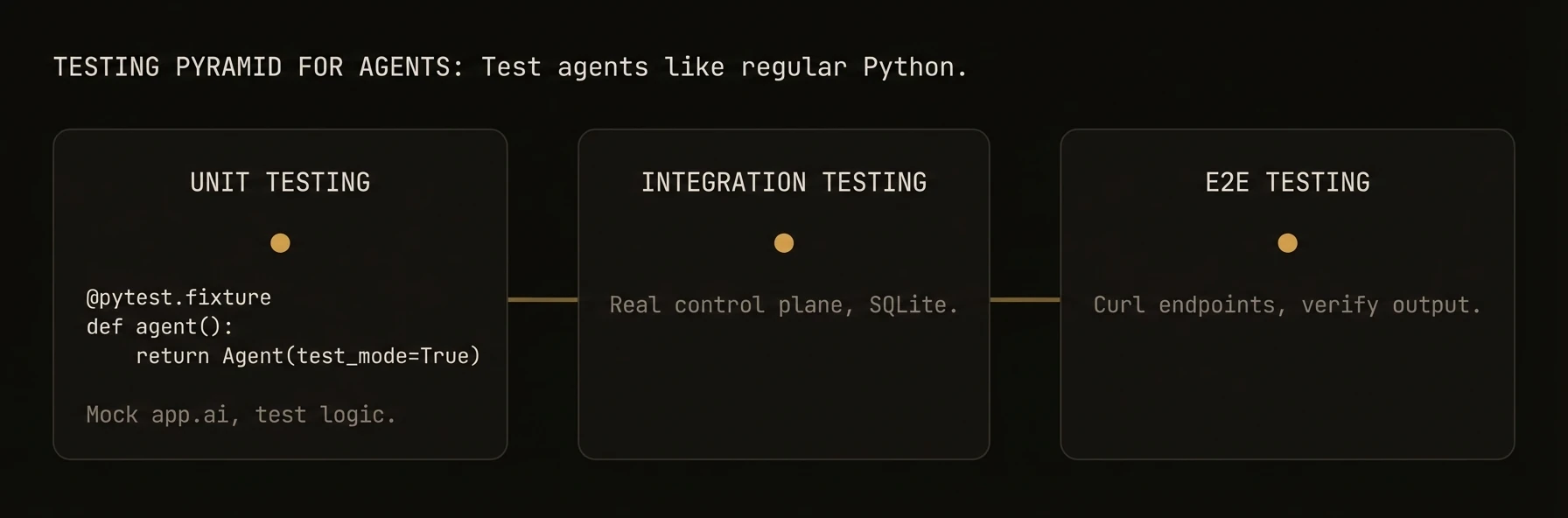 > Write deterministic, fast tests for your agents -- from unit tests to full integration suites.
AgentField agents are regular Python functions decorated with `@app.reasoner()` and `@app.skill()`. Test them with standard tools like **pytest**, mock LLM calls for deterministic assertions, and run integration tests against a local backend.
## Key Principle
Replace `app.ai` and `app.call` with `AsyncMock` instances so no real LLM calls happen. Tests run in milliseconds with deterministic results.
## What just happened
The example replaced live infrastructure with mocks and still exercised the agent’s logic directly. That is the key testing pattern to make explicit: most agent tests should validate control flow, schemas, and fallback behavior without invoking real models or remote agents.
---
### Unit Testing Reasoners
## Unit Testing Reasoners
### Mocking AI Calls
## Mocking AI Calls
### Basic Mock
### Multiple AI Calls in Sequence
Use `side_effect` to return different values for each call:
### Testing Fallback Paths
### Mocking Cross-Agent Calls
## Mocking Cross-Agent Calls
### Testing Error Handling
### Integration Testing
## Integration Testing
### Setup a Test Agent
### Testing Memory Operations
### Testing with the CLI
### CI/CD Patterns
## CI/CD Patterns
### Project Structure
### pyproject.toml
### GitHub Actions Workflow
### Tips
- **Mock all LLM calls in unit tests.** Never depend on an API key for unit tests to pass.
- **Use `asyncio_mode = "auto"`** so you don't need `@pytest.mark.asyncio` on every test.
- **Separate unit and integration tests** with pytest markers.
- **Pin your `agentfield` version** in `pyproject.toml`.
- **Pin environment variables** like `AGENTFIELD_LOG_LEVEL` in CI to control verbosity.
---
## Testing
URL: https://agentfield.ai/docs/reference/testing-guide
Markdown: https://agentfield.ai/llm/docs/reference/testing-guide
Last-Modified: 2026-03-24T15:33:27.000Z
Category: general
Difficulty: unspecified
Keywords:
Summary: Patterns for unit testing, integration testing, and mocking AgentField agents.
> Write deterministic, fast tests for your agents — from unit tests to full integration suites.
AgentField agents are regular Python functions decorated with `@app.reasoner()` and `@app.skill()`. This means you can test them with standard tools like **pytest**, mock LLM calls for deterministic assertions, and run integration tests against a local backend.
## Unit Testing Reasoners
Reasoner functions receive an app context and input. To test them in isolation, create a test agent with mocked dependencies.
The key pattern: replace `app.ai` (and `app.call`) with `AsyncMock` instances so no real LLM calls happen. Your test runs in milliseconds and produces deterministic results.
## What just happened
The test exercised the reasoner directly while replacing the model call with a mock. That keeps the feedback loop fast and makes the assertion about your logic, not about whether an external provider responded the same way twice.
## Mocking AI Calls
`app.ai()` is the most common call to mock. Control exactly what the LLM "returns" so you can test downstream logic.
### Testing Multiple AI Calls in Sequence
When a reasoner makes several `app.ai()` calls, use `side_effect` to return different values for each call:
## Mocking Cross-Agent Calls
`app.call()` invokes other agents over the network. Mock it to test your agent without starting dependent services.
### Testing Error Handling
Verify your agent handles downstream failures gracefully:
## Integration Testing
For integration tests, run your agent against a real local backend using SQLite. This tests the full stack — routing, serialization, memory — without external dependencies.
### Setup a Test Agent with SQLite
### Testing Memory Operations
## Testing with the CLI
Run the control plane and your agent app locally, then hit the execution API with HTTP requests. This is useful for manual testing and debugging.
### Start the Local Server
This starts the control plane on `http://localhost:8080` and registers your agent with it.
### Send Test Requests
### Run the Control Plane with Verbose Logging
## CI/CD Patterns
Run your agent tests in CI with predictable results. The key: mock all LLM calls so tests are fast, free, and deterministic.
### Project Structure
### pyproject.toml Test Configuration
### GitHub Actions Workflow
### Environment Variables for CI
### Tips for Reliable CI Tests
- **Mock all LLM calls in unit tests.** Never depend on an API key for unit tests to pass.
- **Use `asyncio_mode = "auto"`** so you don't need `@pytest.mark.asyncio` on every test (pytest-asyncio 0.23+).
- **Separate unit and integration tests** with pytest markers. Run unit tests on every push, integration tests on PRs.
- **Pin your `agentfield` version** in `pyproject.toml` to avoid surprise breakage.
- **Pin environment variables** like `AGENTFIELD_LOG_LEVEL` in CI to control verbosity.
---
## TypeScript Testing
AgentField TypeScript agents receive a `ReasonerContext` in their handler. The context provides `ctx.ai()`, `ctx.call()`, `ctx.memory`, and `ctx.note()`. Test them with **Jest** or **Vitest** by mocking the context object.
### Mocking `ctx.ai()`
### Testing Reasoner Registration
### TypeScript CI Configuration
---
## Go Testing
The Go SDK uses standard `testing` patterns. Use table-driven tests for reasoners and `InMemoryBackend` for memory tests.
### Table-Driven Tests for Reasoners
### InMemoryBackend for Memory Tests
### Mocking AI Calls in Go
### Go CI Configuration
---
## Troubleshooting
URL: https://agentfield.ai/docs/reference/troubleshooting
Markdown: https://agentfield.ai/llm/docs/reference/troubleshooting
Last-Modified: 2026-03-24T16:26:51.000Z
Category: reference
Difficulty: intermediate
Keywords: troubleshooting, errors, debugging, logging, environment variables
Summary: Common errors, debugging patterns, and solutions for AgentField.
> Write deterministic, fast tests for your agents -- from unit tests to full integration suites.
AgentField agents are regular Python functions decorated with `@app.reasoner()` and `@app.skill()`. Test them with standard tools like **pytest**, mock LLM calls for deterministic assertions, and run integration tests against a local backend.
## Key Principle
Replace `app.ai` and `app.call` with `AsyncMock` instances so no real LLM calls happen. Tests run in milliseconds with deterministic results.
## What just happened
The example replaced live infrastructure with mocks and still exercised the agent’s logic directly. That is the key testing pattern to make explicit: most agent tests should validate control flow, schemas, and fallback behavior without invoking real models or remote agents.
---
### Unit Testing Reasoners
## Unit Testing Reasoners
### Mocking AI Calls
## Mocking AI Calls
### Basic Mock
### Multiple AI Calls in Sequence
Use `side_effect` to return different values for each call:
### Testing Fallback Paths
### Mocking Cross-Agent Calls
## Mocking Cross-Agent Calls
### Testing Error Handling
### Integration Testing
## Integration Testing
### Setup a Test Agent
### Testing Memory Operations
### Testing with the CLI
### CI/CD Patterns
## CI/CD Patterns
### Project Structure
### pyproject.toml
### GitHub Actions Workflow
### Tips
- **Mock all LLM calls in unit tests.** Never depend on an API key for unit tests to pass.
- **Use `asyncio_mode = "auto"`** so you don't need `@pytest.mark.asyncio` on every test.
- **Separate unit and integration tests** with pytest markers.
- **Pin your `agentfield` version** in `pyproject.toml`.
- **Pin environment variables** like `AGENTFIELD_LOG_LEVEL` in CI to control verbosity.
---
## Testing
URL: https://agentfield.ai/docs/reference/testing-guide
Markdown: https://agentfield.ai/llm/docs/reference/testing-guide
Last-Modified: 2026-03-24T15:33:27.000Z
Category: general
Difficulty: unspecified
Keywords:
Summary: Patterns for unit testing, integration testing, and mocking AgentField agents.
> Write deterministic, fast tests for your agents — from unit tests to full integration suites.
AgentField agents are regular Python functions decorated with `@app.reasoner()` and `@app.skill()`. This means you can test them with standard tools like **pytest**, mock LLM calls for deterministic assertions, and run integration tests against a local backend.
## Unit Testing Reasoners
Reasoner functions receive an app context and input. To test them in isolation, create a test agent with mocked dependencies.
The key pattern: replace `app.ai` (and `app.call`) with `AsyncMock` instances so no real LLM calls happen. Your test runs in milliseconds and produces deterministic results.
## What just happened
The test exercised the reasoner directly while replacing the model call with a mock. That keeps the feedback loop fast and makes the assertion about your logic, not about whether an external provider responded the same way twice.
## Mocking AI Calls
`app.ai()` is the most common call to mock. Control exactly what the LLM "returns" so you can test downstream logic.
### Testing Multiple AI Calls in Sequence
When a reasoner makes several `app.ai()` calls, use `side_effect` to return different values for each call:
## Mocking Cross-Agent Calls
`app.call()` invokes other agents over the network. Mock it to test your agent without starting dependent services.
### Testing Error Handling
Verify your agent handles downstream failures gracefully:
## Integration Testing
For integration tests, run your agent against a real local backend using SQLite. This tests the full stack — routing, serialization, memory — without external dependencies.
### Setup a Test Agent with SQLite
### Testing Memory Operations
## Testing with the CLI
Run the control plane and your agent app locally, then hit the execution API with HTTP requests. This is useful for manual testing and debugging.
### Start the Local Server
This starts the control plane on `http://localhost:8080` and registers your agent with it.
### Send Test Requests
### Run the Control Plane with Verbose Logging
## CI/CD Patterns
Run your agent tests in CI with predictable results. The key: mock all LLM calls so tests are fast, free, and deterministic.
### Project Structure
### pyproject.toml Test Configuration
### GitHub Actions Workflow
### Environment Variables for CI
### Tips for Reliable CI Tests
- **Mock all LLM calls in unit tests.** Never depend on an API key for unit tests to pass.
- **Use `asyncio_mode = "auto"`** so you don't need `@pytest.mark.asyncio` on every test (pytest-asyncio 0.23+).
- **Separate unit and integration tests** with pytest markers. Run unit tests on every push, integration tests on PRs.
- **Pin your `agentfield` version** in `pyproject.toml` to avoid surprise breakage.
- **Pin environment variables** like `AGENTFIELD_LOG_LEVEL` in CI to control verbosity.
---
## TypeScript Testing
AgentField TypeScript agents receive a `ReasonerContext` in their handler. The context provides `ctx.ai()`, `ctx.call()`, `ctx.memory`, and `ctx.note()`. Test them with **Jest** or **Vitest** by mocking the context object.
### Mocking `ctx.ai()`
### Testing Reasoner Registration
### TypeScript CI Configuration
---
## Go Testing
The Go SDK uses standard `testing` patterns. Use table-driven tests for reasoners and `InMemoryBackend` for memory tests.
### Table-Driven Tests for Reasoners
### InMemoryBackend for Memory Tests
### Mocking AI Calls in Go
### Go CI Configuration
---
## Troubleshooting
URL: https://agentfield.ai/docs/reference/troubleshooting
Markdown: https://agentfield.ai/llm/docs/reference/troubleshooting
Last-Modified: 2026-03-24T16:26:51.000Z
Category: reference
Difficulty: intermediate
Keywords: troubleshooting, errors, debugging, logging, environment variables
Summary: Common errors, debugging patterns, and solutions for AgentField.
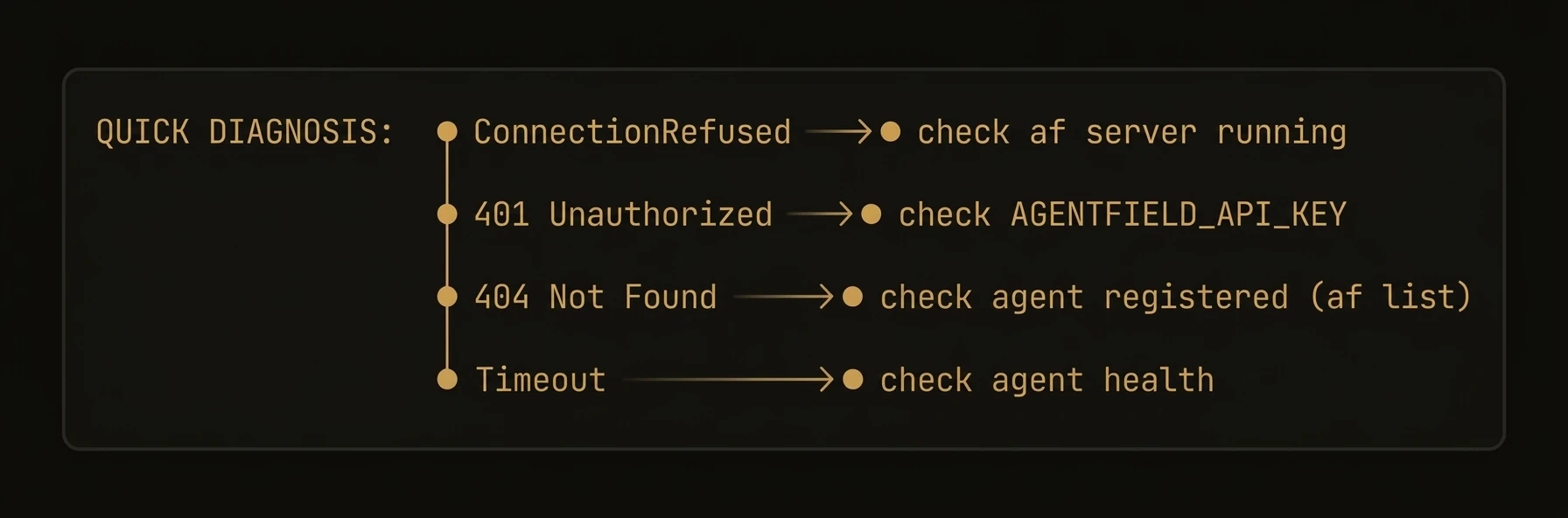 > Diagnose and fix common issues when building with AgentField.
## Common Errors
| Error | Cause | Fix |
|---|---|---|
| `ConnectionRefusedError` | Control plane is not running | Start with `af server` or check host/port |
| `401 Unauthorized` | Missing or invalid API key | Set `AGENTFIELD_API_KEY` or pass `api_key=` to Agent |
| `404 Agent not found` | Agent is not registered | Ensure agent is running with `app.serve()` |
| `429 Too Many Requests` | LLM provider rate limit | Add retry logic or configure fallback models |
| `TimeoutError` | Execution exceeded deadline | Increase timeout or switch to async execution |
---
### Debugging Reasoners
## Debugging Reasoners
### Enable verbose logging
```python
import logging
logging.basicConfig(level=logging.DEBUG)
from agentfield import Agent, AIConfig
app = Agent(
node_id="debug-agent",
ai_config=AIConfig(model="anthropic/claude-sonnet-4-20250514"),
)
```
In production, use `logging.INFO` to avoid flooding logs with LLM request/response bodies.
### Inspect execution via notes
```python
@app.reasoner()
async def analyze(text: str) -> dict:
app.note("Starting analysis")
result = await app.ai(system="Analyze the following text.", user=text)
app.note(f"Analysis complete")
return result
```
### Use execution notes
```python
@app.reasoner()
async def classify(document: str) -> dict:
intake = await app.ai(
system="Classify this document.",
user=document[:2000],
schema=IntakeResult,
)
app.note(f"Classified as {intake.category}, confidence={intake.confidence}")
if not intake.confident:
app.note("Low confidence — escalating to harness")
return await app.call("my-agent.deep_classify", document=document)
return intake.model_dump()
```
Execution notes are attached to execution records and surfaced in the UI and notes endpoints. Use them liberally during development.
### LLM Errors
## LLM Errors
### Model not found
```
AgentFieldError: Model "anthropic/claude-opus-4-20250514" not found or not available
```
Check the model name against your provider's documentation. AgentField uses LiteLLM-style model identifiers (`provider/model-name`).
### API key issues
Set the provider-specific key as an environment variable:
```bash
export ANTHROPIC_API_KEY="sk-ant-..."
export OPENAI_API_KEY="sk-..."
```
Never hardcode API keys in source code. Use environment variables or a secrets manager.
### Rate limiting and fallback models
```python
app = Agent(
node_id="resilient-agent",
ai_config=AIConfig(
model="anthropic/claude-sonnet-4-20250514",
fallback_models=[
"openai/gpt-4o",
"anthropic/claude-haiku-4-20250514",
],
retry_attempts=3,
retry_delay=1.0,
),
)
```
AgentField tries each fallback model in order when the primary model fails.
### Memory Errors
## Memory Errors
### Key not found
If `await app.memory.get()` returns `None` unexpectedly, use `get` with a default or check existence first:
```python
value = await app.memory.get("my-key", default=None)
# OR
if await app.memory.exists("my-key"):
value = await app.memory.get("my-key")
```
### Vector dimension mismatch
```
MemoryAccessError: Vector dimension mismatch — expected 1536, got 768
```
The embedding model used to write vectors differs from the one configured for reads. Use the same embedding model consistently. If you need to change models, delete old vectors and re-store them with the new model.
Re-computing embeddings can be slow and costly. Test with a small dataset first.
### Network and Connectivity
## Network and Connectivity
### Control plane connection
1. Verify the control plane is running: `af server`
2. Check the connection URL in Agent constructor
3. Check firewall and network rules
4. Look at control plane logs for rejected connections
### Agent registration failures
```
RegistrationError: Agent "my-agent" failed to register — conflict with existing node_id
```
**Causes:** Another agent with the same `node_id`, or a previous instance did not deregister cleanly.
**Fix:** Use a unique `node_id`, or wait for the stale registration to expire (default: 60 seconds) and then restart your agent.
### Environment Variables Reference
## Environment Variables
| Variable | Description | Default |
|---|---|---|
| `AGENTFIELD_API_KEY` | API key for authenticating with the control plane | _(required in production)_ |
| `AGENTFIELD_SERVER` | URL of the AgentField server (control plane). Also accepts `AGENTFIELD_SERVER_URL`. | `http://localhost:8080` |
| `AGENTFIELD_LOG_LEVEL` | Logging verbosity: `DEBUG`, `INFO`, `WARNING`, `ERROR` | `WARNING` |
| `AGENTFIELD_PORT` | Override the default control plane port | `8080` |
| `AGENTFIELD_HOME` | Override the default AgentField home directory | `~/.agentfield` |
| `AGENTFIELD_AGENT_MAX_CONCURRENT_CALLS` | Max concurrent cross-agent calls per agent | _(SDK default)_ |
| `AGENTFIELD_AUTO_PORT` | Set to `true` for automatic port assignment | `false` |
| `ANTHROPIC_API_KEY` | API key for Anthropic models (used by LiteLLM) | _(none)_ |
| `OPENAI_API_KEY` | API key for OpenAI models (used by LiteLLM) | _(none)_ |
Explicit parameters take precedence over environment variables, which take precedence over defaults (i.e., explicit params > env vars > defaults). This lets you override config per environment using env vars while still allowing code-level overrides.
---
## Troubleshooting
URL: https://agentfield.ai/docs/reference/troubleshooting-guide
Markdown: https://agentfield.ai/llm/docs/reference/troubleshooting-guide
Last-Modified: 2026-03-24T15:35:27.000Z
Category: reference
Difficulty: intermediate
Keywords: troubleshooting, errors, debugging, logging, environment variables
Summary: Common errors, debugging patterns, and solutions for AgentField.
> Diagnose and fix common issues when building with AgentField.
This guide covers the most frequent errors, debugging techniques, and configuration pitfalls. Start with the error table below, then dive into the relevant section.
---
## Common Errors
| Error | Cause | Fix |
|---|---|---|
| `ConnectionRefusedError` | Control plane is not running | Start the control plane with `af server` or check the host/port configuration |
| `401 Unauthorized` | Missing or invalid API key | Set `AGENTFIELD_API_KEY` or pass `api_key=` to the Agent constructor |
| `404 Agent not found` | Agent is not registered with the control plane | Ensure the agent is running with `app.serve()` |
| `429 Too Many Requests` | LLM provider rate limit exceeded | Add retry logic, reduce concurrency, or configure a fallback model |
| `TimeoutError` | Execution exceeded the configured deadline | Increase `timeout` (in seconds) on `AIConfig`, or set `default_execution_timeout` in `AsyncConfig` for long-running tasks |
---
## Debugging Reasoners
### Enable verbose logging
Set the log level before starting your agent to see every execution step, tool call, and LLM request:
In production, use `logging.INFO` to avoid flooding your logs with LLM request/response bodies.
### Inspect execution context
Use execution notes to trace what happened during a reasoner call:
### Use execution notes
Attach structured notes to an execution for post-hoc debugging. Notes are stored alongside the execution record and visible in the dashboard:
Execution notes are included in the cryptographic audit trail. Use them liberally during development.
---
## LLM Errors
### Model not found
**Causes:**
- Typo in the model identifier
- The model is not enabled in your LLM provider account
- Your `api_base` in `AIConfig` points to a provider that does not serve this model
**Fix:** Check the model name against your provider's documentation. AgentField uses LiteLLM-style model identifiers (`provider/model-name`).
### API key issues
**Fix:** Set the provider-specific key as an environment variable:
Or pass it through your `AIConfig`:
Never hardcode API keys in source code. Use environment variables or a secrets manager.
### Rate limiting and fallback models
When an LLM provider returns `429 Too Many Requests`, AgentField surfaces the error to your agent. To handle this gracefully, configure fallback models:
AgentField will try each fallback model in order when the primary model fails.
---
## Memory Errors
### Key not found
If `memory.get()` returns `None` unexpectedly, the key may not have been written yet or was written under a different scope.
**Fix:** Use `get` with a default value to handle missing keys gracefully:
You can also check whether a key exists before reading:
### Vector dimension mismatch
**Cause:** The embedding model used to write vectors differs from the one configured for reads. This happens when you change the embedding model after data has been stored.
**Fix:** Use the same embedding model consistently. If you need to change models, delete the old vectors and re-store them with the new model.
Re-indexing vectors requires re-computing embeddings, which can be slow and costly. Test with a small dataset first.
---
## Network & Connectivity
### Control plane connection
If your agent cannot reach the control plane:
1. **Verify the control plane is running:**
2. **Check the connection URL:**
3. **Check firewall and network rules** — the agent must be able to reach the control plane on the configured port.
4. **Look at control plane logs** for rejected connections or auth failures by running the server with verbose logging:
### Agent registration failures
**Causes:**
- Another agent is already registered with the same `node_id`
- A previous instance did not deregister cleanly
**Fix:**
- Use a unique `node_id` for each agent instance
- If the previous instance crashed, the control plane will eventually expire the stale registration (default: 60 seconds)
- If the previous instance crashed, wait for the stale registration to expire (default: 60 seconds), then restart your agent.
---
## Environment Variables
Complete reference of all `AGENTFIELD_*` environment variables:
| Variable | Description | Default |
|---|---|---|
| `AGENTFIELD_API_KEY` | API key for authenticating with the control plane | _(none — required in production)_ |
| `AGENTFIELD_SERVER` | URL of the AgentField server (control plane). Also accepts `AGENTFIELD_SERVER_URL`. | `http://localhost:8080` |
| `AGENTFIELD_LOG_LEVEL` | Logging verbosity: `DEBUG`, `INFO`, `WARNING`, `ERROR` | `WARNING` |
| `AGENTFIELD_PORT` | Override the default control plane port | `8080` |
| `AGENTFIELD_HOME` | Override the default AgentField home directory | `~/.agentfield` |
| `AGENTFIELD_AGENT_MAX_CONCURRENT_CALLS` | Max concurrent cross-agent calls per agent | _(SDK default)_ |
| `AGENTFIELD_AUTO_PORT` | Set to `true` for automatic port assignment | `false` |
| `ANTHROPIC_API_KEY` | API key for Anthropic models (used by LiteLLM) | _(none)_ |
| `OPENAI_API_KEY` | API key for OpenAI models (used by LiteLLM) | _(none)_ |
Explicit parameters take precedence over environment variables, which take precedence over defaults (i.e., explicit params > env vars > defaults). This lets you override config per environment using env vars while still allowing code-level overrides.
> Diagnose and fix common issues when building with AgentField.
## Common Errors
| Error | Cause | Fix |
|---|---|---|
| `ConnectionRefusedError` | Control plane is not running | Start with `af server` or check host/port |
| `401 Unauthorized` | Missing or invalid API key | Set `AGENTFIELD_API_KEY` or pass `api_key=` to Agent |
| `404 Agent not found` | Agent is not registered | Ensure agent is running with `app.serve()` |
| `429 Too Many Requests` | LLM provider rate limit | Add retry logic or configure fallback models |
| `TimeoutError` | Execution exceeded deadline | Increase timeout or switch to async execution |
---
### Debugging Reasoners
## Debugging Reasoners
### Enable verbose logging
```python
import logging
logging.basicConfig(level=logging.DEBUG)
from agentfield import Agent, AIConfig
app = Agent(
node_id="debug-agent",
ai_config=AIConfig(model="anthropic/claude-sonnet-4-20250514"),
)
```
In production, use `logging.INFO` to avoid flooding logs with LLM request/response bodies.
### Inspect execution via notes
```python
@app.reasoner()
async def analyze(text: str) -> dict:
app.note("Starting analysis")
result = await app.ai(system="Analyze the following text.", user=text)
app.note(f"Analysis complete")
return result
```
### Use execution notes
```python
@app.reasoner()
async def classify(document: str) -> dict:
intake = await app.ai(
system="Classify this document.",
user=document[:2000],
schema=IntakeResult,
)
app.note(f"Classified as {intake.category}, confidence={intake.confidence}")
if not intake.confident:
app.note("Low confidence — escalating to harness")
return await app.call("my-agent.deep_classify", document=document)
return intake.model_dump()
```
Execution notes are attached to execution records and surfaced in the UI and notes endpoints. Use them liberally during development.
### LLM Errors
## LLM Errors
### Model not found
```
AgentFieldError: Model "anthropic/claude-opus-4-20250514" not found or not available
```
Check the model name against your provider's documentation. AgentField uses LiteLLM-style model identifiers (`provider/model-name`).
### API key issues
Set the provider-specific key as an environment variable:
```bash
export ANTHROPIC_API_KEY="sk-ant-..."
export OPENAI_API_KEY="sk-..."
```
Never hardcode API keys in source code. Use environment variables or a secrets manager.
### Rate limiting and fallback models
```python
app = Agent(
node_id="resilient-agent",
ai_config=AIConfig(
model="anthropic/claude-sonnet-4-20250514",
fallback_models=[
"openai/gpt-4o",
"anthropic/claude-haiku-4-20250514",
],
retry_attempts=3,
retry_delay=1.0,
),
)
```
AgentField tries each fallback model in order when the primary model fails.
### Memory Errors
## Memory Errors
### Key not found
If `await app.memory.get()` returns `None` unexpectedly, use `get` with a default or check existence first:
```python
value = await app.memory.get("my-key", default=None)
# OR
if await app.memory.exists("my-key"):
value = await app.memory.get("my-key")
```
### Vector dimension mismatch
```
MemoryAccessError: Vector dimension mismatch — expected 1536, got 768
```
The embedding model used to write vectors differs from the one configured for reads. Use the same embedding model consistently. If you need to change models, delete old vectors and re-store them with the new model.
Re-computing embeddings can be slow and costly. Test with a small dataset first.
### Network and Connectivity
## Network and Connectivity
### Control plane connection
1. Verify the control plane is running: `af server`
2. Check the connection URL in Agent constructor
3. Check firewall and network rules
4. Look at control plane logs for rejected connections
### Agent registration failures
```
RegistrationError: Agent "my-agent" failed to register — conflict with existing node_id
```
**Causes:** Another agent with the same `node_id`, or a previous instance did not deregister cleanly.
**Fix:** Use a unique `node_id`, or wait for the stale registration to expire (default: 60 seconds) and then restart your agent.
### Environment Variables Reference
## Environment Variables
| Variable | Description | Default |
|---|---|---|
| `AGENTFIELD_API_KEY` | API key for authenticating with the control plane | _(required in production)_ |
| `AGENTFIELD_SERVER` | URL of the AgentField server (control plane). Also accepts `AGENTFIELD_SERVER_URL`. | `http://localhost:8080` |
| `AGENTFIELD_LOG_LEVEL` | Logging verbosity: `DEBUG`, `INFO`, `WARNING`, `ERROR` | `WARNING` |
| `AGENTFIELD_PORT` | Override the default control plane port | `8080` |
| `AGENTFIELD_HOME` | Override the default AgentField home directory | `~/.agentfield` |
| `AGENTFIELD_AGENT_MAX_CONCURRENT_CALLS` | Max concurrent cross-agent calls per agent | _(SDK default)_ |
| `AGENTFIELD_AUTO_PORT` | Set to `true` for automatic port assignment | `false` |
| `ANTHROPIC_API_KEY` | API key for Anthropic models (used by LiteLLM) | _(none)_ |
| `OPENAI_API_KEY` | API key for OpenAI models (used by LiteLLM) | _(none)_ |
Explicit parameters take precedence over environment variables, which take precedence over defaults (i.e., explicit params > env vars > defaults). This lets you override config per environment using env vars while still allowing code-level overrides.
---
## Troubleshooting
URL: https://agentfield.ai/docs/reference/troubleshooting-guide
Markdown: https://agentfield.ai/llm/docs/reference/troubleshooting-guide
Last-Modified: 2026-03-24T15:35:27.000Z
Category: reference
Difficulty: intermediate
Keywords: troubleshooting, errors, debugging, logging, environment variables
Summary: Common errors, debugging patterns, and solutions for AgentField.
> Diagnose and fix common issues when building with AgentField.
This guide covers the most frequent errors, debugging techniques, and configuration pitfalls. Start with the error table below, then dive into the relevant section.
---
## Common Errors
| Error | Cause | Fix |
|---|---|---|
| `ConnectionRefusedError` | Control plane is not running | Start the control plane with `af server` or check the host/port configuration |
| `401 Unauthorized` | Missing or invalid API key | Set `AGENTFIELD_API_KEY` or pass `api_key=` to the Agent constructor |
| `404 Agent not found` | Agent is not registered with the control plane | Ensure the agent is running with `app.serve()` |
| `429 Too Many Requests` | LLM provider rate limit exceeded | Add retry logic, reduce concurrency, or configure a fallback model |
| `TimeoutError` | Execution exceeded the configured deadline | Increase `timeout` (in seconds) on `AIConfig`, or set `default_execution_timeout` in `AsyncConfig` for long-running tasks |
---
## Debugging Reasoners
### Enable verbose logging
Set the log level before starting your agent to see every execution step, tool call, and LLM request:
In production, use `logging.INFO` to avoid flooding your logs with LLM request/response bodies.
### Inspect execution context
Use execution notes to trace what happened during a reasoner call:
### Use execution notes
Attach structured notes to an execution for post-hoc debugging. Notes are stored alongside the execution record and visible in the dashboard:
Execution notes are included in the cryptographic audit trail. Use them liberally during development.
---
## LLM Errors
### Model not found
**Causes:**
- Typo in the model identifier
- The model is not enabled in your LLM provider account
- Your `api_base` in `AIConfig` points to a provider that does not serve this model
**Fix:** Check the model name against your provider's documentation. AgentField uses LiteLLM-style model identifiers (`provider/model-name`).
### API key issues
**Fix:** Set the provider-specific key as an environment variable:
Or pass it through your `AIConfig`:
Never hardcode API keys in source code. Use environment variables or a secrets manager.
### Rate limiting and fallback models
When an LLM provider returns `429 Too Many Requests`, AgentField surfaces the error to your agent. To handle this gracefully, configure fallback models:
AgentField will try each fallback model in order when the primary model fails.
---
## Memory Errors
### Key not found
If `memory.get()` returns `None` unexpectedly, the key may not have been written yet or was written under a different scope.
**Fix:** Use `get` with a default value to handle missing keys gracefully:
You can also check whether a key exists before reading:
### Vector dimension mismatch
**Cause:** The embedding model used to write vectors differs from the one configured for reads. This happens when you change the embedding model after data has been stored.
**Fix:** Use the same embedding model consistently. If you need to change models, delete the old vectors and re-store them with the new model.
Re-indexing vectors requires re-computing embeddings, which can be slow and costly. Test with a small dataset first.
---
## Network & Connectivity
### Control plane connection
If your agent cannot reach the control plane:
1. **Verify the control plane is running:**
2. **Check the connection URL:**
3. **Check firewall and network rules** — the agent must be able to reach the control plane on the configured port.
4. **Look at control plane logs** for rejected connections or auth failures by running the server with verbose logging:
### Agent registration failures
**Causes:**
- Another agent is already registered with the same `node_id`
- A previous instance did not deregister cleanly
**Fix:**
- Use a unique `node_id` for each agent instance
- If the previous instance crashed, the control plane will eventually expire the stale registration (default: 60 seconds)
- If the previous instance crashed, wait for the stale registration to expire (default: 60 seconds), then restart your agent.
---
## Environment Variables
Complete reference of all `AGENTFIELD_*` environment variables:
| Variable | Description | Default |
|---|---|---|
| `AGENTFIELD_API_KEY` | API key for authenticating with the control plane | _(none — required in production)_ |
| `AGENTFIELD_SERVER` | URL of the AgentField server (control plane). Also accepts `AGENTFIELD_SERVER_URL`. | `http://localhost:8080` |
| `AGENTFIELD_LOG_LEVEL` | Logging verbosity: `DEBUG`, `INFO`, `WARNING`, `ERROR` | `WARNING` |
| `AGENTFIELD_PORT` | Override the default control plane port | `8080` |
| `AGENTFIELD_HOME` | Override the default AgentField home directory | `~/.agentfield` |
| `AGENTFIELD_AGENT_MAX_CONCURRENT_CALLS` | Max concurrent cross-agent calls per agent | _(SDK default)_ |
| `AGENTFIELD_AUTO_PORT` | Set to `true` for automatic port assignment | `false` |
| `ANTHROPIC_API_KEY` | API key for Anthropic models (used by LiteLLM) | _(none)_ |
| `OPENAI_API_KEY` | API key for OpenAI models (used by LiteLLM) | _(none)_ |
Explicit parameters take precedence over environment variables, which take precedence over defaults (i.e., explicit params > env vars > defaults). This lets you override config per environment using env vars while still allowing code-level overrides.